Android-XML-to-PDF-Generator
Turn app layouts into documents people can save, share and print. Built by Teamz Lab.
Generate PDFs from Android XML layouts and Views, capture Jetpack Compose content, export Flutter widgets or text reports, and render SwiftUI documents on Apple platforms. Local generation, explicit paper sizes, runnable examples and regression tests. No account, API key or mandatory watermark.
Previously Android XML to PDF Generator. The repository URL and Java package stay the same so existing links keep working.


Quickstarts · Examples · Migration · Verification · Compare tools · AI integration guide
Source-first preview: the new adapters and Android 3.0 changes are available in this repository. They are not yet advertised as a published Maven Central or pub.dev release. The old
2.6.8artifact does not contain these features. Use the source/module instructions below and pin a reviewed commit.
Choose your platform
| Your app | Module | What goes into the PDF |
|---|---|---|
| Android XML / Java / Kotlin Views | xml-to-pdf |
Draws Views into Android's PDF Canvas; text/vector preservation depends on the View |
| Jetpack Compose on Android | compose-to-pdf |
Bitmap of the rendered capture area |
| Flutter | layout_to_pdf |
Widget capture as pixels, or flowing text reports via pdf |
| SwiftUI on iOS / macOS | LayoutToPDF |
Native ImageRenderer/Core Graphics output; sample text remains selectable |
Choose capture for visual fidelity to a rendered UI. Choose a document layout for flowing text and reports. These are different rendering paths with different limits. See the tested-platform matrix.
What this project handles
- Android app-private saving without legacy storage permissions; optional system document picker for shared storage.
- A4/A5 paper sizes, landscape, margins and continuous page slicing for Android and SwiftUI.
- Content-URI results, cancellation handling and Android Activity recreation while saving.
- Flutter captures with image/page bounds, plus text reports with repeated headers, page numbers and optional bundled fonts.
- Independent adapters: XML users do not pull in Compose, and Apple/Flutter apps do not depend on Android binaries.
- Sample apps, output checks, CI and a migration guide for existing integrations.
Android XML or View to PDF
The Android modules require minSdk 21. To build this repository, use JDK 17 and Android SDK 36.
git clone https://github.com/Teamz-Lab-LTD/Android-XML-to-PDF-Generator.git
cd Android-XML-to-PDF-Generator
./gradlew :sample:assembleDebug :xml-to-pdf:publishReleasePublicationToMavenLocal \
  :compose-to-pdf:publishReleasePublicationToMavenLocal
For a local integration, add mavenLocal() to your dependency repositories:
implementation("com.github.Teamz-Lab-LTD:Android-XML-to-PDF-Generator:3.0.0")
// Optional Compose adapter:
implementation("com.github.Teamz-Lab-LTD.Android-XML-to-PDF-Generator:compose-to-pdf:3.0.0")
These coordinates refer to the locally published modules above. They are not a claim of availability from Maven Central. You can also include the source modules as the sample does.
PdfGenerator.getBuilder()
    .setContext(this) // ComponentActivity, on the main thread
    .fromLayoutXMLSource()
    .fromLayoutXML(R.layout.document_invoice)
    .setPageSize(PdfGenerator.PageSize.A4)
    .setFileName("invoice")
    .setPageMargin(24) // PDF points, not dp
    .actionAfterPDFGeneration(PdfGenerator.ActionAfterPDFGeneration.NONE)
    .build(new PdfGeneratorListener() {
        @Override public void onSuccess(SuccessResponse result) {
            Uri pdf = result.getUri();
            // Read with ContentResolver; result.getPageCount() reports actual pages.
        }
        @Override public void onFailure(FailureResponse error) {
            // Show a useful error or cancellation state in your UI.
        }
    });
Use .fromViewSource().fromView(view) for dynamic content, or .fromViewIDSource().fromViewID(activity, R.id.document) for a View in your Activity. Multiple layouts/Views are accepted. Give detached layouts a fixed width; the invoice example uses 595px. View pixels describe the source; A4 PDF output uses 595 × 842 points.
Save to Downloads or another document provider
// In onCreate, once per Activity:
XmlToPDFLifecycleObserver saver = new XmlToPDFLifecycleObserver(this);
saver.setResultListener(listener); // Reattach on recreation.
getLifecycle().addObserver(saver);

// Add before build(listener):
// .savePDFSharedStorage(saver)
The user selects a destination. result.getUri() works for document providers; result.getFile() can be null. Cancel is reported through onFailure with CancellationException, then onFinishPDFGeneration. Do not request READ/WRITE_EXTERNAL_STORAGE for this flow. See migration details.
Jetpack Compose to PDF
val capture = rememberPdfCaptureState()
val scope = rememberCoroutineScope()

PdfCapture(capture) {
    InvoiceCard() // Your composable, with an explicit print-friendly theme.
}
Button(onClick = {
    scope.launch {
        try {
            capture.export(activity, "invoice", listener = listener)
        } catch (error: Exception) {
            // Capture must be attached and drawn; handle capture errors here.
        }
    }
}) { Text("Export PDF") }
Imports: com.gkemon.pdf.compose.PdfCapture, rememberPdfCaptureState. The complete sample handles coroutine cancellation and errors.
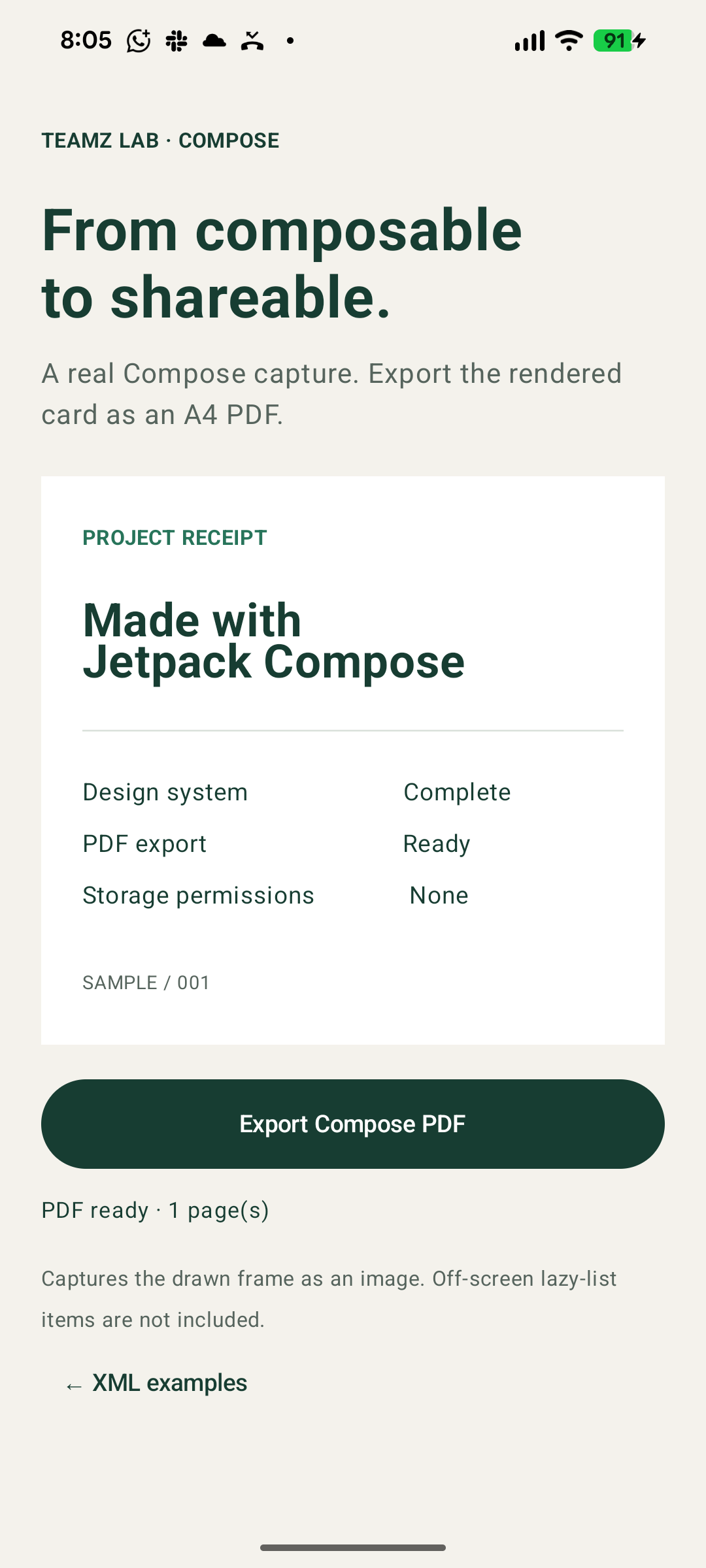
Compose capture is raster. It captures the drawn area, not off-screen LazyColumn items, WebViews or a whole navigation stack. Wait for data and images to render. For a long document, build explicit printable sections instead of capturing a virtualized list.
Flutter PDF generation
Use the Flutter package quickstart for Git installation. Two APIs cover different needs:
// Capture a painted widget:
PdfCapture(captureKey: key, child: InvoiceCard());
final export = await captureToPdf(key, pageFormat: PdfPageFormat.a4);

// Or build a text report with flowing paragraphs:
final report = await buildReportPdf(
  title: 'Project report',
  sections: [ReportSection('Delivery', ['Design approved.', 'Export verified.'])],
);
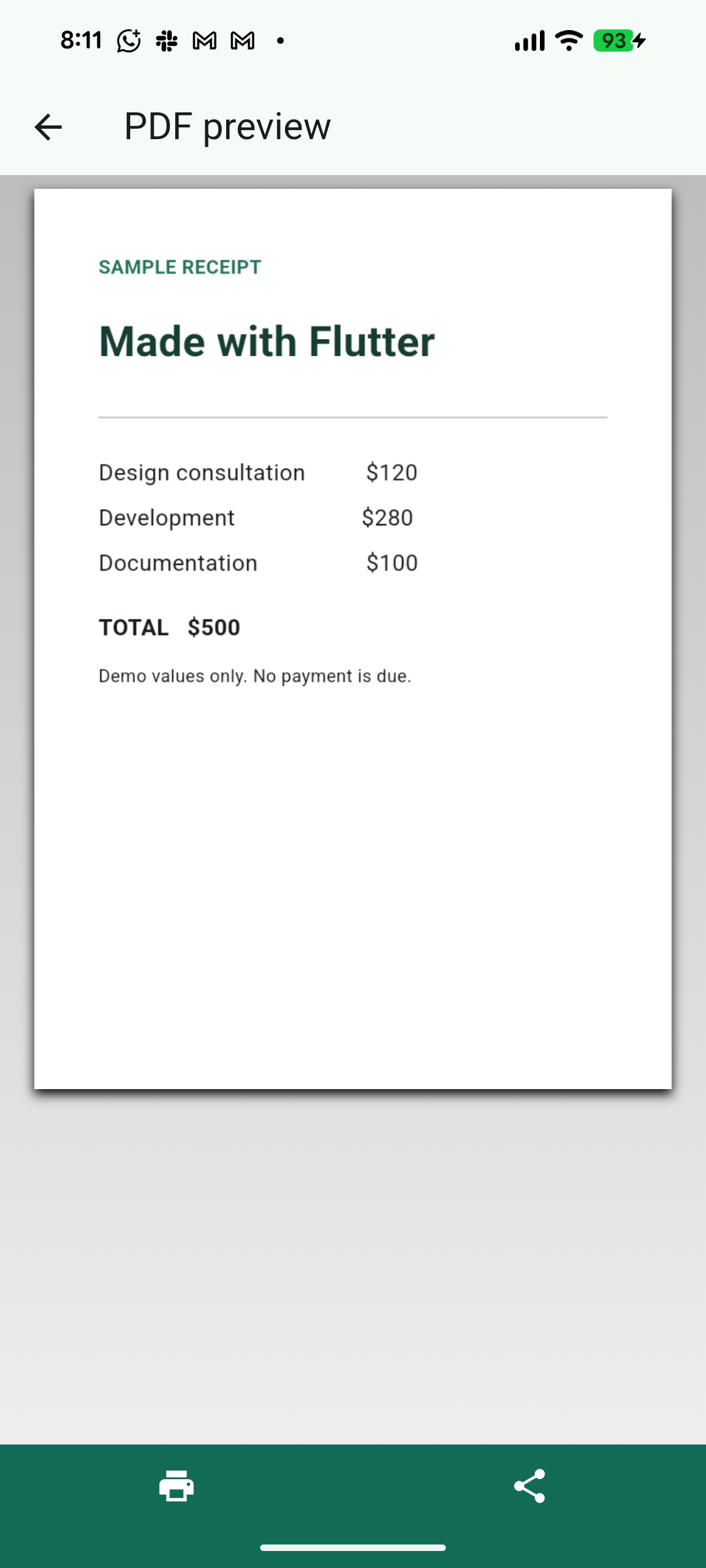
Both return PDF bytes and page count. The example app uses printing for PDF preview, printing and sharing. The portable package targets Flutter's Android, iOS, web, macOS, Windows and Linux runtimes; actual test coverage is listed separately.
SwiftUI to PDF
Add this repository through Xcode's Add Package Dependencies and select the LayoutToPDF product. Requires iOS 16+ or macOS 13+.
import LayoutToPDF

// Main actor, after your document data has loaded:
let export = try LayoutPDF.render(InvoiceView(), options: .a4)
try export.write(to: destinationURL)
See the Apple quickstart and iPhone sample. The native package provides PDF data and atomic writing; your app owns the save destination and sharing UI.
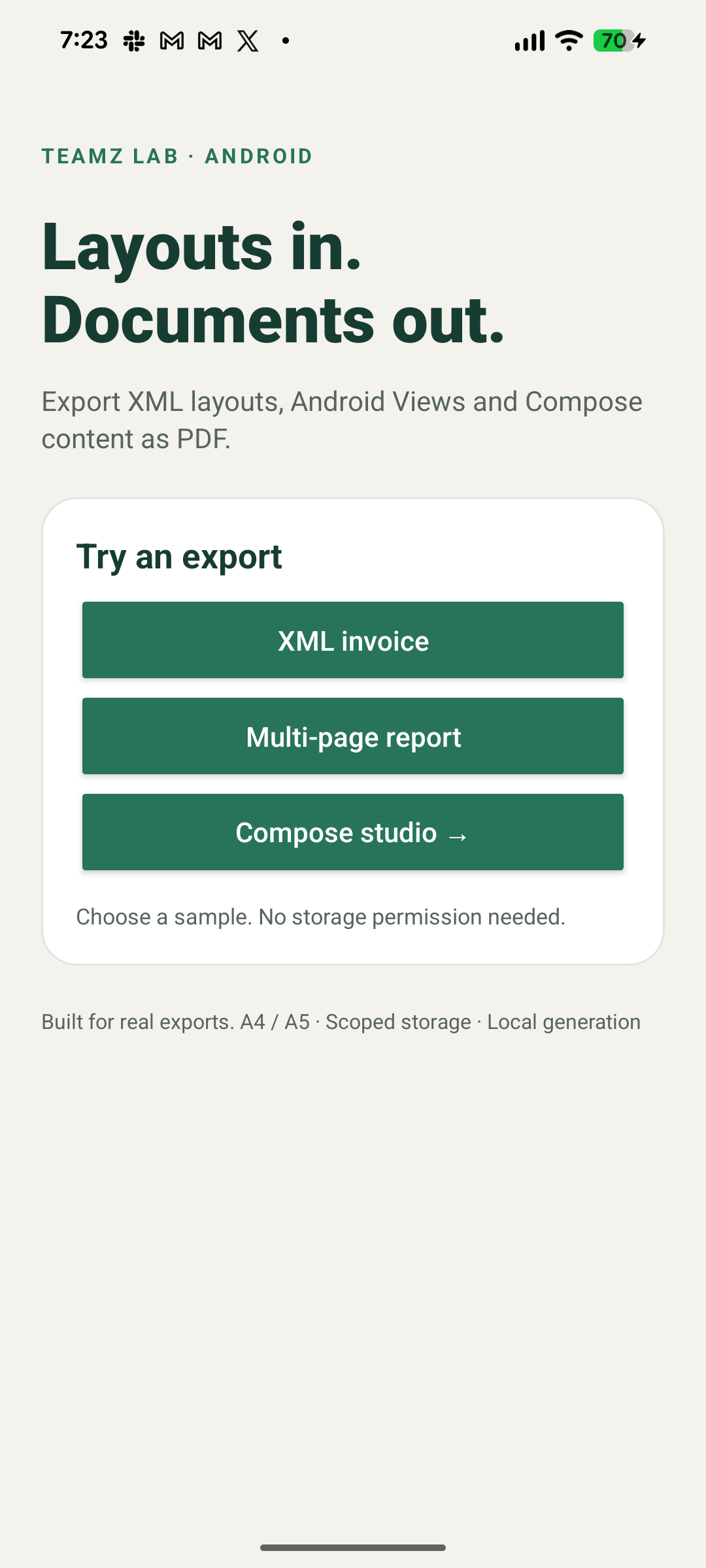
See the output
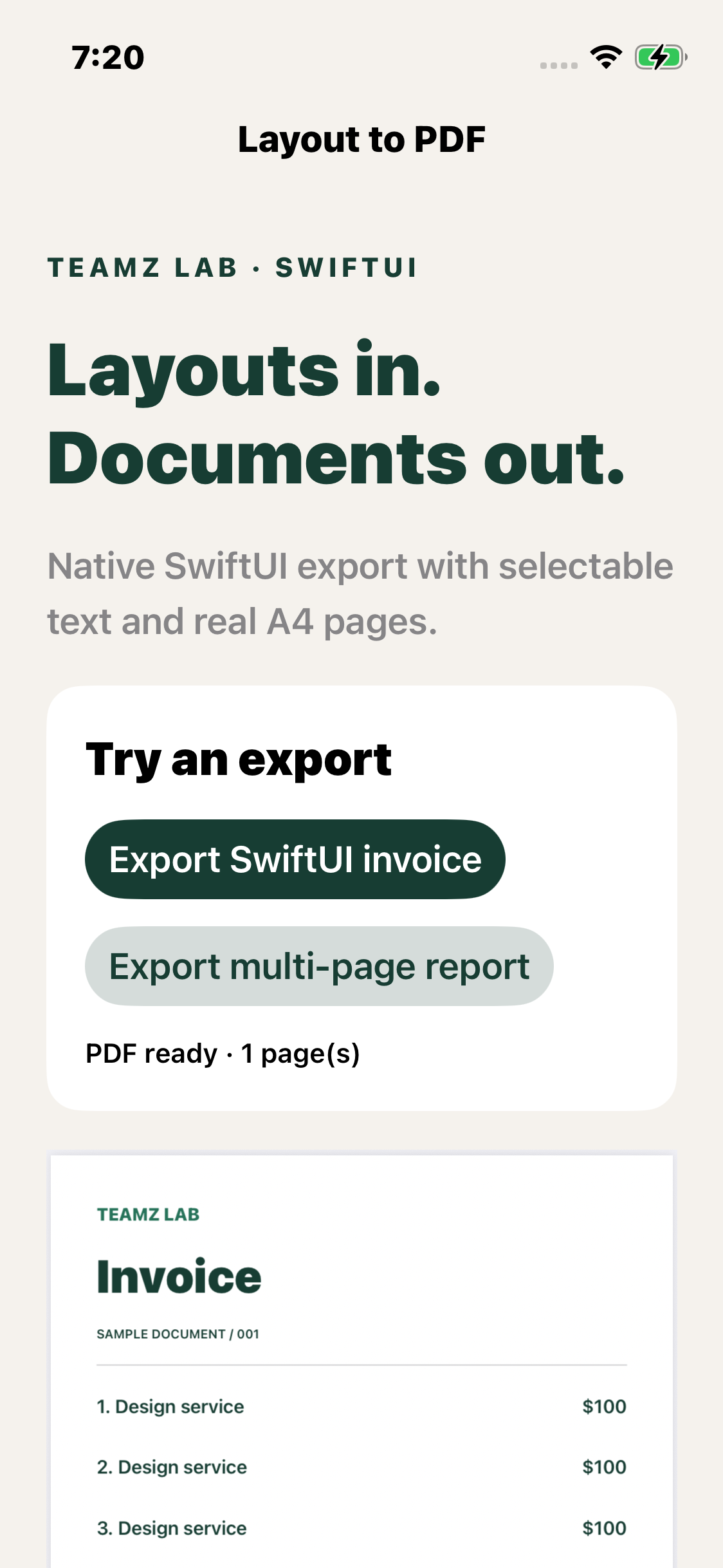
Real device captures from the sample apps. The hero illustration is generated artwork; it is not a screenshot.
Limits to know before integrating
- Continuous page slicing can cut through a line or table row. Use explicit page Views or Flutter's document/report path when semantic page breaks matter.
- Pixel capture is not selectable text. Android and SwiftUI rendering may preserve text/vectors, but custom drawing, effects and bitmaps vary.
- Virtualized/off-screen content is not automatically rendered. Supply loaded, non-lazy document content.
- A light page background does not recolor white text from a dark UI. Use a dedicated print theme.
- Android pending saves survive Activity recreation, not process death. Restart an unfinished export after the process is killed.
- No PDF editing, signing, encryption, PDF/A or accessibility-tagged PDF guarantees. This is an export toolkit, not a complete PDF engine.
- No runtime network calls or analytics are added by these adapters. Your host app, remote images and preview/printing dependencies have their own behavior.
Contribute or report a problem
Open a reproducible issue with the export path, versions, a minimal layout and expected output. Remove personal/client data from attachments. See CONTRIBUTING.md and maintenance policy.
Built by Teamz Lab
We build Android, iOS and Flutter apps, including document export, reporting and workflow integrations. If your team needs a custom print layout, an existing app fixed, or a mobile product built, talk to Teamz Lab.
The library stays open source. Hiring us is optional, and your documents do not require a Teamz Lab watermark.
Apache-2.0 · Original Android library by GK Emon · License
