ClawTeam
 ClawTeam: Agent Swarm Intelligence
The Evolution of AI Agents 🚀: Solo 🤖 → Swarm 🦞🤖🤖🤖
ClawTeam: Let AI Agents Form Swarms, Think & Work Together, and Ship Faster










One Command Line: Full Automation. — agents spawn swarms, delegate tasks, and deliver results.
Human provides the goal. The Agent Team orchestrates everything else.
Full compatibility with Claude Code, Codex, OpenClaw, nanobot, Cursor, and any CLI agent. 中文文档 | 한국어
2026-03-18 ClawTeam project launched publicly.
2026-03-23 ClawTeam v0.2.0 is released today.
2026-03 The current baseline includes config management, multi-user workflows, Web UI, P2P transport, and team templates.
✨ ClawTeam's Key Features
🔬 AI Research Automation
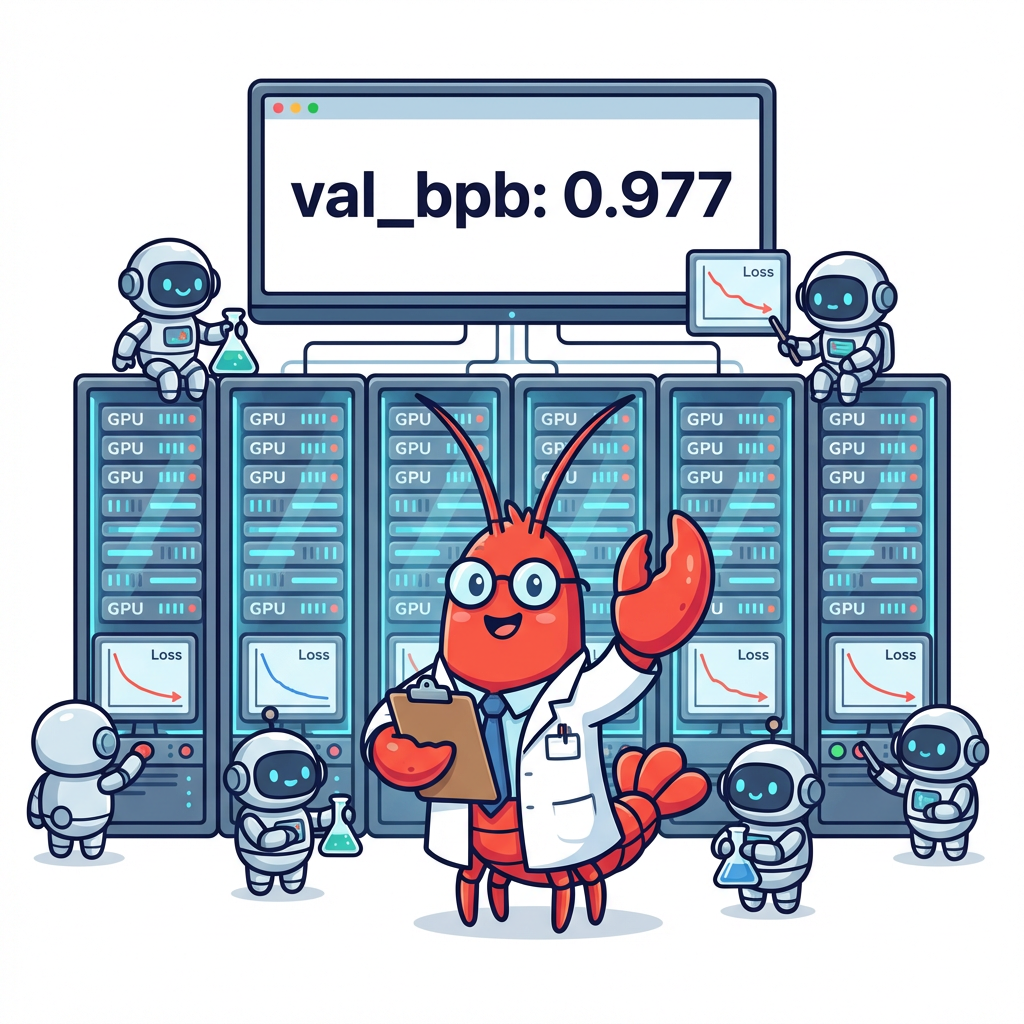
• Large-Scale Automated ML Experimentation • AI Model Training & Optimization • AI-Driven Hypothesis Generation & Validation • Self-Improving Model Architectures |
🏗️ Agentic Engineering
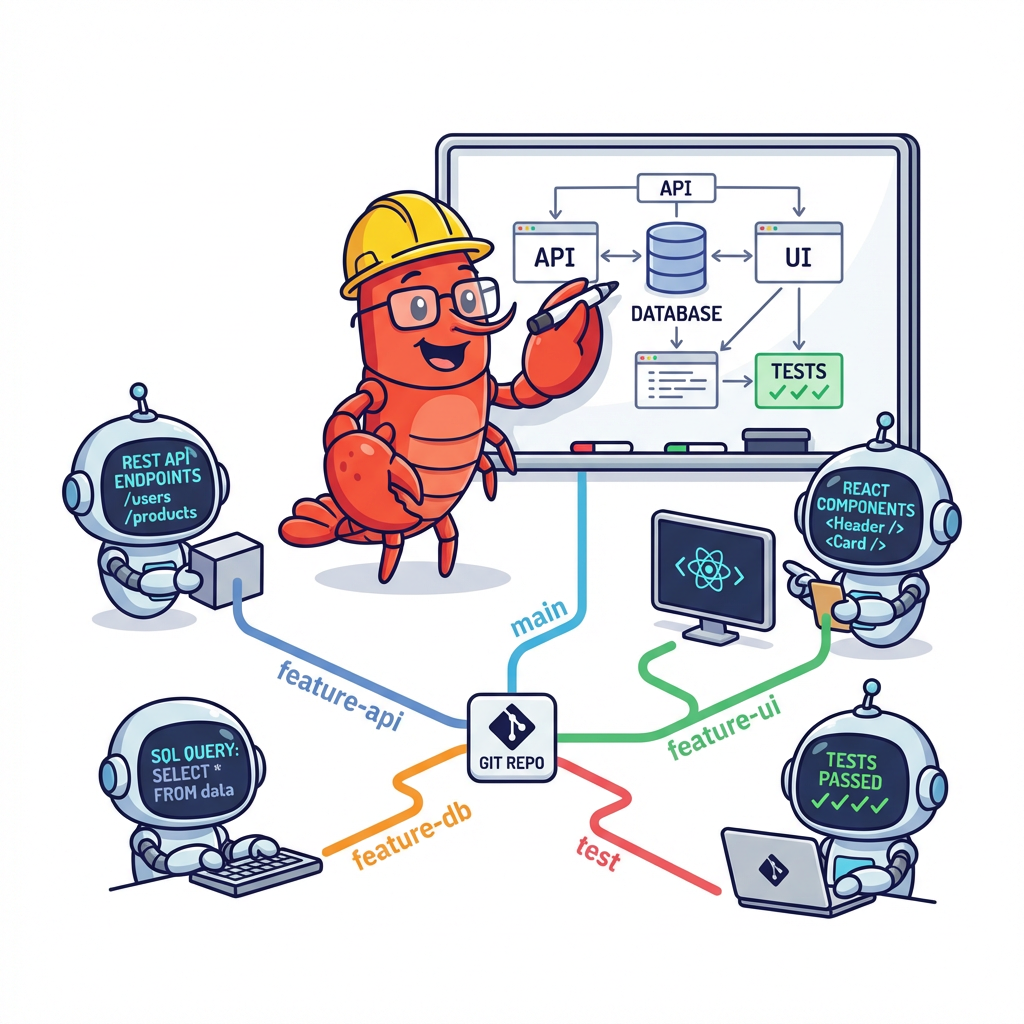
• Autonomous Full-Stack Development • Self-Evolving Software • Collaborative Open Source Development • Real-Time System Integration |
💰 AI Hedge Fund
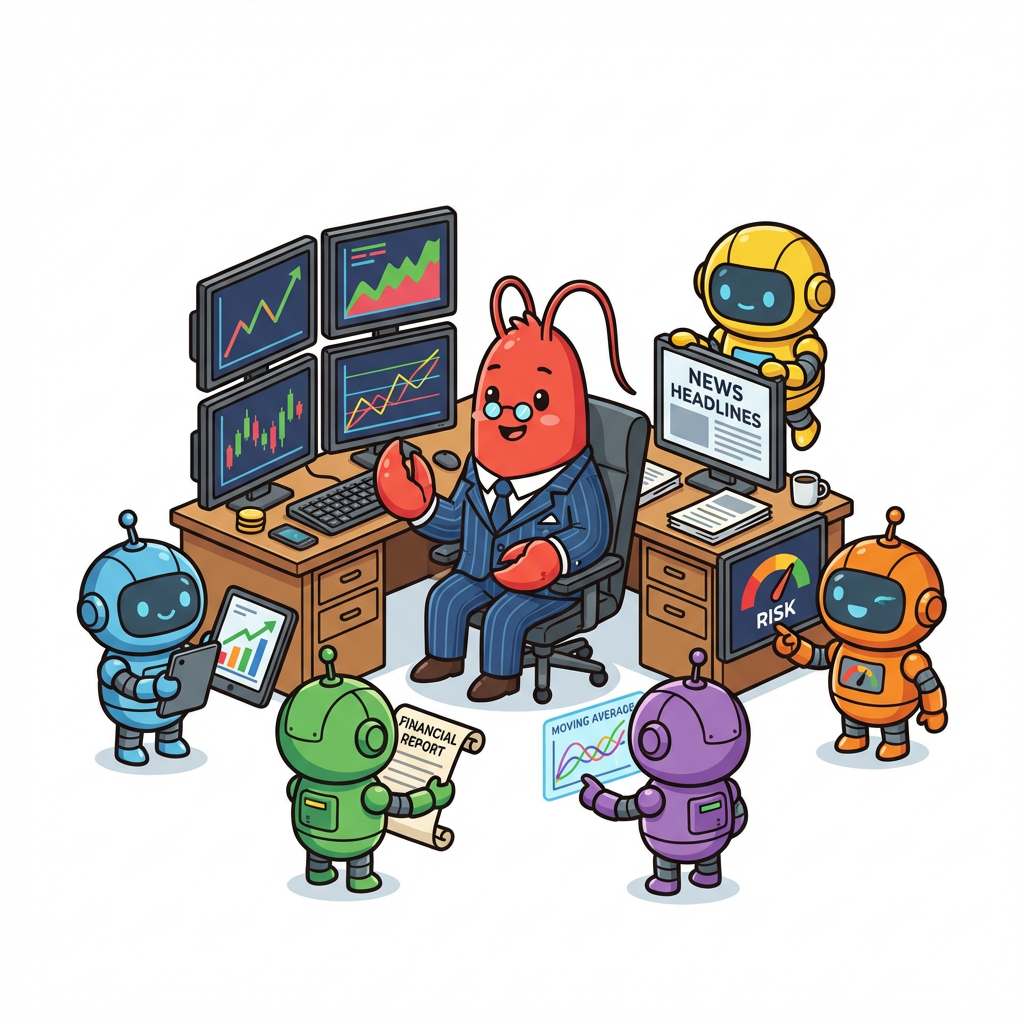
• Automated Market Research & Data Mining • Multi-Strategy Portfolio Optimization • Real-Time Risk Assessment • Algorithmic Trading Execution & Monitoring |
🎪 Your Own Swarm
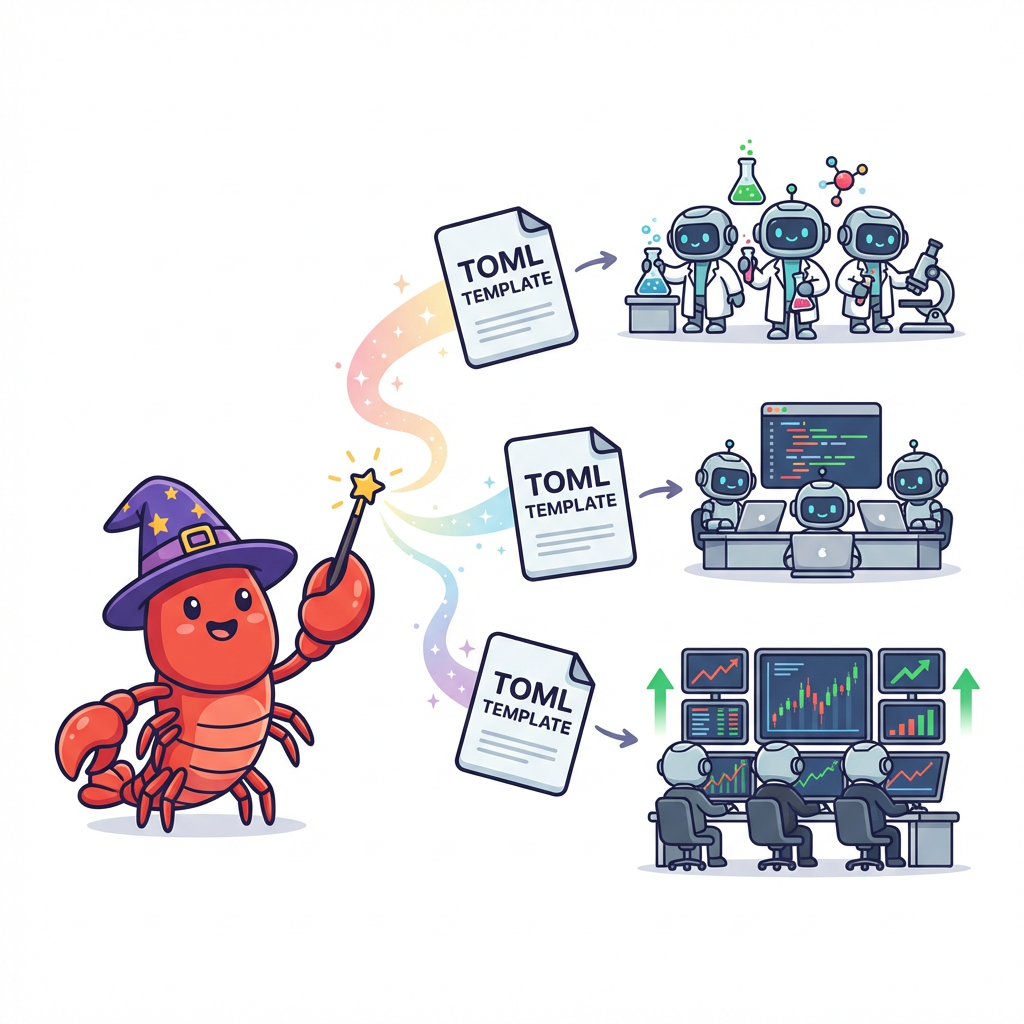
• Custom Scientific Research Teams • Personalized Investment Committees • Business Operations Teams • Content Production Studios |
|
v0.1.0 https://github.com/user-attachments/assets/7e2f0ecd-8fe3-4970-90ac-5c9669ff060c |
v0.2.0 https://github.com/user-attachments/assets/fd23be91-5cf4-457c-a77e-bac24b76e58f |
☝️ Intelligent leader agent orchestrates 8 specialized sub-agents across 8 H100 GPUs, autonomously designing experiments and dynamically reallocating resources based on real-time performance.
🧠 The system synthesizes breakthroughs across teams and evolves strategies independently — achieving full research automation without human intervention.
🤔 Why ClawTeam?
Current AI agents are powerful — but they work in isolation. When facing complex tasks, you're stuck manually coordinating multiple agents, juggling context, and stitching together fragmented results.
What if agents could think and work as a team?
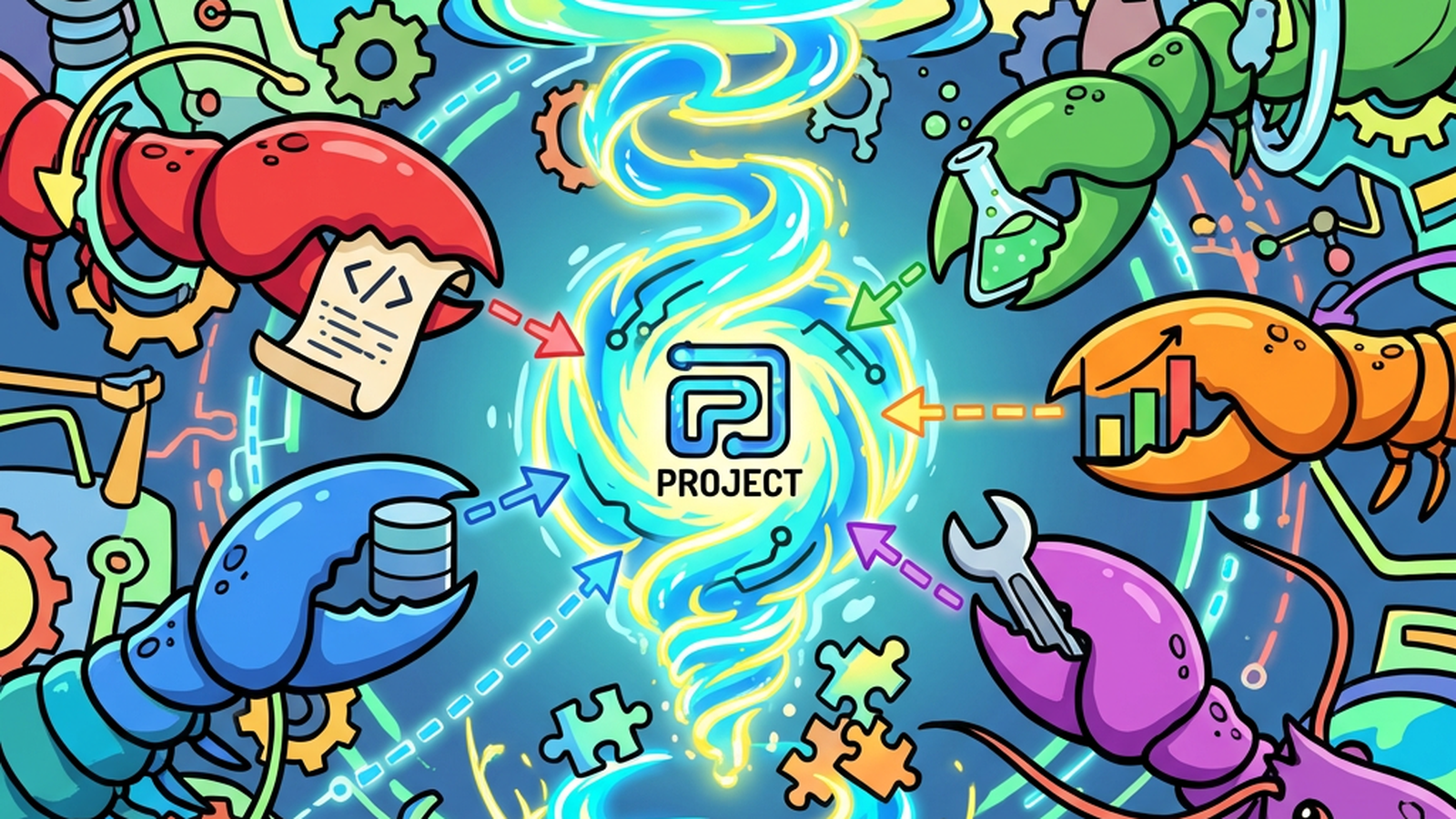
ClawTeam unlocks Agent Swarm Intelligence — where AI agents self-organize into collaborative teams, intelligently divide complex work, share insights in real-time, and converge on breakthrough solutions.
• 🚀 Spawns specialized sub-agents — each with dedicated environments and focus areas
• 📋 Designs intelligent task allocation — with smart dependency management
• 💬 Facilitates real-time coordination — seamless inter-agent communication
• 📊 Monitors team performance — tracks progress and identifies bottlenecks
• 🔄 Adapts strategies dynamically — reallocates resources and redirects efforts
✨ The Result?
You set the vision. The swarm executes with collective intelligence.
🎯 Swarm Intelligence in Action
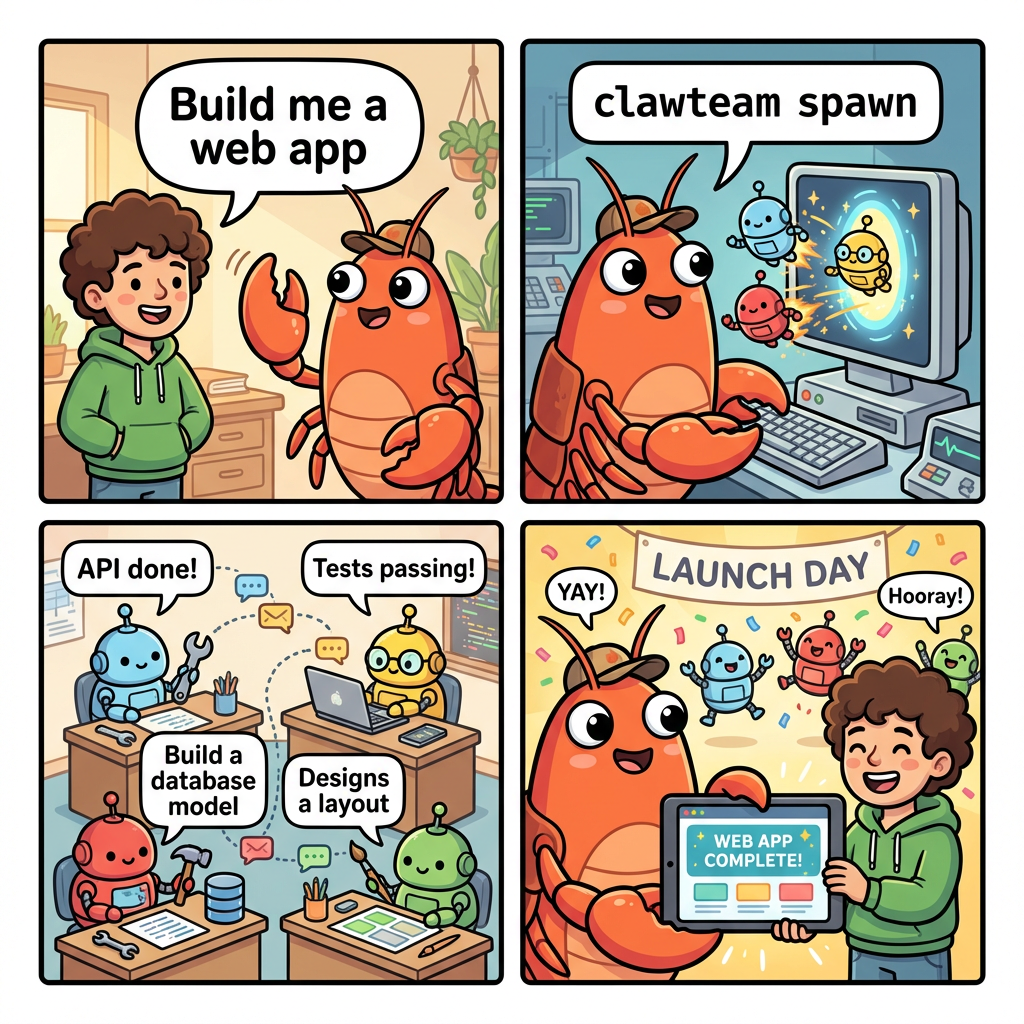
🦞 Agents Spawn AgentsThe leader agent calls |
🤖 Agents Talk to AgentsWorkers check their inbox, update task status, and report results — all through CLI commands that are auto-injected into their prompt. |
👀 You Just WatchMonitor the swarm from a tiled tmux view or a Web UI. The leader handles coordination — you intervene only when you want to. |
| ClawTeam | Other multi-agent frameworks | |
|---|---|---|
| 🎯 Who uses it | The AI agents themselves | Humans writing orchestration code |
| ⚡ Setup | pip install + one prompt to the leader |
Docker, cloud APIs, YAML configs |
| 🏗️ Infrastructure | Just a filesystem and tmux | Redis, message queues, databases |
| 🤖 Agent support | Any CLI agent (Claude Code, Codex, OpenClaw, custom) | Framework-specific only |
| 🌳 Isolation | Git worktrees (real branches, real diffs) | Containers or virtual envs |
| 🧠 Intelligence | Swarm self-organizes via CLI commands | Hard-coded orchestration logic |
🎬 Use Cases
🔬 1. Autonomous ML Research — 8 Agents × 8 H100 GPUs
Based on @karpathy's autoresearch.
💫 One Command. Full Automation.
Human input: "Optimize this LLM training setup using 8 GPUs"
The Agent Team handles everything else:
- Spawns 8 specialized research agents across H100s
- Designs 2000+ autonomous experiments
- Achieves breakthrough improvements (val_bpb: 1.044→0.977)
- Zero human intervention required
🎯 Pure Research at Scale
Transform months of manual hyperparameter tuning into hours of intelligent automation.
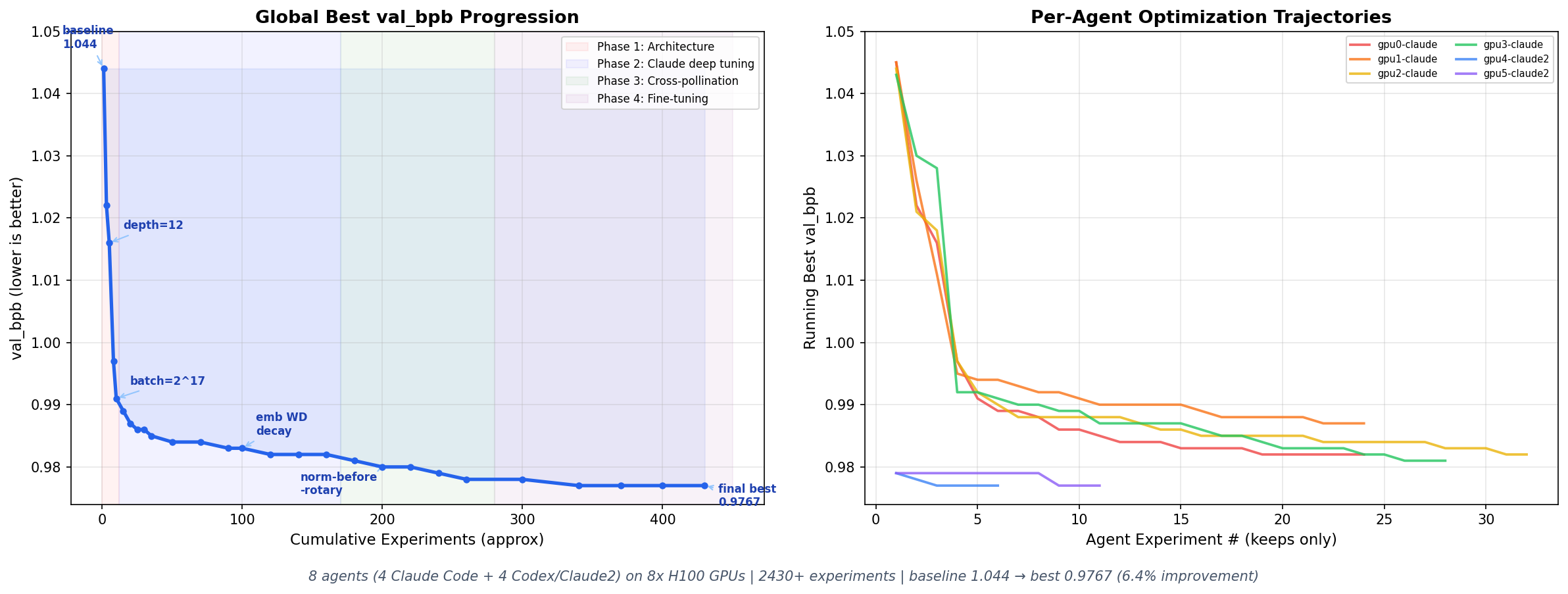
🏆 val_bpb: 1.044 → 0.977 (6.4% improvement) | 2430+ experiments | ~30 GPU-hours
What agent team did autonomously:
Human prompt: "Use 8 GPUs to optimize train.py. Read program.md for instructions."

🦞 Leader agent's actions:
├── 📖 Read program.md, understand the experiment protocol
├── 🏗️ clawteam team spawn-team autoresearch
├── 🚀 Assigned each GPU a research direction:
│   ├── GPU 0: clawteam spawn --task "Explore model depth (DEPTH 10-16)"
│   ├── GPU 1: clawteam spawn --task "Explore model width (ASPECT_RATIO 80-128)"
│   ├── GPU 2: clawteam spawn --task "Tune learning rates and optimizer"
│   ├── GPU 3: clawteam spawn --task "Explore batch size and accumulation"
│   ├── GPU 4-7: clawteam spawn tmux codex --task "..."  (Codex agents)
│   └── 🌳 Each agent: own git worktree, own branch, isolated experiments
├── 🔄 Every 30 minutes, checked results:
│   ├── clawteam board show autoresearch
│   ├── Read each agent's results.tsv
│   ├── 🏆 Identified best findings (depth=12, batch=2^17, norm-before-RoPE)
│   └── 📡 Cross-pollinated: told new agents to start from the best config
├── 🔧 When agents finished, reassigned GPUs:
│   ├── Killed idle agents, cleaned worktrees
│   ├── Created new worktrees from the best commit
│   └── Spawned fresh agents with combined optimization directions
└── ✅ After 2430+ experiments: val_bpb 1.044 → 0.977
Full results: novix-science/autoresearch
🏗️ 2. Agentic Software Engineering
You tell Claude Code: "Build me a full-stack todo app." Claude realizes this is a multi-module task and self-organizes a team:
Human prompt: "Build a full-stack todo app with auth, database, and React frontend."

🦞 Leader agent's actions:
├── 🏗️ clawteam team spawn-team webapp -d "Full-stack todo app"
├── 📋 Created tasks with dependency chains:
│   ├── T1: "Design REST API schema"          → architect
│   ├── T2: "Implement JWT auth" --blocked-by T1  → backend1
│   ├── T3: "Build database layer" --blocked-by T1 → backend2
│   ├── T4: "Build React frontend"             → frontend
│   └── T5: "Integration tests" --blocked-by T2,T3,T4 → tester
├── 🚀 Spawned 5 sub-agents (each in its own git worktree):
│   ├── clawteam spawn --agent-name architect --task "Design the API schema"
│   ├── clawteam spawn --agent-name backend1  --task "Implement JWT auth"
│   ├── clawteam spawn --agent-name backend2  --task "Build PostgreSQL models"
│   ├── clawteam spawn --agent-name frontend  --task "Build React UI"
│   └── clawteam spawn --agent-name tester    --task "Write pytest tests"
├── 🔗 Dependency auto-resolution:
│   ├── architect completes → backend1 and backend2 auto-unblock
│   ├── All backends complete → tester auto-unblocks
│   └── Each agent calls: clawteam task update <id> --status completed
├── 💬 Sub-agents coordinate via inbox:
│   ├── architect → backend1: "Here's the OpenAPI spec: ..."
│   ├── backend1 → tester: "Auth endpoints ready at /api/auth/*"
│   └── tester → leader: "All 47 tests passing ✅"
└── 🌳 Leader merges all worktrees into main branch
💰 3. AI Hedge Fund — One-Command Team Launch
A pre-built TOML template spawns a complete 7-agent investment analysis team:
# One command launches everything:
clawteam launch hedge-fund --team fund1 --goal "Analyze AAPL, MSFT, NVDA for Q2 2026"
🦞 What happens automatically:
├── 📊 Portfolio Manager (leader) spawns and receives the goal
├── 🤖 5 Analyst agents spawn, each with a different strategy:
│   ├── 🎩 Buffett Analyst    → value investing (moat, ROE, DCF)
│   ├── 🚀 Growth Analyst     → disruption (TAM, network effects)
│   ├── 📈 Technical Analyst  → indicators (EMA, RSI, Bollinger)
│   ├── 📋 Fundamentals       → financial ratios (P/E, D/E, FCF)
│   └── 📰 Sentiment Analyst  → news + insider trading signals
├── 🛡️ Risk Manager spawns, waits for all analyst signals:
│   ├── clawteam inbox receive fund1 (collects all 5 signals)
│   ├── Consolidates + computes position limits
│   └── clawteam inbox send fund1 portfolio-manager "RISK REPORT: ..."
└── 💼 Portfolio Manager makes final buy/sell/hold decisions
Templates are TOML files — create your own team archetypes for any domain.
📦 Install
pip install clawteam

# Or install into an isolated user venv at ~/.clawteam/.venv
scripts/install_clawteam.sh

# Or from source
git clone https://github.com/HKUDS/ClawTeam.git
cd ClawTeam
pip install -e .

# Or install this checkout into ~/.clawteam/.venv
scripts/clawteam_local_install

# Optional: P2P transport (ZeroMQ)
pip install -e ".[p2p]"
Requires Python 3.10+, tmux, and a CLI coding agent (e.g. claude, codex). The install scripts create/reuse ~/.clawteam/.venv, link ~/.local/bin/clawteam, and install/update the bundled clawteam skill for detected clients.
Skill install targets are detected from existing config directories, including Claude Code, Codex, Gemini CLI, OpenClaw, OpenCode, Nanobot, Cursor, OpenHarness (~/.openharness/skills), and Ohmo (~/.ohmo/skills).
All spawn examples assume the agent CLI you name is already installed and available on PATH.
🚀 Quick Start
If you're new to ClawTeam, follow this order:
- Make sure
tmuxand your agent CLI run standalone on this machine. - Pick one path below: let an agent drive, or drive it manually.
- Use the supported-agent table to choose the right
spawncommand. - If you're integrating a new agent, check the adapter notes before debugging.
✅ Before You Start
Run these checks first:
tmux -V
clawteam --help

# Replace claude with the agent you actually want to use:
claude --version
codex --version
nanobot --help
If the agent CLI does not run correctly by itself, clawteam spawn will not fix it.
⚡ Option 1: Let the Agent Drive (Recommended)
ClawTeam ships with a reusable skill in skills/clawteam/.
Claude Code
Install the skill into ~/.claude/skills/clawteam, then prompt:
"Build a web app. Use clawteam to split the work across multiple agents."
Codex
Install the same skill into $CODEX_HOME/skills/clawteam (typically ~/.codex/skills/clawteam), then prompt:
Use $clawteam to split this task across multiple agents and coordinate the team to completion.
The agent will automatically create a team, spawn workers, assign tasks, and coordinate — using clawteam CLI commands under the hood.
🔧 Option 2: Drive It Manually
# 1. Create a team (you become the leader)
clawteam team spawn-team my-team -d "Build the auth module" -n leader

# 2. Spawn worker agents — each gets a git worktree, tmux window, and identity
clawteam spawn --team my-team --agent-name alice --task "Implement the OAuth2 flow"
clawteam spawn --team my-team --agent-name bob   --task "Write unit tests for auth"

# 3. Workers auto-receive a coordination prompt that teaches them to:
#    ✅ Check tasks:    clawteam task list my-team --owner alice
#    ✅ Update status:  clawteam task update my-team <id> --status completed
#    ✅ Message leader: clawteam inbox send my-team leader "Done!"
#    ✅ Report idle:    clawteam lifecycle idle my-team

# 4. Watch them work side-by-side
clawteam board attach my-team
🧩 Profiles and Presets
When you want to use a non-default provider, model, or API gateway, configure a profile first instead of manually exporting provider env vars each time.
# See built-in provider templates
clawteam preset list
clawteam preset show moonshot-cn

# Generate a reusable runtime profile from a preset
clawteam preset generate-profile moonshot-cn claude --name claude-kimi

# MiniMax (M2.7) — global or China endpoint
clawteam preset generate-profile minimax-global claude --name claude-minimax
clawteam preset generate-profile minimax-cn claude --name claude-minimax-cn

# Or use the interactive TUI
clawteam profile wizard

# Claude Code on a fresh machine/home may need this once
clawteam profile doctor claude

# Smoke-test the profile before spawning workers
MOONSHOT_API_KEY=... clawteam profile test claude-kimi
MINIMAX_API_KEY=... clawteam profile test claude-minimax
Rules of thumb:
profileis the final runtime object used byspawn/launchpresetis a reusable provider template that generates one or more profileswizardis the easiest path for first-time setupdoctoris mainly for Claude Code first-run onboarding state
🧭 Which Spawn Command Should I Use?
Use clawteam spawn [backend] [command] ... with the command that already works on
your machine:
# Claude Code
clawteam spawn tmux claude --team my-team --agent-name alice --task "Implement OAuth2"

# Codex
clawteam spawn tmux codex --team my-team --agent-name bob --task "Write frontend tests"

# nanobot
clawteam spawn tmux nanobot --team my-team --agent-name carol --task "Build the API"

# A configured profile (recommended for non-default providers/models)
clawteam spawn tmux --profile claude-kimi --team my-team --agent-name dave --task "Refactor the auth flow"
Notes:
tmuxis the default backend and is the best choice when you want to watch interactive agent UIs.subprocessis better for one-shot tools or non-interactive scripts.nanobotis normalized internally tonanobot agent, so the command above is the correct ClawTeam entrypoint.- Claude Code and Codex trust prompts in fresh worktrees are auto-confirmed by the tmux backend.
- For non-default providers/models, prefer
--profile <name>over manually exporting env vars inline.
🔌 Adding a Different Agent
ClawTeam can work with agents beyond Claude Code, Codex, and nanobot, but the CLI must satisfy a small compatibility contract:
- The command must exist on
PATHand launch successfully outside ClawTeam. - The agent must be able to run inside a specific working directory or git worktree.
- The agent must accept an initial task, either by command-line argument or interactive input.
- The process must stay alive in
tmuxif it is meant to be interactive.
If you're unsure, test the agent standalone first, then wrap it with:
clawteam spawn subprocess <your-agent> --team my-team --agent-name test --task "Say OK"
If that works, switch to tmux for interactive monitoring.
🤖 Supported Agents
ClawTeam works with any CLI agent that can execute shell commands:
All examples below assume the corresponding CLI already runs standalone on your machine.
| Agent | Spawn Command | Status |
|---|---|---|
| Claude Code | clawteam spawn tmux claude --team ... |
✅ Full support |
| Codex | clawteam spawn tmux codex --team ... |
✅ Full support |
| OpenClaw | clawteam spawn tmux openclaw --team ... |
✅ Full support |
| nanobot | clawteam spawn tmux nanobot --team ... |
✅ Full support |
| Kimi CLI | clawteam spawn tmux kimi --team ... |
✅ Full support |
| Cursor | clawteam spawn subprocess cursor --team ... |
🔮 Experimental |
| Custom scripts | clawteam spawn subprocess python --team ... |
✅ Full support |
For provider-aware setups such as Claude Code via Moonshot Kimi, MiniMax, or Gemini via
Vertex, use profile + preset and then spawn with --profile.
✨ Features
🦞 Agent Self-Organization
🌳 Workspace Isolation
📋 Task Tracking with Dependencies
|
💬 Inter-Agent Messaging
📊 Monitoring & Dashboards
🎪 Team Templates
|
🔧 More
| Feature | Description |
|---|---|
| 📝 Plan Approval | Agents submit plans for leader review before execution |
| 🔄 Lifecycle Protocol | Graceful shutdown request/approve/reject, idle notifications |
| 📊 JSON Output | --json flag on all commands — agents parse structured output |
| 🌐 Cross-Machine | Shared filesystem (NFS/SSHFS) or P2P transport for distributed teams |
| 👥 Multi-User | Namespace agents by user — multiple humans can share a team |
| ⚙️ Configuration | Persistent config: env var > config file > default priority |
| 🔌 Agent Skill | Reusable skill entry for Claude Code and Codex workflows |
🤖 How Agents Use ClawTeam
When an agent is spawned via clawteam spawn, it receives an auto-injected coordination prompt:
## Coordination Protocol (auto-injected into every spawned agent)

- 📋 Check your tasks: clawteam task list <team> --owner <your-name>
- ▶️ Start a task:     clawteam task update <team> <id> --status in_progress
- ✅ Finish a task:    clawteam task update <team> <id> --status completed
- 💬 Message leader:   clawteam inbox send <team> leader "status update..."
- 💬 Message teammate: clawteam inbox send <team> <name> "info..."
- 📨 Check inbox:      clawteam inbox receive <team>
- 😴 Report idle:      clawteam lifecycle idle <team>
This means any CLI agent can participate in a ClawTeam team — it just needs to run shell commands. No custom SDK, no API integration, no framework lock-in.
📖 Command Reference
🔧 Core Commands
# 🏗️ Team lifecycle
clawteam team spawn-team <team> -d "description" -n <leader>
clawteam team discover                    # List all teams
clawteam team status <team>               # Show members
clawteam team cleanup <team> --force      # Delete team

# 🚀 Spawn agents
clawteam spawn --team <team> --agent-name <name> --task "do this"
clawteam spawn tmux codex --team <team> --agent-name <name> --task "do this"

# 📋 Task management
clawteam task create <team> "subject" -o <owner> --blocked-by <id1>,<id2>
clawteam task update <team> <id> --status completed   # auto-unblocks dependents
clawteam task list <team> --status blocked --owner worker1
clawteam task wait <team> --timeout 300

# 💬 Messaging
clawteam inbox send <team> <to> "message"
clawteam inbox broadcast <team> "message"
clawteam inbox receive <team>             # consume messages
clawteam inbox peek <team>                # read without consuming

# 📊 Monitoring
clawteam board show <team>                # terminal kanban
clawteam board live <team> --interval 3   # auto-refresh
clawteam board attach <team>              # tiled tmux view
clawteam board serve --port 8080          # web UI
🌳 Workspace, 📝 Plan, 🔄 Lifecycle, ⚙️ Config
# 🌳 Workspace (git worktree management)
clawteam workspace list <team>
clawteam workspace checkpoint <team> <agent>    # auto-commit
clawteam workspace merge <team> <agent>         # merge back to main
clawteam workspace cleanup <team> <agent>       # remove worktree

# 📝 Plan approval
clawteam plan submit <team> <agent> "plan" --summary "TL;DR"
clawteam plan approve <team> <plan-id> <agent> --feedback "LGTM"
clawteam plan reject <team> <plan-id> <agent> --feedback "Revise X"

# 🔄 Lifecycle
clawteam lifecycle request-shutdown <team> <agent> --reason "done"
clawteam lifecycle approve-shutdown <team> <request-id> <agent>
clawteam lifecycle idle <team>

# 🎪 Templates
clawteam launch <template> --team <name> --goal "Build X"
clawteam template list

# ⚙️ Config
clawteam config show
clawteam config set transport p2p
clawteam config health
| Setting | Env Var | Default | Description |
|---|---|---|---|
data_dir |
CLAWTEAM_DATA_DIR |
~/.clawteam |
Data directory |
transport |
CLAWTEAM_TRANSPORT |
file |
file or p2p |
workspace |
CLAWTEAM_WORKSPACE |
auto |
auto / always / never |
default_backend |
CLAWTEAM_DEFAULT_BACKEND |
tmux |
tmux or subprocess |
skip_permissions |
CLAWTEAM_SKIP_PERMISSIONS |
true |
Auto-approve agent tools |
Legacy aliases:
OH_* env vars are still accepted for compatibility, but new docs and examples use CLAWTEAM_*.
🏗️ Architecture
  Human: "Optimize this LLM"
         │
         ▼
  ┌──────────────┐     clawteam spawn     ┌──────────────┐
  │ 🦞 Leader    │ ──────────────────────► │ 🤖 Worker    │
  │ (Claude Code)│ ──────┐                │ (Claude Code)│
  │              │       │                │ git worktree │
  │ Uses:        │       │                │ tmux window  │
  │ • spawn      │       │ clawteam spawn └──────────────┘
  │ • task create│       │
  │ • inbox send │       ▼                ┌──────────────┐
  │ • board show │ ──────────────────────► │ 🤖 Worker    │
  │ • task wait  │       │                │ (Codex)      │
  └──────────────┘       │                │ git worktree │
                         │                │ tmux window  │
                         │ clawteam spawn └──────────────┘
                         ▼
                   ┌──────────────┐
                   │ 🤖 Worker    │    Each worker uses:
                   │ (any CLI)    │    • task list (check work)
                   │ git worktree │    • task update (report done)
                   │ tmux window  │    • inbox send (message leader)
                   └──────────────┘    • inbox receive (get instructions)
                         │
                         ▼
              ┌─────────────────────┐
              │    ~/.clawteam/     │
              │ ├── teams/   (who) │
              │ ├── tasks/   (what)│
              │ ├── inboxes/ (talk)│
              │ └── workspaces/    │
              │     (isolated code)│
              └─────────────────────┘
All state lives in ~/.clawteam/ as JSON files. No database, no server, no cloud. Atomic tmp + rename writes ensure crash safety.
| Spawn Default | Value | Override |
|---|---|---|
| Backend | tmux |
clawteam spawn subprocess ... |
| Command | claude |
clawteam spawn tmux codex ... |
| Workspace | auto (git worktree) |
--no-workspace |
| Permissions | skip | --no-skip-permissions |
| Transport | How it works | When to use |
|---|---|---|
| file (default) | JSON files in inbox dirs | Single machine, shared FS |
| p2p | ZeroMQ PUSH/PULL + file fallback | Low-latency, auto-fallback |
🗺️ Roadmap
| Phase | Version | What | Status |
|---|---|---|---|
| Current | v0.3 | File + P2P (ZeroMQ) transport, Web UI, multi-user, team templates | ✅ Shipped |
| Phase 1 | v0.4 | Redis Transport — cross-machine messaging | 🔜 Planned |
| Phase 2 | v0.5 | Shared State Layer — team config and tasks across machines | 🔜 Planned |
| Phase 3 | v0.6 | Agent Marketplace — discover and reuse community agent templates | 💡 Exploring |
| Phase 4 | v0.7 | Adaptive Scheduling — dynamically reassign tasks based on agent performance | 💡 Exploring |
| Phase 5 | v1.0 | Production-grade — auth, permissions, audit logs | 💡 Exploring |
Milestones
| Milestone | Status | Notes |
|---|---|---|
| v0.1.x | ✅ Shipped | Core CLI, team/task/inbox flows, board, templates, packaging. |
| v0.2.0 | ✅ Released | Stabilization, docs refresh, spawn/workspace fixes, and release packaging. |
| v0.3 | 📍 Roadmap baseline | File + P2P transport, Web UI, multi-user workflow, team templates. |
For the longer-term plan, see ROADMAP.md.
🤝 Contributing
We welcome contributions! ClawTeam is designed to be extensible:
- 🤖 New agent integrations — Add support for more AI coding agents
- 🎪 Team templates — Create TOML templates for new domains (DevOps, data science, etc.)
- 🔌 Transport backends — Redis, NATS, or other message transports
- 📊 Dashboard improvements — Enhanced Web UI, Grafana integration
- 📖 Documentation — Tutorials, best practices, agent prompt engineering guides
📖 Acknowledgements
- @karpathy/autoresearch — the autonomous ML research framework used in our 8-agent swarm demo
- Claude Code and Codex — AI coding agents that work as ClawTeam team members
- ai-hedge-fund — inspiration for the multi-analyst hedge fund template
- CLI-Anything — sister project making all software agent-native
⭐ Star History
If you find ClawTeam helpful, please consider giving us a star! ⭐
📄 License
MIT License — free to use, modify, and distribute.
ClawTeam — Agent Swarm Intelligence. 🦞
8 agents × 8 H100s × 2430 experiments × one CLI × one swarm
Thanks for visiting ✨ ClawTeam!
