zen_ui.koplugin

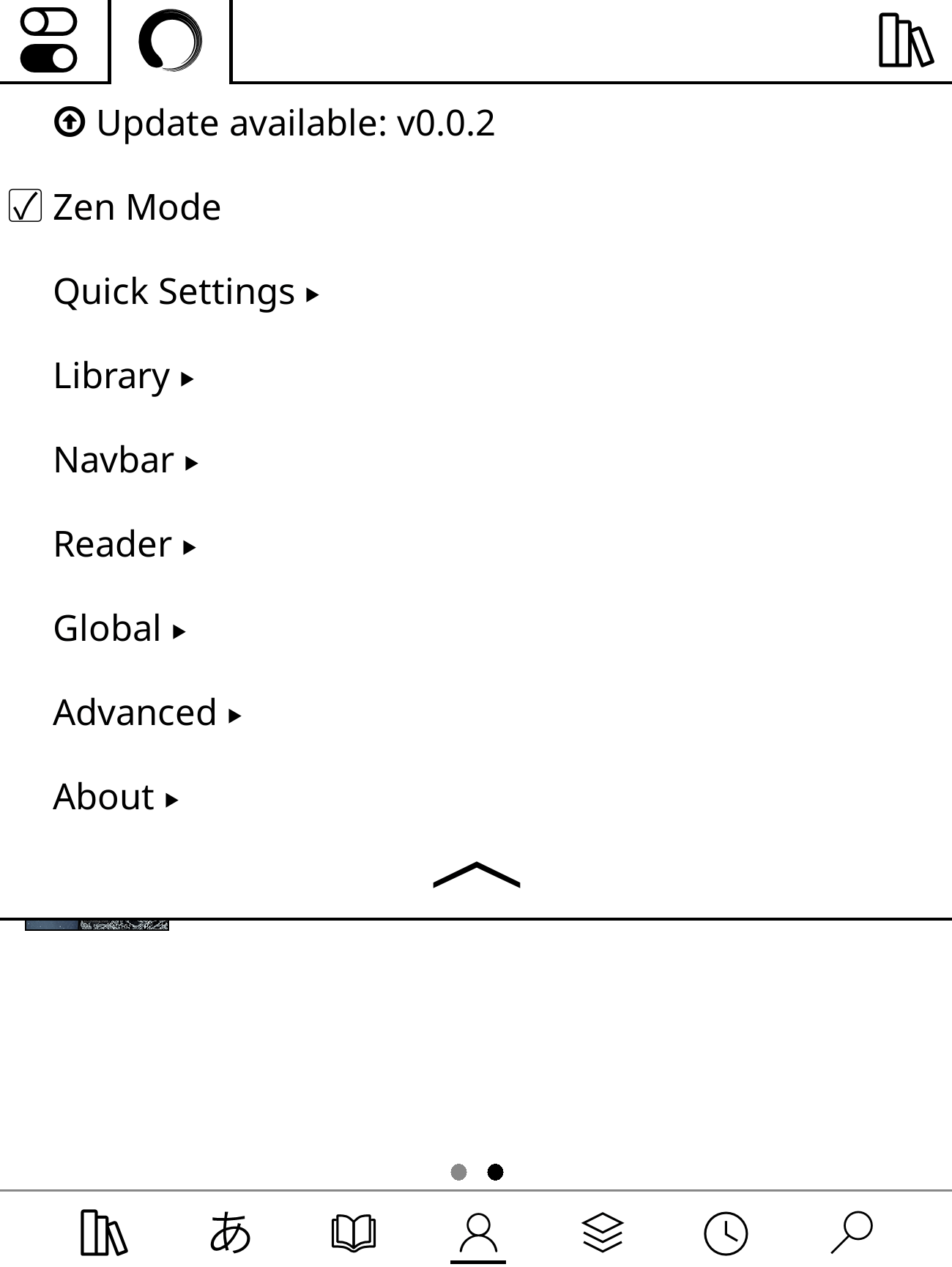
ZenOS is a clean, minimal interface for KOReader. You get a Home page, a redesigned Library, a Controls panel, a Launcher, better reader tools, and one place for all your settings. KOReader is still there underneath.
Less is more. Every feature either removes clutter or adds real value. Performance, stability, and ease of use come first, and everything is tuned to be easy on your battery.
Features
Home
Your own start page. Mix date and time, a featured book, reading stats, goals, a book strip, and quotes. Edit widgets right from Home, or save layouts as presets.
Zen Settings > Home · Home guide
Controls
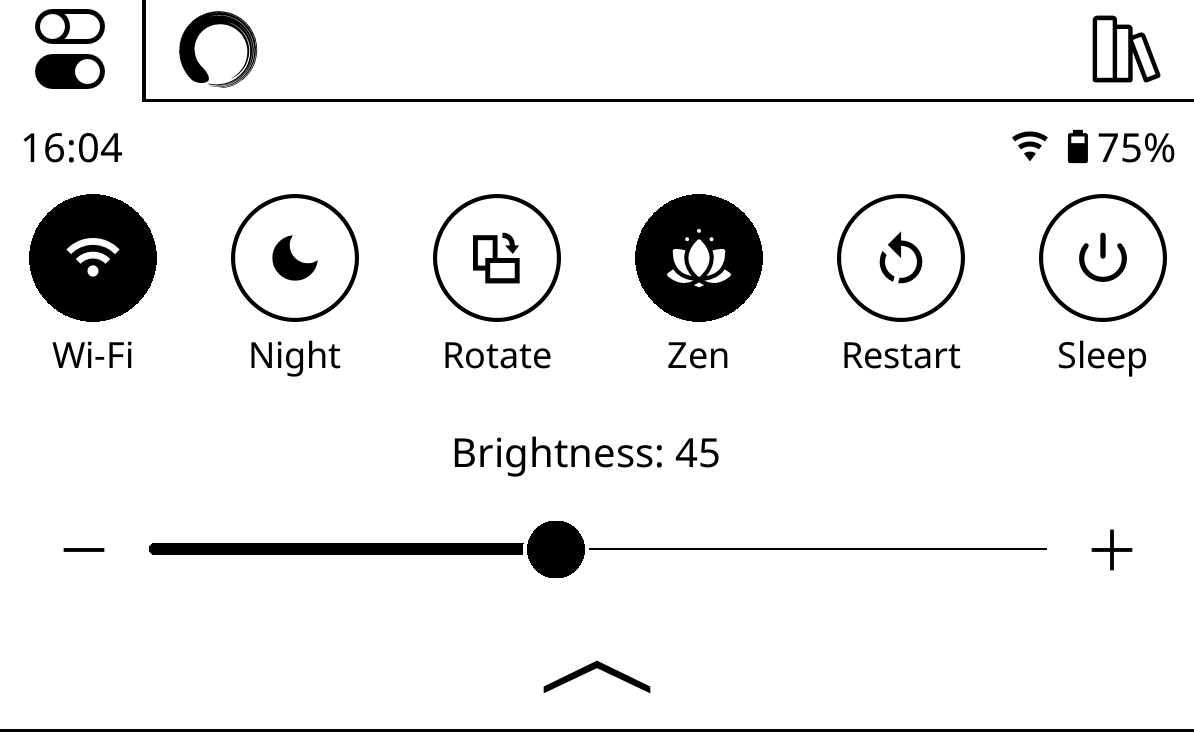
Swipe down from anywhere for up to nine buttons plus brightness and warmth sliders. Toggle Wi-Fi, Bluetooth, rotation, and modes, or add buttons that run any action, plugin, or KOReader menu.
Zen Settings > Interface > Controls · Controls guide
Library
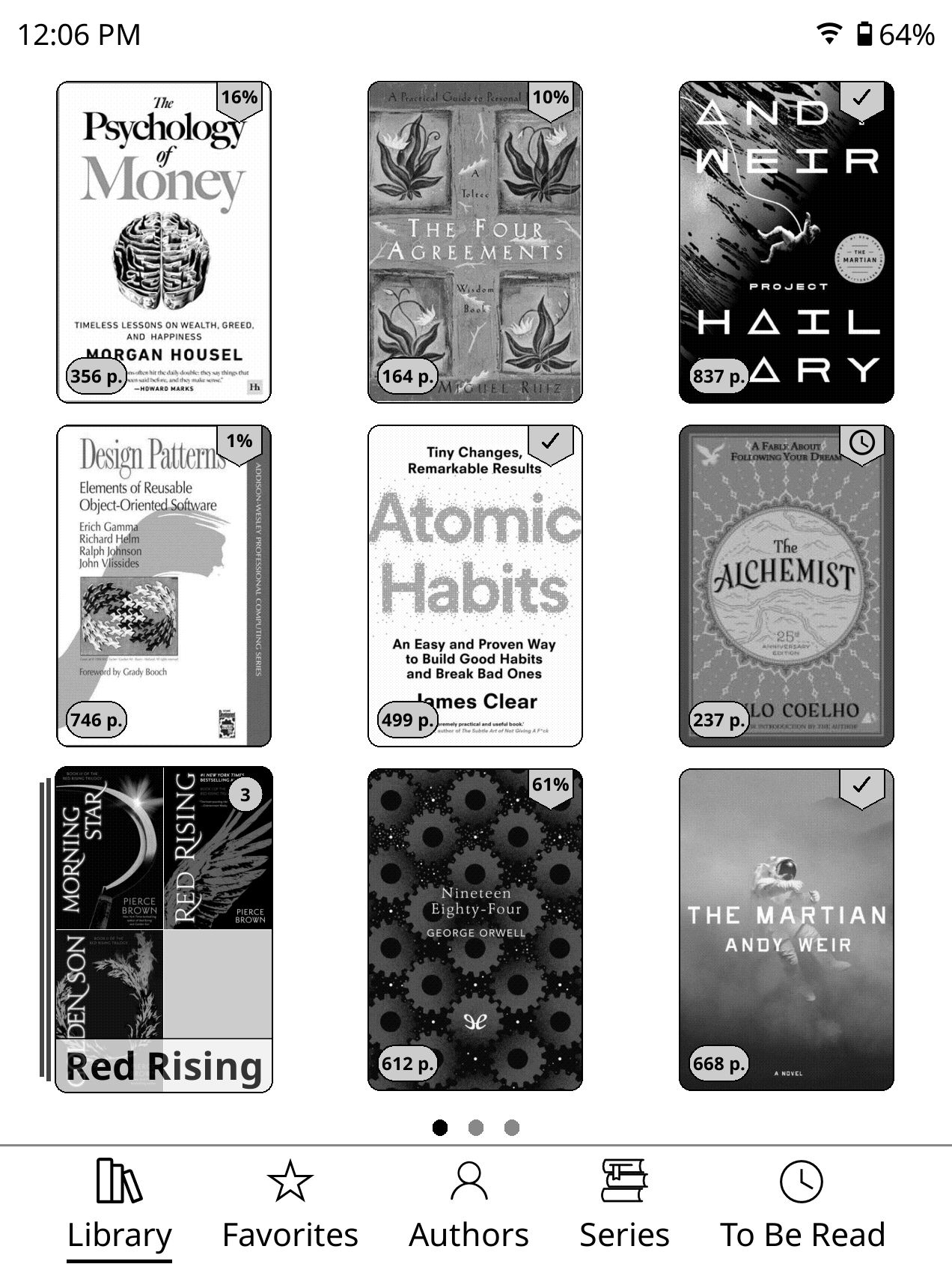
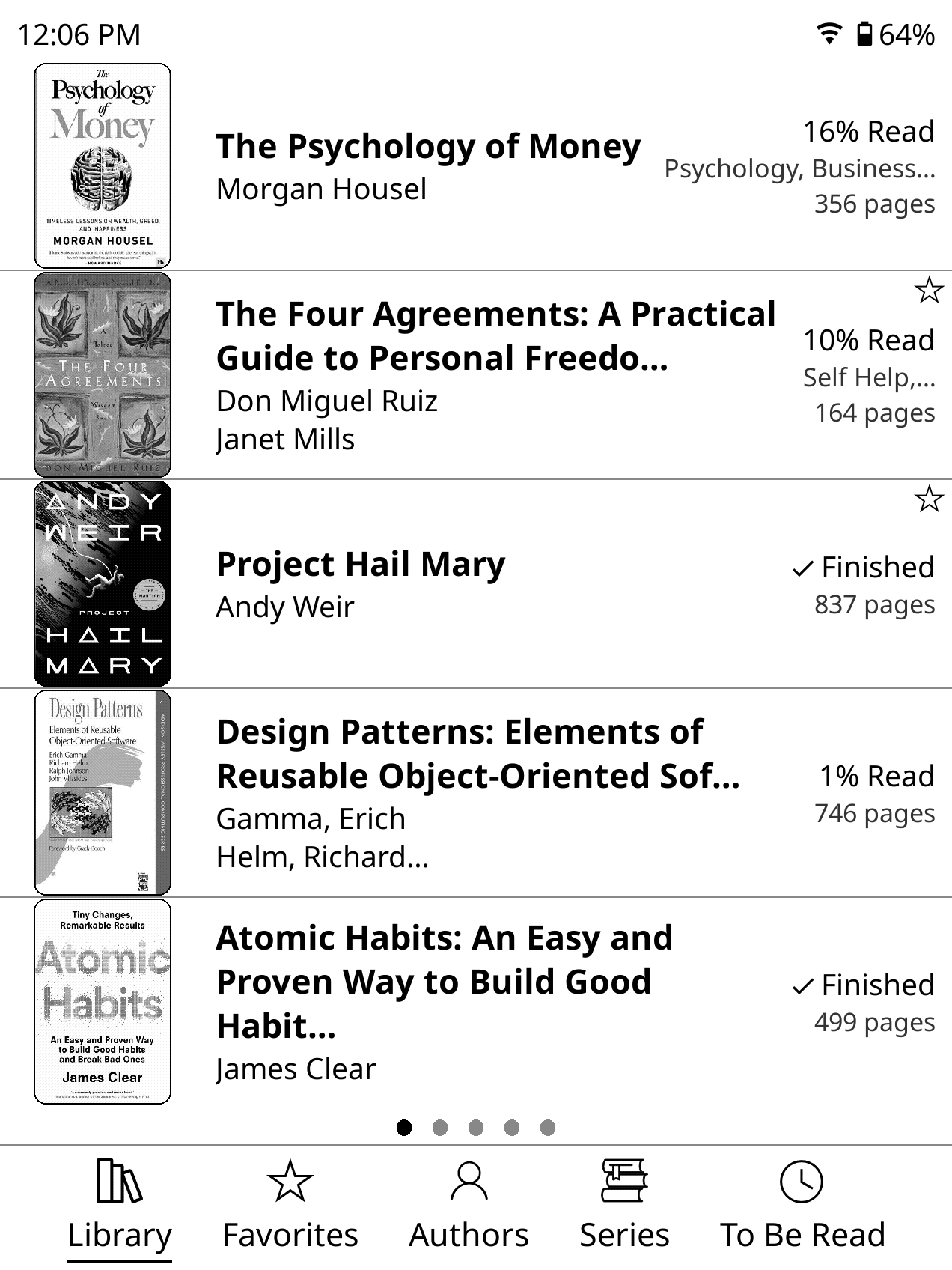
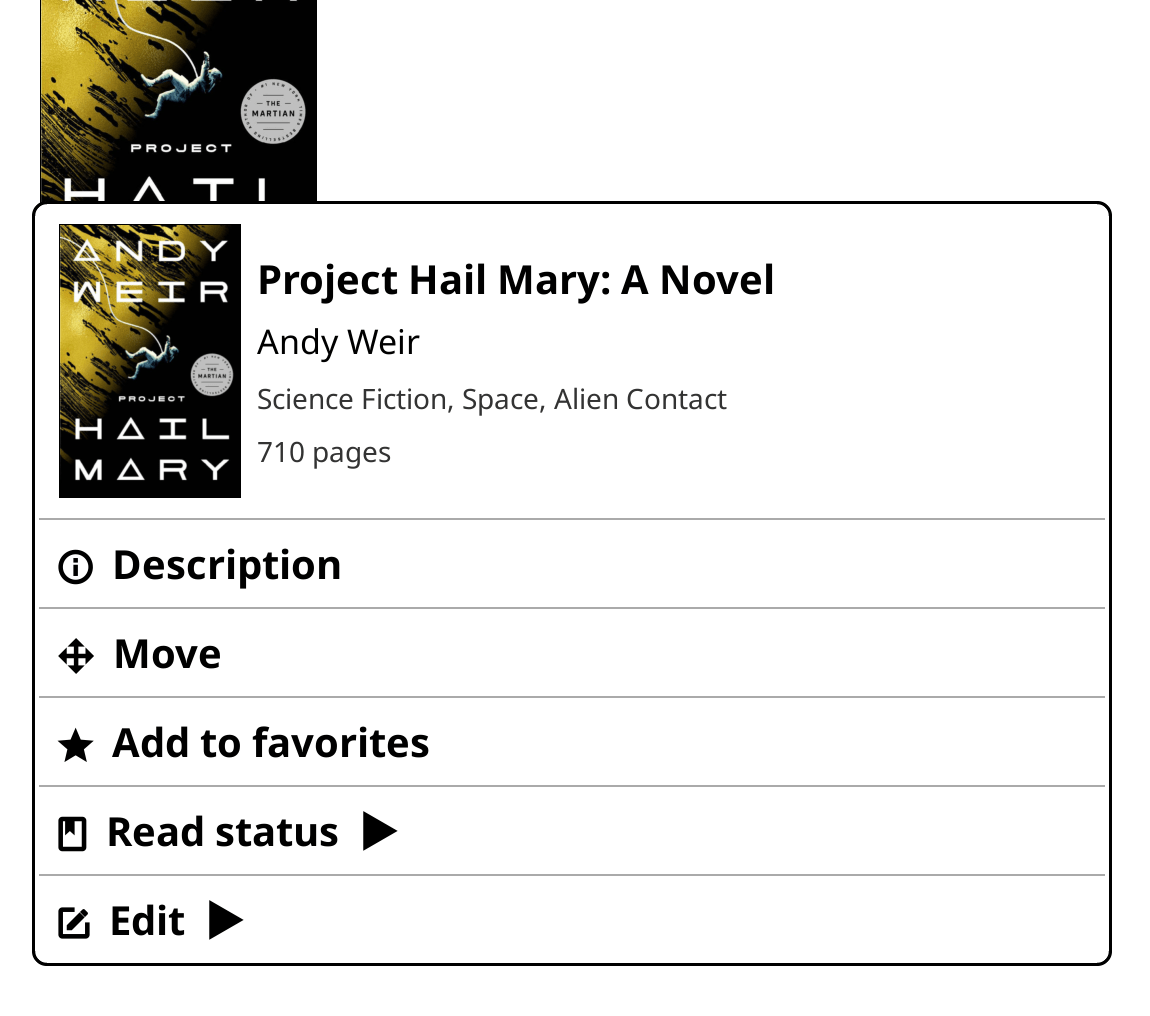
Mosaic, list, or detailed list, set per folder. Badges, progress, rounded covers, folder covers, and automatic series folders. Hold a book to change its status, edit metadata, or pull details and covers from Hardcover, Google Books, or Open Library.
Zen Settings > Library · Library guide
Navbar
Up to seven tabs at the bottom of the Library: folders, favorites, authors, series, tags, stats, book statuses, or your own actions.
Zen Settings > Interface > Navbar · Navbar guide

Launcher
A top-menu tab with your current book, a book switcher, and pages of shortcut buttons you can sort into folders.
Zen Settings > Interface > Launcher · Launcher guide
Reader
Swipe up for the page browser: page previews, search, TOC, bookmarks, and font settings in one view. Pin pages, use themes for light and dark mode, and set up top and bottom status bars however you like. The lookup and highlight menus show Wikipedia, X-Ray, KOAssistant, and AI Assistant when installed.
Zen Settings > Reader · Reader guide
Focus modes
- Zen Mode trims KOReader's top menu down to the essentials. Guide
- Lockdown Mode locks things down so you can just read. Guide
- Incognito Mode pauses history and stats, and can turn itself off after a timeout.
Lighting schedules
Brightness, warmth, and night mode can each run on a schedule, or brightness and warmth can switch with light/dark mode. All optional.
Zen Settings > General > Schedules
Integrations
Themed OPDS, Rakuyomi, kindle.koplugin, ZenFM, and one-tap ZenPM install. Custom icon packs can replace ZenOS and KOReader icons.
Extras · Icon Packs · Actions
Zen Settings
ZenOS and the KOReader settings you actually use, in one searchable place: Home, Library, Reader, Interface, Extras, General, KOReader, and About. It remembers where you left off and updates ZenOS without leaving KOReader.
New installs get a short setup guide and tours. Rerun it anytime from Zen Settings > About > Setup Guide.
Installation
Needs KOReader 2026.03 or newer (tested on 2026.07). Remove Project: Title first. ZenOS disables other conflicting plugins for you.
- Download
zenos.koplugin.zipfrom Releases. - Unzip it and copy the
zenos.kopluginfolder (not the zip) into your plugins directory. - Restart KOReader.
| Device | Plugins directory |
|---|---|
| Kobo | /mnt/onboard/.adds/koreader/plugins/ |
| Kindle | /mnt/base-us/koreader/plugins/ |
| PocketBook | /mnt/ext1/applications/koreader/plugins/ |
| Android | sdcard/koreader/plugins/ |
| Desktop (Linux/macOS) | /koreader/plugins/ |
The final path should look like
.../plugins/zenos.koplugin/main.lua
Coming from Zen UI? Update from its settings page instead; it moves everything over for you. See the Installation guide for that and for Project: Title.
Plugin integration
Plugins can add Home widgets:
local register = rawget(_G, "__ZENOS_REGISTER_HOME_ITEM")
if register then
    register("my_plugin.summary", function(ctx)
        -- Return a KOReader widget sized to ctx.width and ctx.height.
    end, {
        label = "My summary",
        size = "s",
    })
end
- The builder gets
width,height,is_first_row, andmodule_cfg. - Sizes use a height grid:
xs=1,s=2,m=3,l=4,xl=10. A 4:3 screen has 10 units; taller screens get up to 20. - New widgets start disabled. Users turn them on under Zen Settings > Home > Widgets.
- If your plugin loads before ZenOS, register on
ZenOSReady. Unregister with_G.__ZENOS_UNREGISTER_HOME_ITEM(id). - Returns
falsefor bad arguments or a built-in ID clash. Re-registering an ID replaces it. - Legacy
__ZEN_UI_*aliases andZenUIReadystill work.
Translations
Available in 23 languages. Spot a mistake or want to add one? See locales/README.md and Translations.
Credits
ZenOS is original work, but it wouldn't exist without the broader KOReader community. Several open source projects provided components, inspiration, reference implementations, or code that was adapted and built upon:
- joshuacant/ProjectTitle — The plugin that started it all for me. This was my first experience with KOReader plugins and an alternative UI.
- qewer33/koreader-patches — The bottom navbar and quick settings components. Additional patch approaches and ideas, particularly around UI customization.
- sebdelsol/KOReader.patches — Patches and UI techniques that informed several of ZenOS's features.
- doctorhetfield-cmd/simpleui.koplugin — A fellow KOReader UI plugin that served as an inspiration as well as a model for how to apply language translations throughout the plugin.
- Euphoriyy/appearance.koplugin — ZenOS's modified color picker is adapted from Appearance's color wheel under the GPL-3.0 License.
- AndyHazz/bookshelf.koplugin — Inspiration for the Bookshelf home preset.
- kristianpennacchia/zzz-readermenuredesign.koplugin — Inspiration for the reader search menu redesign
- OGKevin/kobo.koplugin — Reference for Kobo Bluetooth control, including MediaTek D-Bus and Libra 2 BlueZ behavior.
- sabrina553/bluetooth.koplugin — Reference for PocketBook
netagentand BlueZ Bluetooth management (GPL-3.0). - Tharavol/bluetooth.koplugin — Reference for Kobo Sage Realtek Bluetooth bring-up.
- rameezk/rebind.koplugin — The EPUB metadata mutation code is adapted from Rebind under the MIT License.
- Phrogz/SLAXML — ZenOS vendors SLAXML's parser and DOM serializer under the MIT License.
- certifi — The bundled Mozilla CA certificate data is distributed under the Mozilla Public License 2.0.
The complete copyright and license texts for these embedded metadata components are in modules/filebrowser/metadata/LICENSES.md.
Thank you to everyone who published their KOReader work openly.
Contributing
Bugs, ideas, translations, and code are all welcome. See CONTRIBUTING.md.
- One feature per PR.
- PR to
dev. - If you use AI, review and test everything before submitting.
- Match the existing style and feel.
Community
Come hang out on the Zen Discord for help or to chat.
Security
See SECURITY.md.
