OlliteRT

OlliteRT
Quick Start | Screenshots | Features | Models | Integrations | API | FAQ | Report a bug
Turn your Android phone into an OpenAI-compatible API LLM server — fully local, private, and open source







Think of it as Ollama for Android. Pick a model, tap Start, and your phone becomes an LLM server — runs LLMs on your mobile GPU/CPU via Google's LiteRT-LM runtime and serves them as a standard OpenAI-compatible HTTP API on your local network.
No cloud. No API keys. No subscriptions. Just your phone.
Features
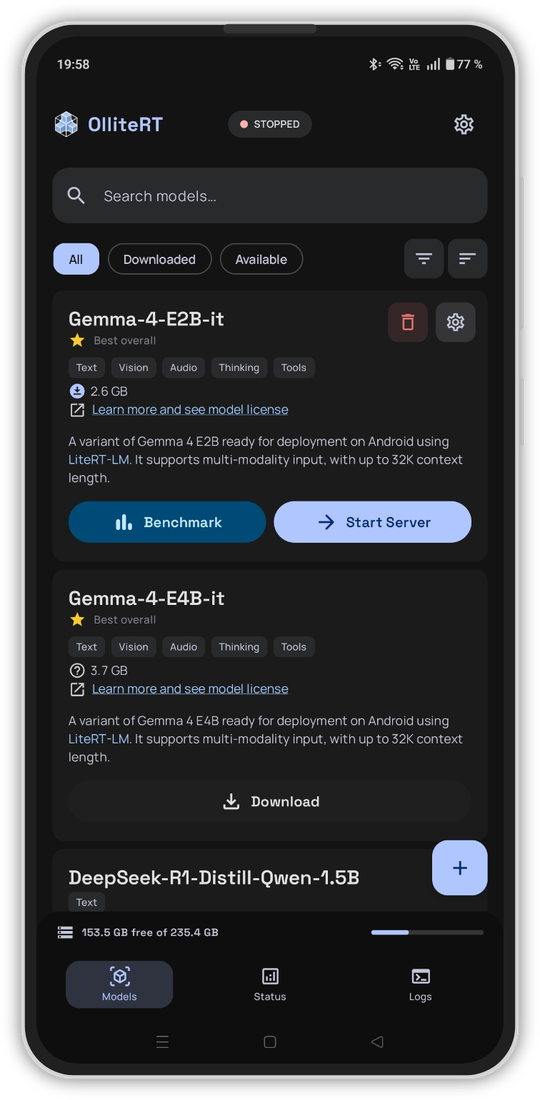
- Multi-model Support — One-tap download from HuggingFace, import
.litertlmfiles or model lists from local storage, or add custom model sources via JSON file or URL - Multimodal & Reasoning — Vision, audio, thinking, streaming support, and tool calling (experimental) for capable models
- Benchmark Built-in — Test and compare models on your device to find the best fit for your hardware
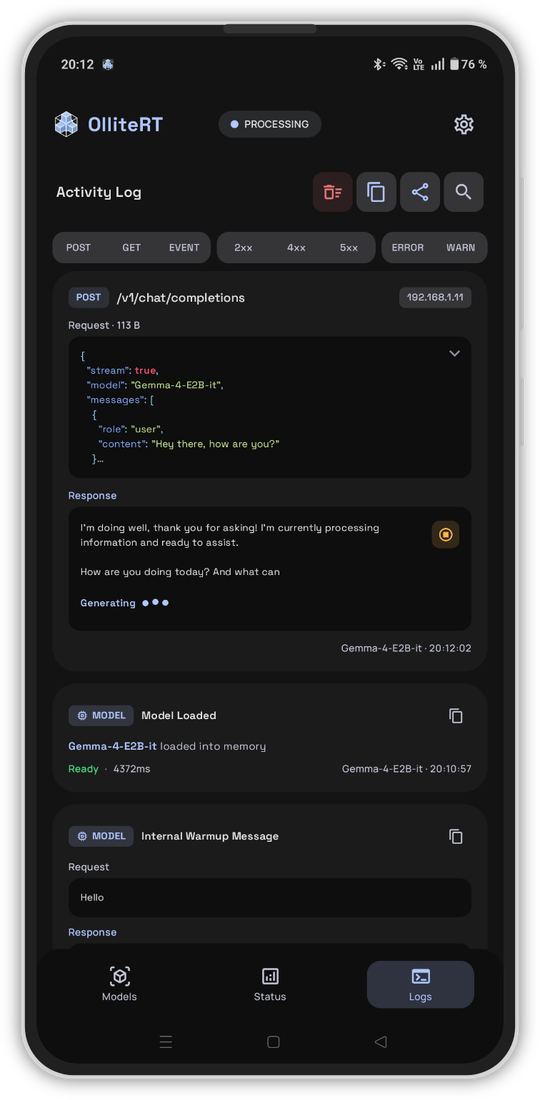
- Activity Logs — Detailed request/response logs with search, filtering, and JSON highlighting
- Always On, Low Power — Configurable auto-start on boot, sips ~5-10W vs 300W+ for a GPU server — perfect for that old phone in your drawer*
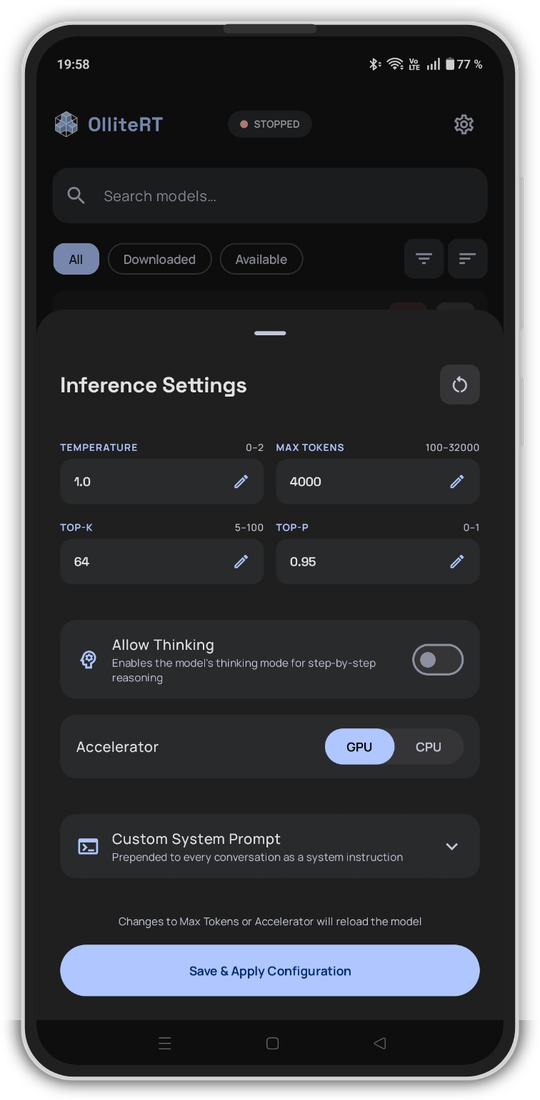
- Highly Configurable — Per-model inference settings, GPU/CPU accelerator, idle model unload, listener scope, client IP access rules, bearer token auth, and more
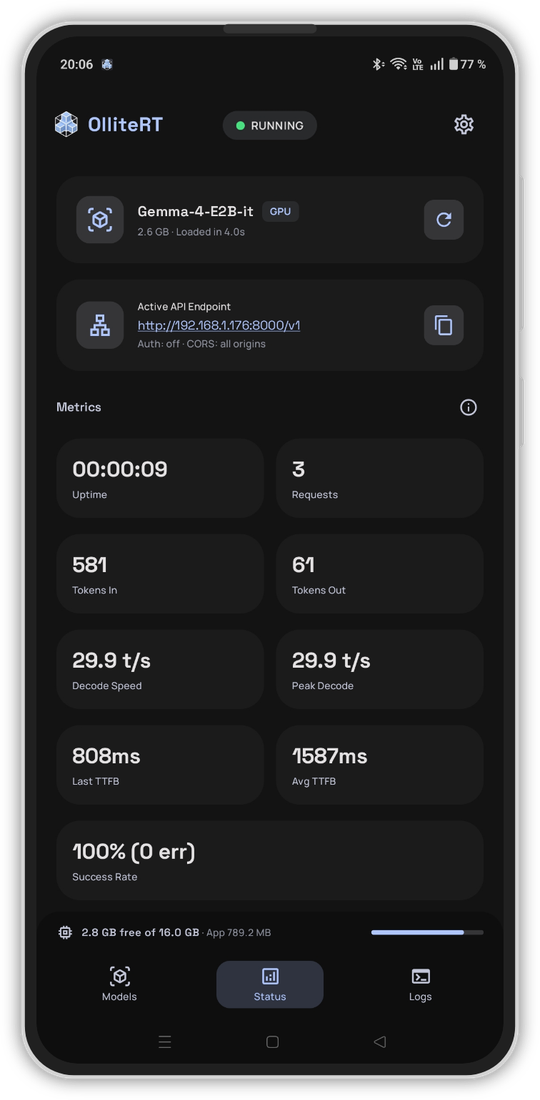
- Model & Server Monitoring — Live stats dashboard, optional movable floating monitor for live background metrics, Prometheus metrics for Grafana, and Home Assistant REST API for remote server control
- Broad Compatibility — Home Assistant, Open WebUI, OpenClaw, Python, curl — if it talks to OpenAI, it works
[!NOTE] Home Assistant currently requires a custom integration such as Extended OpenAI Conversation or Local OpenAI LLM and OpenAI STT for voice commands — see the Home Assistant client setup
* I am not responsible for any swollen batteries, crispy phones, or spontaneous pocket warmers. Please don't run your LLM on your phone while it's under your pillow. You've been warned.
Screenshots
Quick Start
- Download & install the APK

- Download a model — Gemma 4 E2B is recommended for most devices (2.4 GB, runs on 8 GB RAM)
- Start the server — Tap the Start Server button on the downloaded model card
- Configure your client — Use the endpoint shown on the Status screen (e.g.
http://PHONE_IP:8000/v1) with any OpenAI-compatible client — Open WebUI, OpenClaw, Home Assistant, Python, etc. See Client Setup for detailed guides.
[!IMPORTANT] Requires: Android 12+ · arm64-v8a device · 6 GB RAM minimum · 8 GB+ recommended for multimodal models (see model table)
Available Models
| Model | Size | Min RAM | Context | Capabilities |
|---|---|---|---|---|
| Gemma 4 E2B ⭐ | 2.4 GB | 8 GB | 32K | Text · Vision · Audio · Thinking · Tools · MTP |
| Gemma 4 E4B ⭐ | 3.4 GB | 12 GB | 32K | Text · Vision · Audio · Thinking · Tools · MTP |
| Gemma 3n E2B | 3.4 GB | 8 GB | 4K | Text · Vision · Audio |
| Gemma 3n E4B | 4.6 GB | 12 GB | 4K | Text · Vision · Audio |
| Gemma 3 1B | 0.5 GB | 6 GB | 1K | Text |
| Qwen 2.5 1.5B | 1.5 GB | 6 GB | 4K | Text |
| DeepSeek-R1 1.5B | 1.7 GB | 6 GB | 4K | Text |
⭐ Recommended — E2B for most devices, E4B for high-end
[!NOTE] Tool calling is experimental and may not always be reliable due to model limitations.
See the Model Guide for recommendations, capability details, and import instructions.
Integrations
- Prometheus metrics —
/metricsendpoint with 29 metrics for Grafana, Datadog, etc. - Home Assistant REST API — monitor server status, control model, update settings remotely
API Endpoints
Available endpoints — click to expand
| Method | Endpoint | Description |
|---|---|---|
POST |
/v1/chat/completions |
OpenAI Chat Completions API (streaming + non-streaming) |
POST |
/v1/completions |
OpenAI Completions API |
POST |
/v1/responses |
OpenAI Responses API |
POST |
/v1/messages |
Anthropic Messages API (streaming + non-streaming) |
POST |
/v1/messages/count_tokens |
Anthropic input-token estimator |
POST |
/v1/audio/transcriptions |
Audio transcription |
GET |
/v1/models |
List available models |
GET |
/v1/models/{id} |
Get detail for a specific model |
GET |
/ or /v1 |
Server info (version, status, endpoints) |
GET |
/health |
Health check (with optional ?metrics=true) |
GET |
/metrics |
Prometheus metrics |
GET |
/ping |
Simple liveness check |
GET |
/v1/server/config |
Read model and server configuration |
POST |
/v1/server/config |
Update model and server configuration |
Full API docs and examples: docs/api/API.md
Limitations
Known limitations — click to expand
- arm64-v8a only — other architectures (armeabi-v7a, x86, x86_64) are not supported. The LiteRT runtime ships native libraries for x86_64 but they crash on Android emulators due to unsupported CPU instructions. Nearly all Android devices from 2017+ are arm64-v8a.
- Single model, single request — one model loaded at a time, requests queue sequentially (LiteRT SDK limitation). On-demand model loading via client requests is planned for a future release.
- Tool calling is model-dependent — Native tool calling requires models trained for function calling (such as Gemma 4). For models that don't support native tool calling, you can disable Tool Schema Injection in settings to use prompt-based fallback parsing instead.
- Token counts are estimated — the LiteRT runtime doesn't expose a tokenizer API, so counts are approximated using character length ÷ 4. Reasonably accurate for English text, less so for code or multilingual content.
- Imported models are copied to app storage — when importing a model from your device, the file is copied rather than moved. You can delete the original after import to reclaim space.
- No GGUF support — only
.litertlmmodels are supported (LiteRT runtime limitation). Models are available from the LiteRT Community on HuggingFace. Advanced users can convert HuggingFace models to.litertlmusing Google'slitert-torchtooling (Linux, 32GB+ RAM required). - LiteRT runtime constraints — OlliteRT is built on Google's LiteRT-LM runtime, optimized for mobile. Features like logprobs, grammar-based output constraints, repetition penalties, and LoRA adapters are not available.
FAQ & Troubleshooting
- FAQ — Model support, privacy, battery, architecture, tool calling
- Troubleshooting — Connection issues, performance, crashes, auto-start, storage
Privacy & Security
- Privacy Policy — no data is collected, no telemetry, no analytics
- Security Guide — bearer token auth, network exposure, HTTPS, securing your server
Contributing
- Found a bug? Report it here
- Want to request a feature? Open an issue
Building from Source
- Building — build instructions, signing setup, lint, and tests
- Architecture — package structure, request flow, and dependency list
Product flavors — all installable side-by-side:
| Flavor | Icon | Purpose |
|---|---|---|
stable |
|
Stable release |
beta |
 |
Beta testing |
dev |
 |
Local development |
Support the Project
What happens on your phone stays on your phone. If that matters to you, consider supporting OlliteRT.



Credits
- Google AI Edge Gallery — Original project this was built upon
- LiteRT-LM — Google's on-device AI runtime
- Ktor — Coroutine-based HTTP server framework
License
Licensed under the Apache License 2.0.
