Three.js-Object-Sculptor-Codex-Plugin
Turn a reference image into a quality-gated, animation-ready procedural Three.js object—built entirely with code.
img2obj is a Codex plugin that helps analyze an object image, plan its structure, generate procedural Three.js geometry, and review the result against the original reference.
Demo
Tower Ship
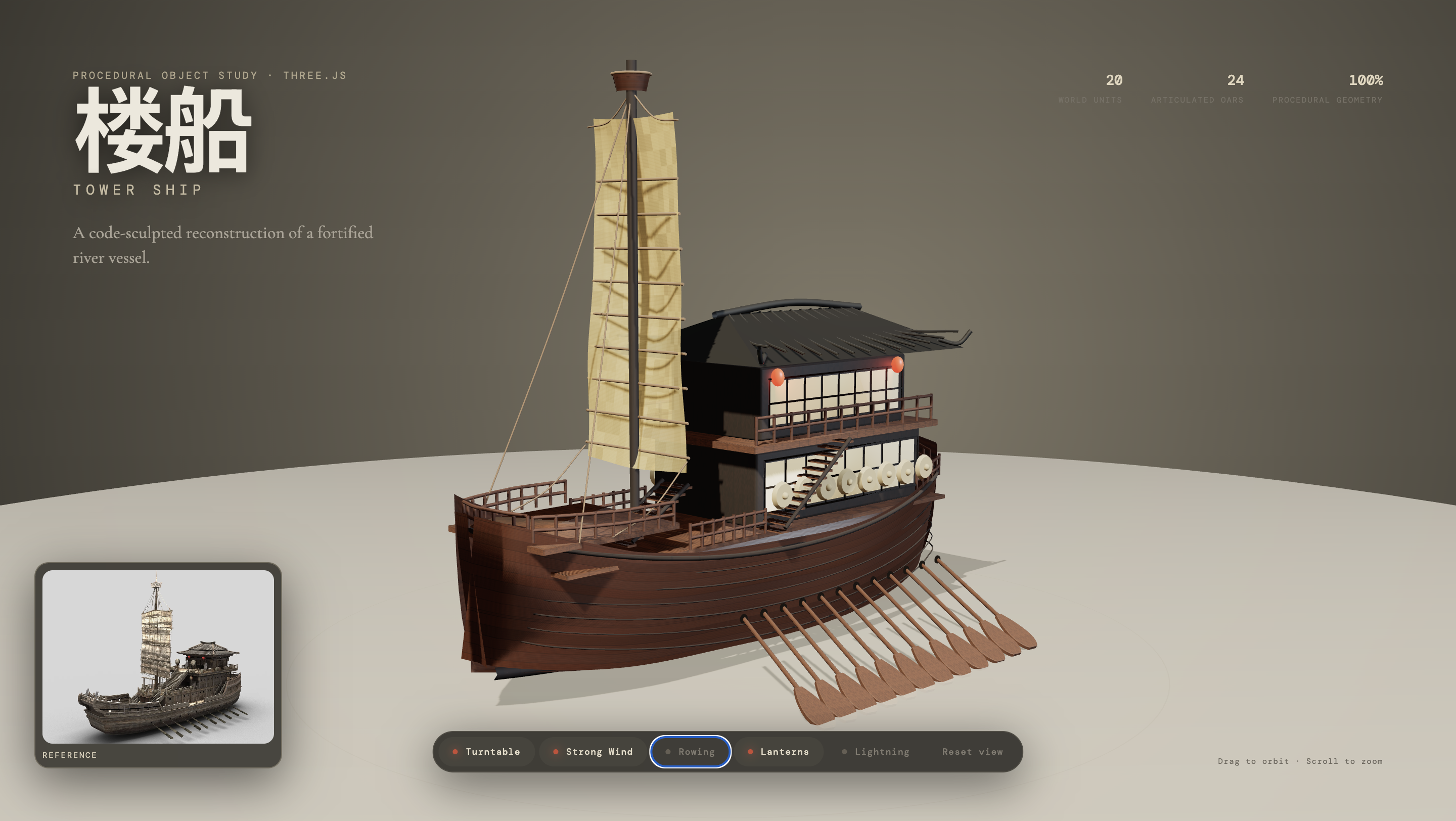
This study demonstrates procedural geometry, articulated parts, material work, and interactive browser controls.
Ancient Autumn Tree
Open the live Ancient Autumn Tree demo
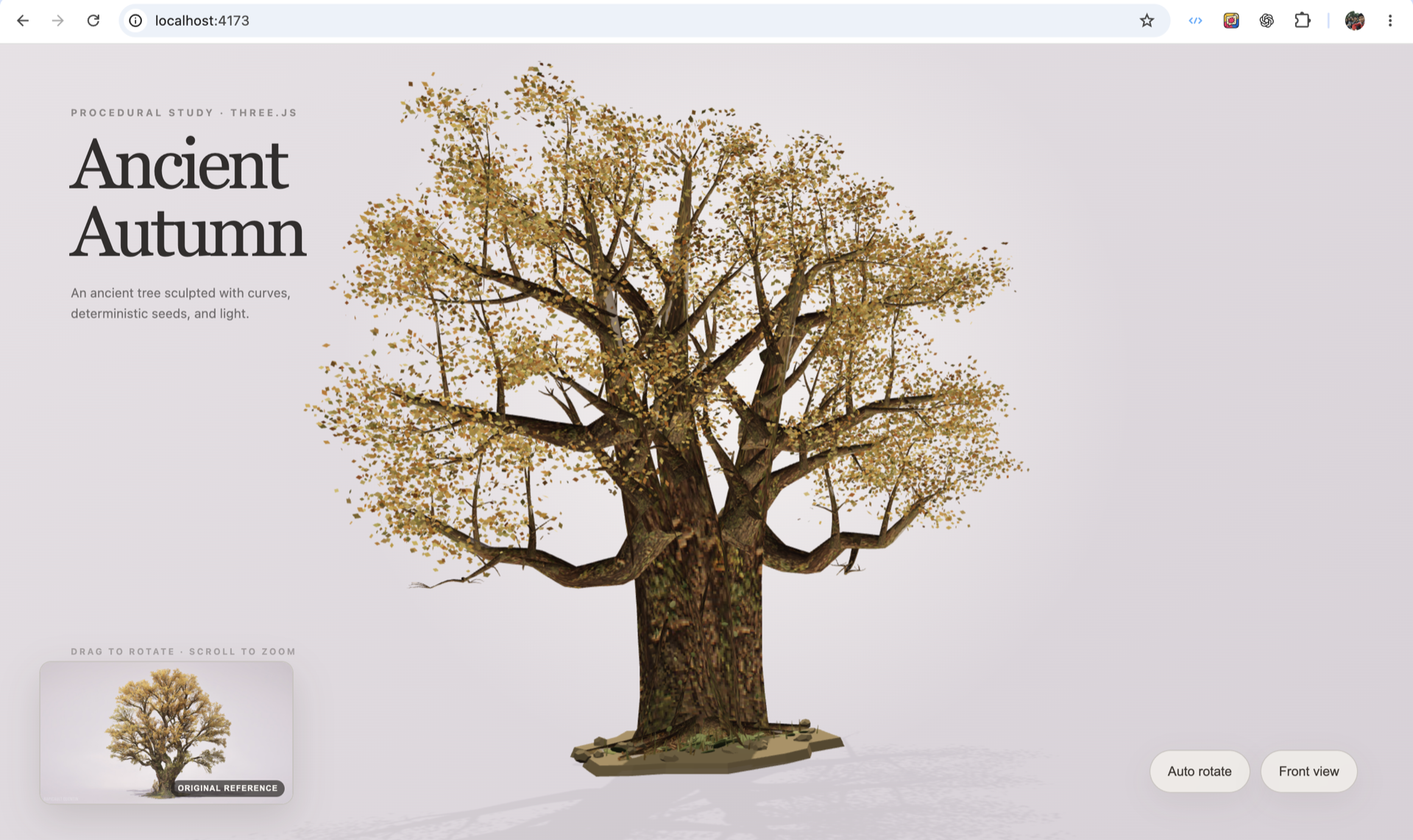
This study demonstrates procedural curves, deterministic branching, layered bark, dense foliage, and an animation-ready hierarchy.
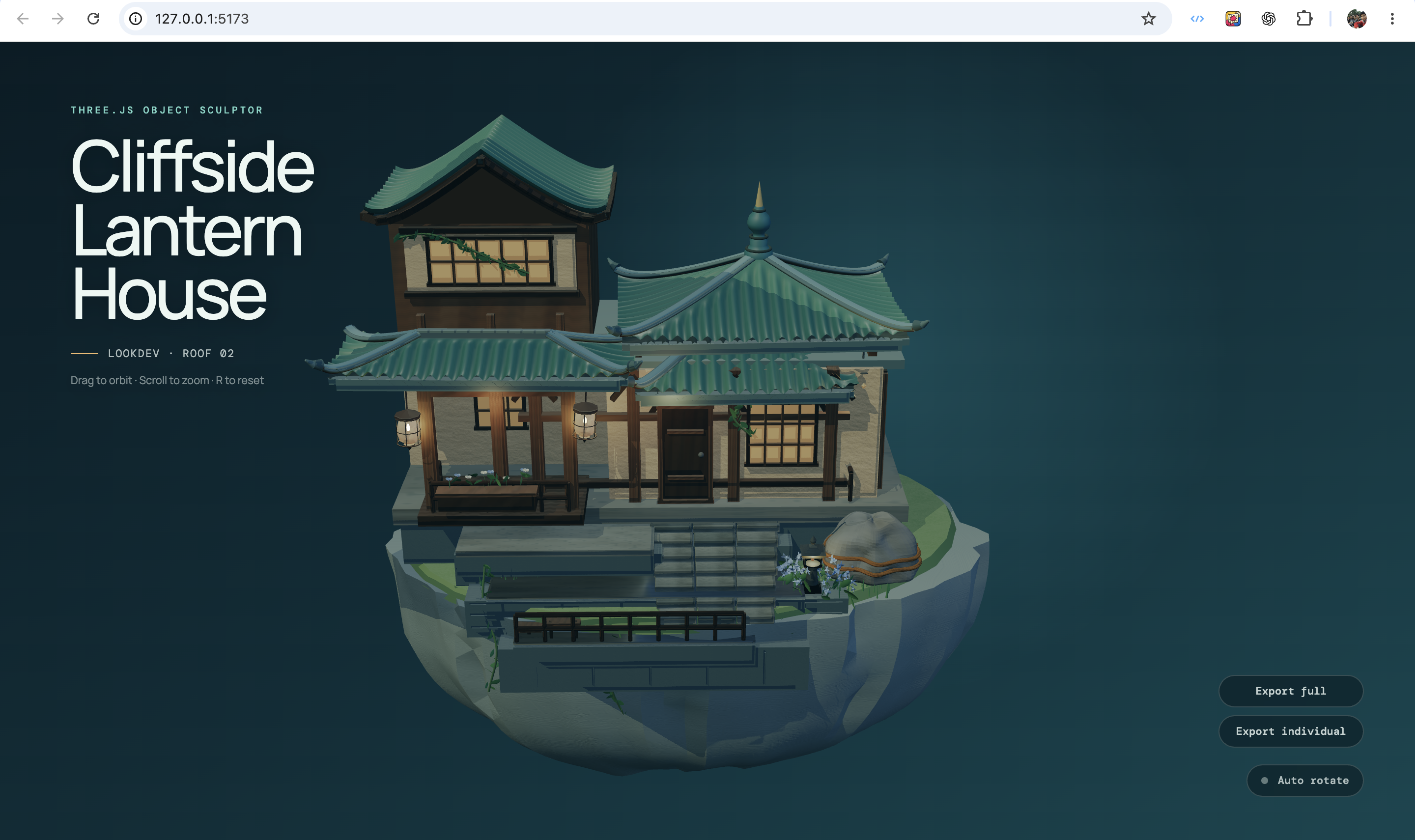
Cliffside Lantern House — Unreleased Preview
[!NOTE] This is a preview created with an unreleased version of img2obj. It will be updated in future versions.
At a Glance
| Input | An attached object image, screenshot, or local image path |
| Output | An ObjectSculptSpec and a code-only procedural Three.js factory |
| Goal | Recreate the visible silhouette, structure, materials, and motion-ready hierarchy |
| Best for | Stylized props, mechanical objects, plants, scene assets, and interactive models |
| Not for | Photogrammetry, exact mesh extraction, or guaranteed production-ready geometry from one image |
img2obj does not convert pixels directly into a finished mesh. It guides Codex through a controlled reconstruction workflow so that the most recognizable parts of the reference are planned, built, compared, and refined deliberately.
How It Works
- Validate the reference — check image quality, object visibility, complexity, and whether a cleaner source image is needed.
- Plan the object — describe the component hierarchy, geometry, materials, pivots, sockets, and visual priorities in an
ObjectSculptSpec. - Build in phases — progress through
blockout → form → lookdev → interaction, keeping later details out of earlier passes. - Review and refine — compare browser renders with the active source image, fix the highest-impact differences, and require approval before advancing.
Core Capabilities
- Validates whether a reference is suitable for procedural 3D reconstruction.
- Breaks complex objects into assemblies, parts, visible details, and material systems.
- Generates procedural Three.js geometry instead of downloading meshes or art packs.
- Supports hard-surface, organic, vegetation, fabric, glass, hair/fur, emissive, and decal-oriented capability packs.
- Plans pivots, sockets, parent-child relationships, detachable parts, and other animation-ready anchors.
- Extracts reference-derived PBR evidence such as palette, roughness, height, normal, and ambient-occlusion maps.
- Packages reference and render screenshots for visual comparison and quality review.
- Rejects unsupported geometry or unverified corrections instead of silently substituting guessed output.
Requirements
- Codex with local plugin support.
- Python 3.10 or newer.
- A browser project using Three.js for the generated object factory.
- AI image and vision access when source cleanup, planning views, or visual review are needed.
Install
Clone the current source:
git clone https://github.com/vinhhien112/img2obj.git
cd img2obj
python3 scripts/sculpt.py --help
Quick Start
After loading the repository as a local Codex plugin, attach an object image and ask:
Use img2obj to turn the object in this image into a procedural Three.js model built entirely with code.
Add motion requirements only when needed:
Make the visible hatch open on its hinge. Do not add physics or destruction.
The default workflow validates the image, builds a structured spec, converges the silhouette, adds form and materials, assesses interaction needs, and reviews the final browser render against the reference.
CLI Workflow
Use the unified sculpt.py entry point for new work:
python3 scripts/sculpt.py init "Ancient Autumn Oak" \
  --image ./reference/oak-tree.png \
  --reference-separation clear \
  --complexity complex \
  --out object-sculpt-spec.json

python3 scripts/sculpt.py context object-sculpt-spec.json

python3 scripts/sculpt.py validate object-sculpt-spec.json \
  --for-pass blockout \
  --strict-quality

python3 scripts/sculpt.py generate object-sculpt-spec.json \
  --out src/AncientOak.generated.ts \
  --wrapper-out src/AncientOak.ts
Run python3 scripts/sculpt.py --help to explore comparison, review, correction, capability, probe, and PBR commands. Older individual scripts remain available for compatibility.
Quality Model
img2obj evaluates two complementary layers:
- Overall identity: silhouette, proportions, camera, materials, and lighting.
- Critical features: the small set of parts that makes the object recognizable, such as a roof profile, branch fork, wheel cluster, face, or hand-to-object contact.
A high overall score cannot hide a failed critical feature. Active phases also require visual evidence and explicit user approval before the workflow advances.
What img2obj Produces
- A structured
ObjectSculptSpecdescribing geometry, materials, hierarchy, motion, and review targets. - A generated TypeScript factory for the currently unlocked sculpt phase.
- Comparison sheets and evidence manifests for visual review.
- Optional procedural PBR maps and look-development helpers.
- Review history and phase checkpoints for refinement, promotion, or rollback.
Limitations
- One image cannot reveal hidden sides or exact dimensions.
- The result is a procedural approximation, not a scanned or extracted mesh.
- Transparent glass, smoke, liquid, fur, fine cloth, and exact likeness may need more references or a lower-fidelity target.
- The generated factory is a construction starting point, not a replacement for a complete production asset pipeline.
- AI vision review is required for visual acceptance; local scripts organize evidence but do not judge similarity by themselves.
Project Layout
.codex-plugin/plugin.json
skills/object-to-threejs-procedural/
scripts/
tests/
assets/
skills/object-to-threejs-procedural/contains the Codex workflow and reference contracts.scripts/sculpt.pyis the recommended command entry point.scripts/contains validators, generators, visual-review tools, and compatibility commands.tests/contains the Python regression suite.
Development
Run the test suite after changing workflow contracts or scripts:
python3 -m unittest discover -s tests
Reload the local plugin after changing its skill, scripts, or manifest so a new Codex task receives the latest version.
Support
If img2obj is useful to you, you can support its continued development:

