herdr-mobile-relay

Control Herdr agents from your phone. Each Linux or macOS computer runs its own relay; the phone connects to them and merges every agent into one installable web app.
Current version: 0.22.11 · Changelog
[!IMPORTANT] Native Windows is not supported. WSL2 may work but is not tested.
[!WARNING] 0.20.0 replaces the shared relay key with per-device credentials and a new encrypted transport. It cannot be installed through the phone updater: upgrade the relay manually and pair every phone again.
Get started in two minutes
Requirements: Herdr 0.7.5 or newer, Git, and curl. Herdr 0.9.0 is
recommended for the complete live JSON inventory and workspace-management
surface; the relay does not treat that recommendation as a new minimum.
The relay reports the installed Herdr client version separately from the running local server version and protocol. A server upgrade can enable or disable individual actions without changing the relay release.
herdr plugin install 0cv/herdr-mobile-relay
The setup menu opens automatically after installation.
To reopen the main setup menu later:
herdr plugin pane open \
  --plugin herdr-mobile-relay.events \
  --entrypoint setup \
  --placement zoomed \
  --focus
Start with Community WebRTC Gateway. It is the recommended path: as fast
to set up as the temporary tunnel, with stable relay connectivity and no
Cloudflare account, domain, cloudflared, or tunnel configuration. If prompted,
choose the installed Herdr app that should host the phone UI. The relay starts
and prints a QR code.
Temporary Cloudflare Tunnel is the fastest getting-started option for a one-computer trial. It installs any missing user-level tools with confirmation, starts the relay and bundled app, and prints a QR code.
Scan the QR with your phone. Keep the pane open; Ctrl-C stops the relay.
Neither quick-start path needs sudo or a Python, Node.js, or Go toolchain.
Treat the QR and its setup link as secrets: they contain a one-use device
invitation.
QUICKSTART.md has pairing detail and troubleshooting for both paths.
What you get
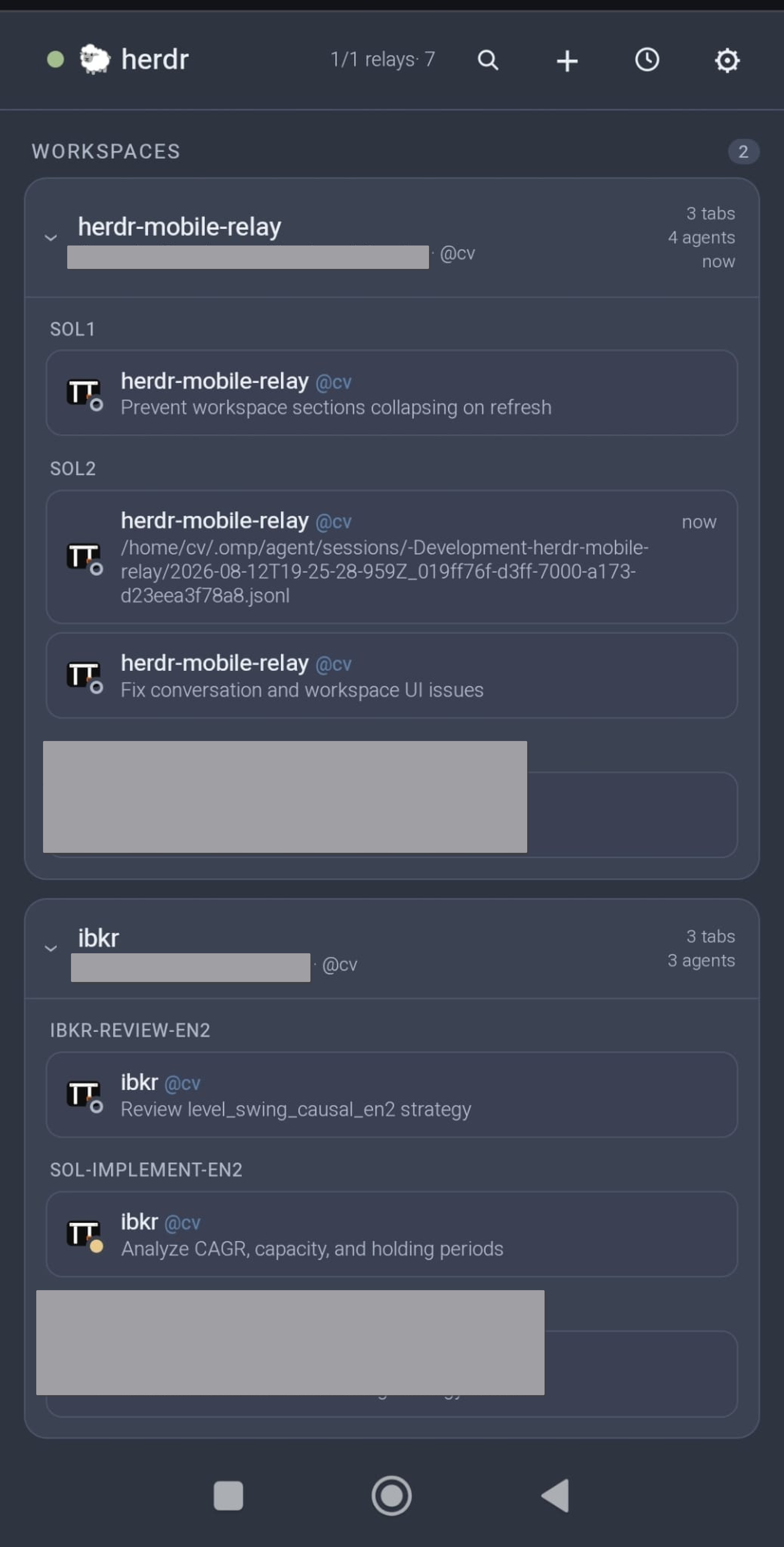
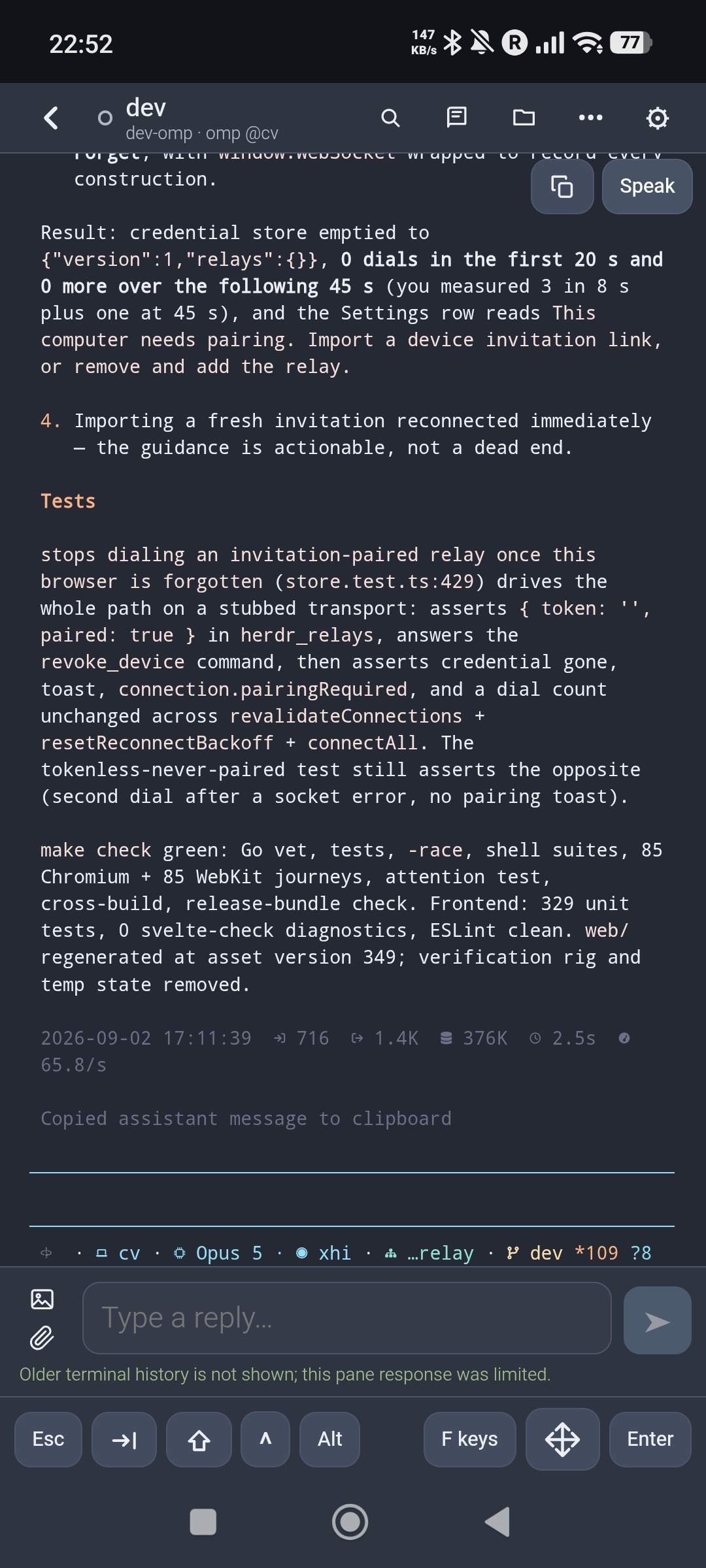
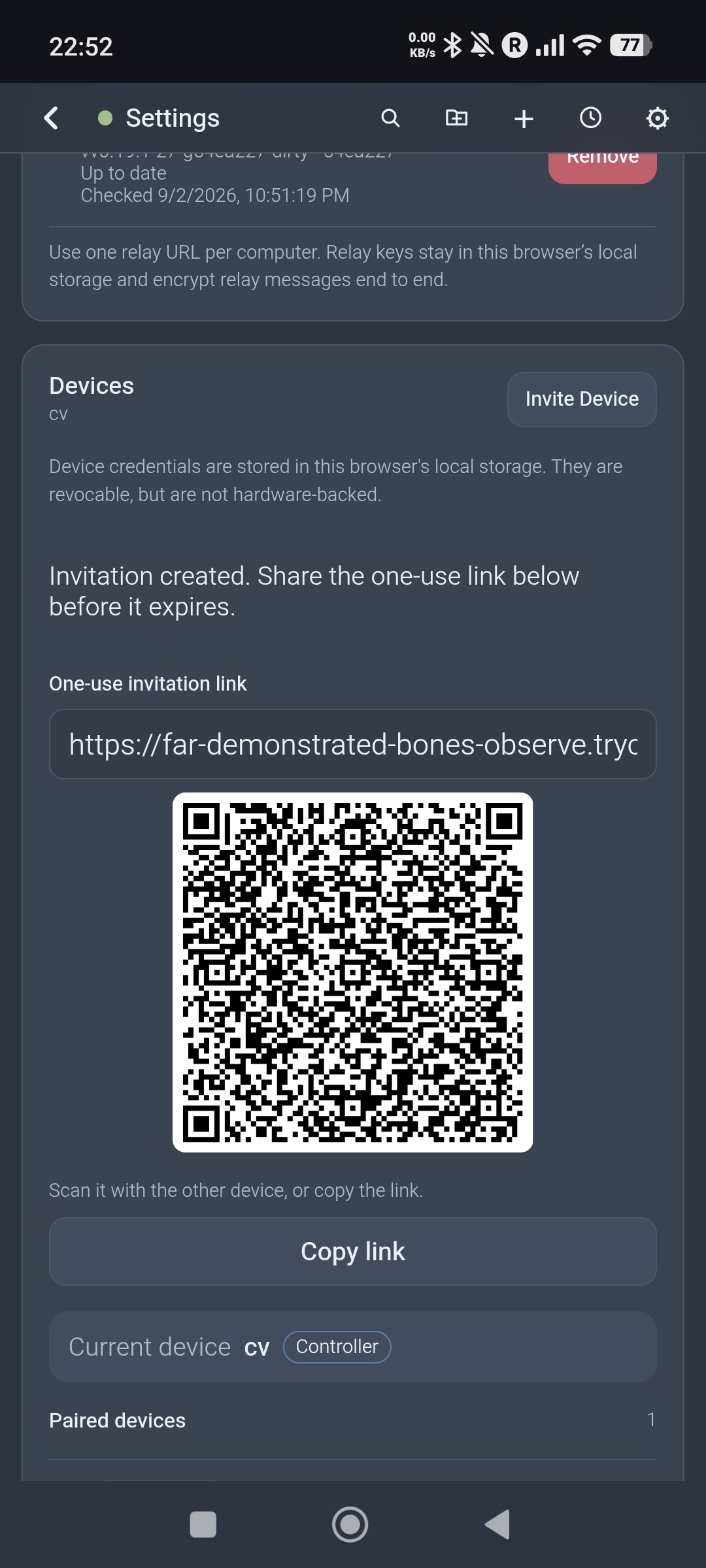
| Agents | Terminal | Pairing |
|---|---|---|
 |
 |
 |
- Monitor and control agents across several computers, grouped by status and Herdr workspace, with agents that need input pinned on top.
- Answer approvals and structured plan questions from Codex, Claude Code, Hermes, Qoder, OpenCode, Oh My Pi, and Pi.
- Send prompts, terminal keys, and slash commands, including discovered Cursor commands and skills; attach screenshots, photos, and documents in cancellable batches. Optionally discover live Pi extension commands, skills, and templates after installing the Pi integration.
- Read and search each agent's native conversation, including Hermes, OpenCode and Oh My OpenCode plans; inspect workspace files, images, and Git diffs read-only.
- Manage workspaces and Git worktrees; start, rename, clear, and stop agents.
- Have the relay read responses aloud, even with the screen off.
- Pair every phone as its own named device — controller or read-only reader — each with its own notification rules, and revoke any of them.
New in 0.22.0: Cursor slash-command and skill suggestions, optional live Pi command discovery, verified text entry in Cursor model pickers, and safer agent launches and background-service upgrades.
Mobile onboarding
https://github.com/user-attachments/assets/e52c4fd0-ef77-4852-bb43-078a7154eae8
The walkthrough follows setup from scanning the QR through the agent list, terminal controls, and notification settings.
Choosing how your phone connects
The setup menu exposes each complete connection path directly:
| Choice | Needs | Best for |
|---|---|---|
| Community gateway | no account, domain, or tunnel configuration; an installed app origin | the recommended stable, no-configuration relay path |
| Cloudflare tunnel | nothing for a temporary URL; a Cloudflare account and domain for a permanent hostname | the fastest one-computer trial or a permanent background service |
| Your own gateway | a small VPS | dedicated bandwidth and control of the transport logs |
All three are end-to-end encrypted. On either gateway the phone and the computer then negotiate a direct peer-to-peer connection, leaving the gateway with the fallback; Cloudflare tunnel traffic stays on Cloudflare.
Agents with a non-default config directory
The relay runs as a background service and does not see a pane's
CLAUDE_CONFIG_DIR, PI_CODING_AGENT_DIR, or similar. If an agent's
conversation shows as unavailable or a profile's slash commands are missing,
point the relay at that profile with HERDR_*_CONFIG_DIRS:
Agent directories →
Documentation
| Page | What is in it |
|---|---|
| QUICKSTART.md | The fast path, start to paired phone |
| docs/mobile-app.md | Every feature: agent list, terminal, devices, speech, notifications |
| docs/transports.md | Cloudflare, community gateway, own gateway, direct WebRTC |
| docs/cloudflare-tunnel.md | The stable tunnel wizard, DNS, and teardown |
| docs/gateway-self-hosting.md | Deploying and operating a gateway |
| docs/agent-directories.md | Agents that use a non-default config or profile directory |
| docs/slash-command-discovery.md | Bounded slash-command discovery and incomplete-catalog guidance |
| docs/updates.md | Verified releases, phone-driven upgrades, upgrading from 0.19.1 |
| docs/security.md | What is encrypted, device pairing, what an intermediary sees |
| docs/development.md | Building, testing, and contributing |
Security in one paragraph
Prompts, terminal output, uploads, and push details are encrypted end to end between the phone and the relay. Whatever carries the traffic — a Cloudflare tunnel or a gateway — observes connection metadata only, never plaintext; on the direct path no application data reaches it at all, though a gateway still answers address discovery. Paired credentials distinguish controller and reader devices, mutations default to controller-only, attachment references stay bound to the terminal and agent session that created them, and the app can require device verification before it reconnects. Details →
