Filee
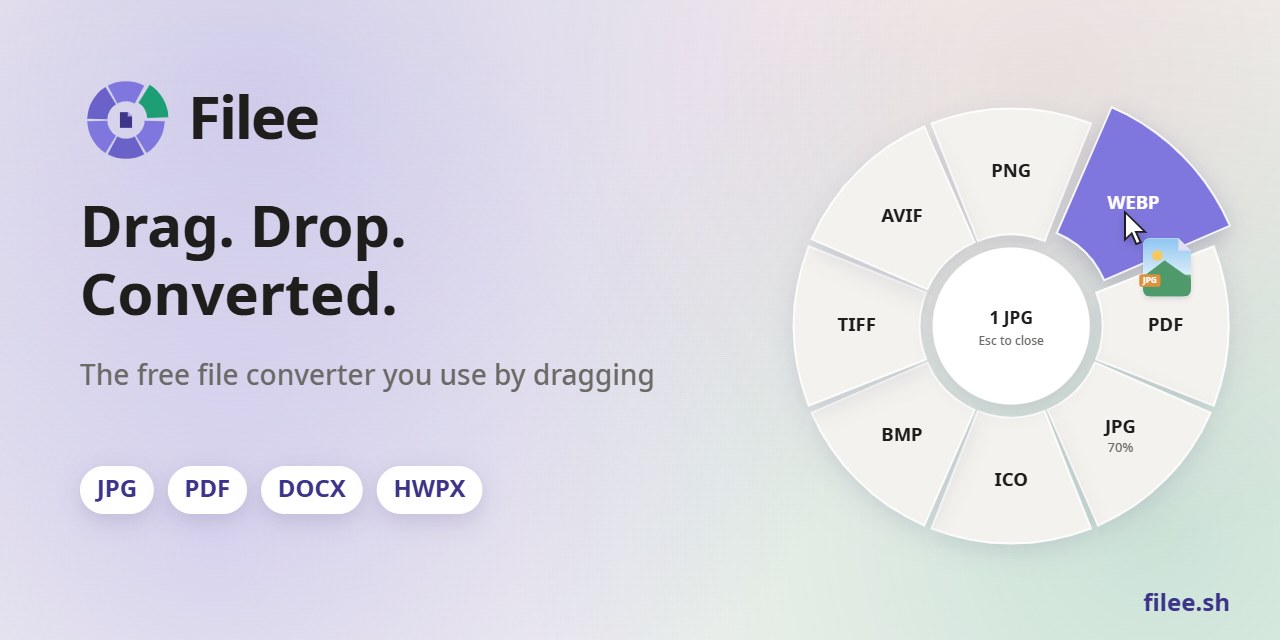
A free, open-source file converter you use by dragging.
Hold a key (Ctrl, Option on macOS), drag files and drop them on a format in the donut that opens at your cursor.
Website · Download · Install · Command line · Development





| Right at your cursor No app window to open. The formats appear where you already are, only the ones that make sense for the files you drag. |
244 formats, no other software Images, PDF, Word, Excel, PowerPoint, HWP, e-books, archives, fonts, CAD and 3D models work without Office, Hancom Office or LibreOffice. |
Stays on your computer Nothing is uploaded. Filee works offline and saves the result next to the original. |

Watch the 27-second video and try the interactive demo on filee.sh
Install
Download from Releases.
- Windows 10/11: run
Filee-<version>-win-Setup.exe, or unzip thewin-Portable.zipand runFilee.exe. Setup can add the Explorer menu, start at sign-in, thefileecommand and optional engines. - macOS 14+ (preview): unpack the
osx-arm64orosx-x64package and run./install.sh. The build isn't notarized yet, so allow the first start in System Settings → Privacy & Security → Open Anyway. - Linux x64/ARM64 (preview): unpack the package and run
./install.sh(no root, needs Python 3). Drag gestures need X11. On Wayland, use the drop zone and the file manager's right-click menu.
Filee shows new releases in its menu and updates itself, keeping your settings and engines.
Features
- A donut at the cursor: hold a key, drag files and drop them on a format. Only formats that fit the files appear.
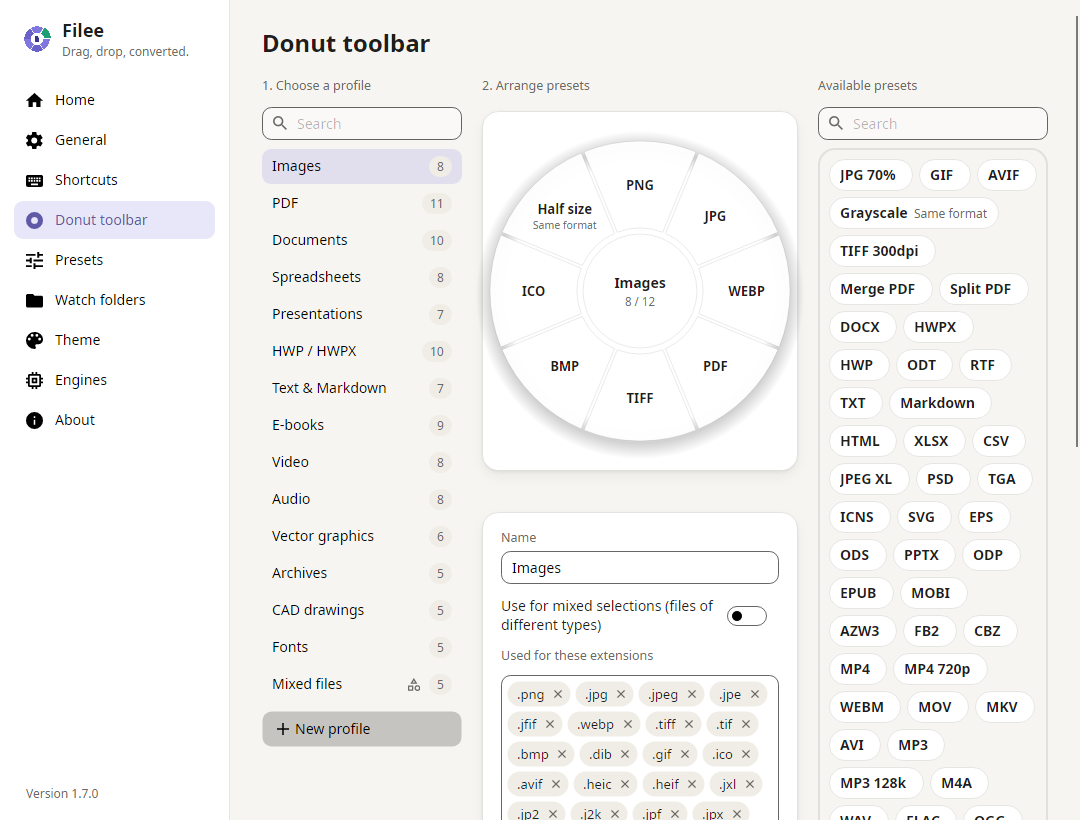
- One toolbar per file type, arranged by drag and drop, with presets for quality, size, DPI, PDF pages, video and audio, output folder and file names.
- Many files at once, in parallel. Routes with several steps (HWP → HWPX → DOCX) are found automatically.
- Watch folders convert every file that lands in them.
- Other ways in: the right-click menu, a keyboard shortcut, the drop zone and the
fileecommand. - Light and dark themes, in English, 한국어 and 简体中文.
Screenshots
 |
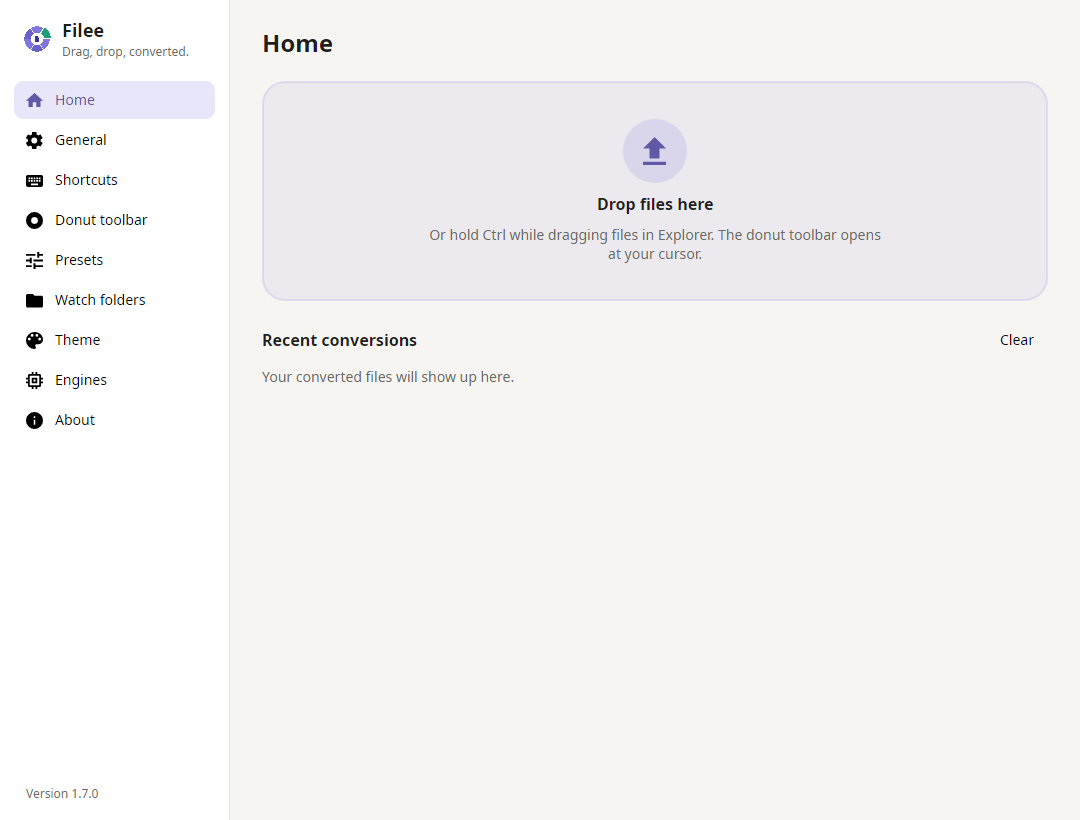 |
| Arrange the donut by drag and drop, one profile per file type | Home: drop zone and recent conversions |
Formats
| From | To |
|---|---|
| Images: JPG, PNG, WEBP, AVIF, TIFF, BMP, GIF, APNG, ICO, ICNS, JPEG XL, JPEG 2000, PSD/PSB, TGA, PPM, HEIC, QOI, DDS, PCX, MNG, CUR, …; GIMP XCF, camera RAW (CR2, CR3, NEF, ARW, DNG, …), DICOM, OpenEXR, HDR read | any of these (HEIC⁵), PDF, SVG (traced), resized, grayscale |
| Vector: SVG, SVGZ, EMF, WMF, AI · EPS, PS¹ · CDR, VSD, CGM, ODG, FODG² | PDF (vector), PNG and other images, SVG ↔ SVGZ, SVG → DXF/DWG, PDF → EPS/PS¹, SVG → EMF, WMF, ODG² |
| DOCX, HWPX, TXT, PNG, JPG, TIFF, CBZ, SVG²; merge, split, page ranges | |
| Documents: DOCX, DOCM, DOTX, EML, Outlook MSG · DOC, ODT, FODT, OTT, RTF, WPS, WPD, Pages, ClarisWorks, MacWrite, T602, …² | PDF, DOCX, HWPX, EPUB, TXT, HTML; MSG → EML · ODT, FODT, OTT² |
| Spreadsheets: XLSX, XLSM, XLS, XLT, ODS, CSV, TSV · OTS, FODS, Numbers, ET² | PDF, XLSX, ODS, CSV, TSV, JSON, HWPX, HTML · XLT, OTS² |
| Presentations: PPTX, PPTM, POTX, PPSX · PPT, ODP, OTP, FODP, Keynote² | PDF, PNG, JPG, DOCX, HWPX · OTP² |
| HWP: HWP, HWPX | PDF, PNG, DOCX, HWPX ↔ HWP, TXT, Markdown, HTML |
| Text: TXT, Markdown, HTML · reStructuredText, LaTeX, Org, AsciiDoc, Typst, MediaWiki, DocBook, Jupyter, Textile, man, OPML³ | PDF, DOCX, HWPX, EPUB · each other, PPTX slides³ |
| E-books: EPUB, KEPUB, MOBI, AZW3, AZW, AZW4, FB2, CBZ, CBR, CB7, HTMLZ, TXTZ · LIT, LRF, CHM, PDB, …⁴ | PDF, EPUB, KEPUB (Kobo), DOCX, TXT, HTML, HWPX · MOBI, AZW3⁴ |
| Video⁵: MP4, MOV, MKV, WEBM, AVI, WMV, FLV, MPEG, TS, M2TS, 3GP, OGV, VOB, … | MP4 (H.264, HEVC, AV1), WEBM, MOV, MKV, AVI, GIF, APNG, MP3, M4A, 720p, subtitles (SRT, ASS, WebVTT) |
| Audio⁵: MP3, M4A, AAC, WAV, FLAC, OGG, OPUS, WMA, AIFF, AMR, APE, WavPack, TTA, DSD (DSF, DFF), DTS, AC3, E-AC3, … | MP3, M4A (AAC, ALAC), WAV, FLAC, OGG, OPUS, AAC, WavPack, TTA, W64, AC3, E-AC3 |
| Subtitles: SRT, ASS/SSA, WebVTT, SAMI (SMI), LRC, TTML, MicroDVD, SCC | each other as UTF-8 (Korean CP949 files read correctly) |
| Archives: ZIP, 7Z, RAR, TAR, TAR.GZ, TAR.BZ2, TAR.XZ, GZ, ISO, CAB, DMG, ALZ, EGG, … | extract, ZIP, 7Z, TAR, TAR.GZ; any files → one ZIP |
| CAD: DWG, DXF | PDF, SVG, PNG, DWG ↔ DXF |
| Fonts: TTF, OTF, WOFF, WOFF2, EOT | each other |
| Data: JSON, JSON Lines, YAML, TOML, XML · vCard | each other, CSV and XLSX (tables); vCard ↔ CSV |
| 3D models: GLB, glTF, STL, OBJ (+ MTL), 3MF, PLY | each other, PNG preview |
Unmarked formats work out of the box, without Office, Hancom Office or LibreOffice. Marked ones need an optional engine, downloaded only when needed: ¹ Ghostscript, ² LibreOffice, ³ Pandoc, ⁴ calibre, ⁵ FFmpeg (details).
Command line
The filee command uses the same engines and presets as the app (Setup or install.sh adds it).
filee convert photo.heic --to jpg
filee convert *.png --to webp --quality 80 -o converted
filee watch D:\Inbox --to pdf --move-originals
Every command and option: filee.sh/cli or filee help.
Development
Build with the .NET 10 SDK on Windows, macOS or Linux:
git clone https://github.com/KnifeLemon/Filee.git
cd Filee
pwsh build/fetch-engines.ps1 -Only rhwp,pandoc   # optional engines
dotnet run --project src/Filee.App
dotnet test
Architecture · Engines · Adding a converter · Adding a language · Contributing
Pull requests are welcome. If Filee saves you some clicks, a ⭐ helps other people find it.
Code signing policy
Filee is developed and published by Myeonggu Kim (KnifeLemon).
Windows releases will be signed with a Certum open source code signing certificate issued to Myeonggu Kim. The certificate is being issued; until then, releases are not code-signed and Windows SmartScreen may warn when you run the installer ("More info" → "Run anyway"). macOS packages are ad-hoc signed and not notarized.
Only the installer and files built by this repository's GitHub Actions release workflow are signed, and every release is approved by hand. Bundled third-party programs (rhwp, 7-Zip) keep their own publishers' files.
Privacy policy
Filee converts files on your own computer and never uploads them. It collects no usage data and sends no telemetry. It connects to the internet only:
- to ask GitHub (
api.github.com) whether a newer release exists, shortly after start and then every few hours. Turn this off in Settings → About ("Check for updates automatically"). - to download the conversion engines you choose to install, from the official locations pinned in
engines.json. - when you click a link, which opens your web browser.
Sponsor
Filee is free and stays free. If you'd like to support it, pick whichever way suits you (Fairy takes Korean cards and easy-pay).
Your name or logo here. Monthly backers are listed here by name, and sponsors get their logo here and on Filee's About page. One-time supporters can ask to be listed too.




License
MIT, © 2026 Myeonggu Kim (KnifeLemon) and Filee contributors. Bundled third-party components keep their own licenses, listed in THIRD-PARTY-NOTICES.md.
