🇹🇷 Türkçe dokümantasyon ve kurulum rehberi için: README_TR.md (Türkçe)
📦 Download Latest APK (v2.0.5): GitHub Releases
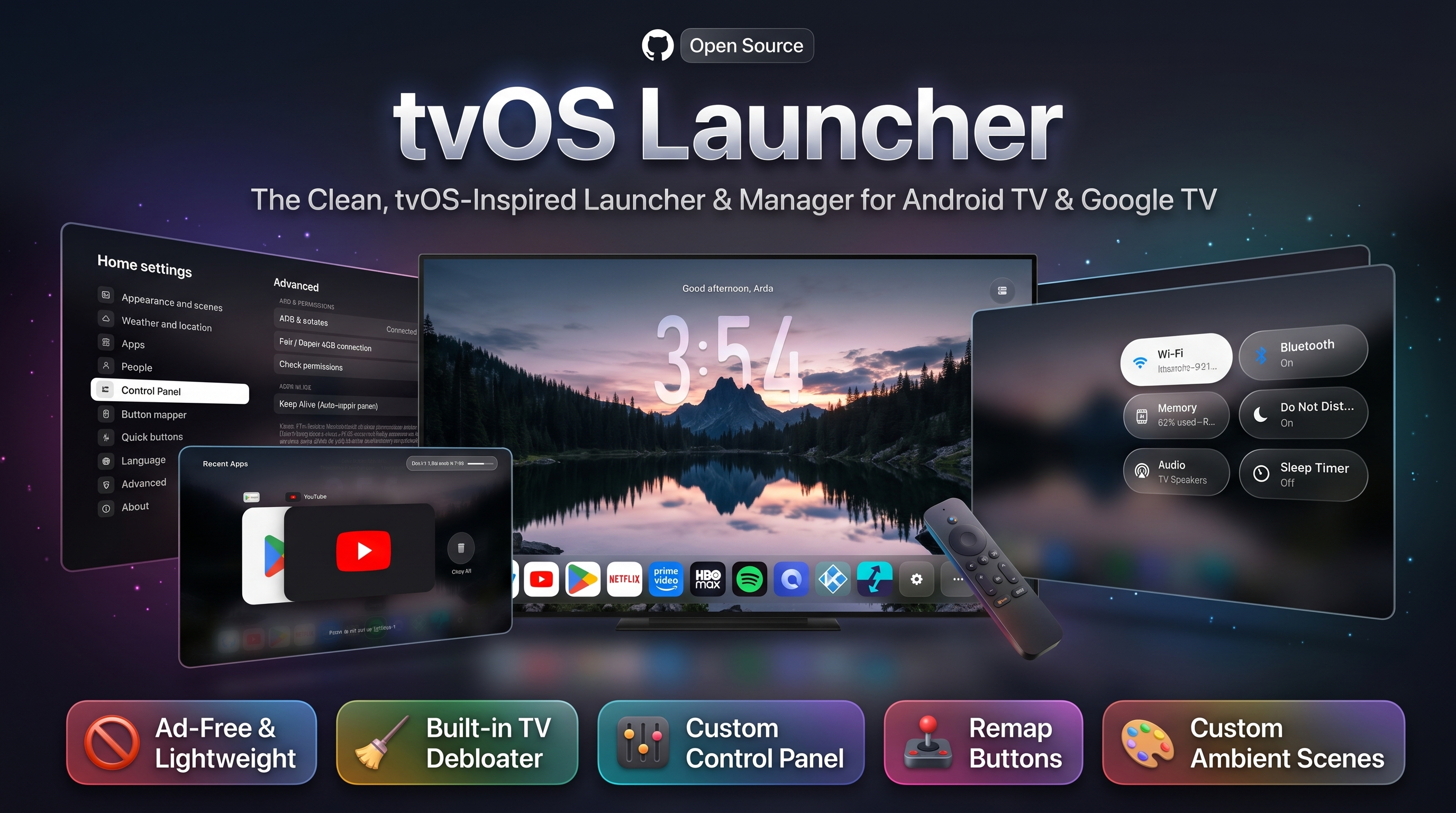
A fast, lightweight, tvOS 26 & macOS–inspired home screen for Android TV & Google TV — built in pure Java with zero third-party runtime dependencies (~30 MB private RAM / ~38 MB total PSS, 0.0% background CPU). Designed to stay buttery-smooth even on 1 GB RAM TV boxes while bringing a resizable Liquid Glass Dock (50%–150%), rotating Night Scenes, Custom Wallpapers (Custom 1..5), an App Icon Changer & Interactive Icon Editor, Automatic GitHub App Updates, a built-in PC-free CleanYourTV Debloater (341 TV models + Manual System App Debloater + Stock Launcher Disabler), a Universal Control Panel (Quick Settings) overlay, a Recent Apps Switcher, multi-tap (1x / 2x / 3x) Remote Button Remapping + Home Button Fix, Keep Alive auto-permission repair, and one-tap Local ADB setup to any Android TV.
🆕 What's New in v2.0.5
- Resizable Night Scenes Dock (
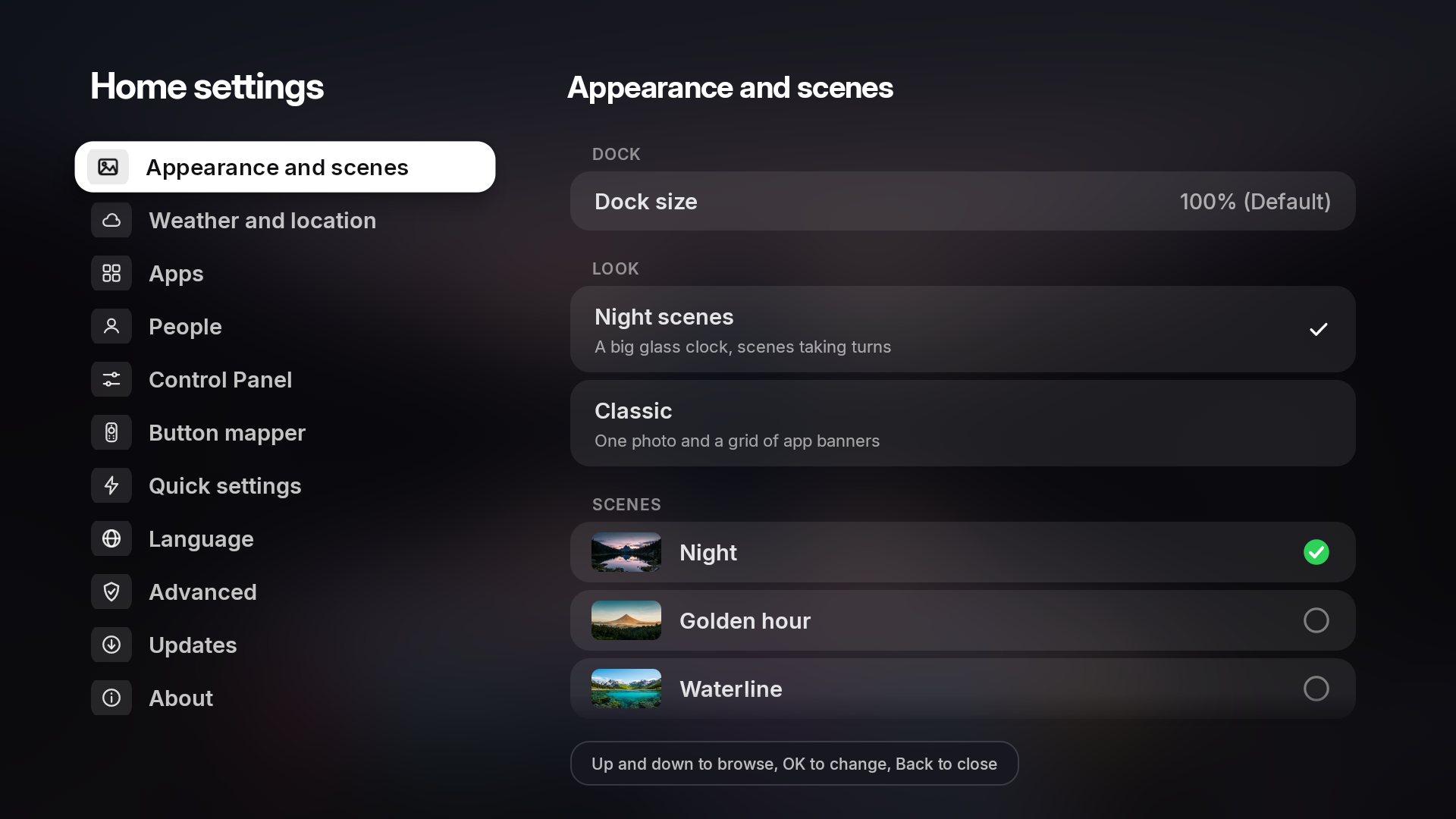
50% – 150%) & Smart Multi-Row Overflow: Scale the Night Scenes dock from 50% to 150% (100% default) at the top of Appearance and scenes. If a larger dock size leaves room for fewer icons on the main row, overflow apps automatically move into the Other apps (...) folder, which expands into a multi-row dock with full DPAD Up / Down / Left / Right navigation and auto-hides when empty.
- Refined Apple tvOS Classic Dock & Symmetrical Focus: Updated Classic mode dock and app cards with authentic Apple tvOS squircle corner roundness, slightly larger app tiles, symmetrical edge spacing when the first or last dock app is focused, and smooth vertical scroll animations.
- Native Right-Pane Sub-Menus in Settings: CleanYourTV, Manual Debloat, Disable System Launchers, and all sub-screens now open natively inside the right-hand Settings pane instead of modal popup dialogs, with background pre-caching for instant opening of the 341 TV model list and system app browser.
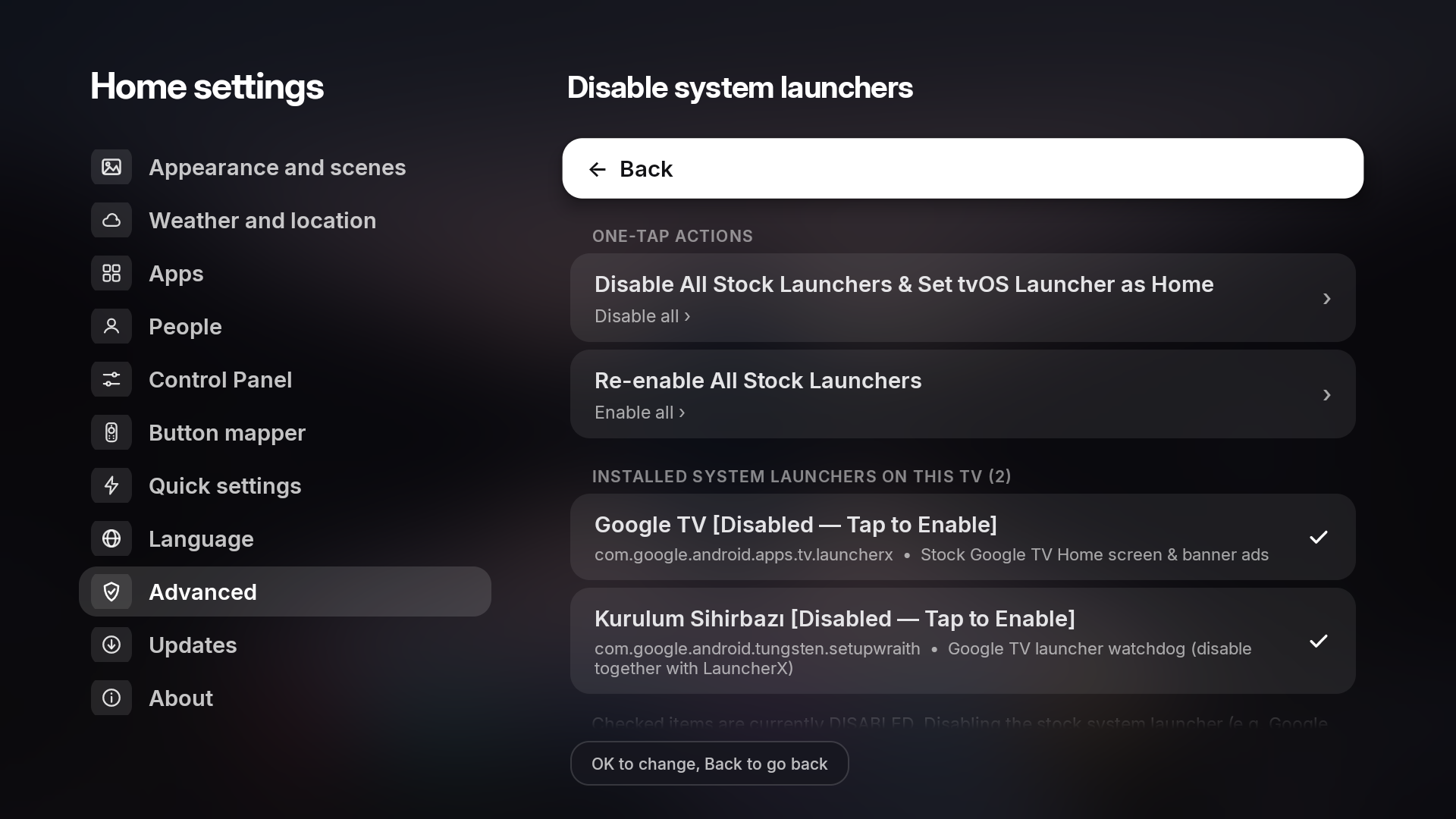
- One-Tap Stock Launcher Disabler & Manual System App Debloater: Added Disable system launchers (automatically detects installed stock launchers like Google TV Home / LauncherX, Android TV Home / Leanback, TCL, Philips, Xiaomi, Sony to disable/enable in one tap) and Manual debloat (All system apps) with a safety confirmation and instant search.
- Improved OEM Compatibility (TCL, Philips, Xiaomi & Android 11–14):
- Android 13/14 Restricted Settings Unlock: Local ADB permission grant/repair now automatically sets
appops ACCESS_RESTRICTED_SETTINGS allow so the Accessibility Service is never blocked on Android 13/14 TVs.
- Fix Home Button (
Settings → Button mapper): Optional Accessibility-powered Home key interception (off by default) for TCL/Philips TVs that ignore the standard Android default home setting.
- Launch Automatically on Boot (
Settings → Advanced): Optional boot-completed auto-launch toggle (off by default).
- Revoke All Permissions / Device Admin (
Settings → Advanced): One-tap option to remove Device Admin and revoke special permissions so the app can be cleanly uninstalled on TVs that lack a system Device Admin UI.
- Crash-Safe ADB Repair & Key Handling: Prevented black-screen loops during ADB permission repair, hardened
PowerService.onKeyEvent so remote keys are never locked, renamed Quick buttons to Quick settings across all 13 languages, and set Button sounds to Off by default.
✨ Highlights & Features
- Dual Appearance Modes (
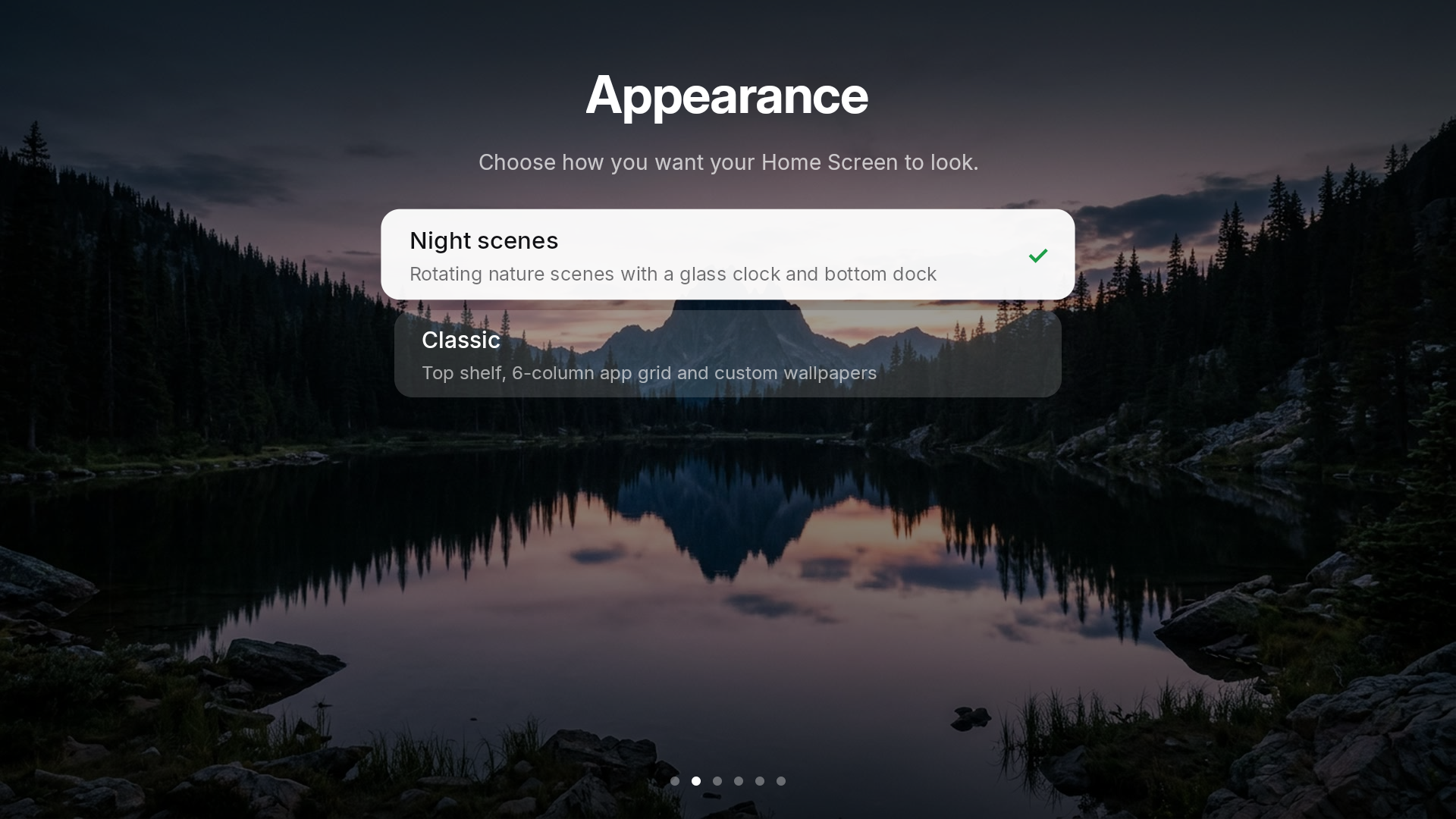
Night Scenes & Classic) + Custom Wallpapers
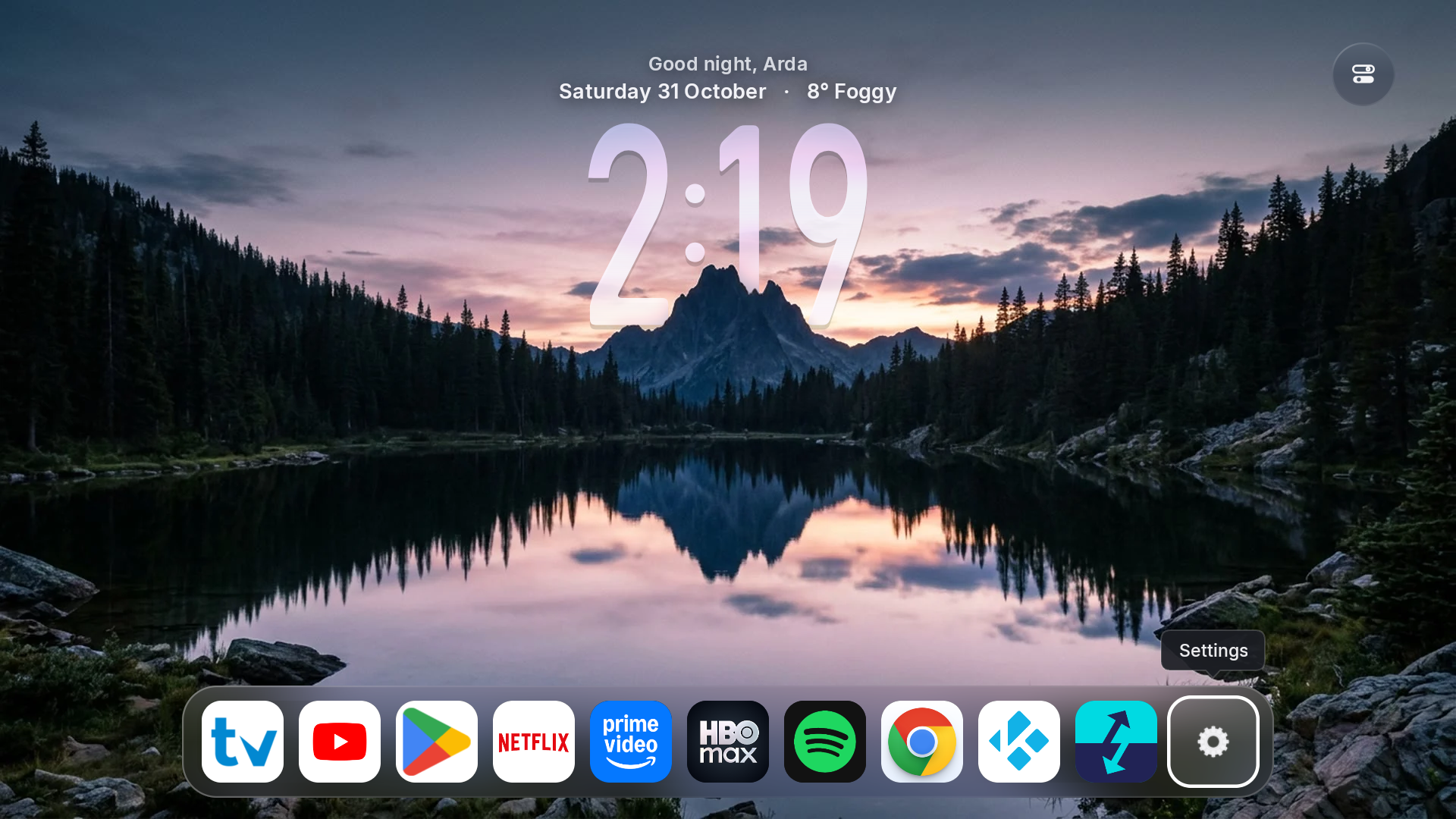
- Night Scenes: Layered foreground/background depth scenes (Night, Golden Hour, Waterline, Fog, Rainforest Dawn, plus up to 5 Custom Wallpapers with configurable Clock Position: Left / Center / Right) with a giant glass clock (iPhone Duo, iPhone Rounded, Tall Glass), personalized greeting, date, live weather, and a macOS-inspired dynamically resizing Liquid Glass Dock (
50% to 150%) with floating app name callouts.
- App Icon Changer & Interactive Icon Editor (
JPG / PNG / ICO):
- Hold OK on any app in the dock or grid and choose Change app icon to pick any
.jpg, .jpeg, .png, or Windows .ico file from internal storage or USB drives.
- Includes a built-in App Icon Editor with a live rounded-square preview, 14 background color options (including auto edge-color sampling), Zoom In / Out, and Left / Right / Up / Down positioning.
- Custom App Renaming, Other Apps & Hidden Apps Vault:
- Hold OK on any app in the dock to Rename, Change app icon, Move, Move to Other Apps, Hide, view App Info, Uninstall, or Reset Layout.
- Move to Other Apps: Removes the app from the first dock row while keeping it one click away inside the Other apps (
...) button in the dock (auto-hidden when empty, with multi-row Up/Down navigation when expanded).
- Hidden Apps (
Settings → Apps → Hidden apps): Completely hides the app from both the main dock and Other Apps. Inside Settings → Apps → Hidden apps, press OK on a hidden app to launch it directly, or Hold OK to restore it back to the Home Screen.
- Classic: Clean 6-column app banner grid with an Apple tvOS–styled centered glass dock, larger squircle app cards, symmetrical edge spacing, smooth row animations, built-in photography, ambient color backdrops, or your own Custom Wallpaper, and an optional Top Shelf.
- Automatic & Manual GitHub Updates (
Settings → Updates)
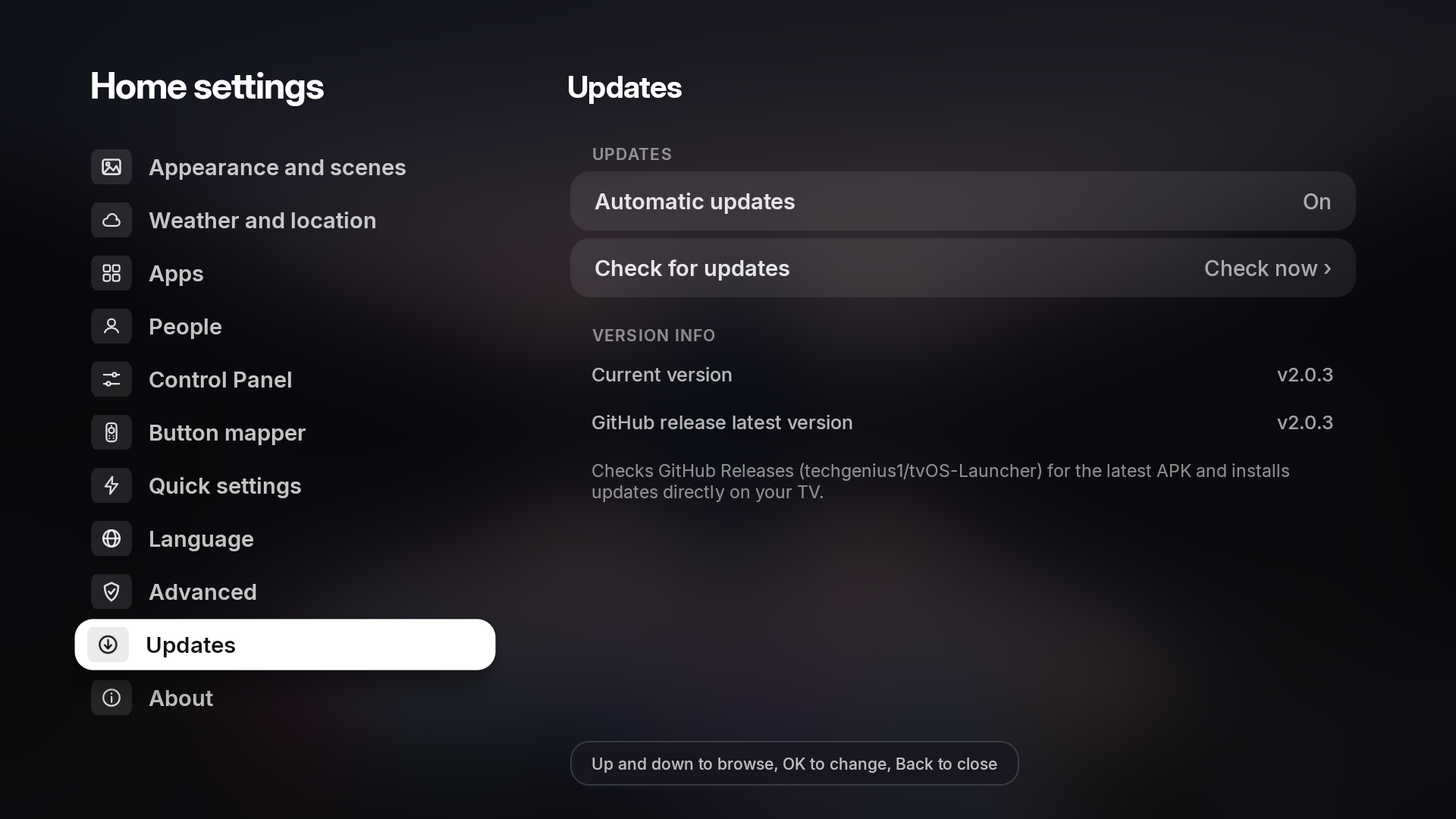
- Built-in updater right above the About menu that checks GitHub Releases for new versions, shows current vs. latest release info, supports one-tap Check for updates, and includes an Automatic updates toggle.
- CleanYourTV (Beta) — Built-In PC-Free Android TV Debloater (
Settings → Advanced)
- Runs CleanYourTV debloat profiles directly on your TV over Local ADB (
127.0.0.1:5555) inside native right-side Settings menus — no PC or external CLI required.
- 341 Bundled TV & Box Profiles: Covers TCL, Sony, Xiaomi, Hisense, Philips, Skyworth, OnePlus, Realme, Nvidia Shield, Motorola, Toshiba, Sharp, Onn, Chromecast with Google TV, and more.
- Smart OEM Model Detection & ADB Package Similarity Scanner: Automatically detects exact or similar models from your TV's hardware properties, lets you search all 341 profiles instantaneously, or scans your TV's installed OEM/vendor system apps via ADB with weighted scoring to rank the closest matching TV models.
- One-Tap Stock Launcher Disabler & Manual Debloater: Includes a dedicated Disable system launchers menu for Google TV Home, Android TV Home, and OEM launchers, plus a Manual debloat browser for all installed system packages.
- Interactive Debloat Checklist: Pre-selects telemetry, ad rows, and bloatware while keeping optional apps (Google Assistant, YouTube Music, Play Games, TalkBack, Chromecast receiver, Remote Service) unselected at the bottom of the list so you decide what stays.
- Google TV
setupwraith Wi-Fi Guard: Warns Google TV users about forgetting and re-adding Wi-Fi before disabling setupwraith / launcherx (or lets you safely skip setupwraith with one tap).
- One-Tap Backup, Restore & AdGuard DNS: Tracks disabled packages, shows live Debloat Status (
Done / Not done), restores disabled apps anytime with one tap, and includes an Ad-blocking Private DNS (dns.adguard-dns.com) toggle.
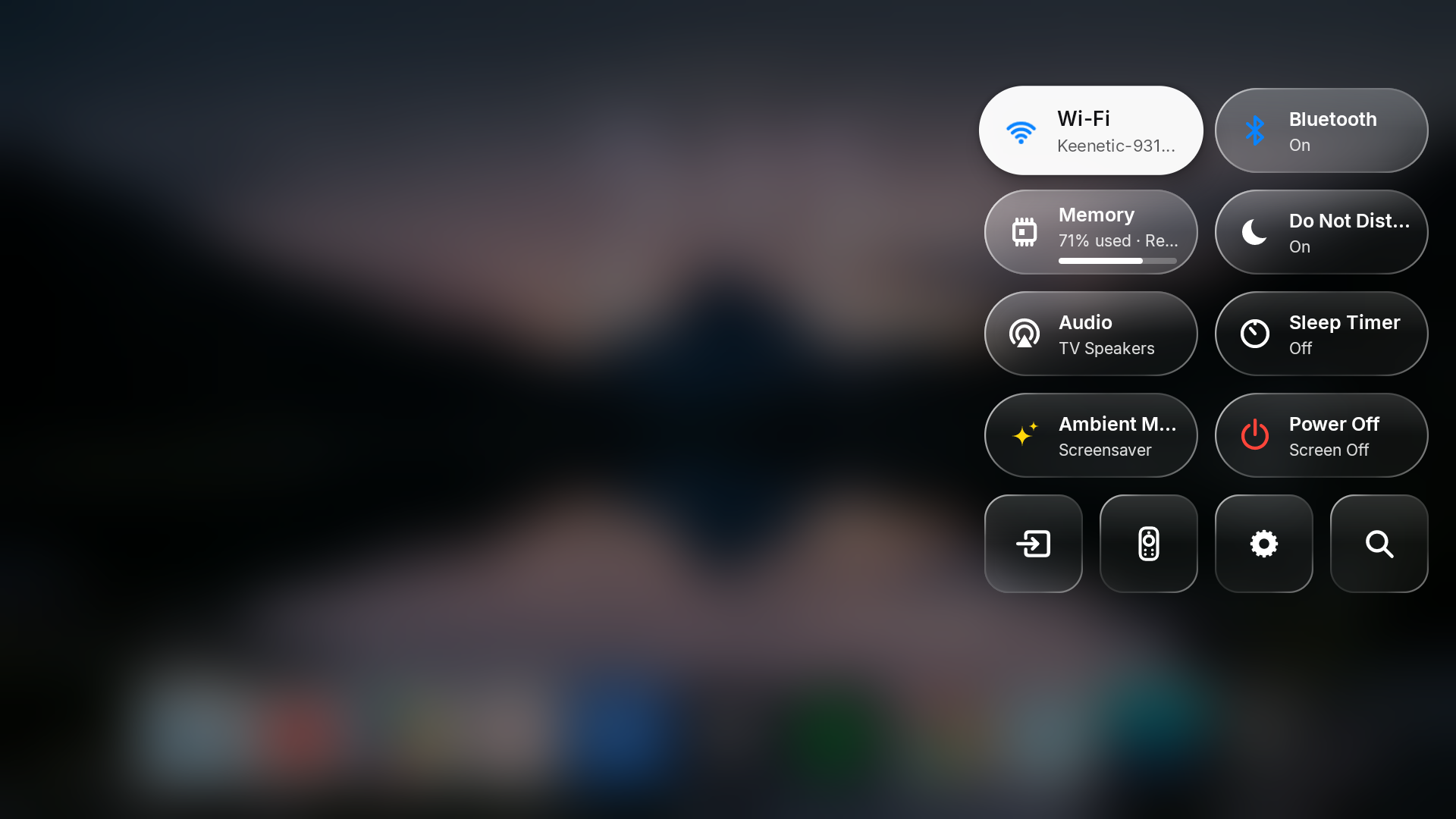
- Universal Glass Control Panel (
Quick Settings) Overlay
- Accessible from the home screen or over any running app via the Button Mapper accessibility service with real-time background blur (
RenderEffect on Android 12+ with high-speed box-blur fallback).
- Includes Wi-Fi, Bluetooth, RAM / Recent Apps, Do Not Disturb, Audio / Sound, Sleep Timer, Ambient Mode, Power / Screen Off, Inputs, Button Mapper, Settings, and Search.
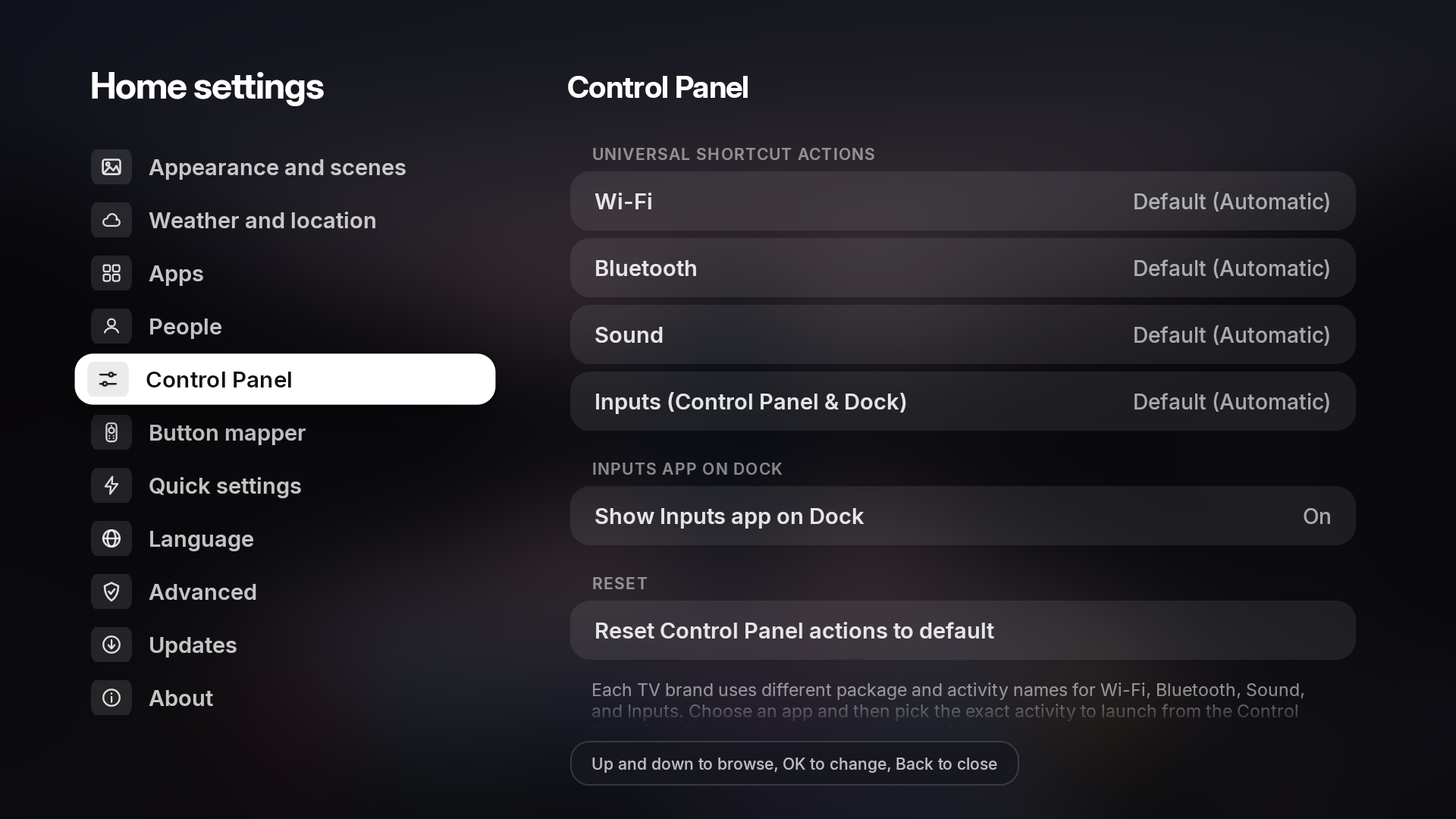
- Universal Brand Activity Picker: From Settings → Control Panel, choose any installed system app and specific activity to launch when tapping Wi-Fi, Bluetooth, Sound, or Inputs (synced with the Inputs app on the dock).
- Built-In Ambient Mode Fallback: Launches your TV's native Google Ambient Mode / screensaver if installed, or automatically falls back to a built-in full-screen ambient showcase.
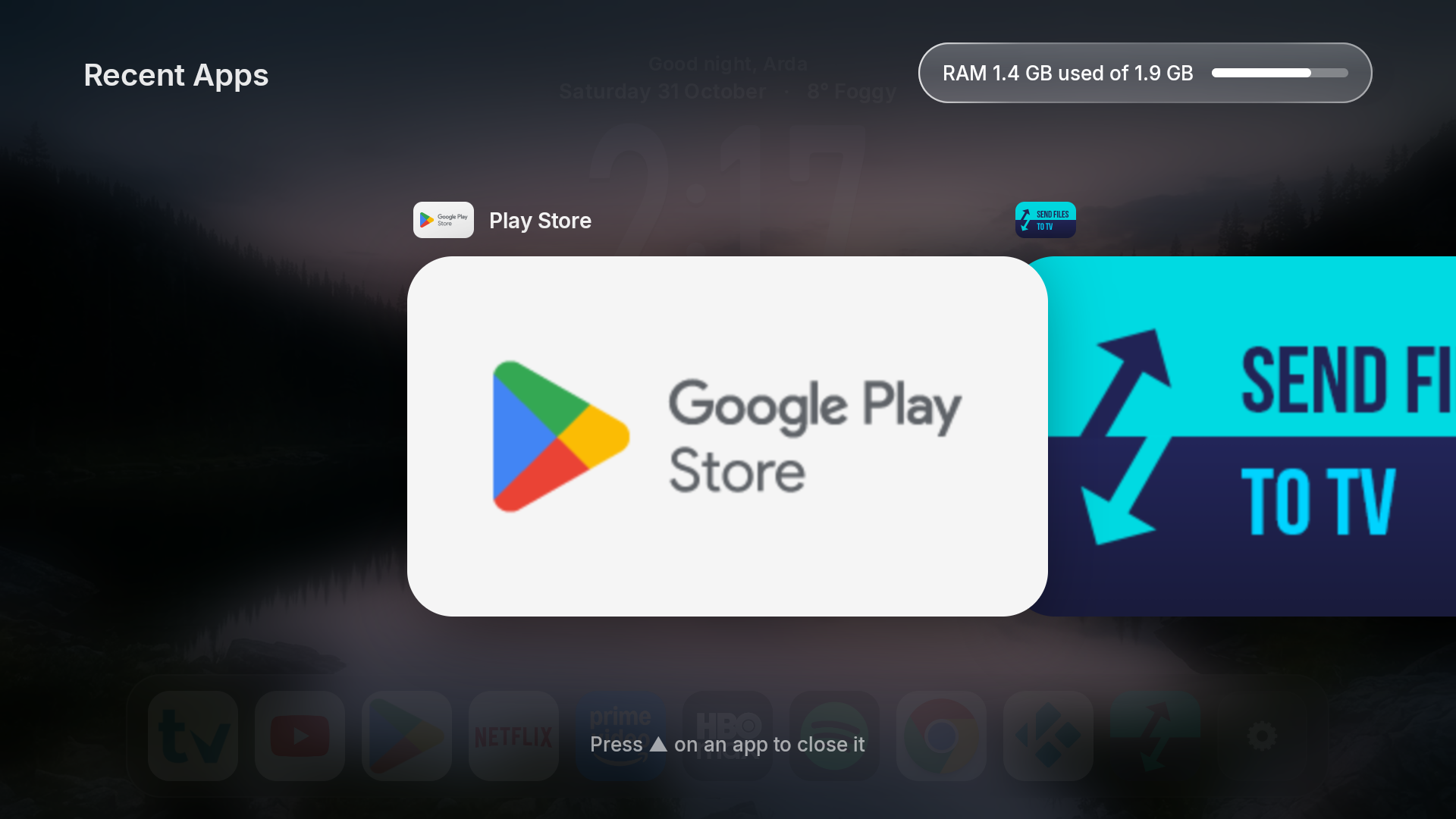
- Recent Apps Switcher Overlay & RAM Cleaner
- Open from any app via a mapped remote button or by tapping the RAM tile in the Control Panel.
- Displays live memory usage (
RAM used / total), horizontal app cards, DPAD UP to force-stop/dismiss individual apps, and a Close All button.
- Multi-Tap Remote Button Mapper (
1x / 2x / 3x Tap), Home Button Fix & Volume Hold Fix
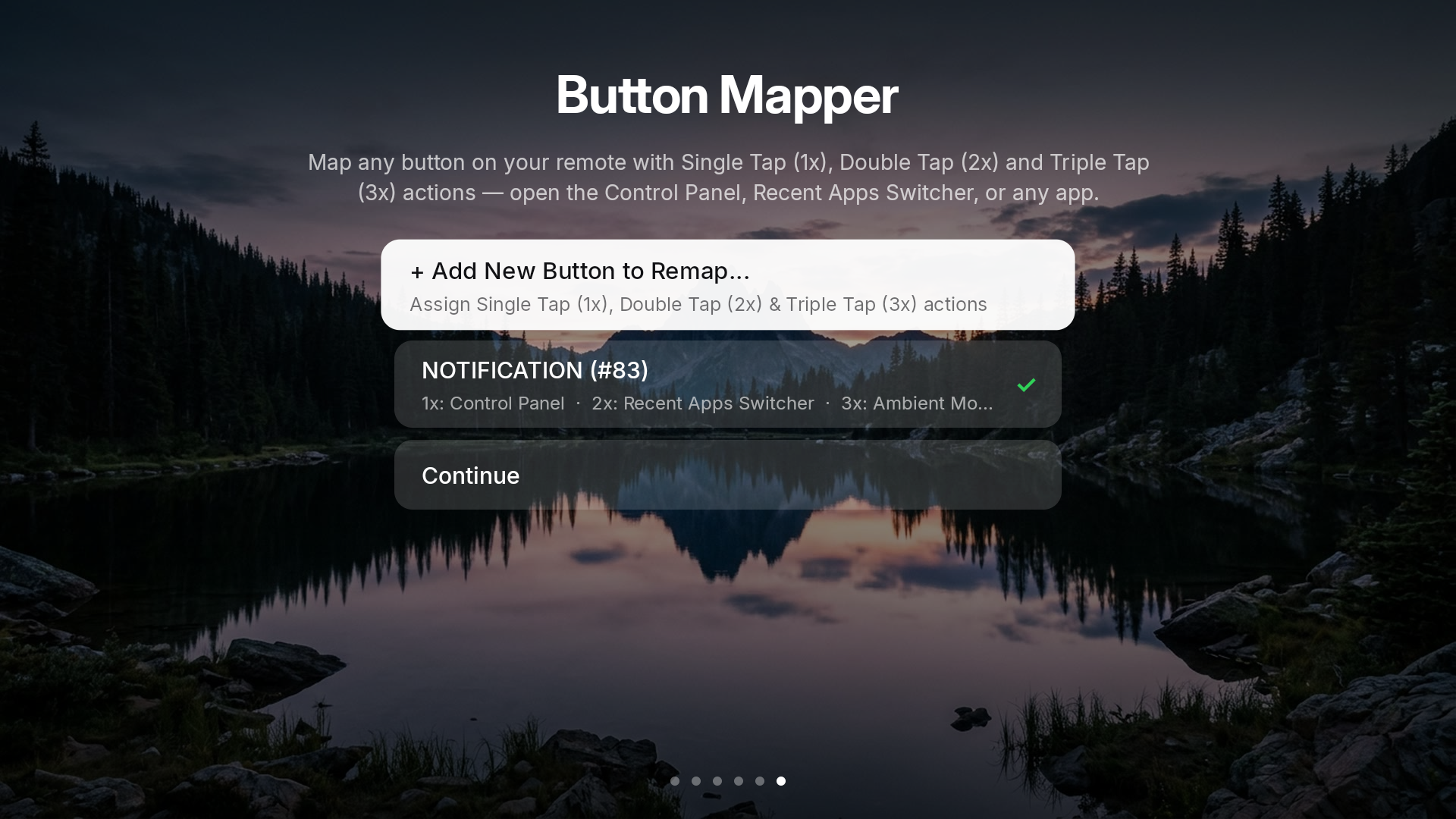
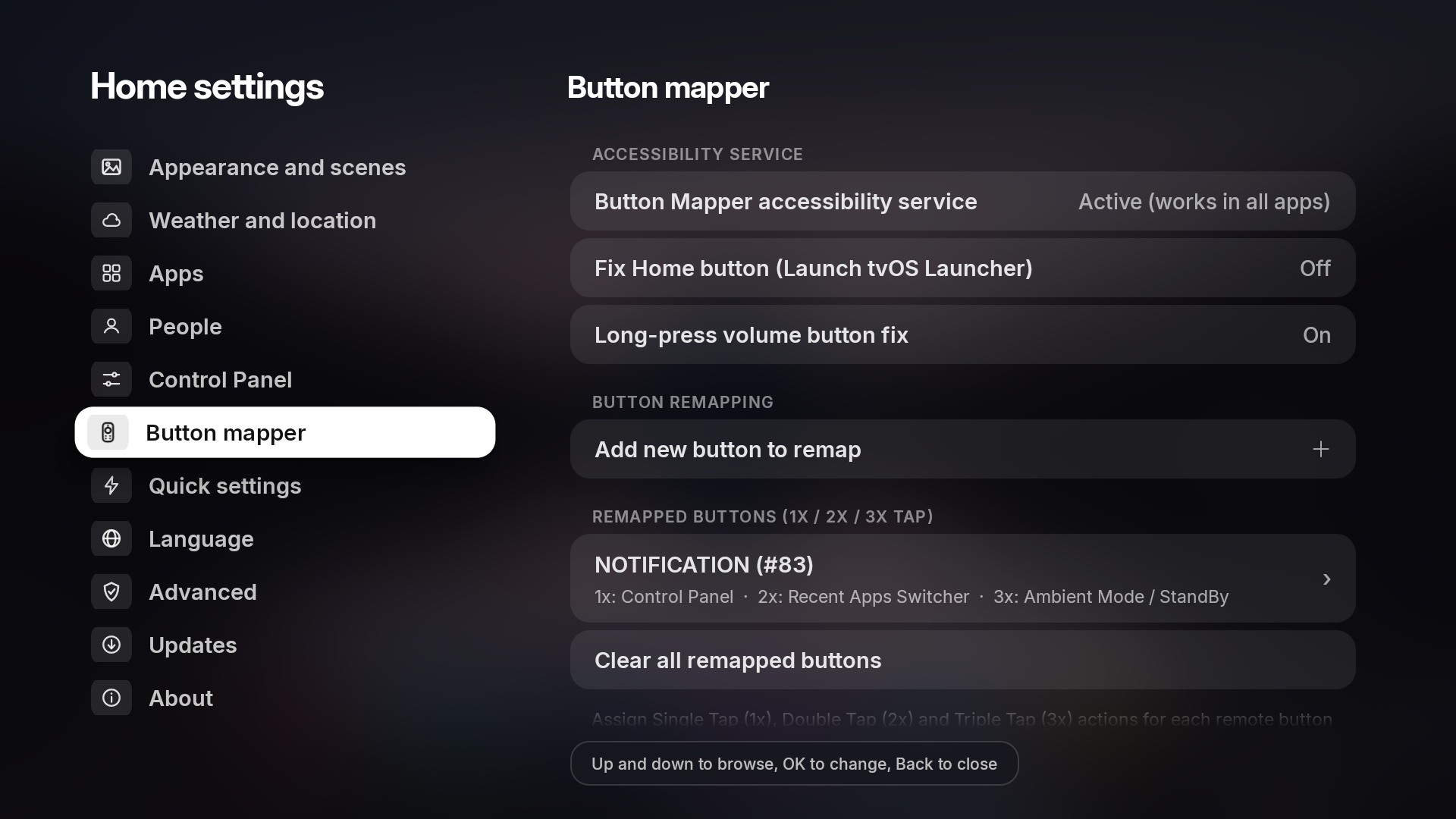
- Built-in crash-safe Accessibility Service that intercepts any remote button you choose and lets you assign independent actions for Single Tap (1x), Double Tap (2x), and Triple Tap (3x) — open the Control Panel on
1x, Recent Apps Switcher on 2x, or launch any installed app on 3x.
- Fix Home Button (Off by default): Optional toggle to remap the remote's Home key directly to tvOS Launcher on TVs (such as TCL and Philips Android 11/12) where the firmware overrides the default launcher role.
- Long-Press Volume Button Fix (On by default): Ensures holding Volume Up/Down smoothly repeats volume steps on TVs where enabling Accessibility services normally blocks key-repeat on volume buttons.
- Easy Setup via Local ADB, Keep Alive Auto-Repair & One-Tap Permission Revoke
- Easy Setup (Auto via Local ADB) connects to
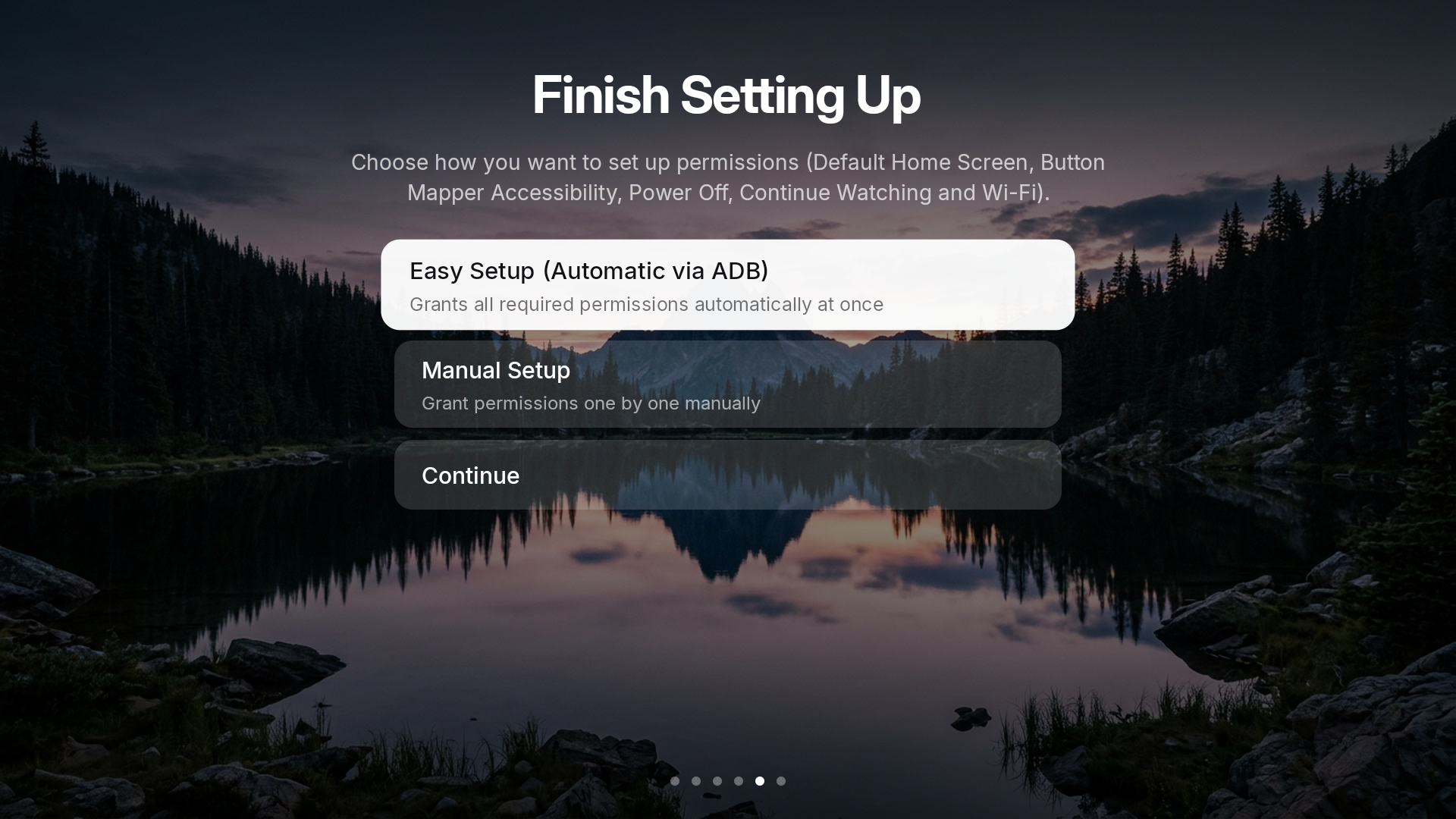
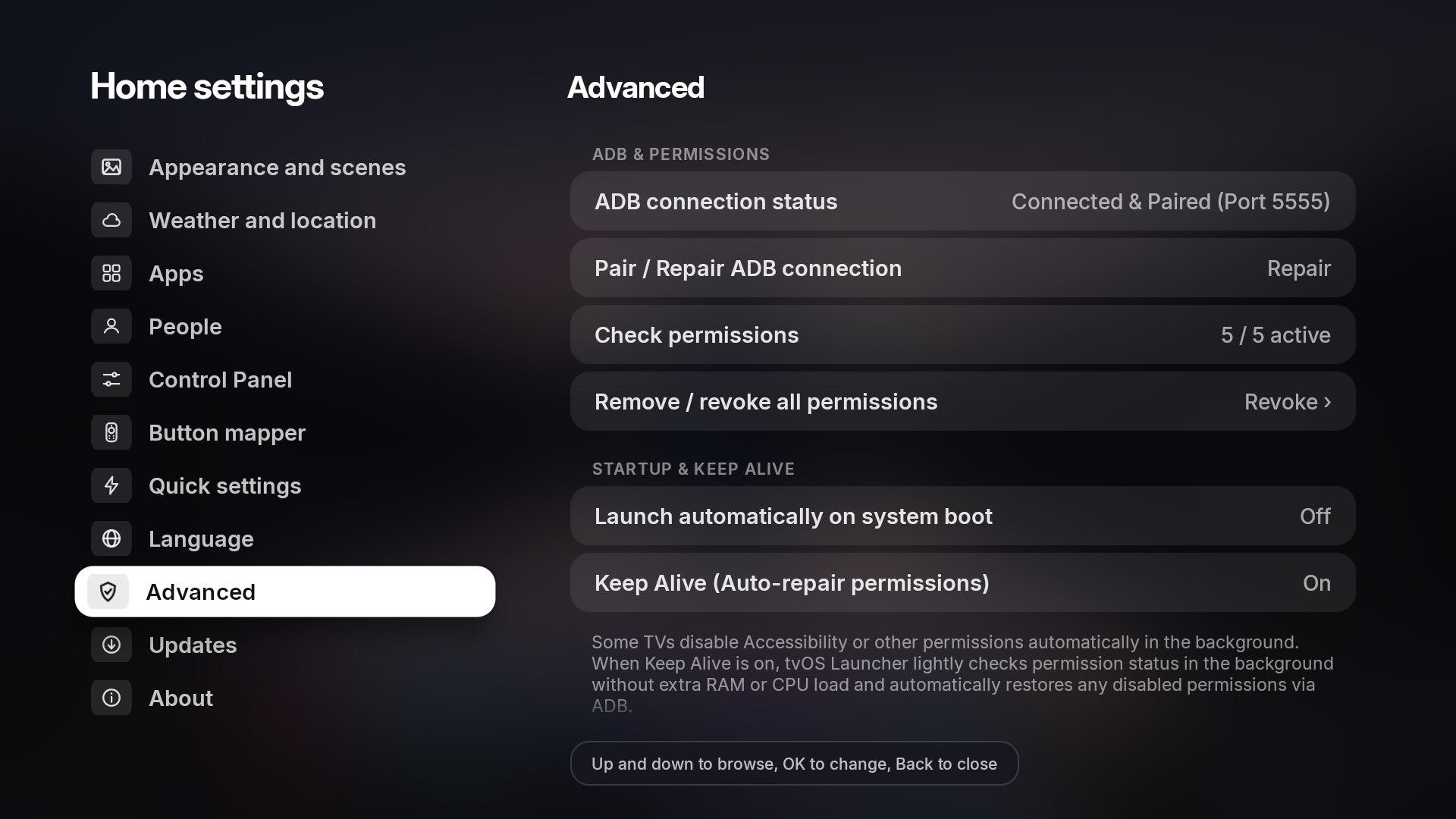
127.0.0.1:5555 to automatically unlock ACCESS_RESTRICTED_SETTINGS (Android 13/14+) and grant Default Home, Accessibility Service, Device Admin, Notification Listener, Usage Stats, WRITE_SECURE_SETTINGS, and Background Activity Launch permissions in one click.
- Keep Alive (On by default): Lightly monitors permission status in the background with zero extra RAM/CPU load and automatically restores Accessibility or other permissions via Local ADB if the TV firmware disables them.
- Revoke All Permissions (
Settings → Advanced): Removes Device Admin and revokes special permissions in one tap for easy uninstallation on any TV.
- 13 Supported Languages
- Fully localized UI across English, Turkish, Swedish, Hindi, Spanish, French, German, Italian, Russian, Portuguese, Arabic, Japanese, and Chinese.
- Multi-User Profiles & Live Weather
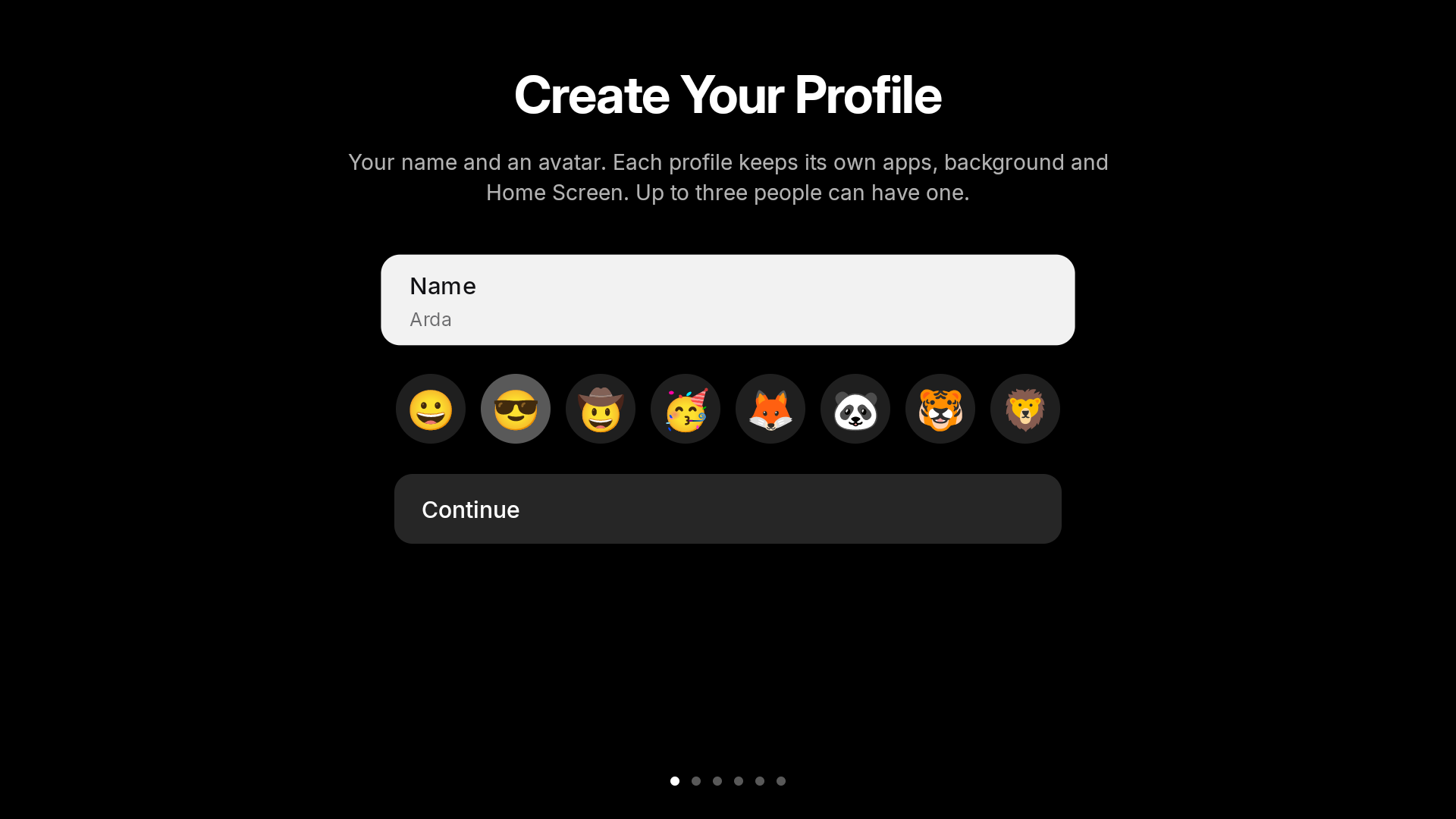
- Up to 3 profiles, each with its own app order, hidden apps, and Continue Watching list.
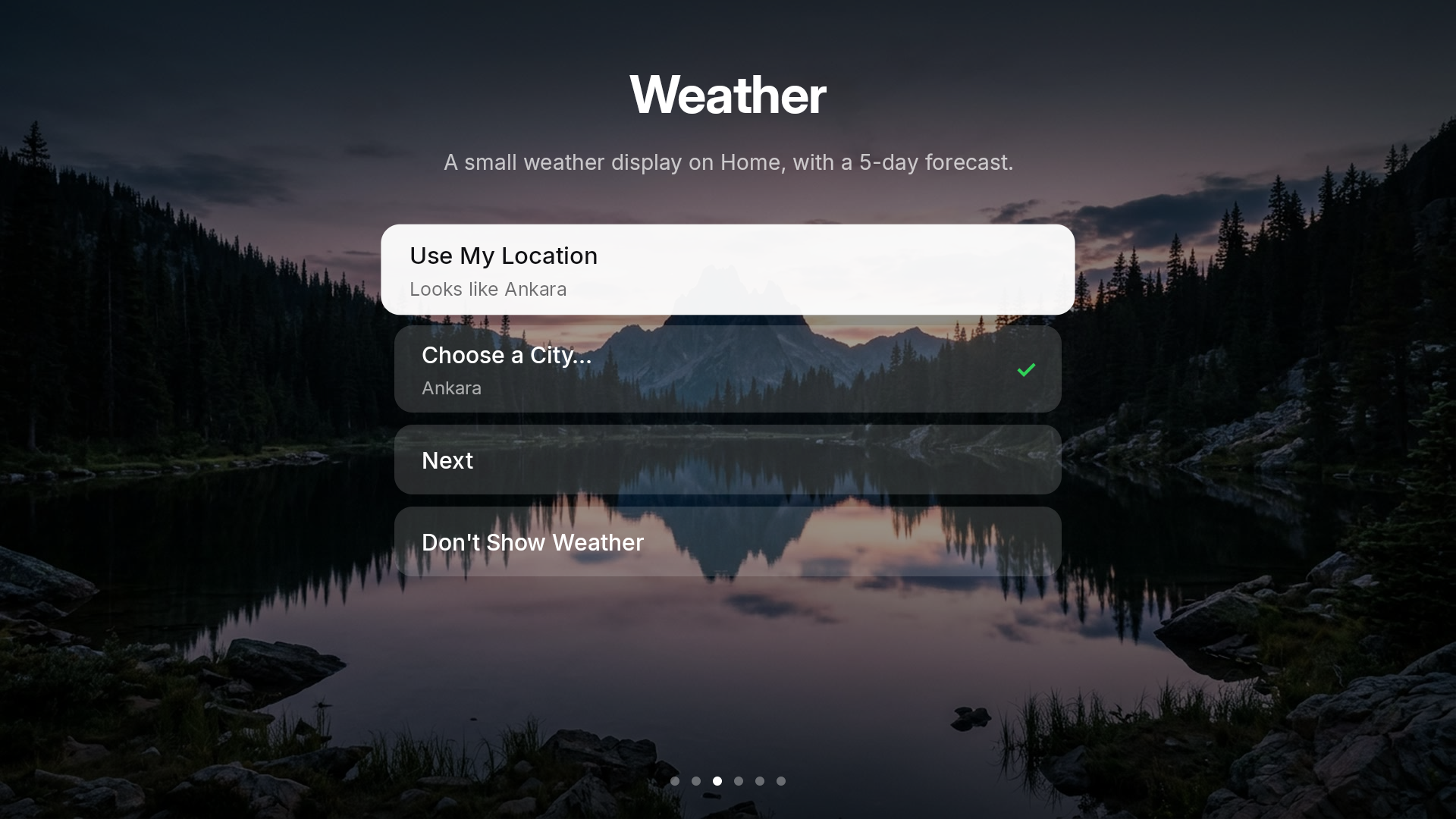
- Free 5-day weather forecast via Open-Meteo, MET Norway, or wttr.in (no API key required).
- Ultra-Lightweight, Fast & Legacy Android TV Ready (Android 7.0 – Android 14+)
- Pure Android SDK Java — no Gradle, no Kotlin runtime, no AndroidX bloat. Instant zoom-in app launches, hardware-accelerated focus animations, and full compatibility from Android 7.0 / 8.0 up to Android 14 TV firmwares.
📸 Screenshots
Home Screen, Control Panel & Recent Apps Switcher
| Night Scenes Home & macOS Glass Dock |
Glass Control Panel Overlay |
 |
 |
| Recent Apps Switcher & RAM Cleaner |
 |
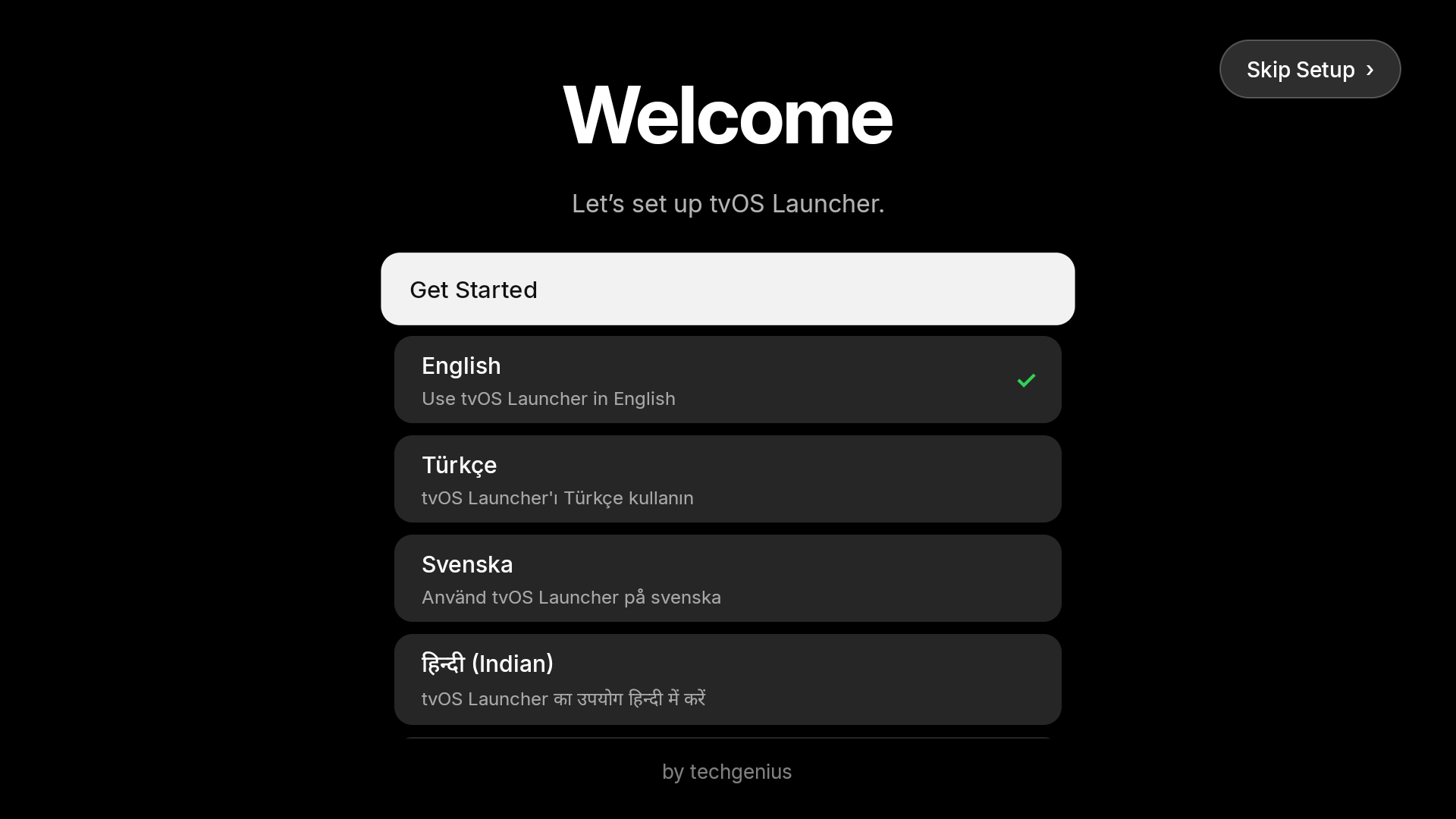
First-Time Setup Assistant
| 1. Welcome & Language Selection |
2. Profile & Avatar Setup |
 |
 |
3. Appearance Mode (Night Scenes / Classic) |
4. Weather & Location |
 |
 |
| 5. Easy Setup (Auto ADB) vs. Manual Permissions |
6. Remote Button Mapper Setup (1x / 2x / 3x) |
 |
 |
Home Settings
Appearance & Scenes (Dock Size 50%–150%) |
Control Panel (Quick Settings) |
 |
 |
Button Mapper (1x / 2x / 3x Tap & Home Button Fix) |
Advanced, ADB Status & Permission Check (5 / 5) |
 |
 |
| CleanYourTV — Disable System Launchers |
Automatic & Manual GitHub Updates |
 |
 |
🚀 Quick Start (Build & Install)
Prerequisites
- JDK 17+ (
javac, jar)
- Android SDK with
build-tools;34.0.0 and platforms;android-34
Build on Windows (PowerShell)
powershell -ExecutionPolicy Bypass -File .\build.ps1
# Output APK -> build\tvos-home.apk
Build on macOS / Linux
./build.sh
# Output APK -> build/tvos-home.apk
Install via ADB
adb connect <tv-ip>:5555
adb install -r build/tvos-home.apk
adb shell am start -n com.techgenius.tvoslauncher/.MainActivity
📚 Documentation
| Document |
Description |
| Getting started |
Install SDK tools, build from source, run on an Android TV or emulator |
| Features |
Detailed breakdown of launcher features |
| Install and set up |
Setting as default home screen, ADB permissions, and troubleshooting |
| Presentation mode |
Sending images, videos, and web pages from a browser |
| Architecture |
Code map, zero-dependency build pipeline, and performance design |
| Contributing |
Workflow, code style, design and performance guidelines |
📋 Requirements
- Android TV / Google TV 7.0+ (API 24+)
🙌 Credits & Acknowledgements
Special thanks to the open-source projects that inspired and contributed to tvOS Launcher:
- Hume Launcher by @petrobot-admin — Foundation for the zero-dependency Android TV Java architecture, Classic home layout, and system integrations.
- Couch TV by @Seagey — Design and inspiration for the Night Scenes depth wallpapers, giant glass clock, and glassmorphic Home Settings UI.
- CleanYourTV by @Gathin23 — Community-curated Android TV / Google TV debloat profiles (
examples/) and safety guidelines powering the built-in CleanYourTV (Beta) debloater.
- Inter Typeface (SIL Open Font License 1.1) & Project Nayuki QR Code Generator (MIT License).
- Weather data powered by Open-Meteo, MET Norway, and wttr.in.
📄 License
Licensed under the Apache License 2.0 — see LICENSE and NOTICE for details.
