android
Any streaming site, a real player.
A TV-first Android app that opens the sites you choose, finds the video they play, and plays it in a native hardware-accelerated player.


Documentation · Download · User guide · Build from source · Support
Streaming sites are built for a desktop browser with a mouse. On a TV remote they are painful, they are full of pop-ups, and their embedded players stutter on weak hardware. FMHYPlay keeps the site (so you keep every title and server it offers) but takes over the part that goes wrong:
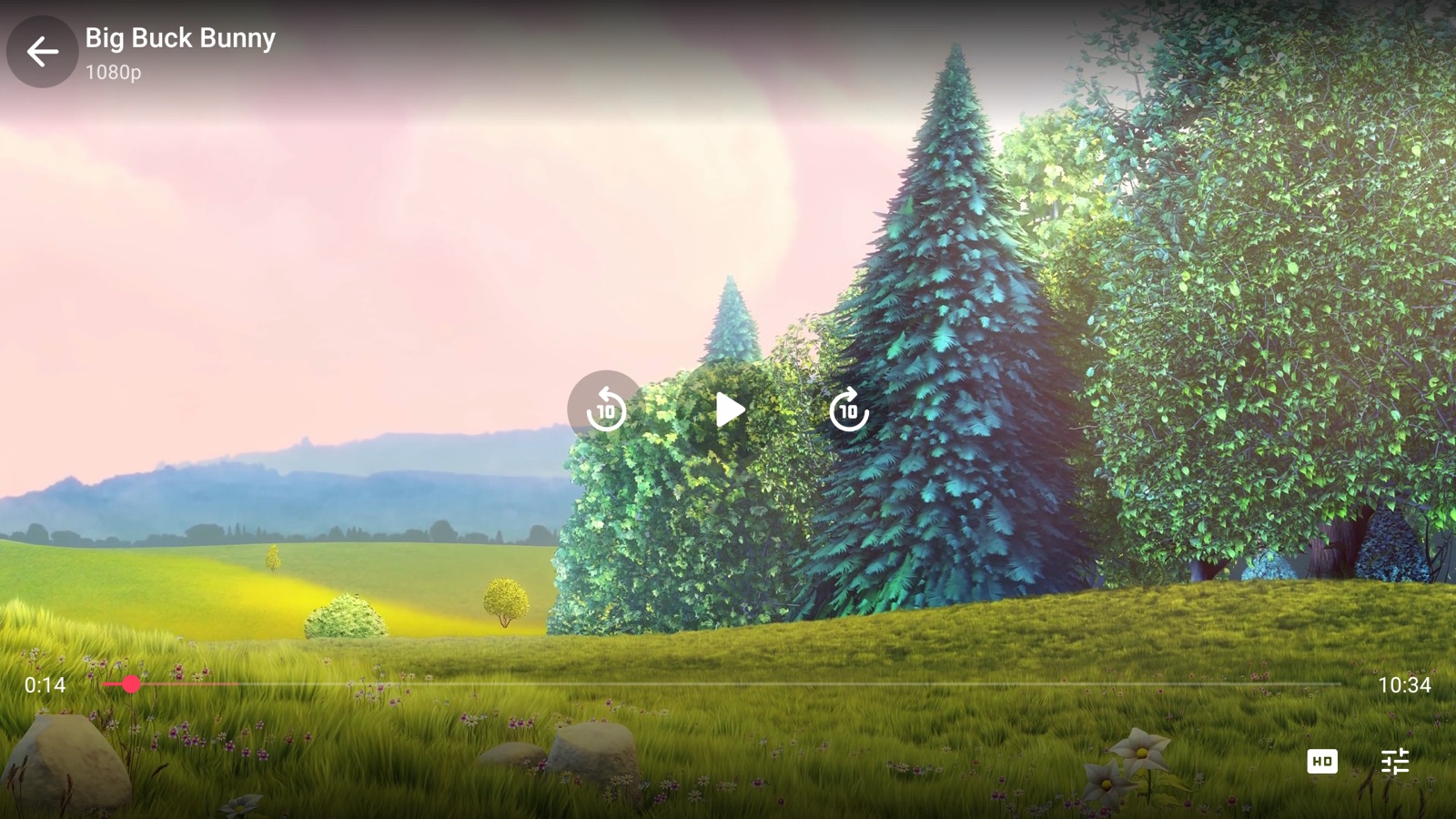
- It finds the video stream the page starts and plays it in FMHYPlayer (ExoPlayer with the hardware decoder), with nothing painted over the picture.
- It drives the site for you: pick a title and it opens that title's page (or the exact episode); the player's Episodes, Sub / Dub, Servers and Quality buttons press the site's own buttons, so you do not go back to the page.
- It blocks ads and pop-ups, tunnels the app's own traffic through Cloudflare WARP when you want it, and works with a TV remote and with touch.
Features
Cast to TV
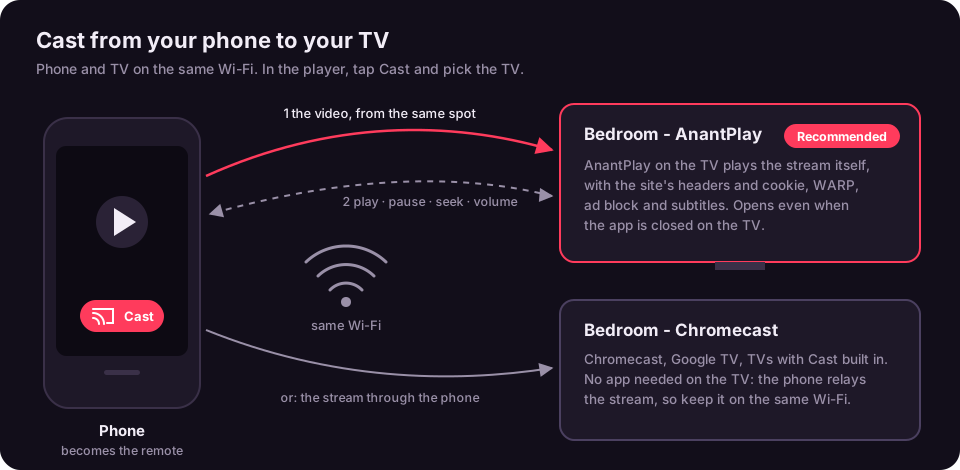
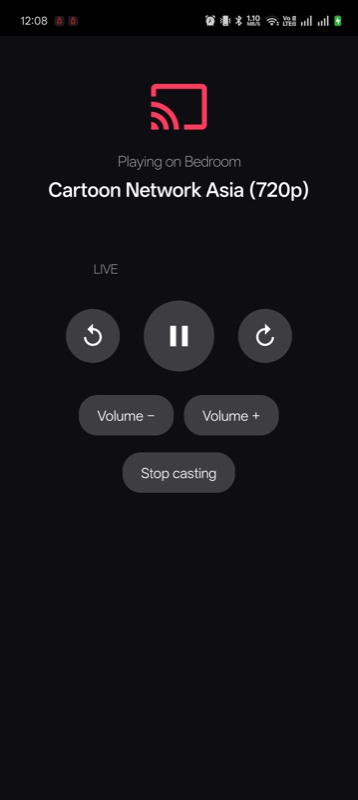
- The Cast button in the phone's player sends the video to a TV on the same Wi-Fi, from the same spot. The phone becomes the remote: play, pause, seek, ±10 s and TV volume (the phone's volume keys work too)
- TV with FMHYPlay (recommended): the TV plays the stream itself, with the site's headers and cookie, WARP, ad blocking and subtitles. It opens even when FMHYPlay is closed on the TV
- Chromecast, Google TV and TVs with Cast built in: no app needed on the TV; the phone relays the stream so sites still accept it
- DLNA / UPnP smart TVs (Samsung, LG, Sony, Kodi and others): same relay; works best with MP4 and TS streams, since not every TV plays HLS
Series and anime
- Episodes strip in the player (stills and names along the bottom while the video plays), Previous and Next, and the next episode starts by itself
- Skip intro, recap and credits (times from TheIntroDB and AniSkip), with a Next episode button at the credits; Settings, Skip intros skips them for you
- Sub / Dub button for anime, remembered per site
- Opens the exact episode directly on 34 TV sites and 22 anime sites; elsewhere it presses the episode in the site's own list or menus
FMHYPlayer
- Hands off automatically when a page starts an HLS, DASH or live FLV stream; falls back to the page if the stream cannot be played
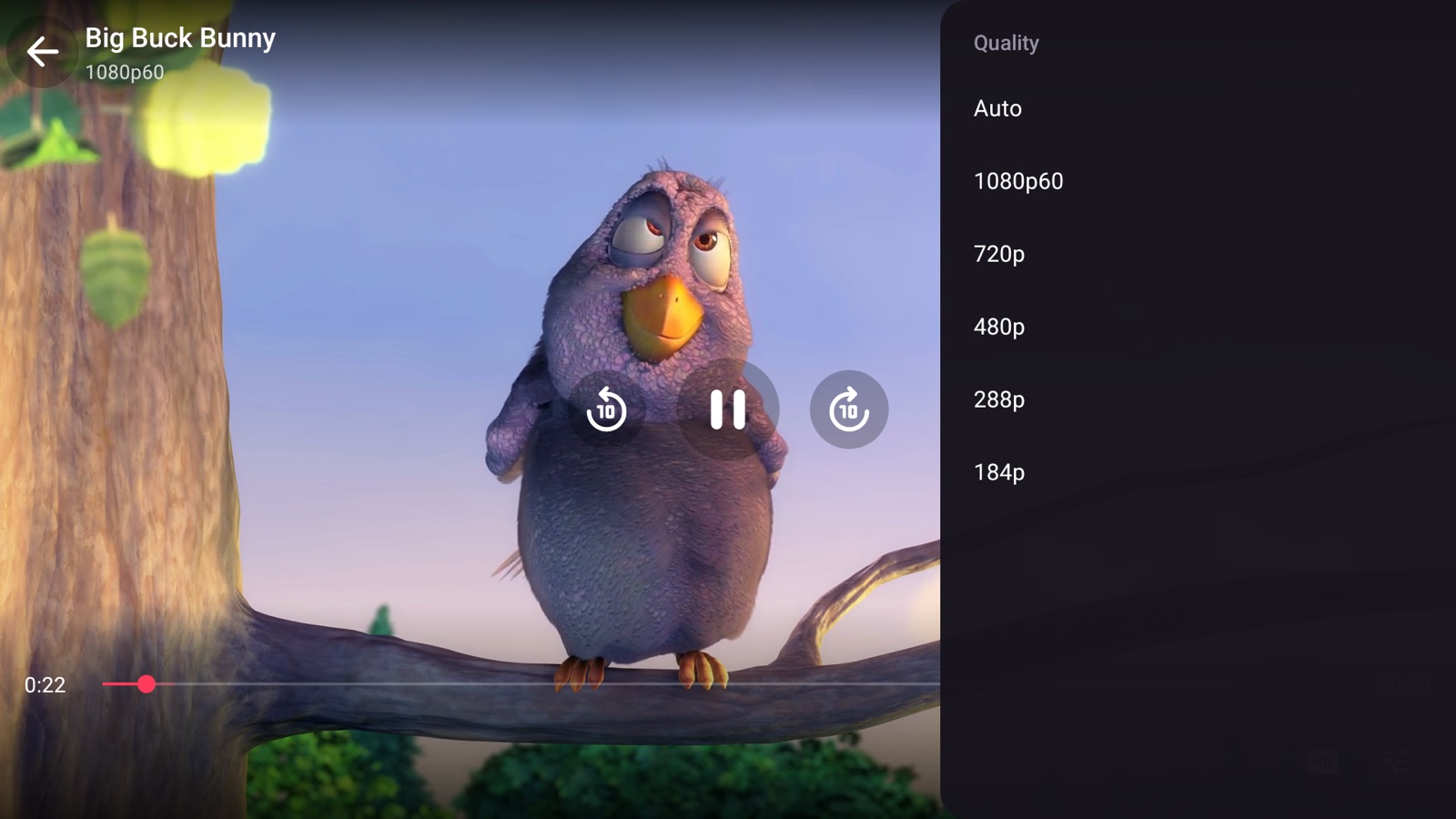
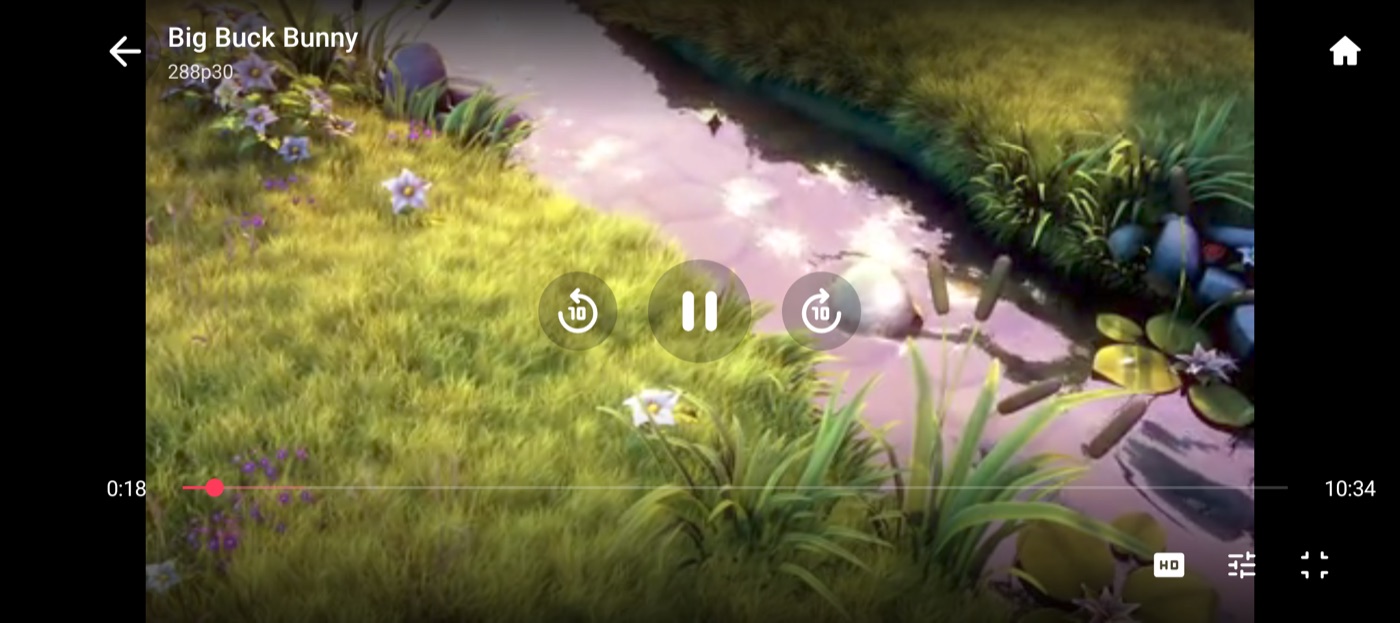
- Icon buttons in two groups: Previous, Next, Episodes on the left; Quality, Audio, Sub / Dub, Servers, Subtitles, Download, More, Cast, Full screen on the right; menus open as a side panel; what is picked shows under the title, and on a TV the button the remote is on shows its name
- Replays the page's Referer, Origin and cookies, so streams that check them still play
- Resumes where you stopped on any site or server, with a Restart button; the place is saved every 10 seconds while you watch, and the subtitles you had on come back
- Quality list with frame rate (for example 1080p60), audio and subtitle tracks, speed and zoom modes
- Servers and Quality buttons that control the site's own player, including players inside cross-origin iframes
- Volume boost and Dialog boost (clearer voices), each from 0 to 20, in Settings or in the player
- Debug overlay (More, Debug overlay, off by default): a panel down the right edge with resolution, frame rate, codec and decoder (hardware or software), video and audio bitrate, network speed, buffer, frames shown and dropped, stream type, host, how long the video took to open, and memory, refreshed every second
- Subtitles in any language from OpenSubtitles, converted so every script shows right, remembered per title, optional auto subtitles in your language, and auto-sync that lines a file up with the speech; size, position, color, background and timing
- Simkl and PunchPlay tracking (optional): what you watch is tracked there, titles you finish are marked watched
- Phone: picture in picture, hold the right or left side for 2x, follows the rotation lock with a Full screen button; swipe for brightness and volume, double-tap to skip 10 seconds
- Back to Home in one step from the player (phone: house button, TV: More, Home) and from a website (phone: a house at the top right, TV: Menu, Back to home), or by holding Back for 3 seconds on any screen
- A translucent loading screen (title, current step, a cat that spins while it works, jumps when the stream is found and stares when it gets stuck) while the app drives a site, until the player is up; tap it or press Back to see the page
Downloads
- A Download button in the player saves the movie, series or anime you are watching: it asks first (file name, folder), names the file like
Title.2024.1080p.FMHYPlay.mp4, and keeps going in the background with progress in a notification - Several connections at once (4 by default, 1 to 8 in Settings, Downloads), pause and resume, a Downloads screen with each file's path, and a folder of your choice under Download, Movies or Documents
- Plain files and HLS streams (including encrypted ones, and ones whose sound is a separate playlist: it is joined into the MP4); HLS saves get a seek index so the video can be skipped through. DASH, live and protected streams are not downloaded
Browsing
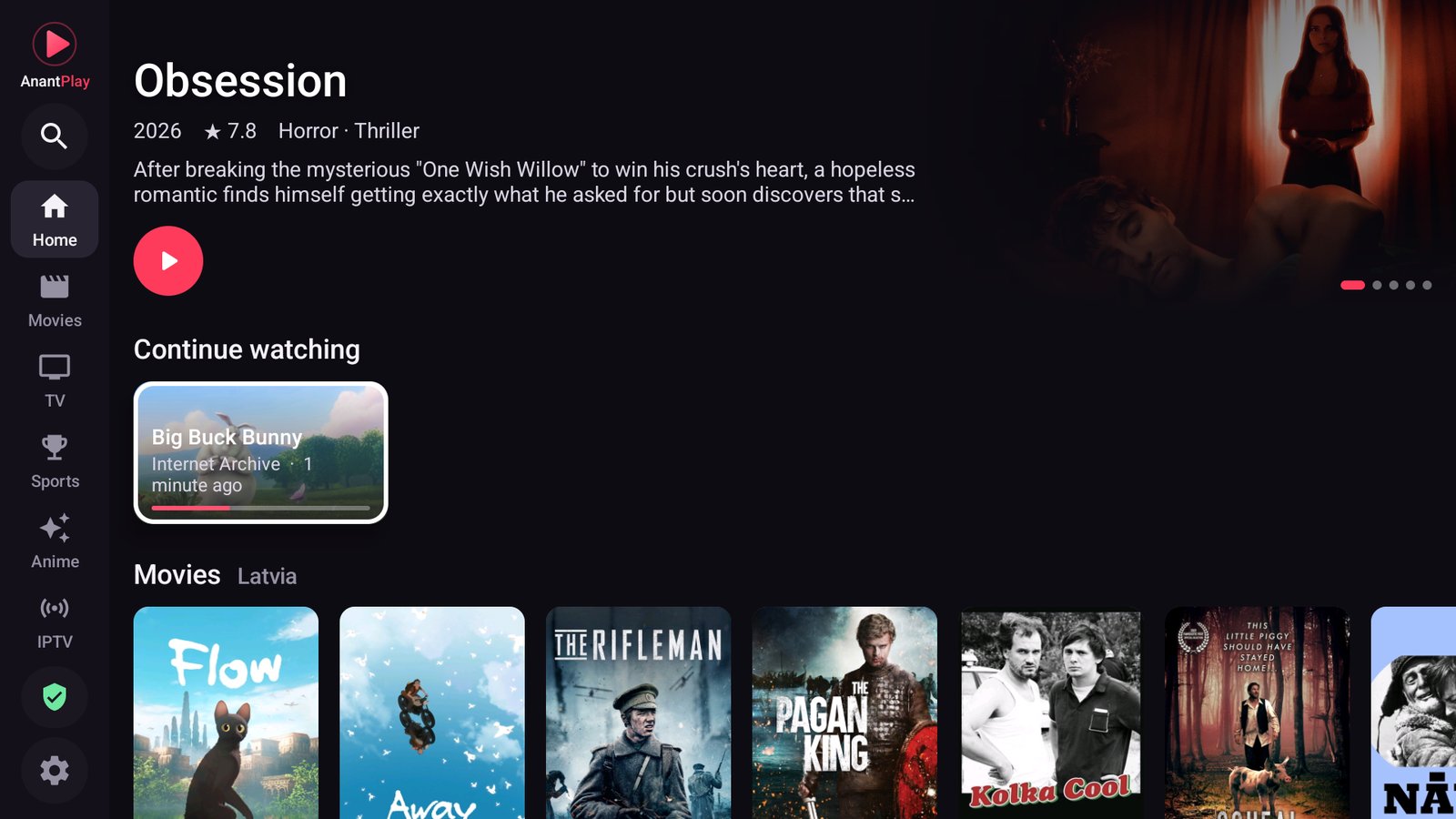
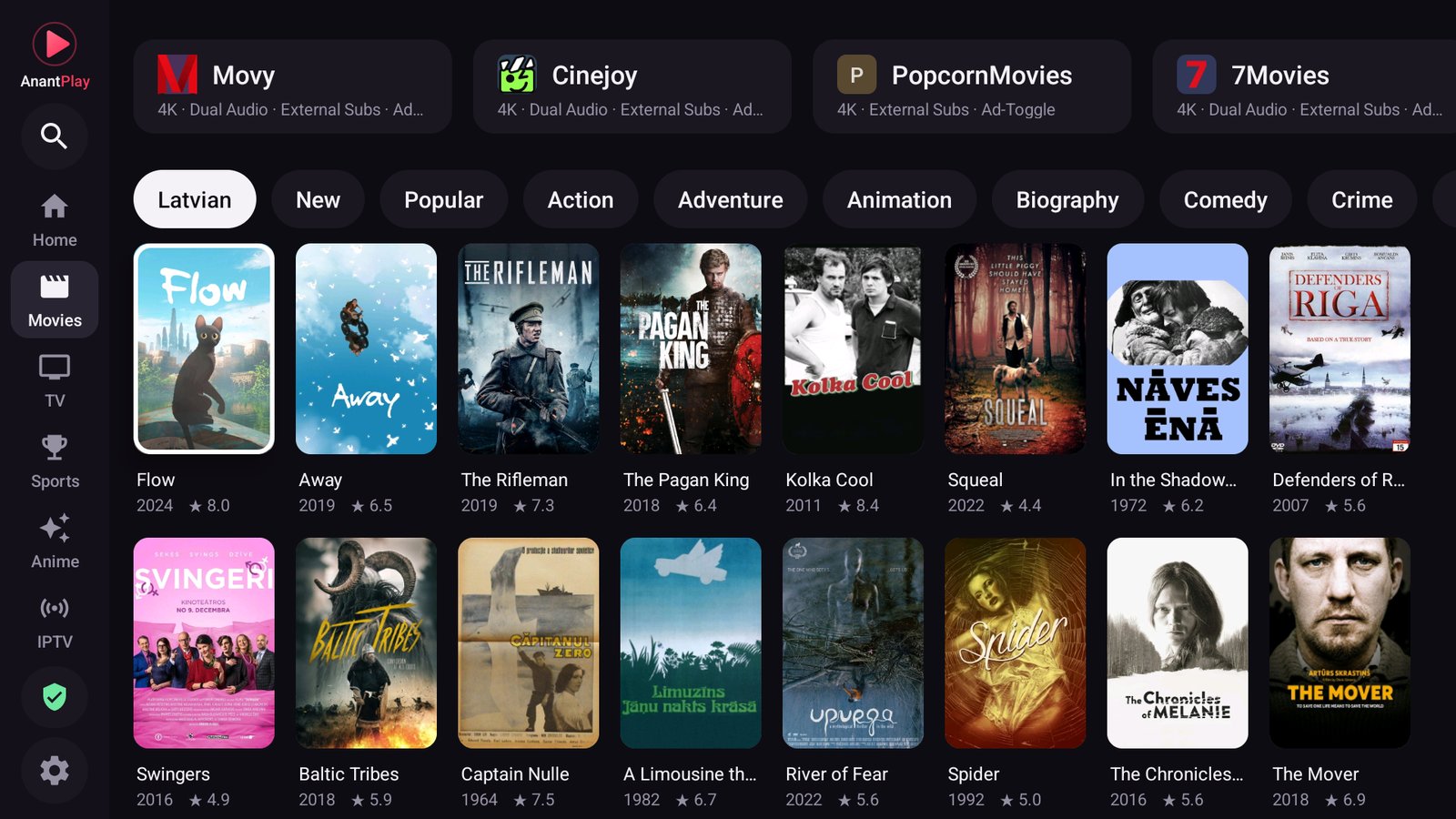
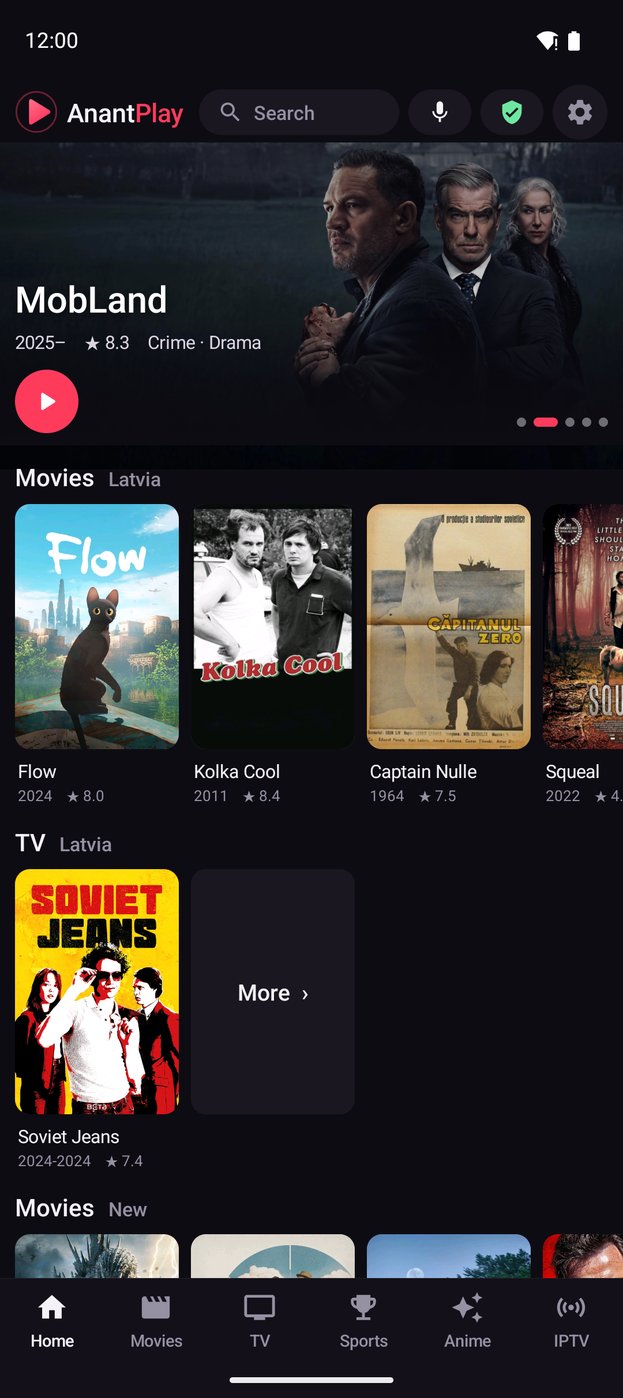
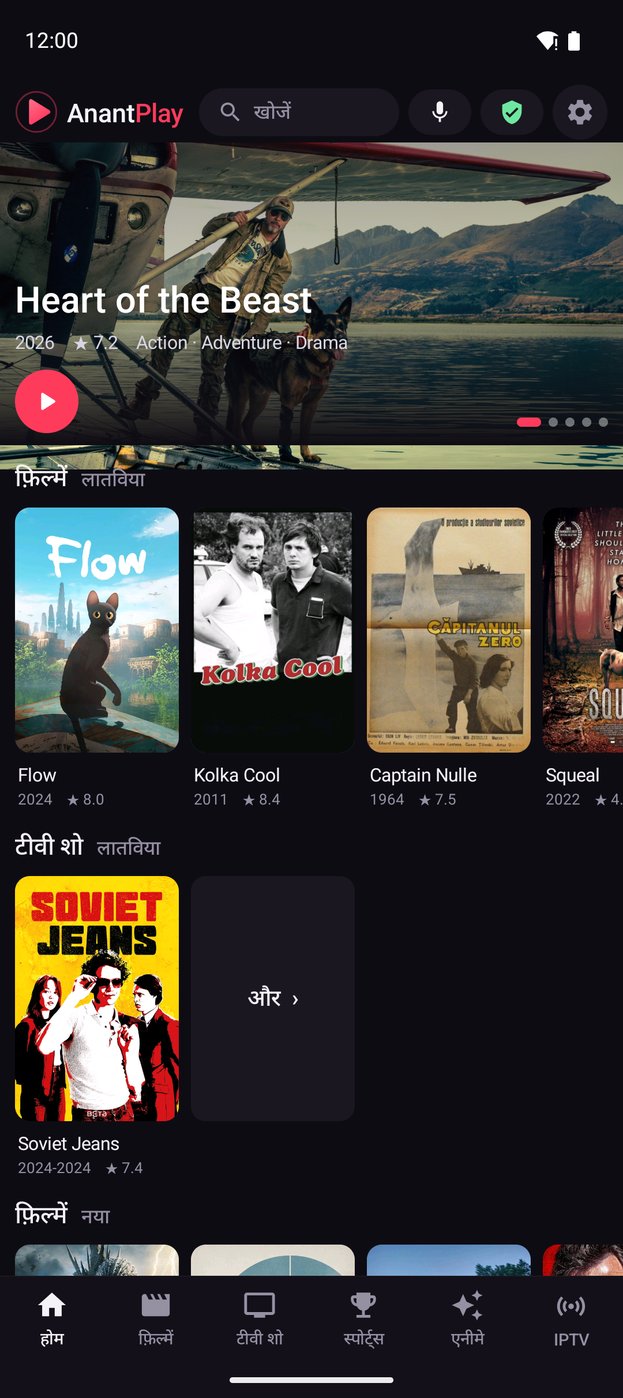
- Home with Continue watching, Favorites, your country's movies and series first (by language, from TMDB), then New and Popular for Movies, TV and Anime (from Cinemeta and Kitsu)
- A side rail on a TV, bottom tabs on a phone; pull down to refresh; trailers on title pages
- A Home banner that changes every 20 seconds through the world's top 5 films and series; lists that keep loading as you scroll
- One search for movies, series, IPTV channels and sites, by typing or by voice
- A directory of streaming sites that tracks the FMHY lists; opens a title's own page on about 70 sites and searches the rest for you, then opens the match
- Anime opens on anime sites only
- Add your own site, an optional address bar, dark pages, a cursor for the TV remote (with funny and useful looks)
- Pop-ups that are real links open in the same tab (Back returns); pop-up ads are dropped, and "Join our Discord" style nag dialogs close by themselves
Your language
- English, Hindi, Spanish, Portuguese, Indonesian, Arabic (right to left) and German, picked from the phone's or TV's language
Network and privacy
- In-app Cloudflare WARP: a userspace WireGuard tunnel for the app's traffic only, with no VPN permission and no root; LAN addresses stay direct. A WARP log to share when it fails
- Domain-based ad, tracker and pop-up blocking, plus redirect blocking
- No FMHYPlay account, no analytics, no telemetry. Updates come from this repository's releases, looked for every hour and at every boot (even with the app closed), with What's new before you install
IPTV
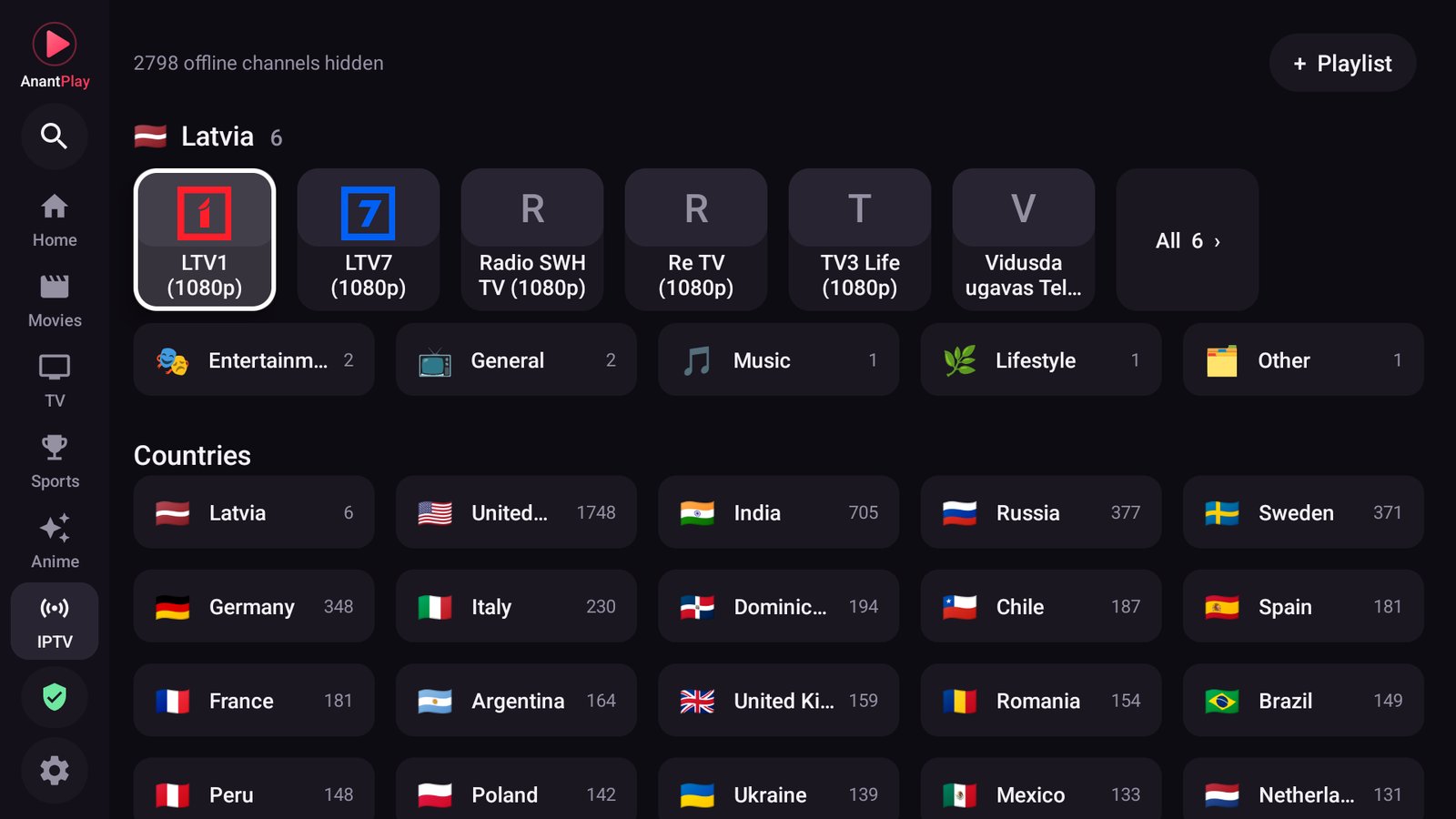
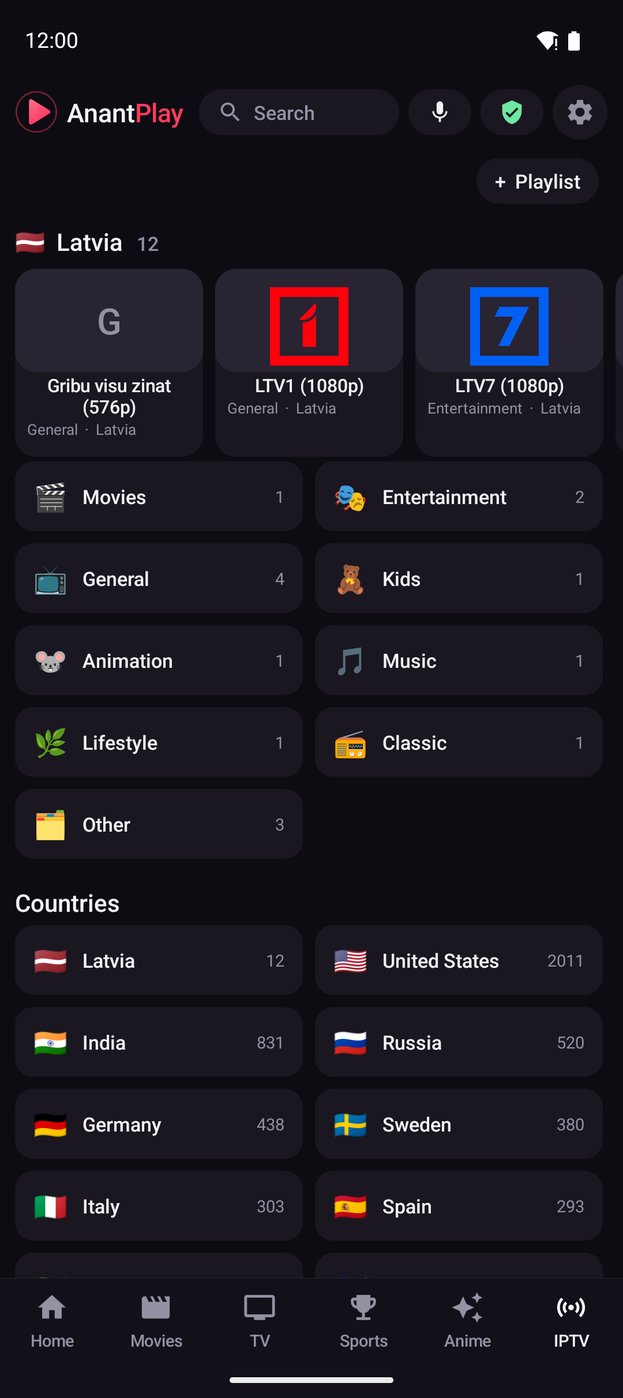
- More than 11,000 public channels from iptv-org, grouped by category and country, with logos
- A background check hides channels that are offline; your country's channels and its categories come first
- In the player: Channel + / −, Previous / Next and a Channels strip move through the channel's category and then the country's other ones
- Add your own playlist, a single
.m3u8stream link, an Xtream Codes login or a Stalker portal (MAC address); each playlist gets its own row - Category and Language filters in every channel list, and pins: keep a list with its filters (India · News · Hindi) as its own row
- Favorite channels with a heart; channels also show up in the one search
Engineering
- Plain Java and SDK command-line tools, no Gradle, roughly 11 MB per APK
- Reproducible CI build and signed releases from a tag
Screenshots
 |
 |
 |
 |
Install
Download the APK for your device from Releases:
| File | For |
|---|---|
FMHYPlay-TV-vX.Y.Z.apk |
Android TV, Google TV, Fire TV, boxes (adds the TV launcher entry) |
FMHYPlay-Android-vX.Y.Z.apk |
phones and tablets |
Allow installs from your file manager or browser, open the APK, done. On a TV, adb install -r FMHYPlay-TV-vX.Y.Z.apk works over the network. Updates install over the old version because releases are signed with the same key. Check a download with SHA256SUMS.txt from the release.
Is it safe? Yes. All of the code is in this repository, and every release APK is built from it by GitHub Actions. VirusTotal finds nothing: scan of v2.20.1 for phones. To check any other file, search its SHA-256 from SHA256SUMS.txt on virustotal.com. Google Play Protect may still say Harmful app blocked without giving a reason; tap Install anyway (under More details on some phones).
Requires Android 8.0 (API 26) or newer, arm64 or 32-bit ARM.
Fire TV
- On the Fire TV: Settings → My Fire TV → About, press OK on the device name 7 times (developer options on).
- Install Downloader (by AFTVnews) from the Amazon Appstore.
- Settings → My Fire TV → Developer options → Install unknown apps → turn on Downloader.
- In Downloader, type the code
9828006orhttps://github.com/fmhyplay/android/releases/latest/download/FMHYPlay-TV.apk, then Go → Install → Open.
Fire OS 7 or newer (Fire TV Stick 4K and later). The app updates itself afterwards. That link always gets the newest TV APK (FMHYPlay-Android.apk for phones).
Build from source
git clone https://github.com/fmhyplay/android
cd android
warp/build.sh      # builds the WARP helper (needs Go and the Android NDK)
./build.sh         # needs an Android SDK (platform 34, build-tools) and JDK 17+
The APKs appear in the project folder. Details, signing and the CI setup are in the build guide.
How it works
- The page loads in a WebView. A small script (
assets/frame.js) runs in every frame, including cross-origin embeds. - The WebView's requests are watched for HLS and DASH playlists; some sites hide them behind URLs without an extension, so downloads are also recognised by their first bytes.
- When a stream shows up, the page is paused and the stream goes to ExoPlayer with the same headers and cookies the page used.
- The same script reads the page's server and quality lists. The player's buttons send a click back to it, the page switches, and the new stream is handed over the same way.
Support
FMHYPlay is free and made in spare time. If it is useful to you: Buy me a coffee or PayPal.
Legal
FMHYPlay is a browser and a media player. It does not host, store, index or distribute any video, and it ships no list of streams. The sites it opens, the IPTV playlists it reads and the content they serve are provided by third parties; what you open and play is your responsibility, and you should only use content you have the right to watch. See THIRD_PARTY.md for the components and data sources it builds on. FMHYPlay is not affiliated with or endorsed by FMHY, Cloudflare, Stremio, OpenSubtitles, iptv-org or any streaming site.
