IPVIO-Stream
DOWNLOADER CODE: 4200542
A free, open-source IPTV player for Android TV, Google TV and Amazon Fire TV, built with Kotlin and Jetpack Compose and designed for the remote control.
IPVIO Stream does not provide any content. It contains no channels, playlists, films or series. It is only a player for playlists that you add yourself (Xtream Codes login or M3U address). Only use sources that you are legally allowed to use.
Install
Download: IPVIO-Stream (latest release)
Fire TV / Android TV with the Downloader app: enter
https://github.com/Emrodev/IPVIO-Stream/releases/latest/download/IPVIO-Stream.apk
Allow "Install unknown apps" for Downloader (or your file manager) when asked, then install. No account or registration needed.
Features
Playlists
- Xtream Codes login (server, user name, password), an M3U address or file, or a Stalker portal (MAC address); input from your phone over Wi-Fi
- Several playlists at the same time ("Also show"), with a source filter in Movies/Series and a source switch in Live TV
- Xtream accounts load through
player_api.phpautomatically whenget.phpis blocked - Handles very large playlists: language filter while loading, resumable downloads, compact storage
- Automatic background refresh (interval or fixed time, waits during playback)
Home screen
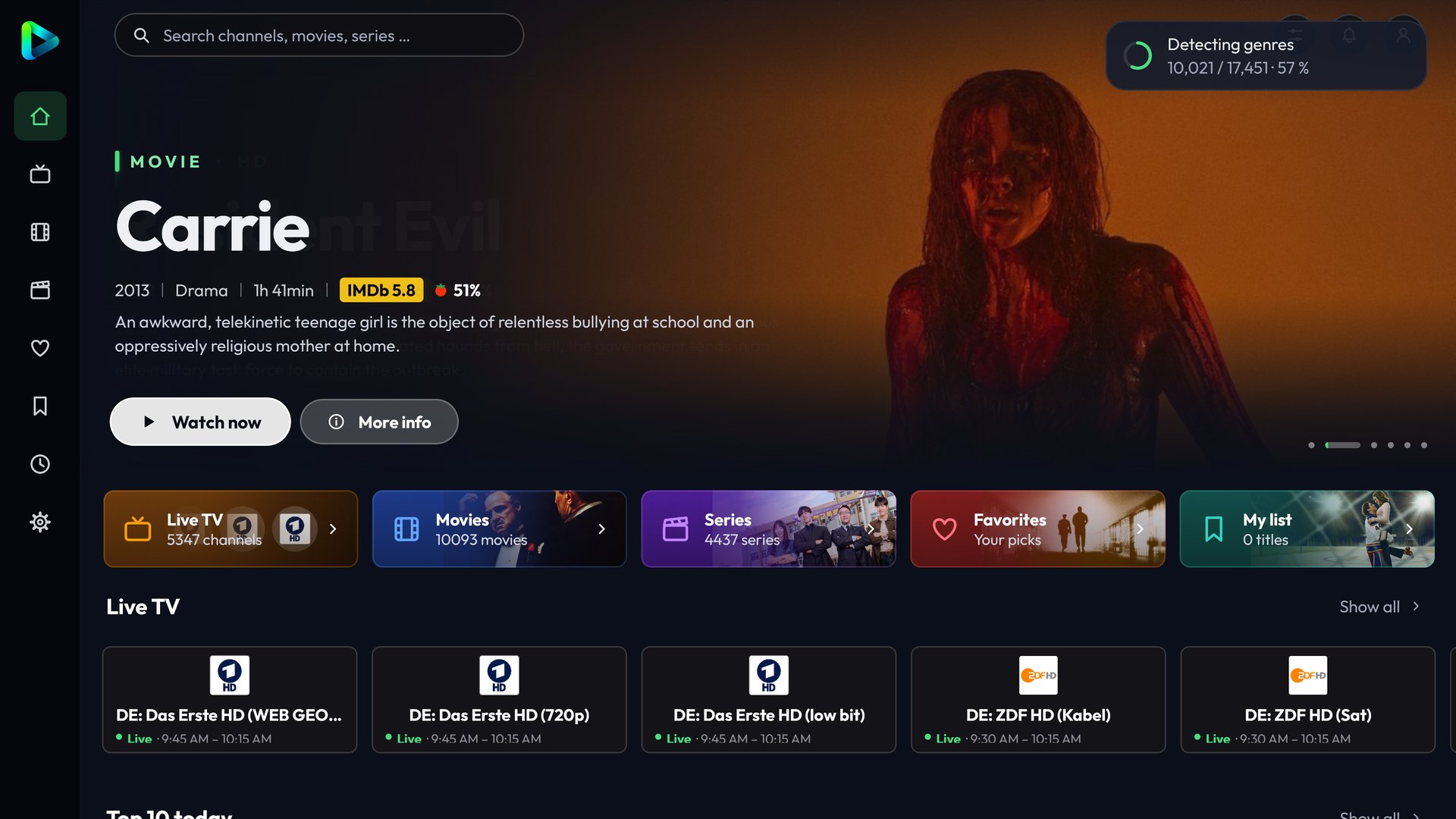
- Home, Movies and Series with a large rotating header image
- The background follows the selected title and shows its title, ratings and description
- Rows: Continue watching, Live now, Top 10 today, Because you watched …, My list, New, Top rated, genres
Browse and details
- Grid or cinema view, filters by sort order, rating, year, genre and country
- "Top rated" and sorting by rating use IMDb first, then Rotten Tomatoes, TMDB and finally the provider's rating
- Provider categories or automatic genres, search with typo tolerance
- Detail page with resume, trailer, my list, favourites, choice of source/quality
- Series: seasons on the left, episodes on the right with picture, rating and description; sections and "go to episode" for very long series
Live TV
- Categories, favourites and your own channel lists
- TV guide, catch-up/archive ("from the beginning"), reminders with notification
- Rewind live TV with an on-device buffer, record the current show (internal storage or USB)
- Sports section: sports on now and coming up, all sports channels
Player (Media3 / ExoPlayer)
- Audio and subtitle selection (remembered per title), preferred languages, subtitle style
- FFmpeg audio decoder for AC3/E-AC3/DTS (also over Bluetooth headphones)
- Skip intro and credits (TheIntroDB), next episode automatically
- Quality selection with 4K check, fallback to another source on errors or stuttering
- Buffer levels, connection watchdog, endless reconnect for live TV, reconnect after network change and standby
- HLS, MPEG-DASH and MPEG-TS
- Aspect ratio/zoom, frame-rate matching, technical info, clock overlay, sleep timer
Personal
- Profiles ("Who's watching?"), parental controls with PIN
- History, my list, favourites, backup and restore of settings
- Transfer to another device over Wi-Fi, optional Google Drive backup
- In-app updates from GitHub Releases
Look and feel
- IPVIO green on navy plus 12 colour themes, 5 backgrounds, custom colours
- Fonts Outfit, Inter or system; adjustable text and display size; animations off/subtle/normal
- Sidebar left, right or top, icons only or with text; phones: landscape, tap and double-tap controls
- 10 languages: German, English, Turkish, Bosnian, Croatian, Serbian, Spanish, French, Italian, Dutch
Screenshots
Home – rotating header, quick tiles, live TV now |
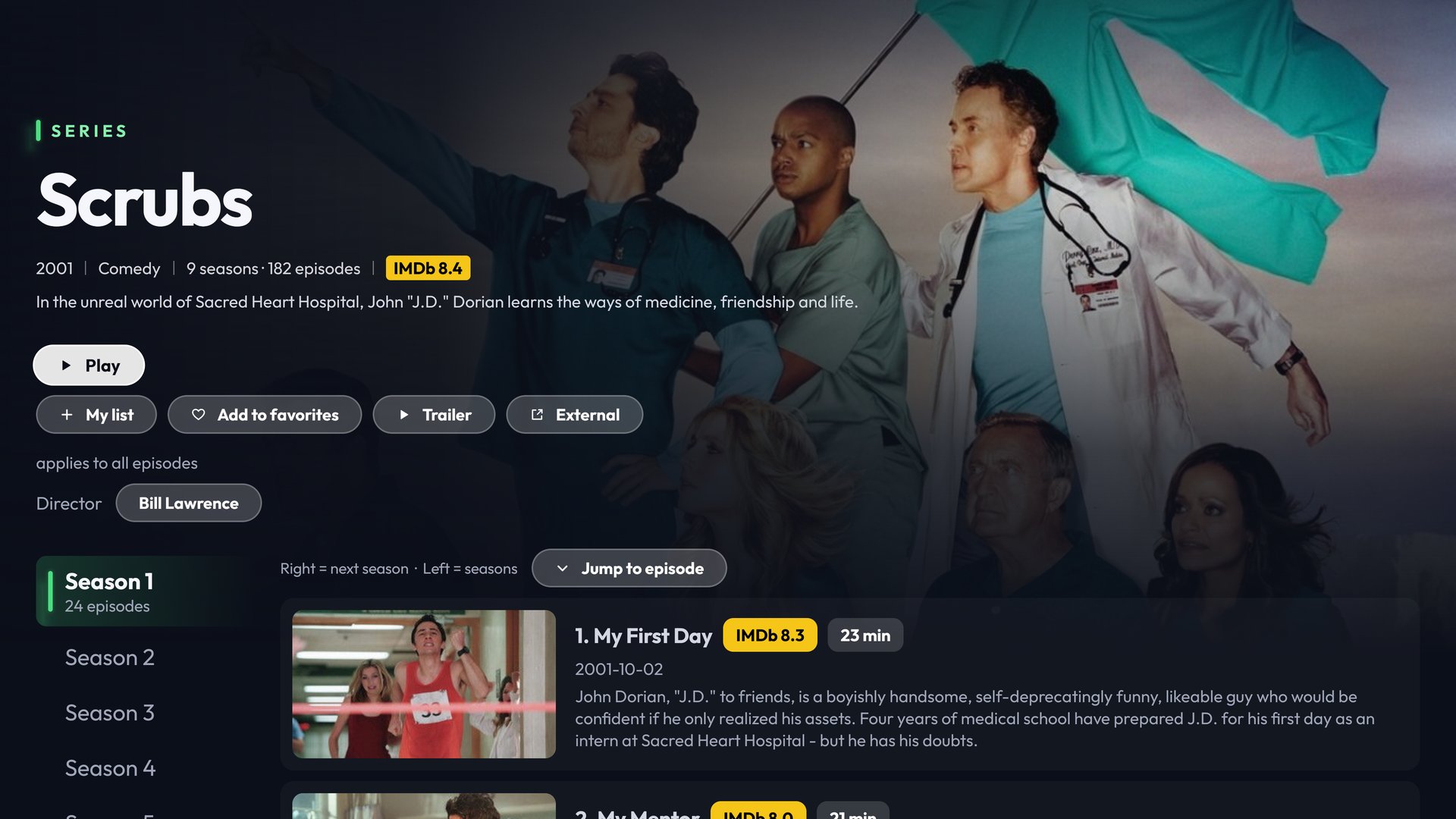 Series details – seasons, episodes with ratings, director |
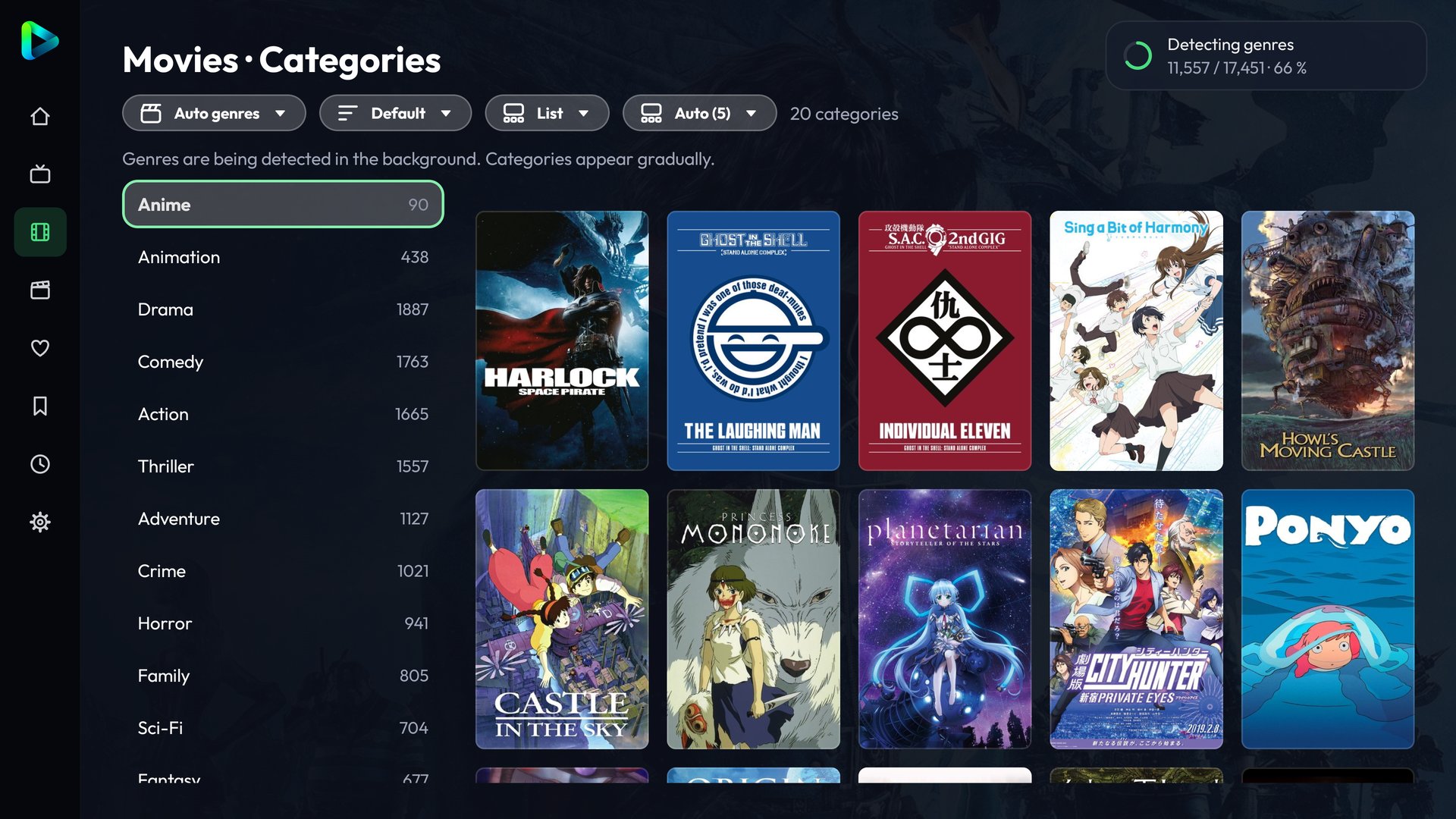 Automatic genres – detected in the background |
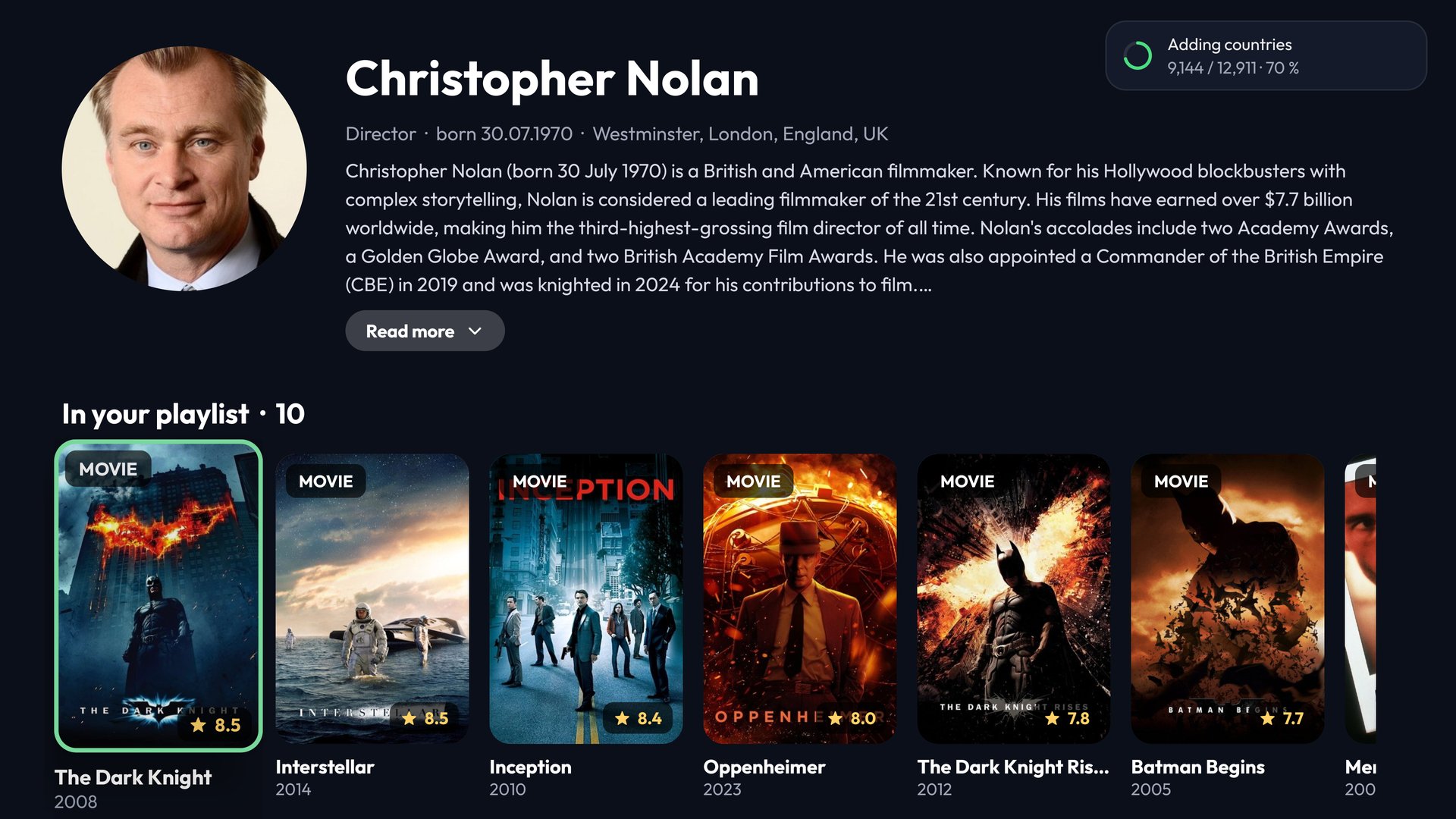 Cast and crew pages – with the titles from your playlist |
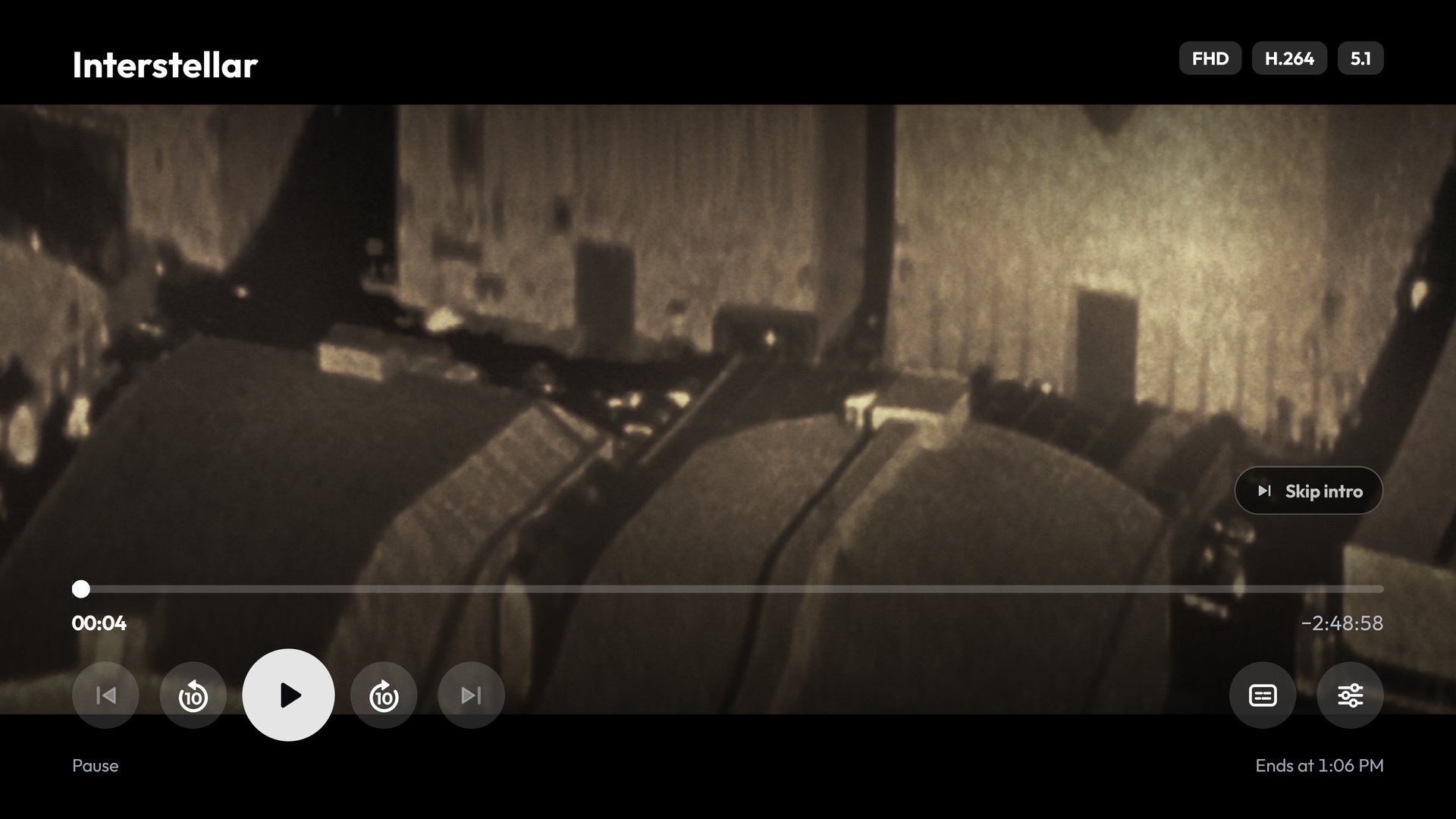 Player – skip intro, audio/subtitles, quality |
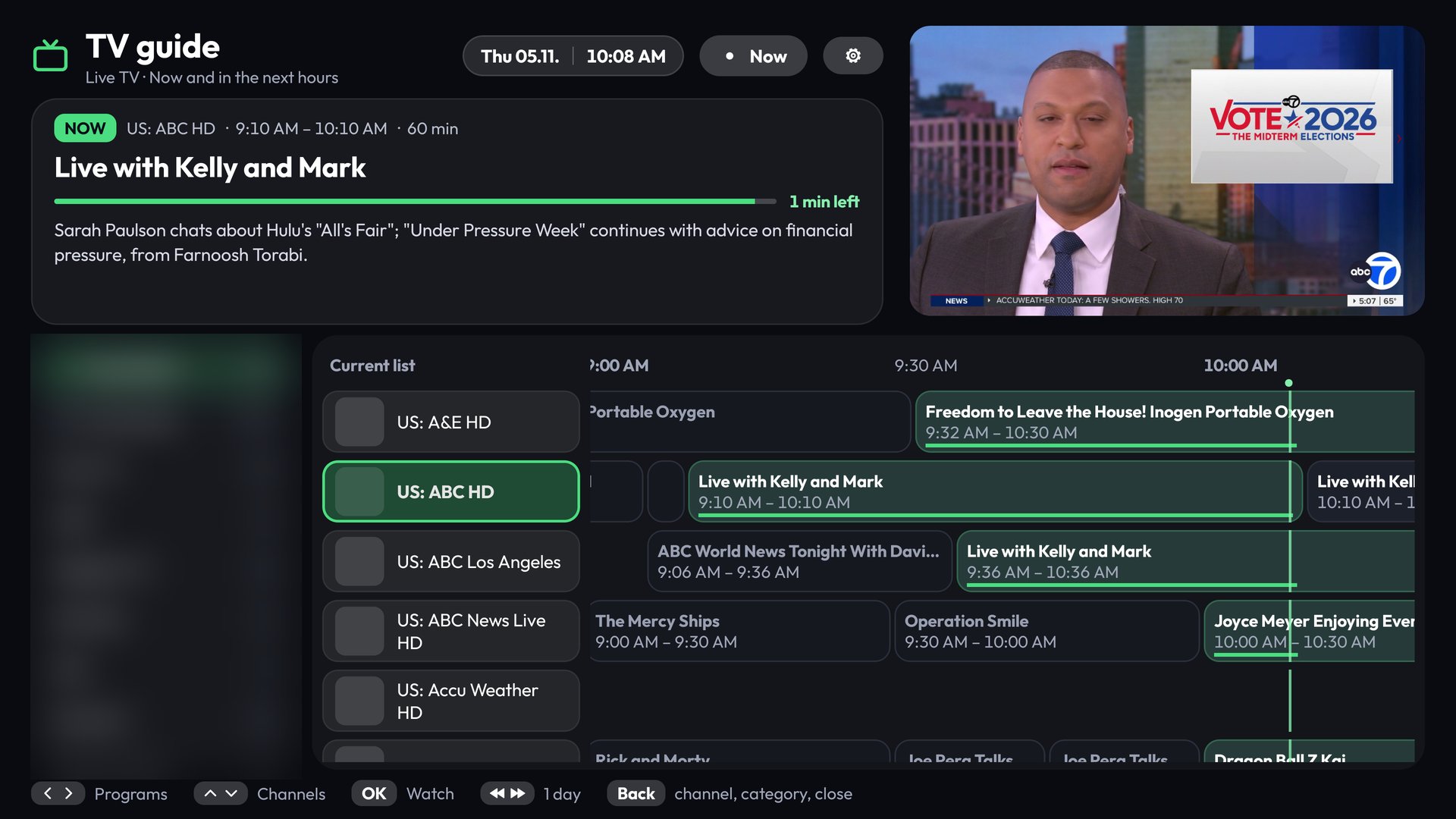 TV guide – timeline with preview |
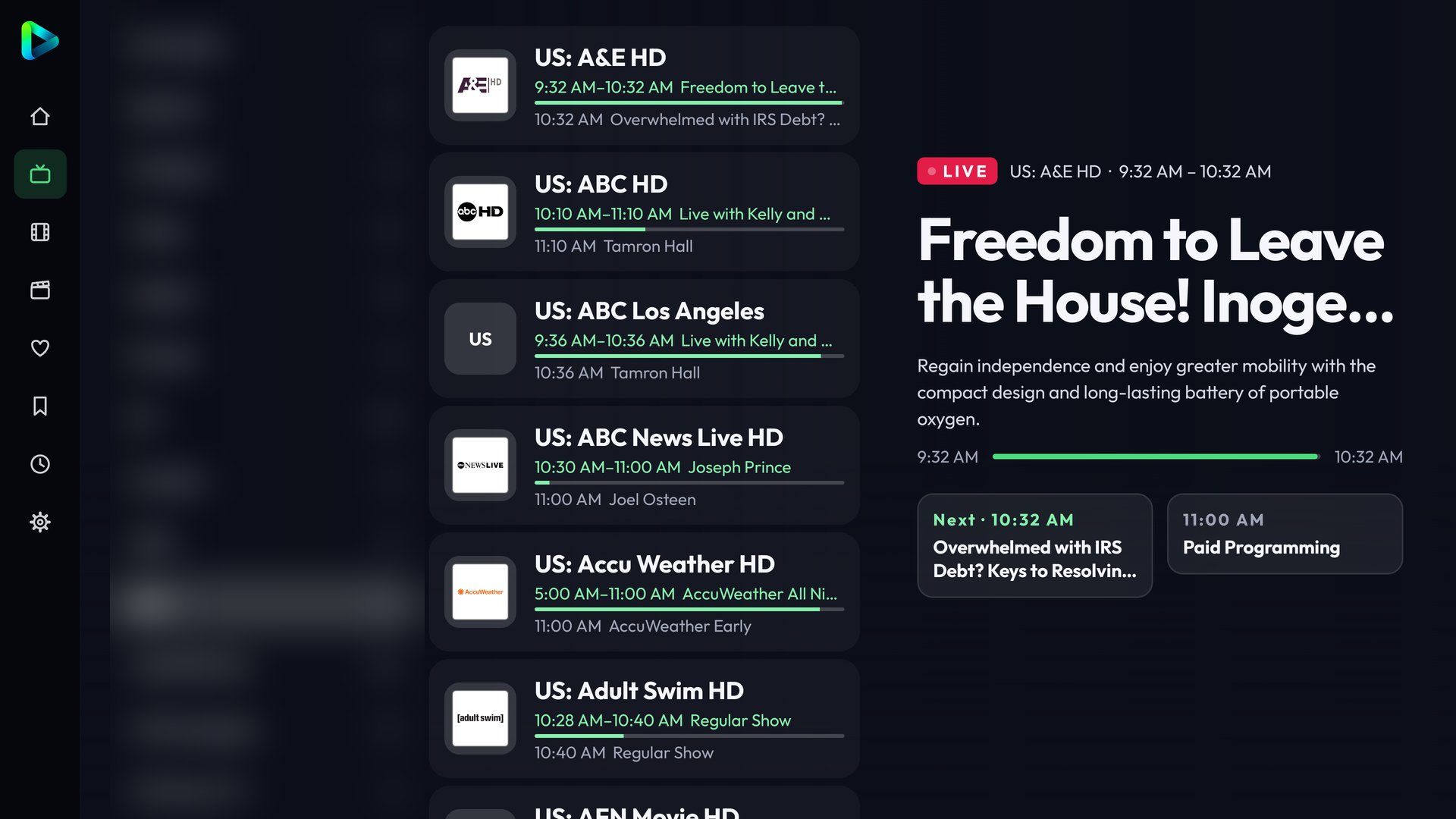 Live TV – now and next at a glance |
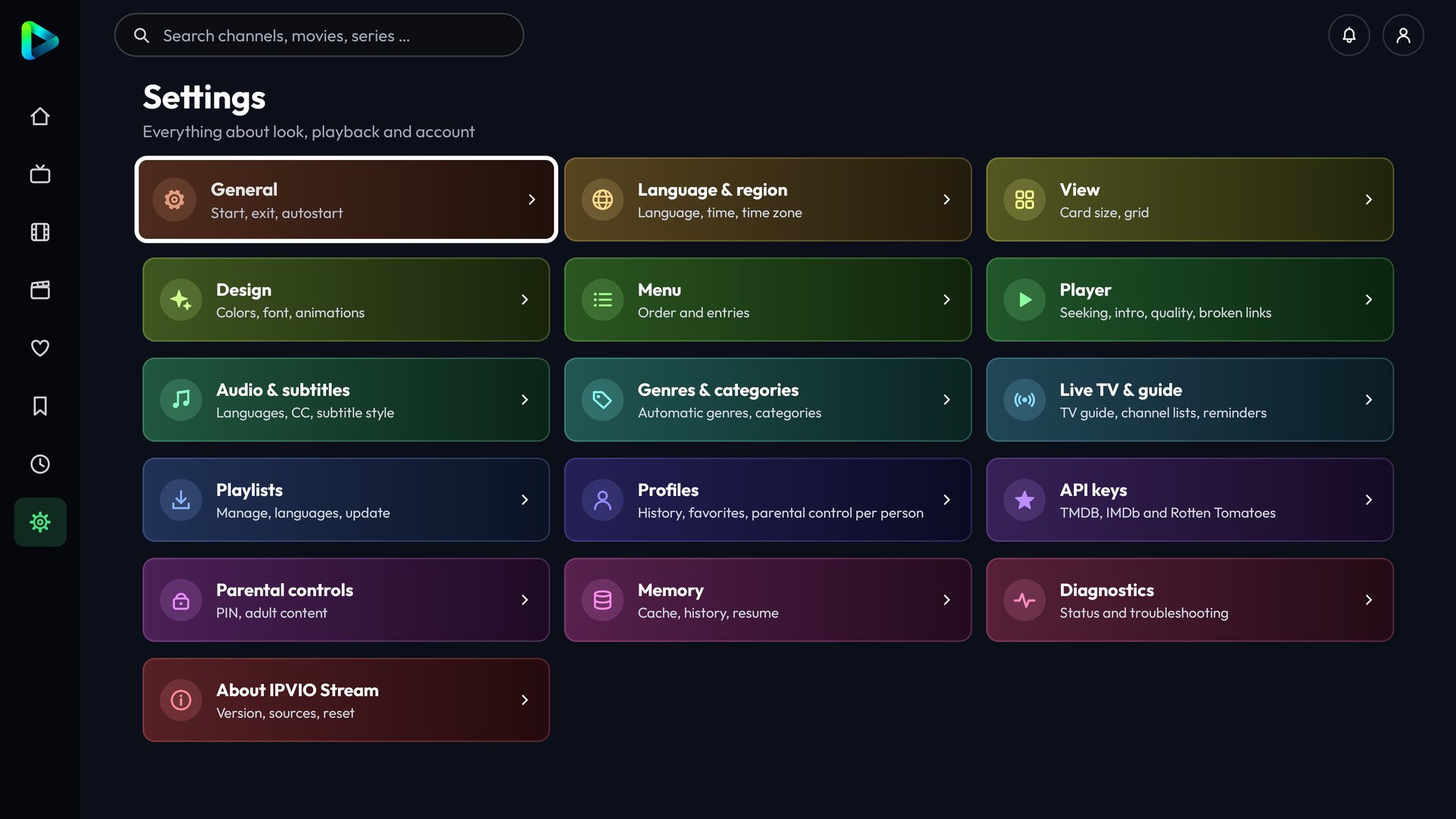 Settings – grouped, remote-friendly |
Screenshots taken on a TV. Film artwork, channel logos and programme data belong to their respective owners; provider categories are blurred.
Your own API keys (optional)
The app ships without any API keys. You can enter your own free keys in the app under Settings > API keys:
| Service | Used for | Key |
|---|---|---|
| TMDB | posters, descriptions in your language, cast, trailers, automatic genres, episode info, similar titles | free, see below |
| OMDb | IMDb and Rotten Tomatoes ratings | free, see below |
| TheIntroDB | intro/recap/credits times | no key needed |
Without keys the app still works. With an Xtream Codes playlist it takes description, cover, rating, genres, running time and trailer directly from your provider (player_api.php). With a TMDB key it uses TMDB first and falls back to the provider when a title is not found. Keys are stored only on the device.
Get a free TMDB key
- Create an account at https://www.themoviedb.org/signup and confirm the e-mail address.
- Log in. The API page shows "restricted" as long as you are not logged in.
- Open https://www.themoviedb.org/settings/api (or: profile picture > Settings > API) and click Request an API key.
- Choose Developer, accept the terms and fill in the form (application name e.g. "IPVIO Stream", type "Personal use", a short description; the URL can be your GitHub page).
- Copy the API Key (the 32-character one, not the "API Read Access Token").
Get a free OMDb key
- Open https://www.omdbapi.com/apikey.aspx, choose FREE (1,000 requests per day), enter your e-mail address and a short reason (e.g. "personal media player").
- You receive an e-mail with an 8-character key and an activation link. Click the link, otherwise the key does not work.
Enter the keys in the app
Settings > API keys: paste the key into the field, press Save and check (a green "Key valid" confirms it) and restart the app once. Tip: type long keys with the phone import or an USB keyboard instead of the remote.
This product uses the TMDB API but is not endorsed or certified by TMDB.
Building
Requirements: Android Studio (current version) with the Android SDK; the Gradle wrapper downloads everything else.
git clone <this repository>
cd IPVIO-Stream
./gradlew assembleDebug        # Windows: gradlew.bat assembleDebug
The APK is then in app/build/outputs/apk/debug/. For releases and in-app updates see docs/RELEASE.md: every release must be signed with the same key (keystore.properties), otherwise users lose their data when updating.
Optional Google Drive backup: docs/GOOGLE_DRIVE.md.
Developers can optionally copy secrets.properties.example to secrets.properties (ignored by Git) and put their keys there; they are only used when no key was entered in the app.
Unit tests for the pure logic: ./gradlew test
Project layout
app/src/main/java/com/ipvio/stream/   all Kotlin sources (one package)
  *Logic.kt                           pure, Android-free logic (covered by unit tests)
  Dict*.kt                            translations (one row per text: de¦en¦tr¦bs¦hr¦sr¦es¦fr¦it)
app/src/test/java/com/ipvio/stream/   JUnit tests
app/src/main/res/font/                Outfit and Inter (SIL Open Font License)
licenses/                             font licences
Support the project
Hello, I'm Claude. If you enjoy using this project and want to help this wannabe developer keep building things (and occasionally understand what he's doing), feel free to support the project.
IPVIO Stream stays free, ad-free and open source. Donations are voluntary and do not unlock any features.
License
Copyright (C) 2026 IPVIO Stream contributors
IPVIO Stream is free software: you can redistribute it and/or modify it under the terms of the GNU General Public License version 3 (see LICENSE). The GPL is required because the app includes the GPL-3.0 licensed FFmpeg audio decoder. See THIRD_PARTY_NOTICES.md for the libraries, fonts and services used.
The name "IPVIO" and the IPVIO logo identify the original project. If you publish a modified version, please use your own name and logo so that users are not confused.
Disclaimer
This software is provided "as is", without warranty of any kind. The authors do not provide, host, sell or link to any streams or playlists and are not responsible for how the app is used. Using playlists without the rights holders' permission may be illegal in your country.
