Levyra-deepsound

A music player for Android and Windows that plays what you stream and what you already own.
Streamed tracks and local files share one library. You can save music for offline listening and follow synced lyrics. There is no account to create and nothing tracks you.


Download Levyra


More download options




42 languages · 100% Android translation coverage · Zero tracking
[!IMPORTANT] Legal & responsible use · No piracy. Levyra is independent open-source client software. It does not operate a music-hosting service or claim ownership of third-party catalogs. It is built for lawful use and is not intended or promoted for copyright infringement, piracy, or unauthorized copying. Use Levyra only with media you are allowed to access or save, and follow the terms of any third-party service you use.
External audio integrations do not supply third-party accounts or credentials or authorize access to them. Availability through an external source is not permission to stream, download, or redistribute music. Users must obtain the necessary permissions and respect artists' rights.
Third-party artwork, visuals, and editorial content shown in Levyra come from publicly accessible sources, including the providers' own websites and services. Levyra does not host a separate catalog of this material or claim ownership of it. All rights remain with the respective owners.
For details about third-party services, lawful use, downloads, and user responsibilities, please review the complete Legal Notice. It applies to Levyra alongside this README.
Levyra does not grant rights to third-party content and is not affiliated with or endorsed by any third-party service.
Why Levyra
I built Levyra because I was tired of keeping two players: one for streaming and one for the files on my phone. I wanted a single library where a local album and a streamed single sit in the same playlist, and where my history and downloads don't depend on yet another account.
Downloads land in your storage as ordinary audio files, so they keep working outside Levyra. Your listening data stays on the device.
If you use YouTube Music on Android, you can sign in to bring over your playlists, liked songs and saved albums, plus a Home feed built from your account. You don't have to. Without signing in, nothing changes. If you disconnect later, everything you imported stays in your library. Sign-in goes through Google's own pages, and Levyra keeps only the session, encrypted with Android Keystore. It never sees your password.
The rest grew out of daily use. Every time another player had something I missed, I added it: synced lyrics with timing controls and romanization, SponsorBlock, Queue Spaces, AutoEQ, Android Auto, music recognition, live radio, backups, and eventually a Windows version. All of it runs on the same library and the same playback path.
Some features need outside services for music, lyrics, artwork and metadata. The app itself is open source, and your library stays yours.
High-quality audio · JioSaavn & FLAC
With high-quality audio on, Levyra plays a track from JioSaavn when it finds the same recording there. The track in your library doesn't change.
A matching title isn't enough to switch. Levyra compares the performers and their roles, the album and release details, duration, the explicit flag, language, featured artists and version markers. If the search results are ambiguous, it opens the JioSaavn track page to tell the original release apart from a compilation, a reissue or an alternate version.
Levyra also checks the stream. It tries the 320, 160 and 96 kbps versions and measures what it gets. A stream labeled 320 kbps that measures well below that doesn't get shown as 320 kbps. A verified match plays straight from JioSaavn's CDN, and Levyra saves the match so the next play skips the lookup. If JioSaavn is down or Levyra can't verify the match, the track plays from its normal source. Artwork, lyrics, queue position, history and recommendations stay attached to the original track either way.
FLAC on Android goes through the same steps with stricter checks. Levyra looks for a lossless copy of the same recording through independent third-party sources, then reads the audio headers to confirm the format, bit depth and sample rate. If no lossless copy passes, playback falls back the same way as above. FLAC support is experimental. Whether you get it depends on the track, your region and your access rights.
Each provider's terms and access rules apply to its sources and content. See Third-party services and rights.
OFF · AUTOMATIC · PREFER 320 KBPS
Interface & screenshots
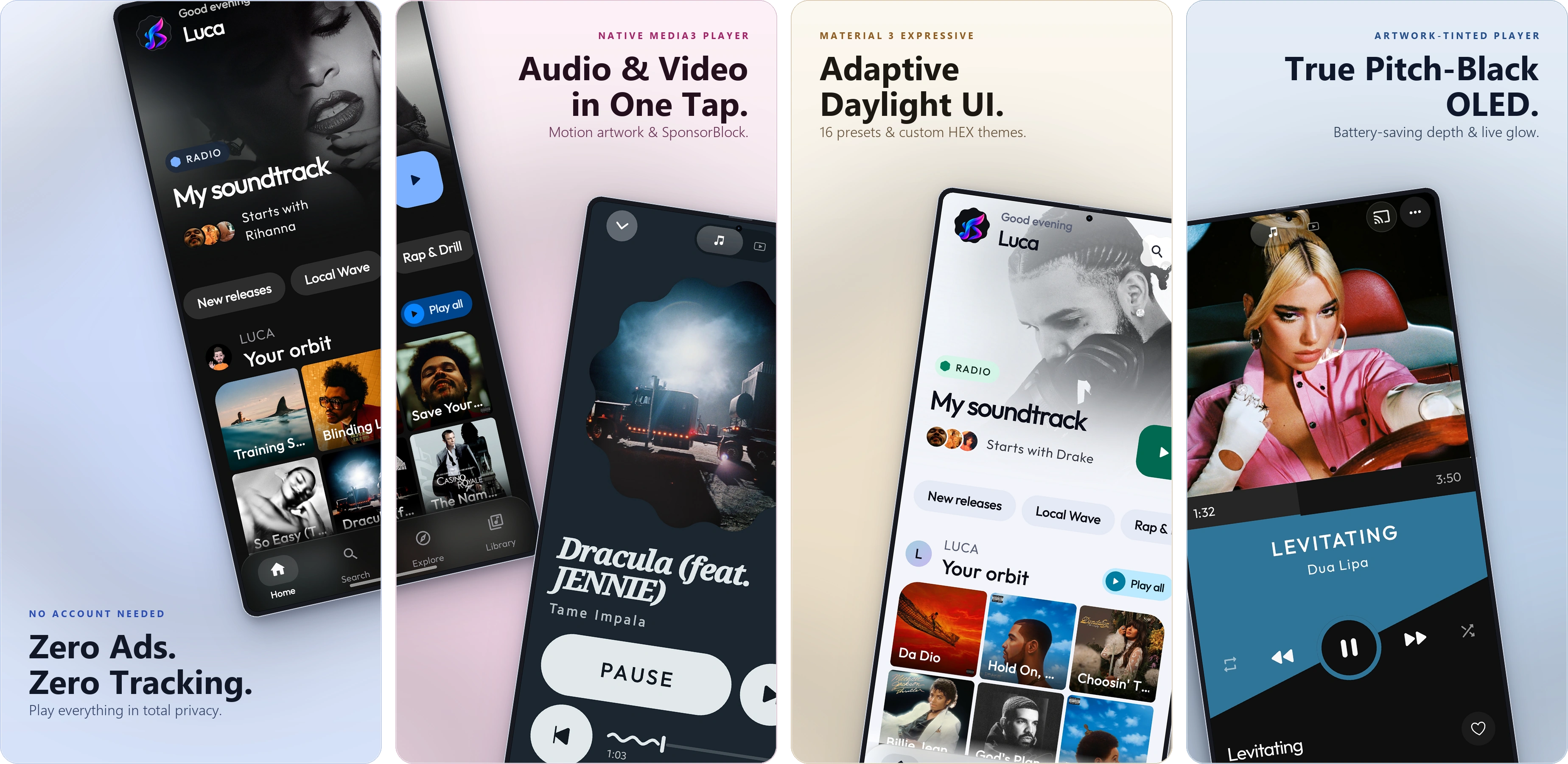
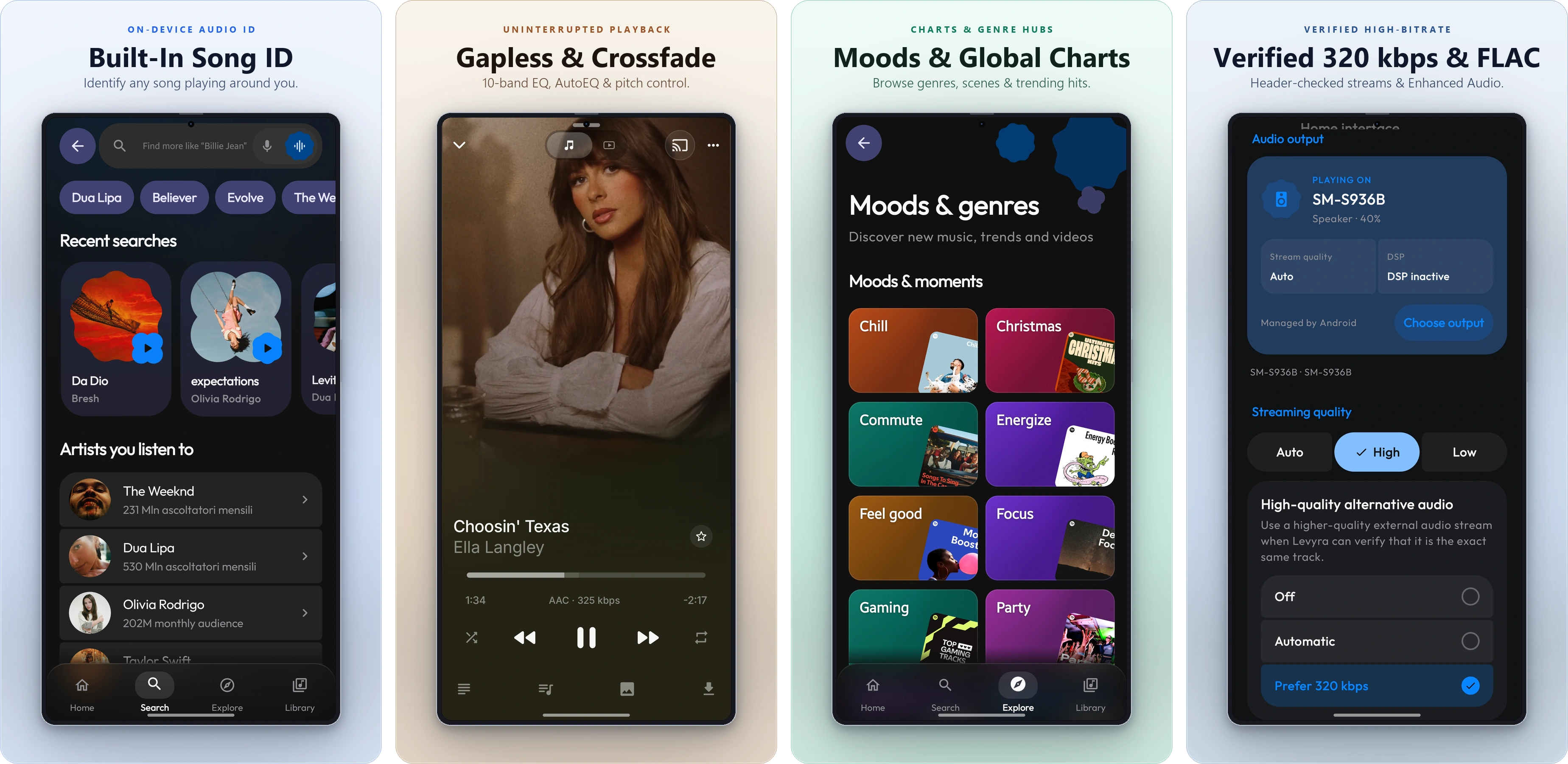
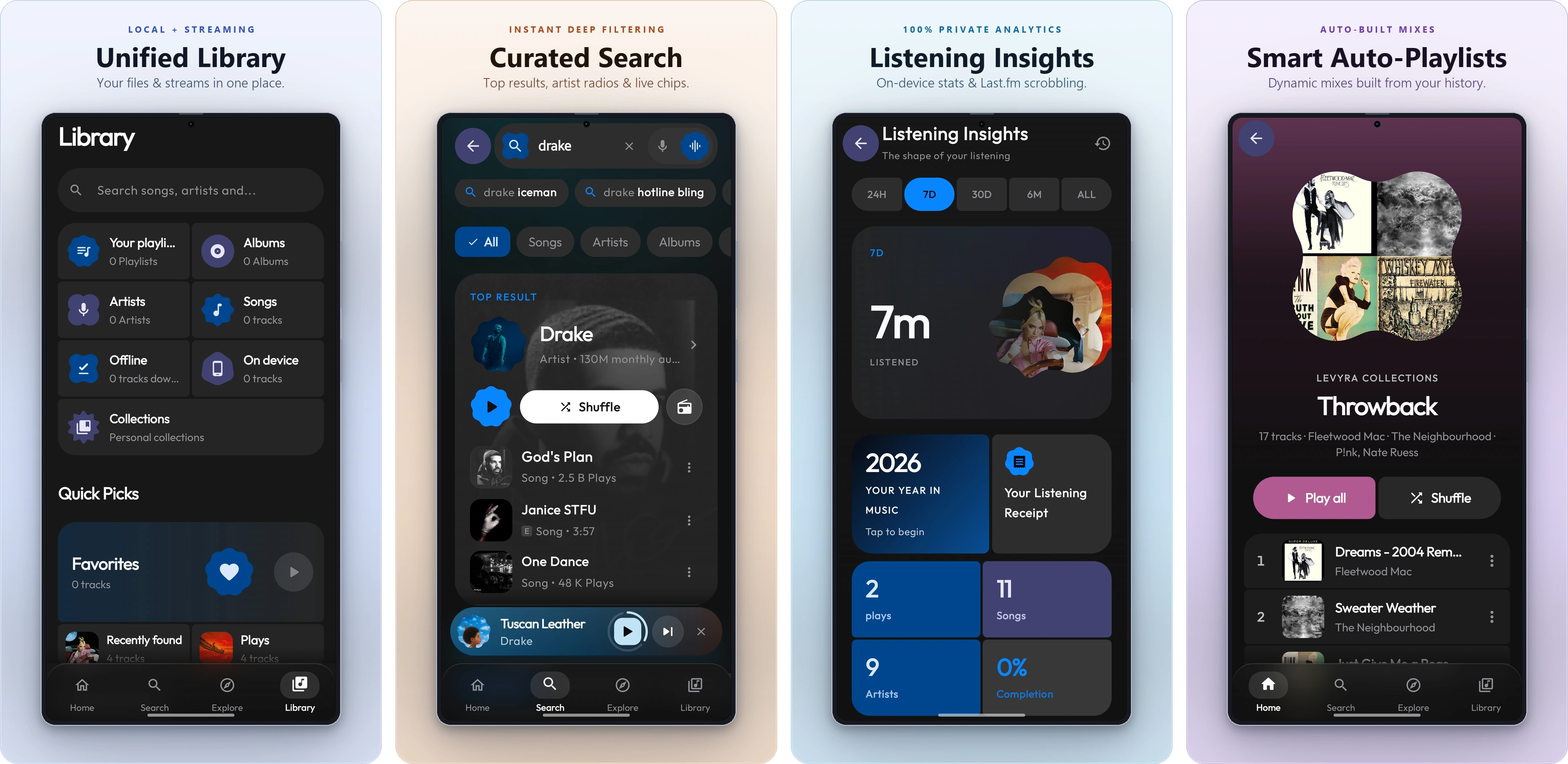
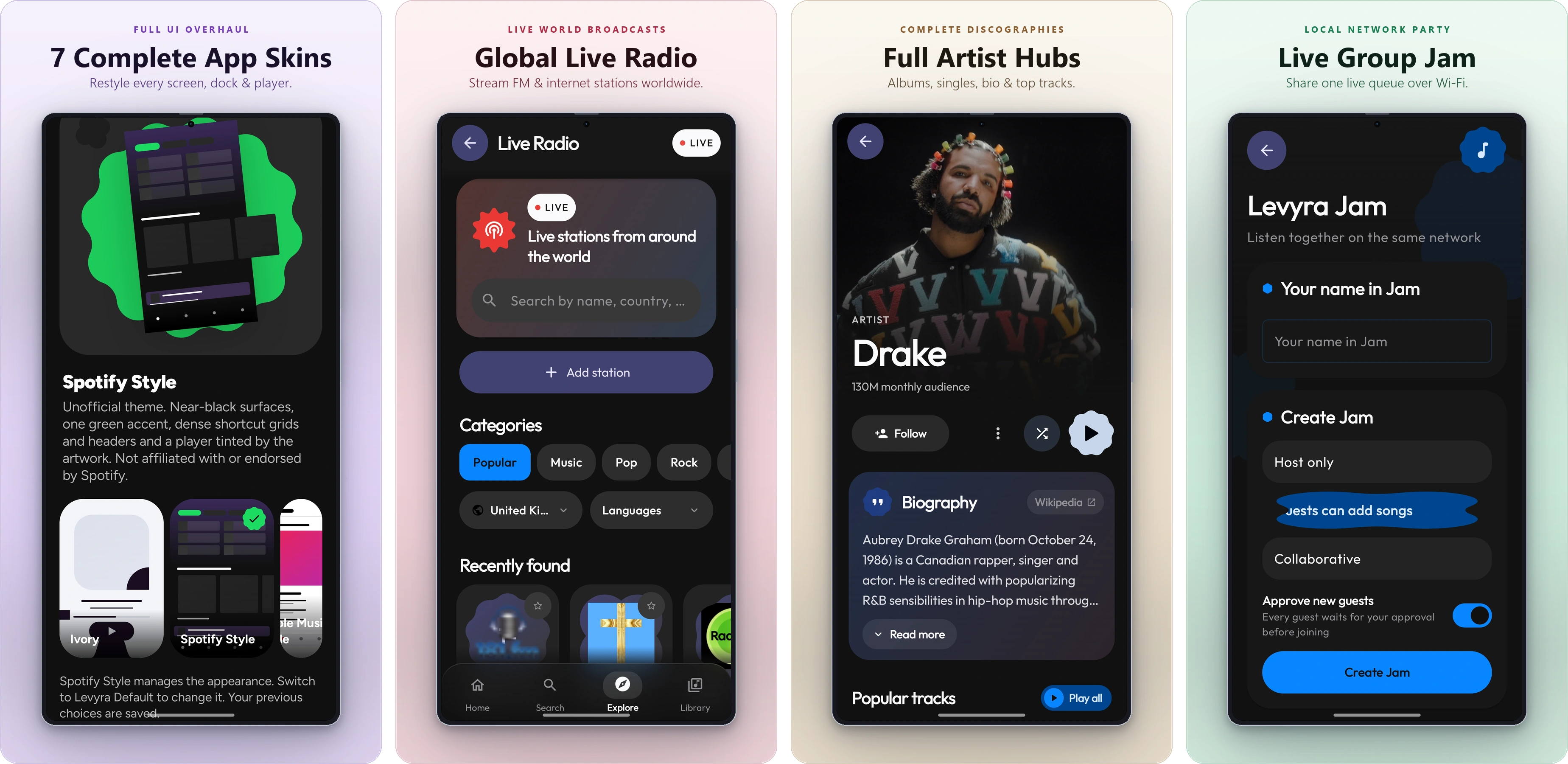
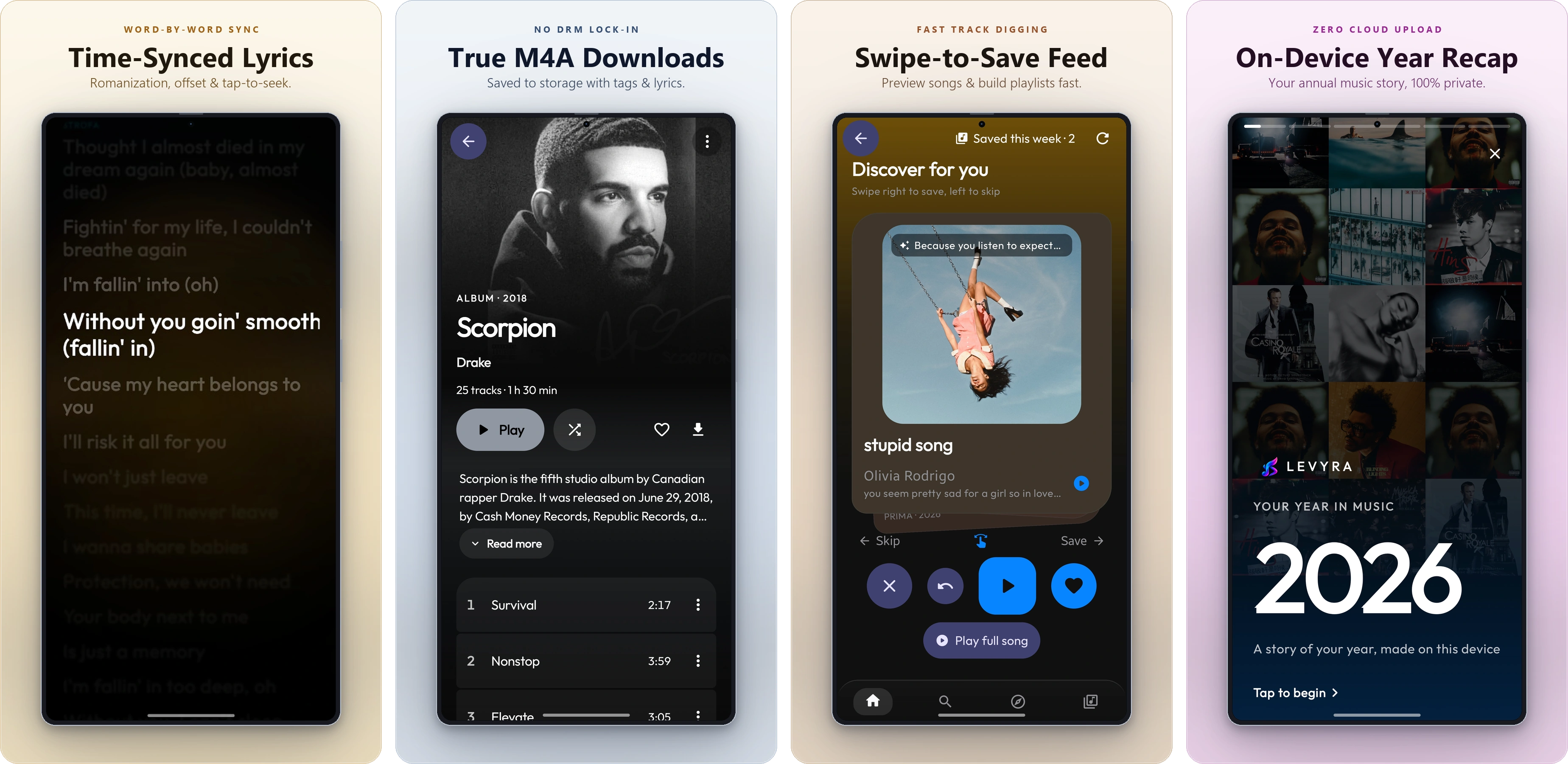
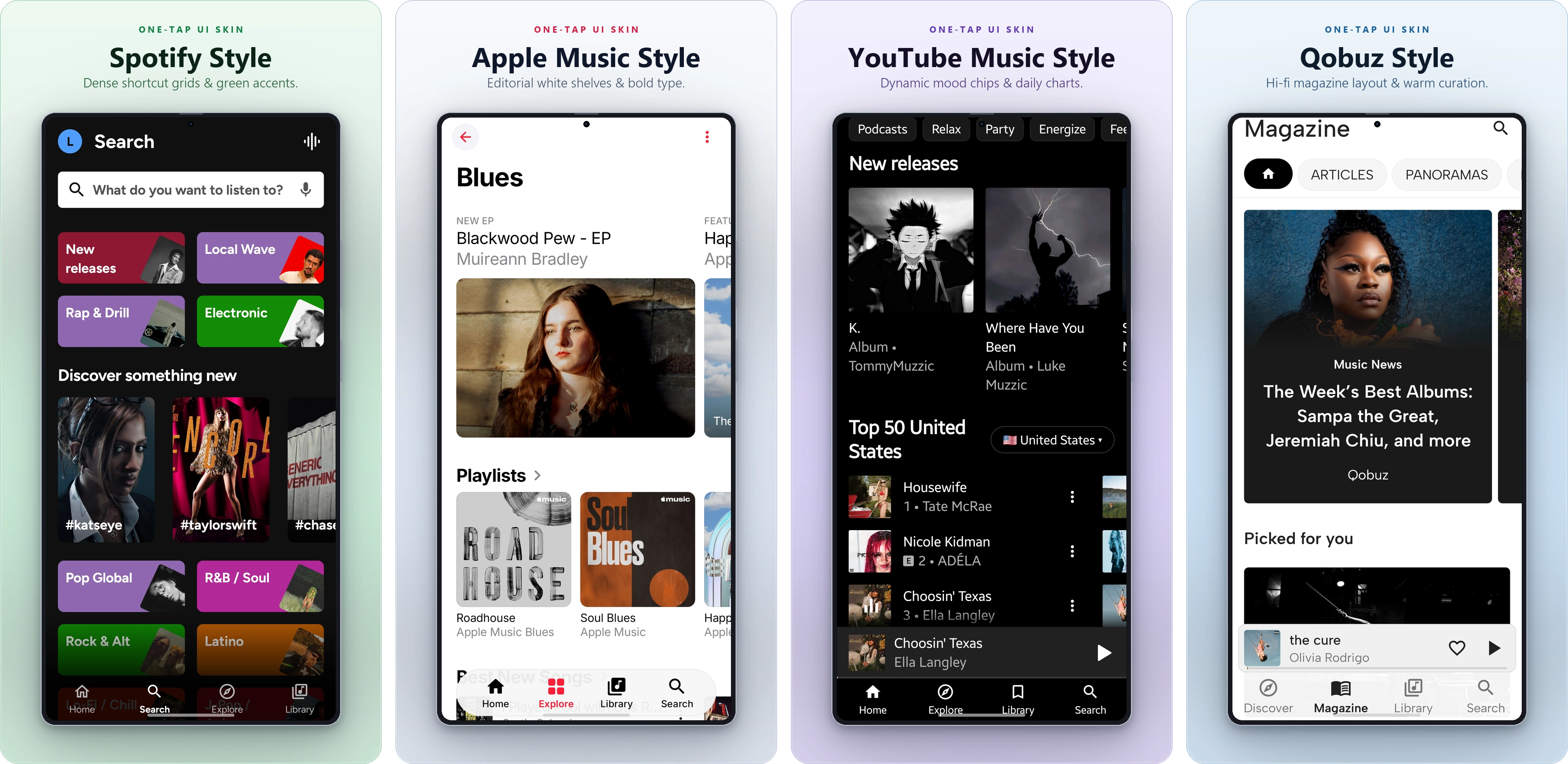
Features
- Native playback. Media3 and ExoPlayer on Android. libVLC through direct C bindings on Windows. No web wrappers on either.
- Gapless playback and audio tuning. Albums play without gaps. There is also crossfade, pitch shifting, custom speed, a 10-band EQ and AutoEQ headphone profiles.
- SponsorBlock. Sponsored segments, intros, outros and talking that isn't music get skipped automatically.
- Audio or video. One tap switches between audio-only streaming and full video with subtitles.
- Offline downloads. Tracks are saved to device storage as standard M4A files, with metadata, artwork and lyrics included.
- One library. Local files and streamed tracks share playlists, favorites and queues.
- Optional YouTube Music sign-in (Android). Browse your account and import playlists, liked songs and albums. Skip it and Levyra works exactly the same.
- Queue Spaces. Keep several listening sessions side by side without losing the one you're in.
- Synced lyrics. Tap a line to jump to it, nudge the timing by hand, set a separate offset for Bluetooth latency, and read romanized versions of non-Latin scripts.
- Motion artwork. Animated artwork on the Now Playing screen, with the regular album cover as fallback.
- Skins (Android). Nine complete looks beyond Levyra Default, each with its own layout rather than a new color palette. Nocturne 78 has the warmth of vintage hi-fi. Prism pairs deep black with raspberry. Torque uses bold graphite shapes. Ivory is soft and bright, with its own dark mode. Atelier is built around a vinyl record deck. Spotify Style, Apple Music Style, YouTube Music Style and Qobuz Style follow layouts people already know. Each skin restyles Home, Explore, Library, Settings, the mini player and the full player. Find them in Settings → Design → Skin. Your customizations survive switching back and forth.
- Theme Studio. Sixteen presets, Midnight, Aurora, Pure Material, Velvet and Editorial among them. You can also make your own: pick background, surface and accent colors from swatches or a HEX code, choose light or dark, set the corner roundness, then save, rename or duplicate. Levyra Aura is the default, and one tap brings it back.
- Mini player studio. Eight alternative mini player designs, from Super Expressive and Floating to Liquid Glass and Artwork Focus. Each one has its own size, shape, progress bar and controls, and you see the result live before applying it. The original mini player stays until you pick another.
- Navigation studio. Nine extra styles for the bottom bar. Reorder the buttons by dragging, hide Explore or Library, decide when labels show, and set the indicator, icon size, height and background. Home and Search always stay in the bar.
- System integration. Android Auto, lockscreen media controls, a persistent notification and a Quick Settings tile.
- Device integration (Android). Levyra detects the phone it runs on and turns on what that system supports. On HyperOS 3 it shows synced lyrics in the Super Island. On OriginOS the current track appears in the Atomic Island. OPPO, OnePlus and realme keep their system lyrics panel. Samsung's Now Bar and other phones use the standard media controls. Settings → Integrations shows what was detected and links to the right battery page for background playback.
- Song recognition. Identify music on-device through the microphone or internal audio. Results go into a local history.
- Explore. Live radio, international charts, and browsing by genre or mood.
- Levyra Vault. Back up and restore playlists, favorites, history and preferences in one local file.
- Private stats. Play counts and listening hours computed on your device, with optional Last.fm and ListenBrainz scrobbling.
Technology
I kept Android and Windows as two separate apps instead of putting a web interface inside both. Android uses Kotlin, Jetpack Compose and Media3. Windows uses Compose Multiplatform and libVLC for audio.
They share LevyraExtractor for stream resolution and network requests. When something breaks there, I can fix it once for both apps.
Translations
Levyra speaks 42 languages because people volunteer their time to translate it. If a string reads wrong or your language is missing, jump in.


Translation hosting is kindly provided free of charge by Hosted Weblate. Thank you for supporting Levyra.
Open-source acknowledgements
Levyra stands on work from these open-source projects:
- Metrolist: used as a reference for renderer recovery and BetterLyrics TTML parsing.
- PipePipeExtractor: the starting architecture for LevyraExtractor, later adapted with Levyra's own stream resolution and retry handling.
- NewPipeExtractor: upstream extractor concepts and service foundations.
- zemer-cipher: open-source work used for YouTube cipher deobfuscation and PoToken generation.
- faraday: secondary source of YouTube player configurations, checked alongside zemer-cipher.
- LRCLIB: provides the synchronized lyrics database and API.
- ByeDPI: local network compatibility tool used by the optional YouTube connection mode.
- ByeDPIAndroid: Android wrapper for the ByeDPI integration.
- SponsorBlock: community timestamps used to skip sponsored and other marked video segments.
- AutoEq: headphone measurements and GraphicEQ profiles used by the AutoEQ catalog.
FLAC playback on Android depends on independent third-party sources. Their inclusion does not imply a partnership or endorsement.
Bug reports and pull requests are welcome. For questions and ideas, use GitHub Discussions. Architecture notes and technical docs are in the project documentation.
Author & credits

LUC4N3X
Creator & maintainer
I built Levyra and still maintain the Android and Windows apps.
I review contributions, fix bugs and handle releases.
Project checks and mentions

Kotlin Weekly •
Techno360 •
Australia By Aussie •
OSCHINA 开源中国 •
CSDN •
SecurityLab.ru
GeekParadize •
OpenSalerno •
Techolay •
Hysen Labs •
PitchHut
Legal disclaimer and terms of use
Open source. Independent. Built for lawful use.
NO PIRACY · NO CONTENT HOSTING · THIRD-PARTY RIGHTS RESPECTED
Levyra is an independent open-source music player built for lawful use, research, and interoperability. It does not operate a music-hosting service or claim ownership of third-party catalogs.
- Third-party services and content
Levyra is client-side software that runs on your device. It does not own or host music catalogs, artwork, lyrics, or video files. When you stream or search, Levyra connects to the external services needed for that feature. Those services can change, rate-limit, or restrict access at any time.
If there is a problem with media hosted by another service, contact that service or the relevant rights holder. If the issue is with something distributed as part of Levyra itself, use the GitHub issue tracker.
- FLAC sources and lawful access
Levyra's FLAC integration relies on responses and audio streams supplied by independent third-party sites. Their operation, access arrangements, and catalog availability are outside Levyra's control. Levyra does not host, obtain, provide, or share third-party accounts, account credentials, or login sessions for these integrations, and does not authorize access to anyone else's account or catalog.
These integrations are provided for developer study, research, interoperability, and lawful playback. The project and its developers do not approve or endorse illegal streaming, unauthorized downloads, piracy, or illegitimate account access. Users must ensure that they have the necessary rights and permissions and that their use complies with applicable law and each provider's terms.
Availability through an external site does not establish permission to access an account, stream a recording, or download or redistribute music. This notice does not grant those permissions or remove any legal obligations of project maintainers or users.
- Lawful use and user responsibility
Levyra is built for lawful use, research, and interoperability, not for piracy or copyright infringement. Streaming, downloading, format conversion, and offline caching are software features. They do not transfer copyright or ownership of third-party media.
Levyra may cache media temporarily for playback and can save user-requested downloads as standard media files. Neither feature gives you permission to redistribute third-party content. You are responsible for making sure your use of Levyra complies with applicable law and with the terms of any third-party service you choose to access.
- Regional availability and experimental network compatibility
Some streaming features depend on third-party services such as YouTube Music. Those services may be unavailable, filtered, or unreliable in some countries, networks, or accounts.
Some Levyra builds include optional experimental network compatibility tools that can change how YouTube requests are resolved, routed, or sent when the normal connection does not work. These are best-effort features. They can fail, slow playback, or stop working after a network or provider change, and Levyra does not guarantee that they will restore access.
Enabling a compatibility option does not grant access rights, unlock paid features, or make an otherwise restricted use authorized. You are responsible for following applicable law and the terms, account rules, and network policies that apply to the services you use.
Local playback and features that do not depend on the affected service continue to work independently.
- Support artists and creators
Respect for artists and their music is fundamental to Levyra. Please support the people who create the music you listen to and use only content you are entitled to access.
Levyra does not unlock paid subscriptions or grant access rights offered by third-party providers. If you want an official subscription experience, subscribe directly through the provider, including YouTube Premium, YouTube Music Premium, or Spotify Premium.
You can also support artists directly through licensed streaming services, music purchases, concerts, merchandise, and other official channels.
- Privacy
Levyra does not require a Levyra account and does not include telemetry, analytics, or ads. Network requests go directly to the services used by the features you enable, including optional integrations.
- Technical interoperability and access restrictions
Levyra includes client-side code for compatibility with external services. Depending on the feature, it may resolve streams, process requests and tokens, use alternate DNS or routing, or apply optional experimental connection methods.
Those capabilities do not grant permission to access a service, region, catalog item, account feature, subscription tier, or paid entitlement that you are not otherwise allowed to use. Availability and authorization remain governed by the service, your account, the network you are using, applicable terms, and applicable law. Network compatibility options are provided on a best-effort basis and may stop working at any time.
- Warranty and third-party availability
Levyra is released under the GNU GPL v3.0 and is provided "as is", without warranty of any kind, to the fullest extent permitted by applicable law.
To the fullest extent permitted by applicable law, Levyra's authors, maintainers and contributors disclaim liability for losses arising from use, misuse or inability to use the software, including third-party account restrictions and service interruptions. This does not exclude liability that cannot lawfully be excluded. See Warranty and liability.
The GNU GPL v3.0 covers Levyra's source code. It does not grant rights to third-party content, trademarks, or service endpoints. Third-party services can change or disappear, so Levyra cannot guarantee that every stream, metadata source, artwork provider, lyrics source, or API will keep working.
Use Levyra responsibly
For the complete legal terms covering technical interoperability, user responsibilities, and third-party integrations, see the Legal Notice.
Using Levyra does not give you rights to content you are not otherwise allowed to access or use.
