Mesh
Introduction: Mesh gradient editor in Compose Desktop
Tags:
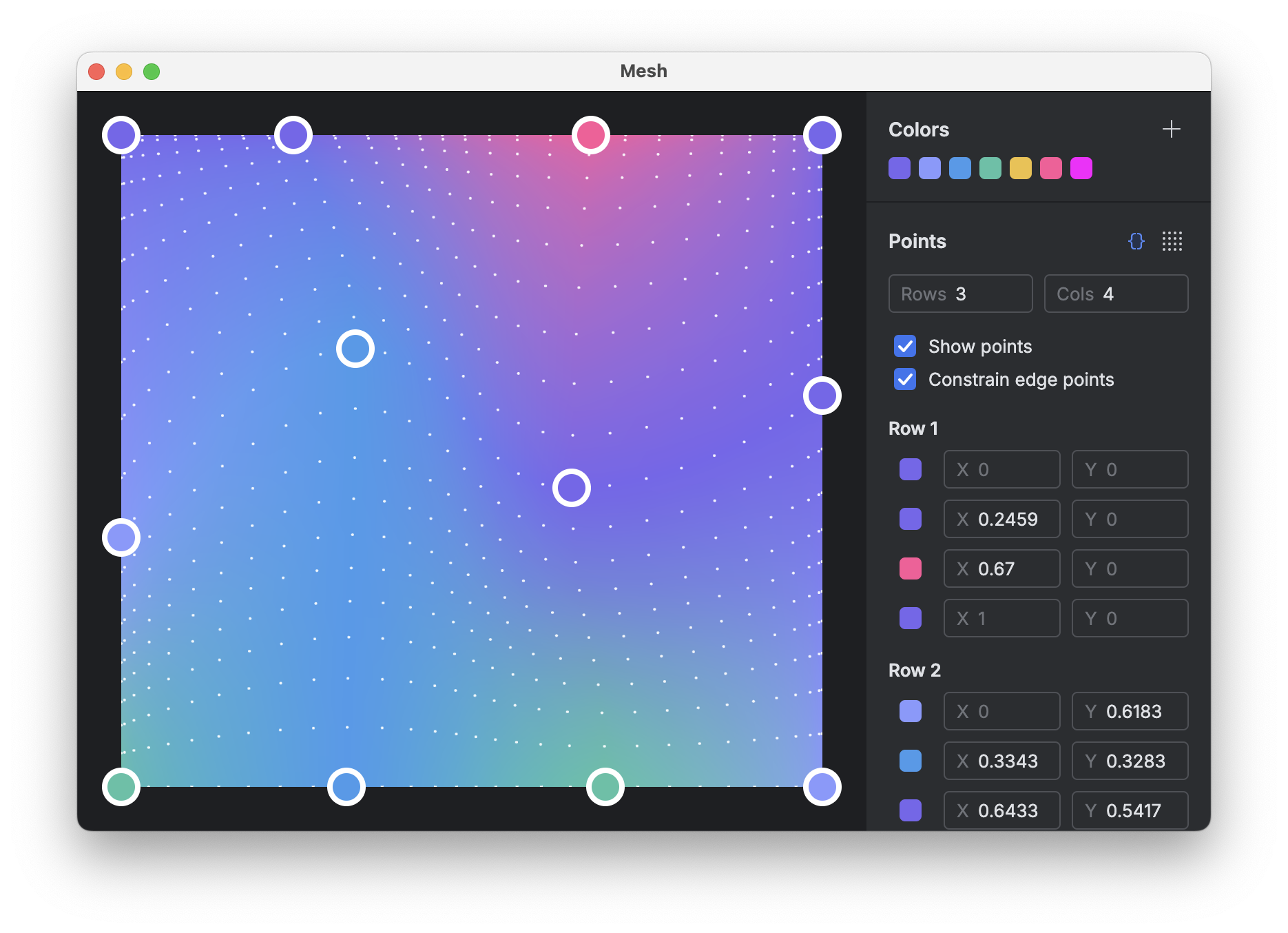
A desktop editor for creating mesh gradients in Compose, built with Compose Multiplatform and the Jewel UI standalone toolkit. Gradients are rendered using @sinasamaki's Modifier.meshGradient implementation.
Features and controls
- Grid: Adjust between 2–10 rows and columns, or distribute points evenly.
- Control points: Drag points on the canvas or edit
X/Yoffsets in the side panel. Double-click the canvas to hide or show points, and toggle edge constraints to lock perimeter points to the canvas bounds. - Palette: Add hex colors to the saved palette, remove unused ones, and assign colors per point.
- Canvas: Configure canvas dimensions (fixed size or fill) and background color.
- Export: Copy Kotlin code (
Pair<Offset, Color>point lists via KotlinPoet) for@sinasamaki'smeshGradientmodifier, or export a PNG at 1x, 2x, or 3x scale. - Persistence: Grid state and saved colors autosave locally to a Room/SQLite database.
Roadmap
- Save and load configurations as documents
- Grain overlay
- Configurable gradient resolution
- Presets
- Gradient animation
- Undo/redo
Running and packaging
Run from the command line (or use the .run/desktopApp.run.xml run configuration in IntelliJ IDEA):
./gradlew :composeApp:run
Build an unsigned macOS DMG for local testing:
./gradlew :composeApp:packageDmg
Build a signed and notarized release DMG (see docs/RELEASING.md for signing setup):
./gradlew :composeApp:notarizeDmg
