compose2pdf



A Kotlin JVM library for rendering Compose Desktop content directly to PDF. Generate production-quality PDF documents with vector text, embedded fonts, auto-pagination, and server-side streaming support.
val pdfBytes = renderToPdf {
    Text("Hello, PDF!")
}
File("hello.pdf").writeBytes(pdfBytes)
Compose in, PDF out
| Compose (reference render) | PDF (vector output) |
|---|---|
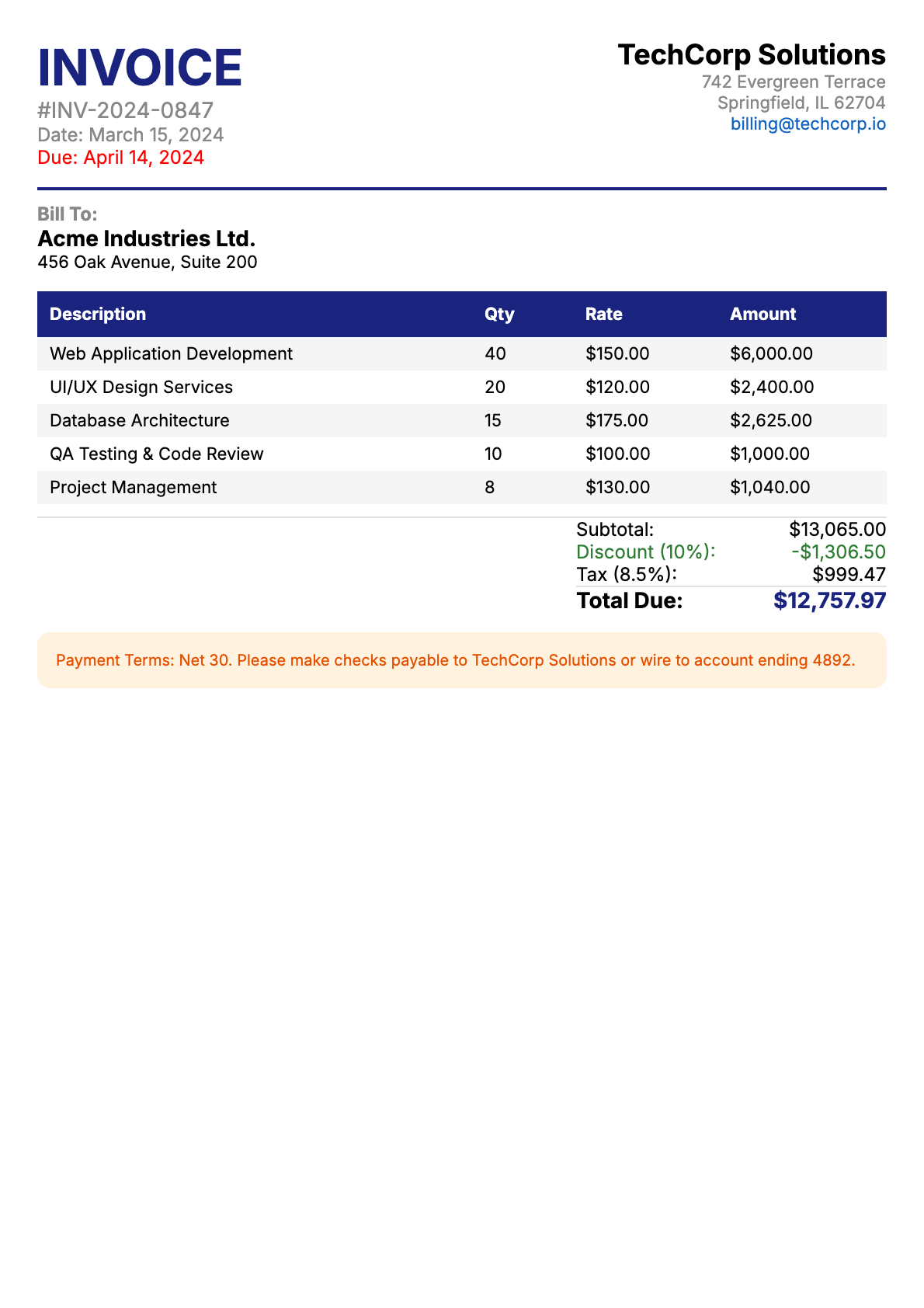 |
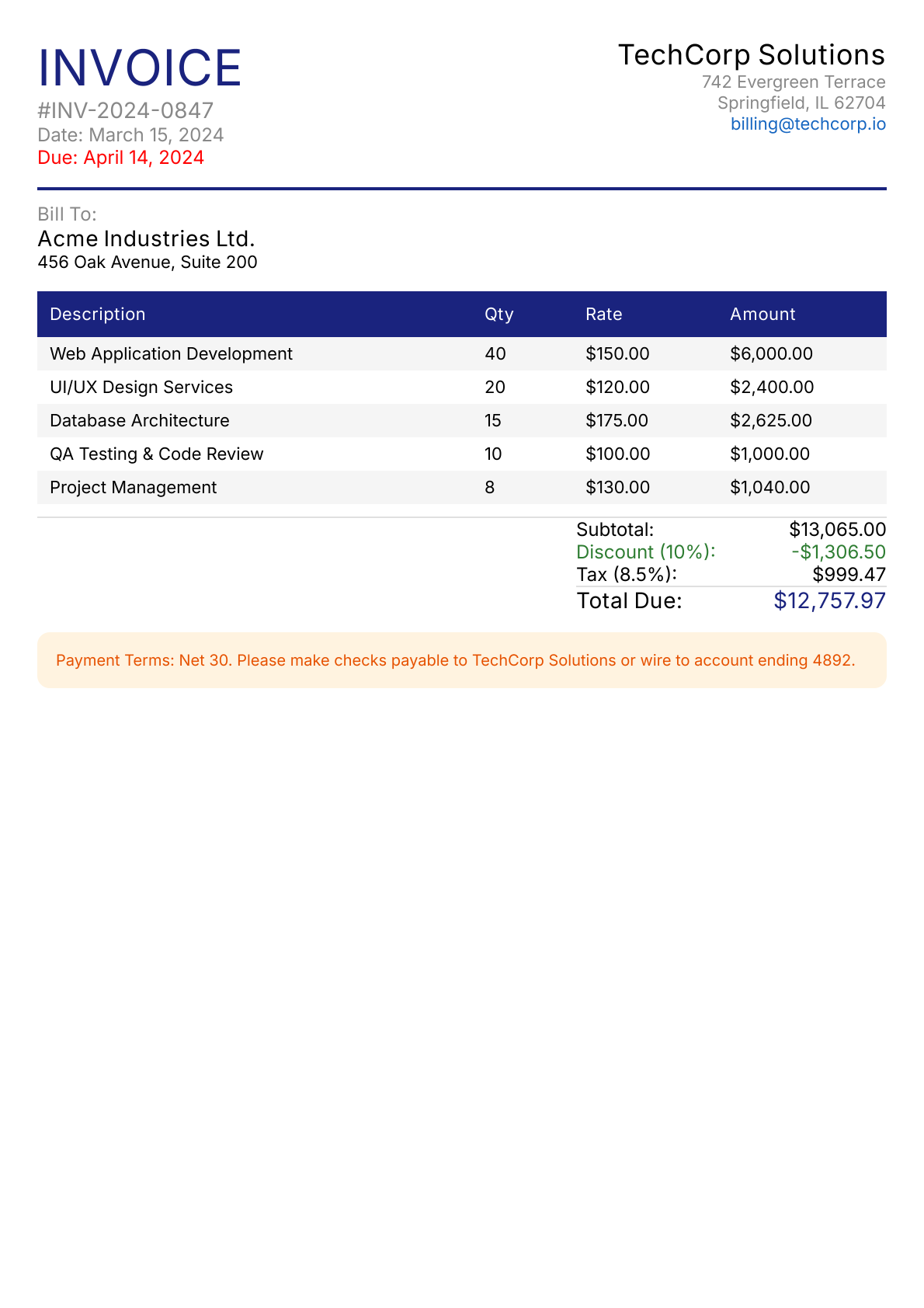 |
The PDF output is virtually identical to the Compose reference — text is selectable, fonts are embedded, and the file is only 17 KB.
Features
- Vector PDF output — text is selectable, scales to any zoom level
- Raster fallback — pixel-perfect rendering as an embedded image
- Automatic font embedding — any font Compose lays text out with (custom
Font(resource)/Font(file)families, system fonts, bundled Inter) is captured and subset-embedded - Link annotations — clickable URLs in the PDF via
PdfLink - Auto-pagination — content automatically flows across pages; elements are kept together at page boundaries
- Per-page headers/footers — repeated
header/footerbands with page numbering viaPdfPageInfo - Multi-page — render multiple pages in a single PDF (manual or automatic)
- Page presets — A4, Letter, A3 with configurable margins and landscape support
- Streaming output — write PDFs directly to an
OutputStreamfor Ktor, servlets, or any JVM server
Installation
// build.gradle.kts
dependencies {
    implementation("com.chrisjenx:compose2pdf:1.0.0")
}
Requires JDK 17+ and Compose Desktop (Compose Multiplatform 1.9+).
Compatibility

Tested weekly against the 3 most recent Compose Multiplatform releases:
| Compose Multiplatform | Kotlin | Status |
|---|---|---|
| 1.12.0-beta01 | 2.4.0 | CI tested |
| 1.11.1 | 2.4.0 | CI tested (current) |
| 1.10.3 | 2.4.0 | CI tested |
Generated from .github/compose-versions.json by the update-compose-versions workflow — edit the JSON, not this table.
Platform support:
| JDK 17+ | JDK 21+ | |
|---|---|---|
| macOS (arm64, x64) | Supported | Supported |
| Linux (x64) | Supported | Supported |
| Windows (x64) | Supported | Supported |
Compose Desktop is JVM-only. Android and iOS are not supported.
Quick start
Single page
val pdf = renderToPdf(
    config = PdfPageConfig.LetterWithMargins,
    mode = RenderMode.VECTOR,
) {
    Column(Modifier.fillMaxSize().padding(24.dp)) {
        Text("Invoice #1234", fontSize = 24.sp, fontWeight = FontWeight.Bold)
        Text("Amount: $1,250.00")
    }
}
Auto-pagination (default)
Content automatically flows across pages. Direct children are kept together — if a child would straddle a page boundary, it's pushed to the next page.
val pdf = renderToPdf(config = PdfPageConfig.A4WithMargins) {
    ReportHeader()
    DataTable(items)       // kept together on one page
    SummarySection()       // pushed to next page if needed
}
Headers and footers
// Per-page header/footer bands with page numbers
val pdf = renderToPdf(
    config = PdfPageConfig.A4WithMargins,
    footer = { info -> Text("Page ${info.pageNumber} of ${info.pageCount}") },
) { /* content */ }
Manual multi-page
For full control over what goes on each page:
val pdf = renderToPdf(pages = 3) { pageIndex ->
    Column(Modifier.fillMaxSize()) {
        Text("Page ${pageIndex + 1}")
    }
}
Links
PdfLink(href = "https://example.com") {
    Text("Click me", color = Color.Blue, textDecoration = TextDecoration.Underline)
}
How it works
compose2pdf renders Compose content through a Skia SVGCanvas → Apache PDFBox pipeline:
- Your
@Composablecontent is rendered by Compose Desktop's layout engine - Skia's SVGCanvas captures the draw calls as SVG
- compose2pdf converts the SVG to PDF vector commands via PDFBox
- Fonts are resolved, subsetted, and embedded; link annotations are mapped to PDF coordinates
Want native PDF output from Skia? The Skiko PR #775 proposes adding a direct PDF backend to Skia/Skiko, which would eliminate the SVG intermediary entirely — producing smaller files, faster rendering, and full gradient/effect support in vector mode. If this matters to you, upvote the PR!
Documentation
Full documentation — getting started, usage guides, API reference, examples, and more.
License
Apache-2.0
