audioswitch

An Android audio management library for real-time communication apps.
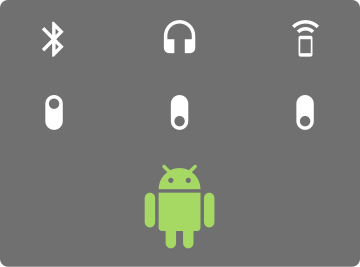
Features
- Manage audio focus for typical VoIP and Video conferencing use cases.
- Manage audio input and output devices.
- Detect changes in available audio devices
- Enumerate audio devices
- Select an audio device
Requirements
| Android Studio Version | Android API Version Min |
|---|---|
| 3.6+ | 16 |
Documentation
The KDoc for this library can be found here.
Getting Started
To get started using this library, follow the steps below.
Gradle Setup

Ensure that you have mavenCentral listed in your project's buildscript repositories section:
buildscript {
    repositories {
        mavenCentral()
        // ...
    }
}
Add this line as a new Gradle dependency:
implementation 'com.twilio:audioswitch:$version'
Pull requests merged to master result in a snapshot artifact being published to the Maven Central snapshots repository. You can
access these snapshots by adding the following to your gradle file repositories:
maven {
    url = uri("https://oss.sonatype.org/content/repositories/snapshots")
}
Add a -SNAPSHOT suffix to the Gradle dependency version:
implementation 'com.twilio:audioswitch:$version-SNAPSHOT'
AudioSwitch Setup
Instantiate an instance of the AudioSwitch class, passing a reference to the application context.
val audioSwitch = AudioSwitch(applicationContext)
Listen for Devices
To begin listening for live audio device changes, call the start function and pass a lambda that will receive AudioDevices when they become available.
audioSwitch.start { audioDevices, selectedDevice ->
    // TODO update UI with audio devices
}
You can also retrieve the available and selected audio devices manually at any time by calling the following properties:
val devices: List<AudioDevice> = audioSwitch.availableAudioDevices
val selectedDevice: AudioDevice? = audioSwitch.selectedAudioDevice
Note: Don't forget to stop listening for audio devices when no longer needed in order to prevent a memory leak.
audioSwitch.stop()
Select a Device
Before activating an AudioDevice, it needs to be selected first.
devices.find { it is AudioDevice.Speakerphone }?.let { audioSwitch.selectDevice(it) }
If no device is selected, then the library will automatically select a device based on the following priority: BluetoothHeadset -> WiredHeadset -> Earpiece -> Speakerphone.
Activate a Device
Activating a device acquires audio focus with voice communication usage and begins routing audio input/output to the selected device.
audioSwitch.activate()
Make sure to revert back to the prior audio state when it makes sense to do so in your app.
audioSwitch.deactivate()
Note: The stop() function will call deactivate() before closing AudioSwitch resources.
Bluetooth Support
Multiple connected bluetooth headsets are supported.
- Bluetooth support requires BLUETOOTH_CONNECT or BLUETOOTH permission. These permission have to be added to the application using AudioSwitch, they do not come with the library.
- The library will accurately display the up to date active bluetooth headset within the
AudioSwitchavailableAudioDevicesandselectedAudioDevicefunctions.- Other connected headsets are not stored by the library at this moment.
- In the event of a failure to connecting audio to a bluetooth headset, the library will revert the selected audio device (this is usually the Earpiece on a phone).
- Additionally BluetoothHeadsetConnectionListener can be provided to AudioSwitch constructor to monitor state changes and connection failures.
- If a user would like to switch between multiple Bluetooth headsets, then they need to switch the active bluetooth headset from the system Bluetooth settings.
- The newly activated headset will be propagated to the
AudioSwitchavailableAudioDevicesandselectedAudioDevicefunctions.
- The newly activated headset will be propagated to the
Java Compatibility
Audioswitch is compatible with apps written in Java that target Java 8, and follows the recommendations provided in the Kotlin for Java consumption guide. The project includes Java specific unit tests that demonstrate how to use Audioswitch from a Java based application. For reproducible Java compatibility bugs, please open an issue. For general usage questions, contact Twilio Support.
Logging
By default, AudioSwitch logging is disabled. Reference the following snippet to enable AudioSwitch logging:
val audioSwitch = AudioSwitch(context, loggingEnabled = true)

audioSwitch.start { _, _ -> }
Permissions
On Android 12 and greater, the application using this library is expected to request the BLUETOOTH_CONNECT permission. Not doing so will disable the use of bluetooth in the audioswitch library. Pre-Android 12, no user permission requests are needed. All other permissions needed are listed in the library's manifest and are automatically merged from the manifest file in this library.
Community Contributions and Support
This repository is publicly available and maintained by Twilio under a limited external contribution model.
Due to limited maintenance capacity, external pull requests are not currently accepted.
GitHub Issues may be used to report reproducible bugs or provide feature feedback about this library. Issues are reviewed on a best-effort basis, with no SLA or guaranteed response.
GitHub Issues are not an official Twilio support channel. For production issues, general usage questions, or account-specific assistance, please contact Twilio Support. If you have a Twilio account manager, you may also escalate through them.
Do not share Personally Identifiable Information (PII) or sensitive account information, including access tokens, API keys, and credentials, in issues, logs, or screenshots.
Report security vulnerabilities privately through Twilio's Vulnerability Disclosure Program, rather than public GitHub Issues.
See CONTRIBUTING.md for reporting guidance.
Usage Examples
License
Apache 2.0 license. See LICENSE.txt for details.
