AndroidCommon
English | 简体中文


A small collection of Android utility classes, written in Kotlin and callable from Java. Version 2.0.0 is a rewrite: classes that the Android framework, AndroidX or the Kotlin standard library already cover were removed, the rest were rewritten for current Android and covered with unit tests.
Contents
All sources live in common/src/main/kotlin/com/wx/android/common.
| Area | Classes |
|---|---|
| App and device | AppUtils, DeviceUtils, DisplayUtils, MemoryUtils, NetworkUtils, TelephonyUtils |
| System features | ClipboardUtils, InputMethodUtils, IntentUtils, NotificationUtils, ShortcutUtils, ToastUtils, VibratorUtils, WindowUtils |
| Images and views | BitmapUtils, BitmapFilters, AnimatorUtils, ClickUtils, ViewUtils, PictureView, CommonEditText, Colors |
| Data and text | CalendarUtils, DigestUtils, FileUtils, ResourceUtils, ThreadUtils, UrlUtils, VerifyUtils |
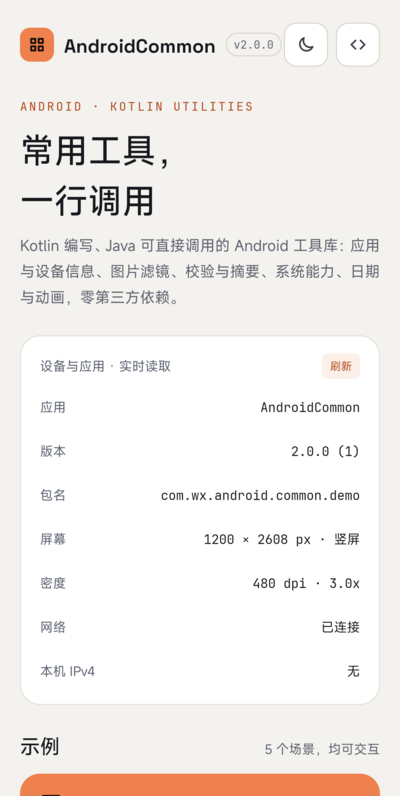
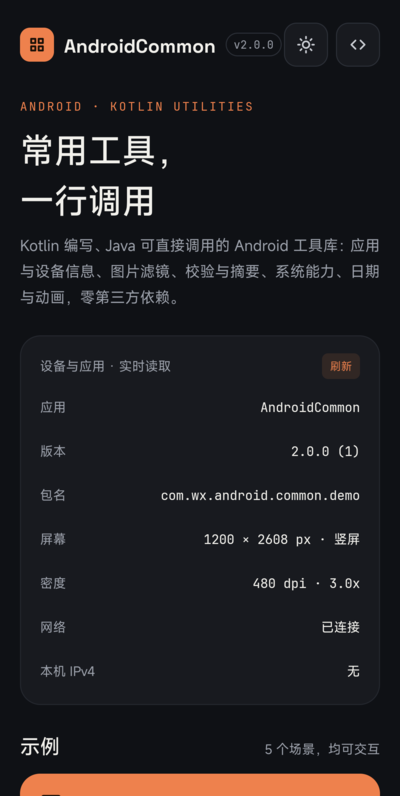
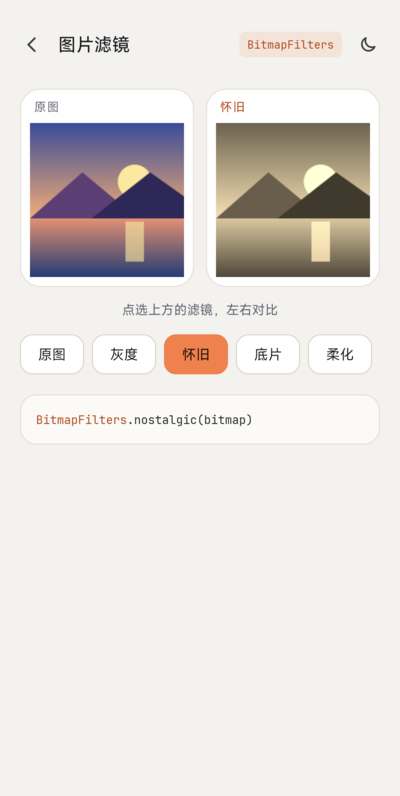
The sample app has a home page (device and app info) and five demo pages: bitmap filters, verification and digests, system features, views and animation, and a calendar.
ScreenShot
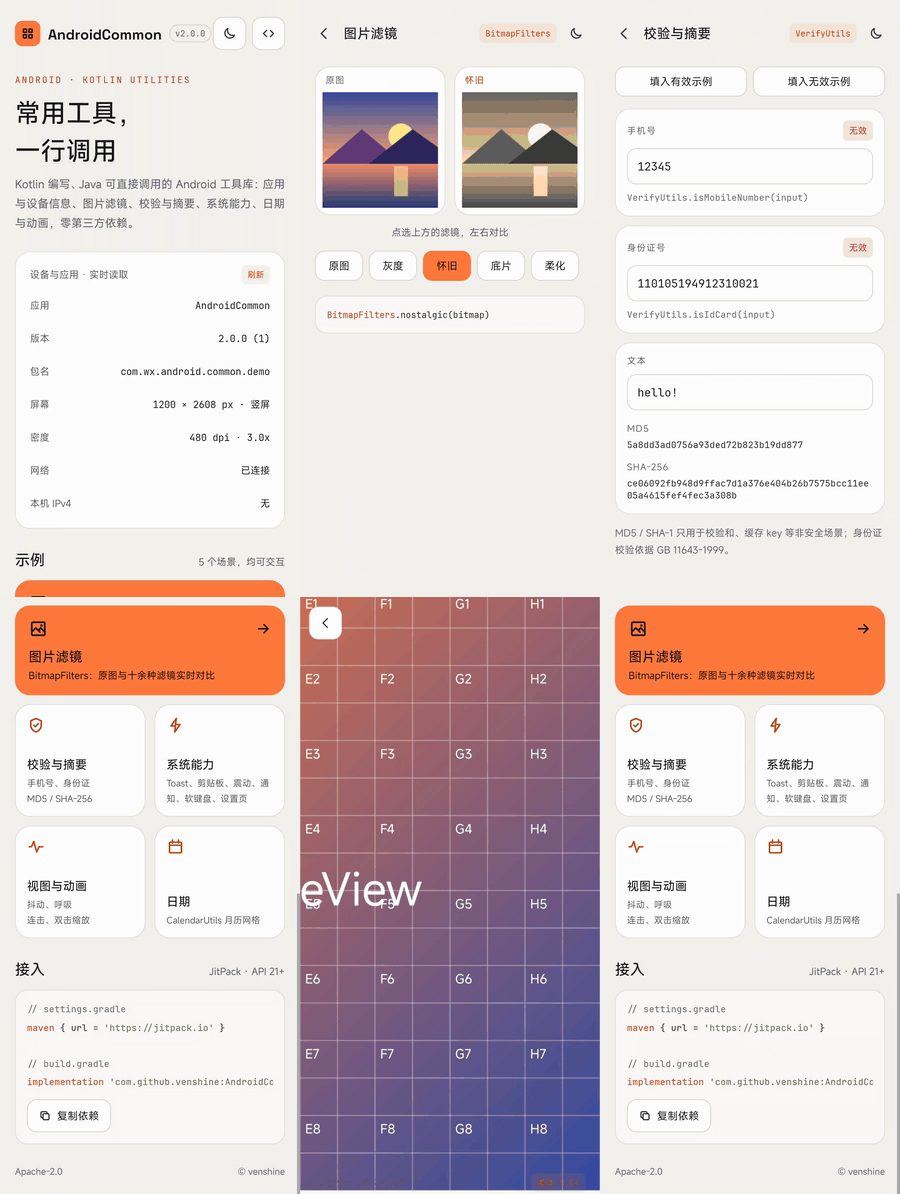
| Home | Dark mode | Bitmap filters | Verify & digests |
|---|---|---|---|
 |
 |
 |
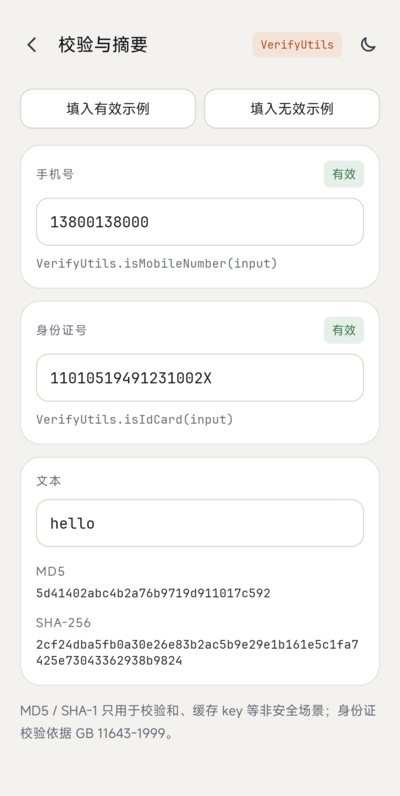 |
| System features | Views & animation | PictureView | Calendar |
|---|---|---|---|
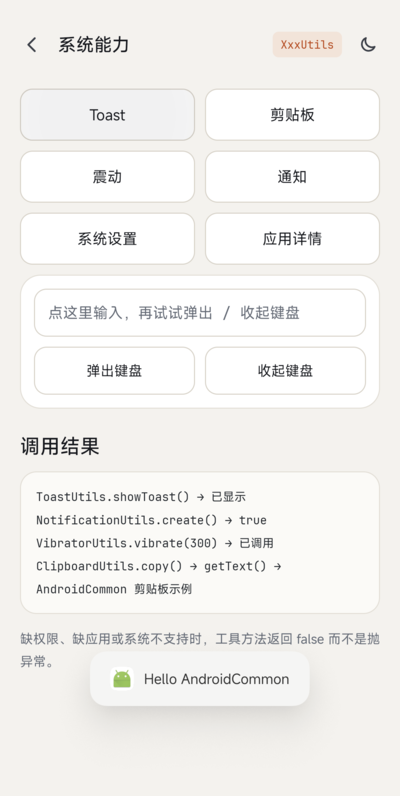 |
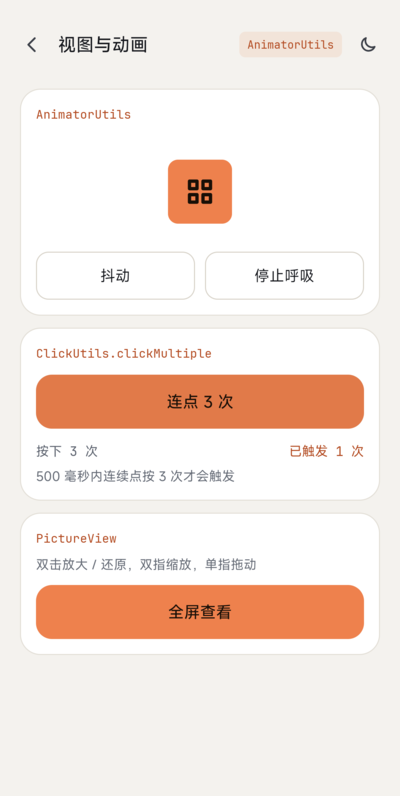 |
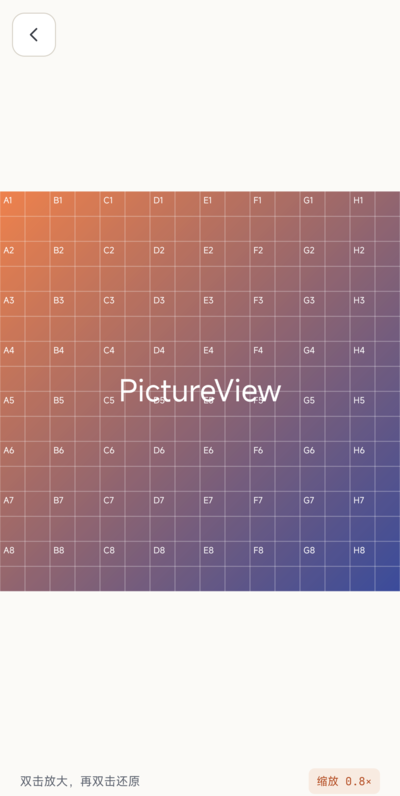 |
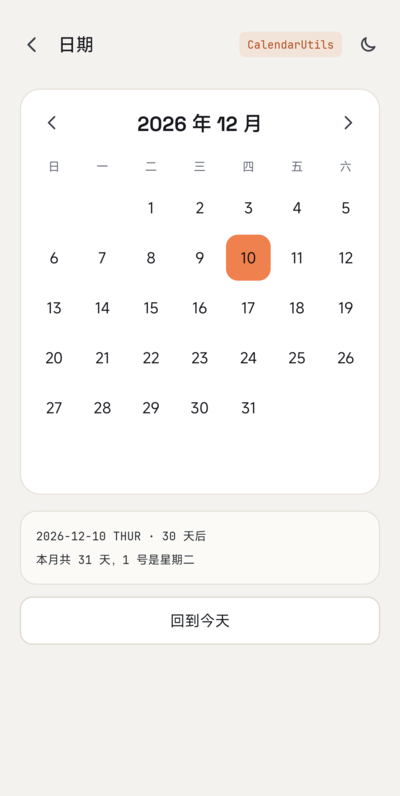 |
Usage
Gradle:
- Add the JitPack repository to
settings.gradle:
dependencyResolutionManagement {
    repositories {
        google()
        mavenCentral()
        maven { url = 'https://jitpack.io' }
    }
}
- Add the dependency to your module's
build.gradle:
implementation 'com.github.venshine:AndroidCommon:2.0.0'
Gradle Kotlin DSL:
// settings.gradle.kts
dependencyResolutionManagement {
    repositories {
        google()
        mavenCentral()
        maven("https://jitpack.io")
    }
}

// build.gradle.kts
implementation("com.github.venshine:AndroidCommon:2.0.0")
The old coordinate
com.wx.android.common:common:1.0.1can no longer be downloaded. The package namecom.wx.android.commonis unchanged. The library is written in Kotlin, so it addskotlin-stdlibto your project. It has no other runtime dependency (no AndroidX, no Gson).minSdkis 21.
Demo
Every utility is an object with @JvmStatic methods, so the call looks the same in Kotlin and Java.
Kotlin:
import com.wx.android.common.util.*

val md5 = DigestUtils.md5("hello")                     // 5d41402abc4b2a76b9719d911017c592
val ok = VerifyUtils.isIdCard("11010519491231002X")    // true
val size = FileUtils.formatSize(1536)                  // "1.50KB"
val dp = DisplayUtils.dip2px(context, 16f)
ClipboardUtils.copy(context, "text")
ThreadUtils.execute { /* work in the background */ }
Java:
import com.wx.android.common.util.DigestUtils;
import com.wx.android.common.util.VerifyUtils;

String md5 = DigestUtils.md5("hello");
boolean ok = VerifyUtils.isIdCard("11010519491231002X");
Permissions
The library manifest declares no permission. Declare the ones your app needs for the classes you call:
| Permission | Needed by |
|---|---|
ACCESS_NETWORK_STATE |
NetworkUtils.isNetworkAvailable, NetworkUtils.getDNS* |
VIBRATE |
VibratorUtils |
CALL_PHONE |
IntentUtils.call (without it the method returns false) |
SYSTEM_ALERT_WINDOW and the user's "display over other apps" grant |
WindowUtils.addView (without it the method returns false) |
WRITE_SETTINGS and the user's grant in system settings |
DeviceUtils.setScreenBrightness, setScreenBrightnessMode, setScreenDormantTime (without it they return false) |
POST_NOTIFICATIONS (runtime permission on newer Android versions) |
NotificationUtils.create (without it the method returns false) |
REQUEST_DELETE_PACKAGES |
AppUtils.uninstall on newer Android versions |
<queries> or QUERY_ALL_PACKAGES |
AppUtils methods that look at other apps: newer Android versions only show a limited set of installed apps |
Behavior you should know about
- Methods that can fail because of a missing app, permission or system support return
false/nullinstead of throwing. ToastUtilsneeds oneToastUtils.init(context)call, for example inApplication.onCreate. On newer Android versions text toasts ignore custom gravity and offsets.ClipboardUtils: newer Android versions restrict clipboard reads (background reads are refused, foreground reads may show a system notice), sogetTextcan returnnulleven when the clipboard has content.VerifyUtils.isMobileNumberonly checks the format^1[3-9]\d{9}$. It does not check whether the number segment is actually assigned.VerifyUtils.isIdCardvalidates an 18-digit Chinese resident ID number: digits, a real birth date that is not in the future, and the check code per GB 11643-1999. It does not check the region code and does not support 15-digit numbers.DigestUtils.md5andsha1are for checksums and cache keys only. They are broken for security purposes; usesha256or a password hashing function.BitmapFiltersworks pixel by pixel on the CPU. Run it off the main thread for large images.
Migrating from 1.x
2.0.0 is not source compatible with 1.x. Everything below was removed or changed.
Removed: use the replacement
| 1.x | 2.0.0 replacement |
|---|---|
ArrayUtils, CollectionUtils, MapUtils, ObjectUtils |
Kotlin standard library: isNullOrEmpty(), joinToString(), toList() / toSet() / toTypedArray(), entries.firstOrNull { ... }, == |
StringUtils.isEmpty / equals / isNumeric / toLowerCase / toUpperCase |
isNullOrEmpty(), ==, all(Char::isDigit), lowercase() / uppercase() |
StringUtils.encodeString / decodeString |
UrlUtils.encode / decode |
BASE64Utils |
android.util.Base64 |
MD5Utils.encodeMD5 / encodeMD52 |
DigestUtils.md5 (checksums only) |
SHA1Utils.SHA1 / toHexString |
DigestUtils.sha1, DigestUtils.toHex; prefer DigestUtils.sha256 |
ByteUtils, SerializableUtils |
Parcelable, kotlinx.serialization or JSON. Java object serialization on untrusted data is unsafe |
JsonUtils |
kotlinx.serialization, Moshi or Gson, added by your app (Gson is no longer a transitive dependency) |
AssetsUtils.getTextFromAssets / getTextFromAssets2 |
ResourceUtils.getTextFromAssets |
AssetsUtils.getFileFromAssets, AssetsUtils.parseJsonTo* |
context.assets.open(name) and your JSON library |
IOUtils.close |
Closeable.use { } |
PropertyUtils.getPropertyValue |
java.util.Properties().apply { load(stream) }.getProperty(key) |
NumberUtils.* |
String.format(Locale, ...), BigDecimal.setScale, DecimalFormat |
RandomUtils.* |
kotlin.random.Random, List.shuffled(), java.security.SecureRandom |
CommonUtils.generateId |
View.generateViewId() or an AtomicInteger |
LogUtils.d / e |
android.util.Log or Timber |
ReflectUtils.* |
Removed. Newer Android versions restrict reflection on hidden APIs, so the helper is not offered any more |
ShellUtils.* |
Removed. Use a dedicated root library if you need it |
SystemUtils.* |
Build.BRAND, Build.MODEL, Build.VERSION.SDK_INT, Build.SUPPORTED_ABIS, ... |
CpuUtils.* |
Runtime.getRuntime().availableProcessors(), Build.SUPPORTED_ABIS |
ServiceUtils.isServiceRunning / stopRunningService |
Removed. ActivityManager.getRunningServices only returns your own services since Android 8.0 |
SharedPreferencesUtils.* |
Jetpack DataStore, or SharedPreferences.edit { } (androidx.core) |
HandlerUtils.runOnUiThread / runOnUiThreadDelay / removeRunable |
ThreadUtils.runOnUiThread / runOnUiThreadDelayed / removeCallbacks |
FragmentUtils.* |
FragmentManager.commit { } (androidx.fragment) |
CameraUtils.openCamera, IntentUtils.takeCamera |
ActivityResultContracts.TakePicture (or IntentUtils.openCamera to just open the camera app) |
ImageUtils.openPicture, IntentUtils.choosePhoto |
ActivityResultContracts.PickVisualMedia / GetContent |
BlurUtils.fastBlur |
RenderEffect.createBlurEffect on Android 12+, or an image library |
ScrollListView, ScrollGridView, ViewUtils.get/setListViewHeight, get/setGridViewHeight |
RecyclerView inside NestedScrollView |
WebActivity |
Custom Tabs (androidx.browser) or your own WebView screen |
CommonCfg |
Removed (it was an empty class) |
TimeUtils.getCurrentTime / getCurrentTimeMillis and its %Y-style constants |
CalendarUtils.getTime(millis, pattern) with SimpleDateFormat patterns, System.currentTimeMillis() |
Removed because Android no longer allows it
| 1.x | Why |
|---|---|
TelephonyUtils.getIMEI / getIMSI / getSimSerialNumber / getLine1Number |
IMEI and serial number need the privileged READ_PRIVILEGED_PHONE_STATE permission since Android 10, which third-party apps cannot get (Android 10 privacy changes); getDeviceId has been deprecated since API 26 (TelephonyManager). Use an app-generated UUID if you need an installation id |
TelephonyUtils.getCallState / getDataActivity / getDataState / getNetworkType |
Need READ_PHONE_STATE and are restricted on newer Android versions; use TelephonyCallback in your app |
DeviceUtils.getUUID |
Built from IMEI and SIM serial (see above); generate and store your own UUID |
DeviceUtils.getAirplaneMode / setAirplaneMode / isAirplaneModeOpen |
Third-party apps cannot change the airplane mode setting on current Android versions |
DeviceUtils.getBluetoothState / setBluetooth / isBluetoothOpen |
BluetoothAdapter.enable() is deprecated since API 33 and always fails for apps targeting it (BluetoothAdapter) |
NetworkUtils.getWlanMacAddress / getEthernetMacAddress |
WifiInfo.getMacAddress() returns the constant 02:00:00:00:00:00 since Android 6.0 (Android 6.0 changes); Android 10 randomizes MAC addresses by default |
NetworkUtils.getWlanGateway / getWlanMask / getEthernetGateway / getEthernetMask |
Read system properties through getprop, which is not a supported interface; use ConnectivityManager.getLinkProperties |
AppUtils.isAppInBackground |
Used getRunningTasks, which is no longer available to third-party apps since API 21 (ActivityManager). Use ProcessLifecycleOwner (androidx.lifecycle) |
PackageUtils.install, PackageUtils.getAllApps |
Installing needs a FileProvider URI and REQUEST_INSTALL_PACKAGES, which the library cannot configure for you; listing other apps is limited by package visibility on newer Android versions |
Moved or changed
| 1.x | 2.0.0 |
|---|---|
PackageUtils.* |
Merged into AppUtils: isInstalled (was isInsatalled), isSystemApp (was isSystemApplication), startApp, checkPermission, uninstall, getInstalledPackages (was getInsatalledPackageInfos) |
AppUtils.getVersionCode, getAppVersionCode |
Return Long (the long version code), -1 for a missing package |
AppUtils.getAppSignature |
AppUtils.getAppSignatures (list of certificates) and getAppSignatureSha256 |
AppUtils.isApkDebugable |
AppUtils.isApkDebuggable(context, packageName) |
CleanUtils.* |
FileUtils.cleanInternalCache / cleanExternalCache / cleanFiles / cleanDatabases / cleanSharedPreferences / cleanCustomCache / cleanApplicationDatas. The old cleanDatabases / cleanSharedPreferences pointed to a wrong directory and did nothing |
FileUtils.getFolderSize |
Same name, no longer throws a checked exception |
FileUtils copy / move / delete / read / write / name helpers |
Kotlin File extensions (copyTo, readText, deleteRecursively, extension, ...). FileUtils.moveFile(src, dest) stays |
MemoryUtils.getFormatSize |
FileUtils.formatSize(Long) |
MemoryUtils.getTotalMemory / getAvailableMemory / getAllMemory |
getTotalMemory(context) / getAvailableMemory(context) return bytes as Long (they returned formatted strings) |
MemoryUtils.*ExternalMemorySize() |
Take a Context, measure the app-specific external directory, return -1 when unavailable. isExternalMemoryFull is removed |
ShortcutUtils.addShortCut / deleteShortCut / hasShortCut |
ShortcutUtils.requestPin(...), API 26+ only (returns false below). The INSTALL_SHORTCUT broadcast has had no effect since Android 8.0 (Android 8.0 changes) |
NotificationUtils.create(...) |
New signature create(context, id, title, content, smallIcon, pendingIntent?, ongoing, autoCancel, largeIcon, channelId); creates a notification channel automatically and returns false without POST_NOTIFICATIONS |
NotificationUtils.getPendingIntentFor* |
Parameters reordered (context, intent, flags, requestCode); FLAG_IMMUTABLE is added by default |
IntentUtils.* |
Same names (except the camera / photo ones above); all return Boolean, the missing-app and permission cases no longer throw |
InputMethodUtils.toggleSoftInput |
Removed (deprecated by the platform); use showSoftInput / hideSoftInput |
ToastUtils.showToast(String, ...) |
showToast(CharSequence, ...); showToastAlways and hideToast are removed (they relied on private Toast fields), cancel() replaces hideToast |
ThreadUtils.execute / submit / shutdown / getUIThreadId |
Same names. The pool queues tasks instead of silently dropping them when it is full |
VibratorUtils.* |
Same names; uses VibrationEffect / VibratorManager on newer systems |
WindowUtils.addView |
Returns false without the overlay permission; uses TYPE_APPLICATION_OVERLAY |
ResourceUtils |
Only getResourceByName, getTextFromAssets, getRawText remain. Use Context.getString, getColor, getDrawable, ... for the rest |
DeviceUtils setters |
Return false when WRITE_SETTINGS is not granted instead of throwing |
DisplayUtils.getStatusBarHeight2, getTitleBarHeight |
Removed; getStatusBarHeight reads the window insets and falls back to the system resource |
URLParse |
UrlUtils.parse(url), returns a ParsedUrl data class |
UrlUtils.encode / decode |
Same names, no checked exception; decode returns the input if it is malformed |
VerifyUtils.isChineseCard |
VerifyUtils.isIdCard (full check, see above). 15-digit numbers are no longer accepted |
VerifyUtils.isMobileNumber |
Pattern is now ^1[3-9]\d{9}$ (the old one rejected most current number segments) |
VerifyUtils.isEmail / isEmail2 / isUrl |
android.util.Patterns.EMAIL_ADDRESS / Patterns.WEB_URL |
VerifyUtils.isNumber / isLetter / isNumberAndLetter / isPostCode |
Removed (all(Char::isDigit), ...) |
CalendarUtils |
isToday / isYesterday now check both ends of the day (before, any later time counted as today); TIME_FORMAT ends with milliseconds (SSS) |
BitmapUtils filters (convertGreyImg, adjustTone, nostalgic, soften, sunshine, film, sharpen, emboss, saturation, lum, hue, lumAndHueAndSaturation) |
Moved to BitmapFilters. They now return ARGB_8888 bitmaps and keep alpha; film also inverts the border pixels, hue is a real hue rotation, lumAndHueAndSaturation applies all three adjustments, sharpen keeps flat areas unchanged |
BitmapUtils.convertToBlackWhite |
Same code as convertGreyImg; use BitmapFilters.convertGreyImg |
BitmapUtils.resToDrawable, bitmapToByte, byteToBitmap, bitmapToDrawable, drawableToByte, byteToDrawable |
Context.getDrawable, Bitmap.compress, BitmapFactory.decodeByteArray, BitmapDrawable |
BitmapUtils.screenshot, decodeBitmap(Bitmap, format, quality), compressBitmap(Bitmap, double), scale(Bitmap, double, double) |
Removed (screenshot used the deprecated drawing cache; compressBitmap(Bitmap, double) never changed anything; use zoom for an exact size) |
BitmapUtils.compressBitmap(Bitmap) |
compressBitmap(Bitmap, maxKb = 100), stops at quality 10 instead of crashing |
BitmapUtils.createWatermarkBitmap |
Watermark sits inside the bottom-right corner; optional padding |
AnimatorUtils.* |
Same names; every method returns the started ObjectAnimator |
ClickUtils.clickMultiple |
Same signature; the count is kept per view (the old one used static fields shared by all views) |
ClipboardUtils.getText |
Returns String? |
Colors |
object Colors with const val; the @ColorInt annotation is gone (no AndroidX dependency) |
ViewUtils.getTextViewHeight, findTextView |
Same names; findTextView no longer crashes on an empty ViewGroup |
PictureView, CommonEditText |
Same names and listeners; PictureView ignores non-bitmap drawables instead of crashing |
TelephonyUtils (rest), NetworkUtils.isNetworkAvailable / getLocalIPv4 / getLocalIPv6 / getDNS1 / getDNS2 |
Kept (getDNS1/2 now take a Context; return String?) |
Maintenance status
The project is maintained at a low pace: bug fixes and compatibility updates, no large new features. Issues and pull requests are welcome.
Local checks: ./gradlew :common:testDebugUnitTest :common:assembleRelease :sample:assembleDebug :sample:testDebugUnitTest. The tests run on Robolectric with a fixed SDK 35 and on the plain JVM. The sample app has been walked through page by page on a real device running Android 17.
Author
- Email: venshine.cn@gmail.com
Credits
The sample app bundles these fonts, both licensed under the SIL Open Font License 1.1 (license texts in sample/licenses/):
- Space Grotesk: Copyright 2020 The Space Grotesk Project Authors
- JetBrains Mono: Copyright 2020 The JetBrains Mono Project Authors
The library itself bundles no fonts.
License
Copyright (C) 2015 venshine.cn@gmail.com

Licensed under the Apache License, Version 2.0 (the "License");
you may not use this file except in compliance with the License.
You may obtain a copy of the License at

http://www.apache.org/licenses/LICENSE-2.0

Unless required by applicable law or agreed to in writing, software
distributed under the License is distributed on an "AS IS" BASIS,
WITHOUT WARRANTIES OR CONDITIONS OF ANY KIND, either express or implied.
See the License for the specific language governing permissions and
limitations under the License.
