noxen
Android runtime interception for security research. noxen uses Frida to hook Java
methods in a running Android process and map how app components communicate at
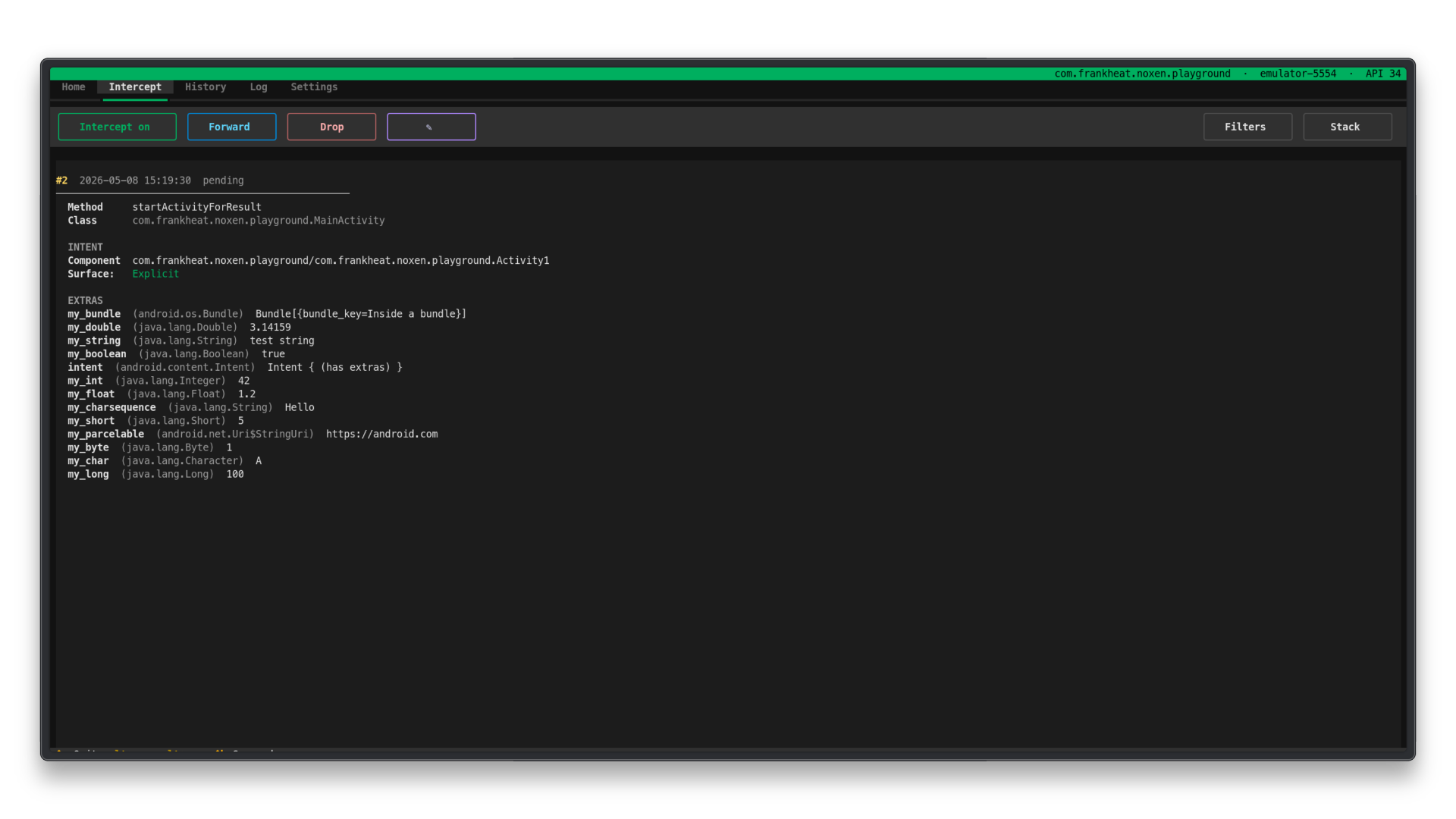
runtime. It captures attack-surface events such as android.content.Intent objects,
then lets you inspect, modify, forward, or drop them from a terminal UI.


- Helps map component communication and attack-surface behavior at runtime.
- Intercepts common Android runtime entry points such as
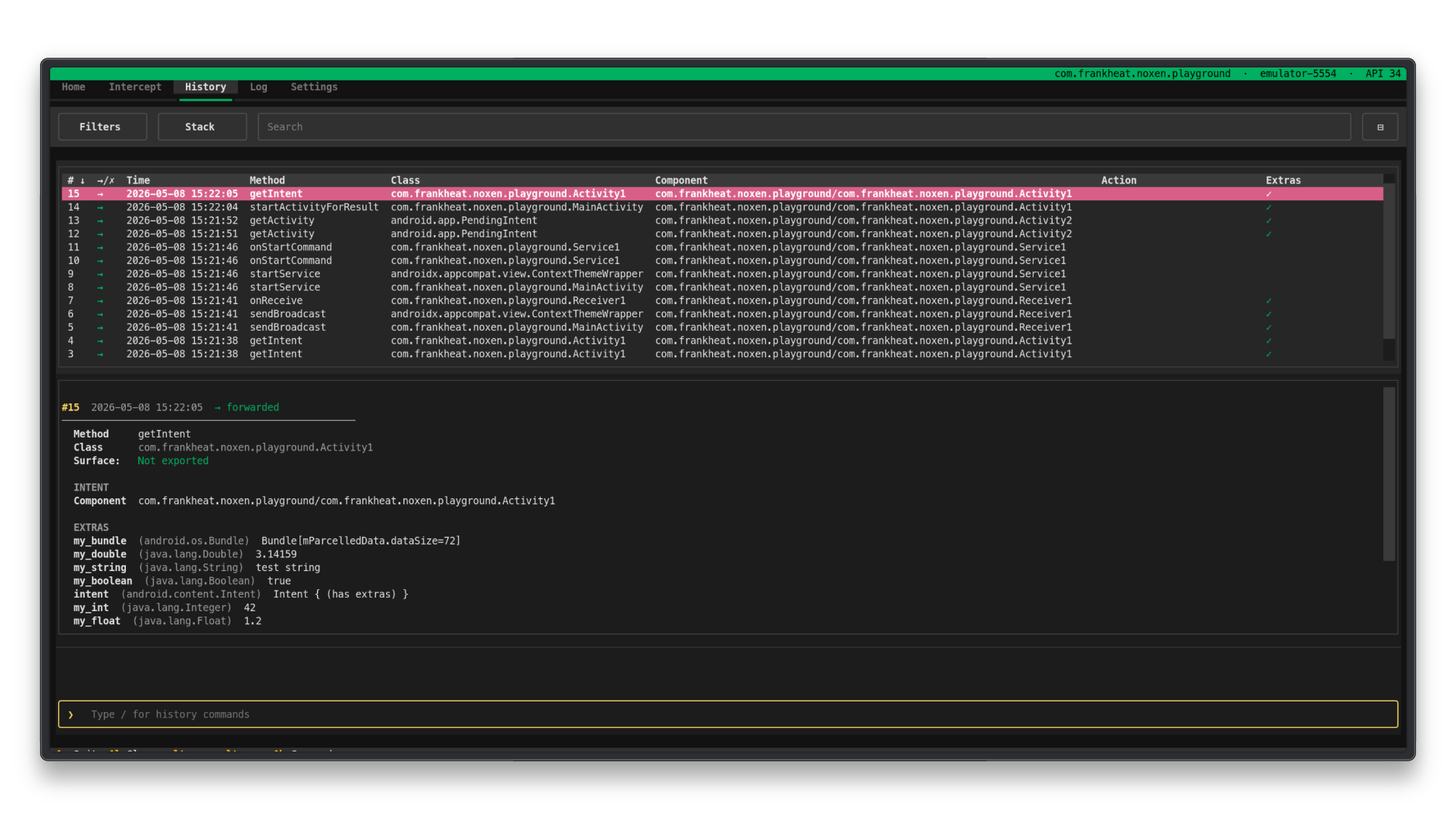
getIntent,startActivity,sendBroadcast,startService, andPendingIntentcreation paths. - Shows action, component, data URI, MIME type, selector, ClipData, flags, categories, structured extras, PendingIntent flags, and optional Java stack traces in a plain, section-based detail layout.
- Attaches each exposed component's
Exportedflag and required permission (with its protection level) to the component that matters: the hooked Class for receiving events or each explicitly named Component in the base Intent or selector for supported Activity, broadcast, and service events. It does not predict implicit targets or classify a selector as active or ignored. It also shows the captured broadcastreceiverPermissionargument separately. - Shows an Info app tab: a snapshot of the hooked app (identity, build flags, signing,
permissions, and a searchable roster of all components with their exported flag,
required permission, and access class classified as
open,weak, orprotected). - Lets you modify or clear the base Intent's component, and edit action, data, MIME type, categories, flags, and supported extras before forwarding. Selector and ClipData remain read-only.
- Lets you drop intercepted intents.
- Stores captured history, outcomes, filters, columns, and modified intent snapshots
in
.noxenproject files. - Provides independent Intercept and History filters.
- Provides an optional Home-tab
Input ANR bypass (experimental)for rooted test devices, focused on input-dispatch ANRs while noxen intentionally holds a target thread. - Uses a structured Log tab with aligned source/level columns and optional
Verbose logsfor detailed hook and bypass diagnostics. - Optionally analyzes APKs with androguard to generate additional receiver and service hooks; custom hooks complement rather than replace the bundled defaults.
Quick Start
Windows: Windows Terminal is required. The classic console host (cmd.exe, old PowerShell window) does not support true color or the Unicode characters used by the TUI.
Clone the repository:
git clone https://github.com/frankheat/noxen.git
cd noxen
Install the Frida Python package that matches the frida-server version you run on
the Android device. For example:
pip install frida==17.7.3
Then install noxen:
pip install .
Launch noxen:
noxen
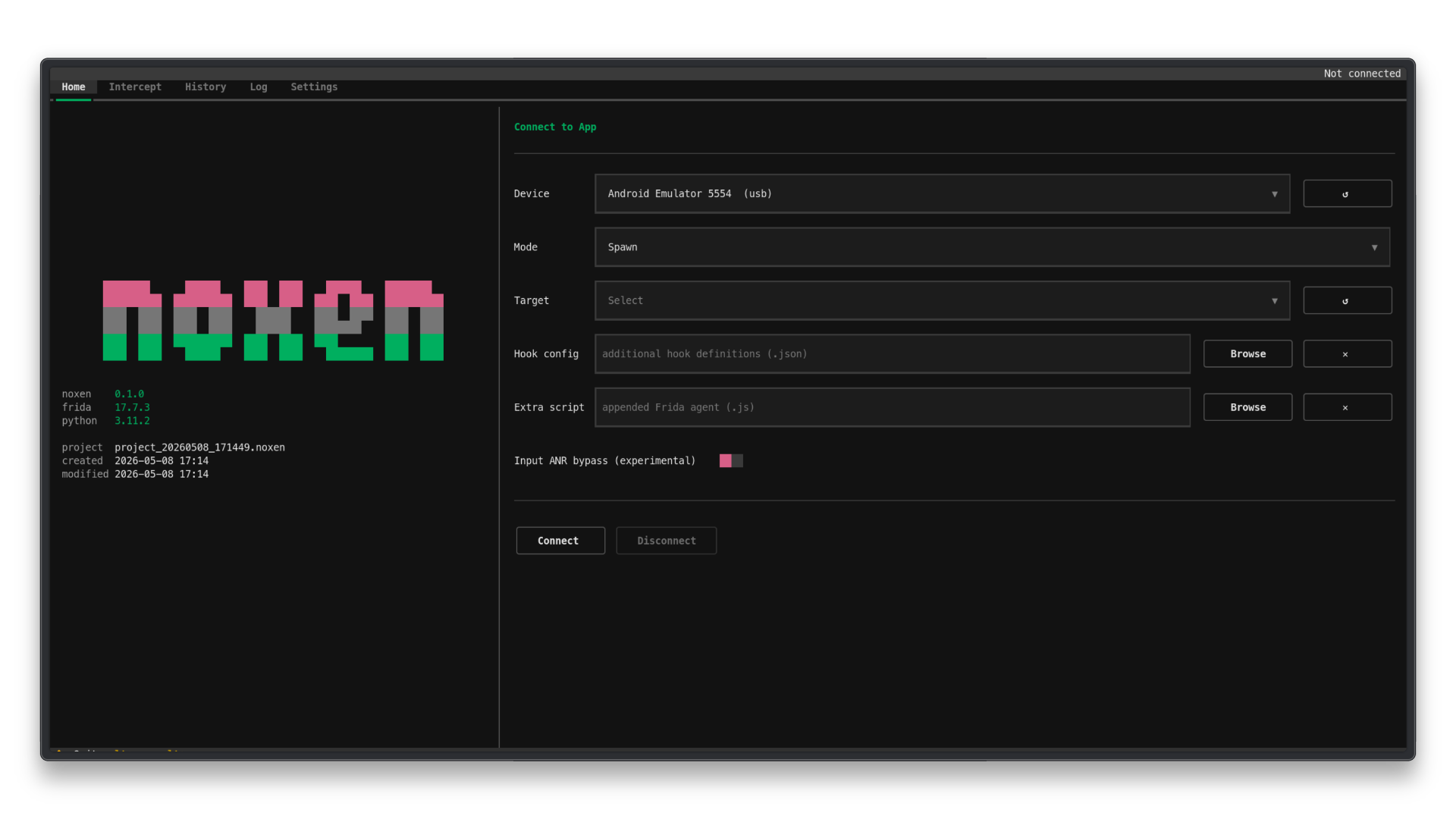
Select the device, mode, and target app from the Home tab. Use noxen --project session.noxen
to open an existing project or noxen --new-project session to create one.
Without either option, noxen creates a persistent timestamped .noxen project in
the current working directory.
If you also want the noxen-analyze command for generating app-specific hook
definitions from an APK, install the optional analysis extra:
pip install ".[analyze]"
noxen-analyze app.apk -o hooks.json
Use an editable install only when developing noxen itself:
pip install -e .
Regular installs include the default hook configuration and the packaged Frida JavaScript runtime bundles, so noxen does not need to be launched from the source checkout after installation.
See the full documentation at https://frankheat.github.io/noxen-docs/ for all options, commands, filters, and project management.
Interface Preview
Playground App
The companion Android target app lives in the noxen-playground repository.
It is named noxen playground on device and uses the package
dev.noxen.playground.
Use it to validate common runtime flows while developing noxen:
cd ../noxen-playground
./gradlew assembleDebug
Open noxen-playground/ directly in Android Studio rather than the workspace parent
directory.
Development
The Python package uses a src layout: importable code lives in src/noxen/. This
keeps the repository root separate from the installed package and avoids shell
ambiguity between the noxen command and a local package directory.
After changing Python code, run the unit tests. When validating Frida compatibility, repeat the same checks with the Frida environments you support.
UI tests use a fresh temporary settings file for each test. They exercise real settings loading and saving without reading or changing your personal noxen preferences. The temporary settings and path override are cleaned up even when a test fails; platform-specific config-path tests remain separate.
For example, this repository is commonly tested with local Frida 16 and Frida 17 virtual environments:
../frida-16.6.6/bin/python -m compileall -q src/noxen
PYTHONPATH=src ../frida-16.6.6/bin/python -m unittest discover -s tests
../frida-17.7.3/bin/python -m compileall -q src/noxen
PYTHONPATH=src ../frida-17.7.3/bin/python -m unittest discover -s tests
After changing agent/script.js or agent/system_server.js, rebuild the committed
Frida bundles and packaged runtime copies:
npm install
npm run build
Commit the changed source script, its matching *_bundle.js file, and the synced
src/noxen/runtime/ copy. Do not commit node_modules/.
License
noxen is released under the GNU General Public License v3.0.
