wardrobe
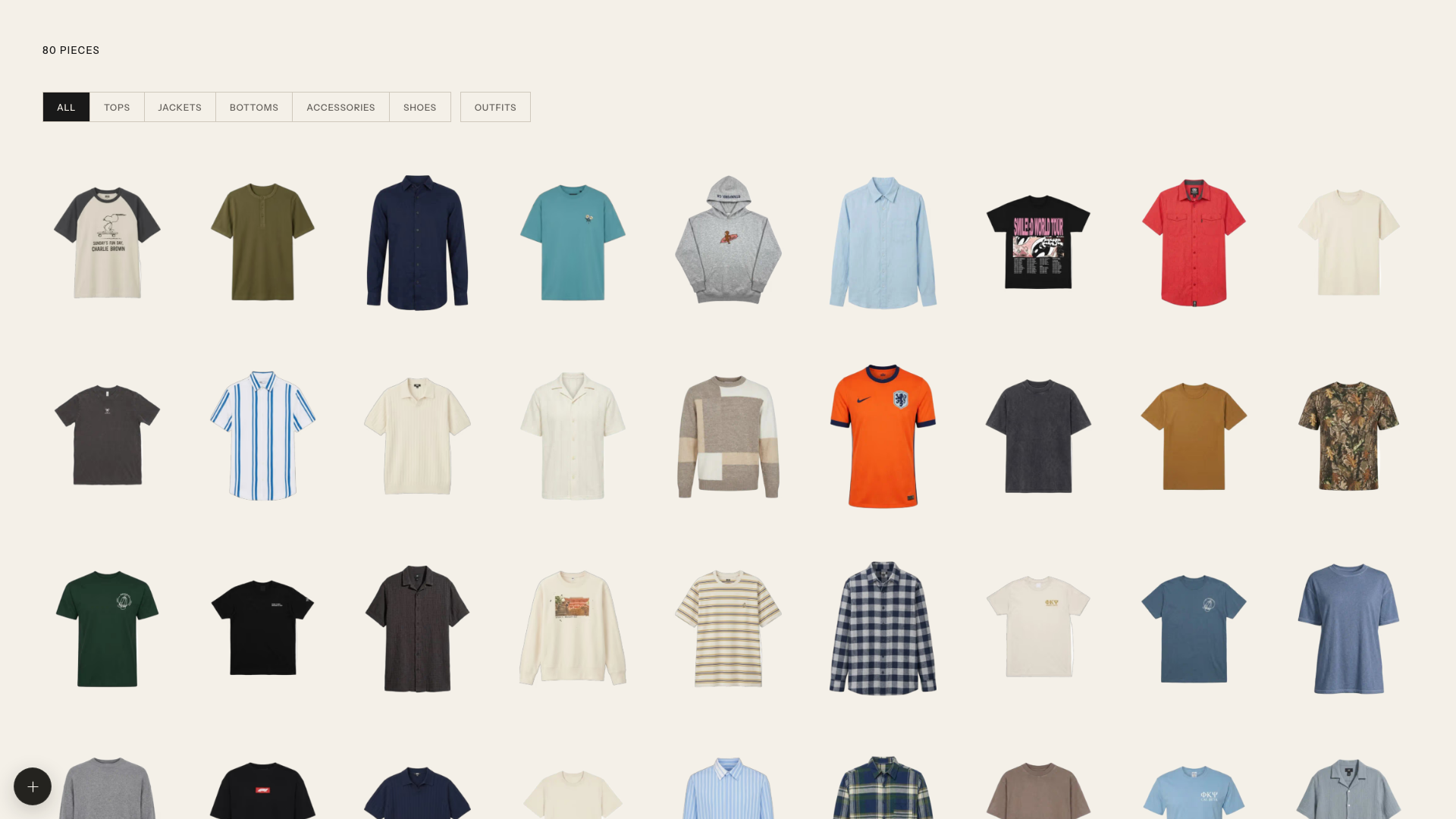
Introduction: Your clothes, extracted and organized with gpt-image.
Tags:


Quick start
git clone https://github.com/tandpfun/wardrobe.git
cd wardrobe
npm install
cp .env.example .env
npm run dev
⚠️ The importer stays disabled until you add OPENAI_API_KEY to .env and place a PNG reference photo of yourself at data/model-reference.png.
Open localhost:5173.
Import with Codex
This repo includes two Codex skills: one imports clothes and generates modeled item photos; the other styles complete outfits and generates a modeled lookbook.
$import-clothes Import the clothes from ~/Pictures/outfits, create modeled photos, and add them to this wardrobe.
$generate-outfits Create modeled outfit ideas from my wardrobe.
Open the cloned repo in Codex and run either prompt. The import skill asks for a local model-reference PNG when needed, reviews every cutout and modeled photo, then writes to data/library.json and data/imported/. The outfit skill asks how many looks to create, then curates, generates, verifies, and saves the complete collection under data/.
For agents
If you are setting up Wardrobe for a user, ask how they want to import their clothes:
- Codex: Ask for a folder or camera-roll location and a model-reference PNG, then extract, model, and import the individual pieces by following the bundled import skill. Afterward, offer to create a requested number of modeled looks with the outfit-generation skill.
- Web UI: Help the user configure their own
OPENAI_API_KEYanddata/model-reference.png, then let them import through the app.
What it does
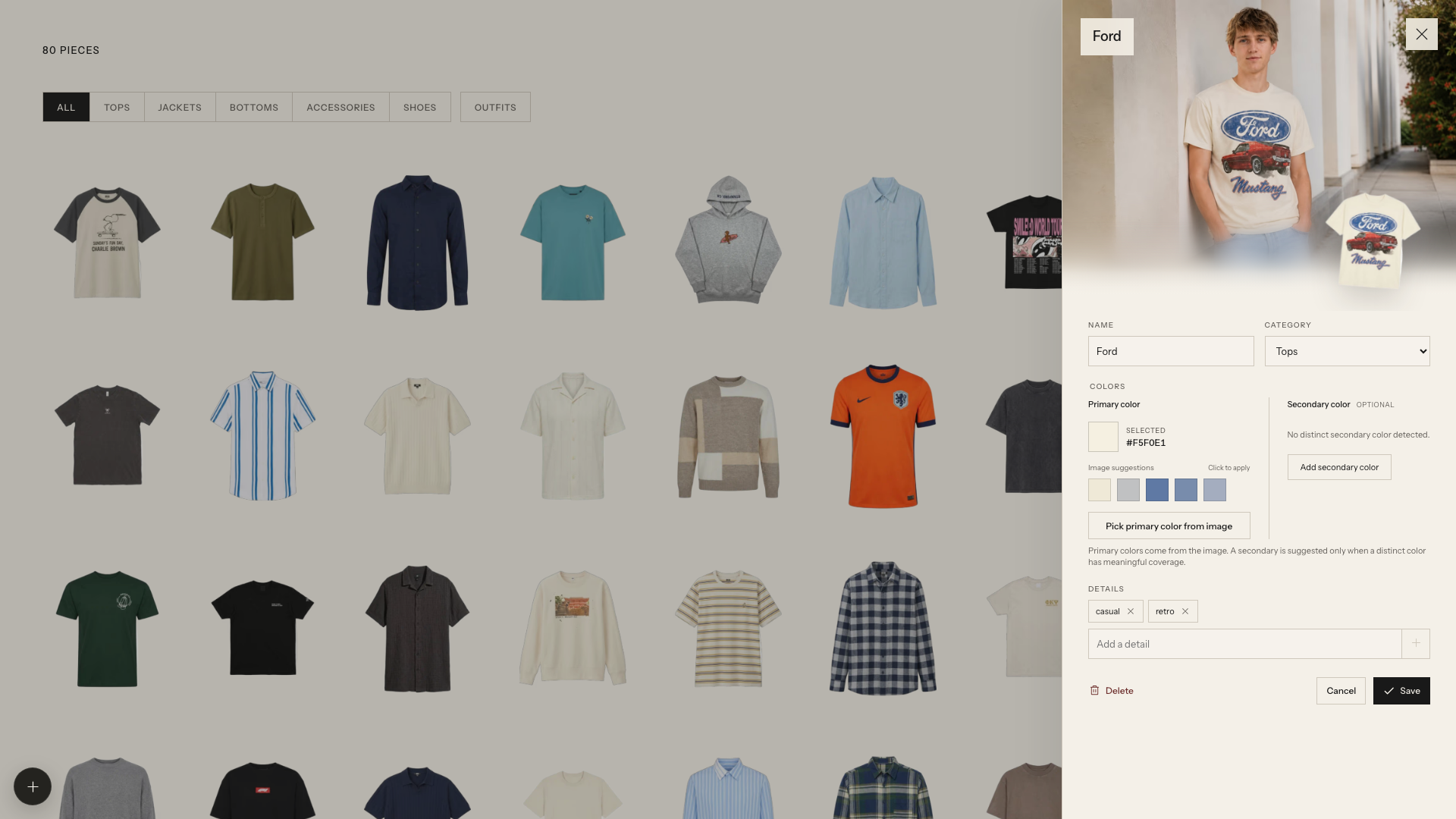
- Detects every garment in a photo with the OpenAI Responses API
- Extracts clean product cutouts with the OpenAI Images API
- Generates an optional modeled editorial preview
- Keeps originals, jobs, generated images, and the JSON database local in
data/ - Supports drag, drop, paste, editing, review, regeneration, and approval
Configuration
| Variable | Default |
|---|---|
OPENAI_API_KEY |
Required |
OPENAI_VISION_MODEL |
gpt-5.4-mini |
OPENAI_IMAGE_MODEL |
gpt-image-2 |
OPENAI_IMAGE_QUALITY |
high |
WARDROBE_MODEL_REFERENCE |
data/model-reference.png |
WARDROBE_DATA_DIR |
data |
