gajae-code
G A J A E - C O D E
Encode intention. Decode software.
The coding agent that runs on the plan you already pay for — and answers to your phone.



🖥️ Explore Gajae-Code App → Desktop & self-hosted web GUI
Experimental, community-built third-party project — not an official first-party Gajae-Code app.
Quick Start · Why · Coding Plans · Phone · Workflow · Token Diet · Controllers · Agent Shells · Docs
Connect a supported subscription or API key, choose a planning workflow when needed, execute with evidence — and answer the agent's questions from your terminal, your phone, or your own bot.
Gajae-Code (gjc) is an external coding-agent harness: drop it into any repository or worktree. Supported subscription routes use your provider's plan; API-key routes follow that provider's billing and usage limits.
Gajae-Code is an experimental, beta-stage project. Expect rough edges and verify outputs before relying on it for important work.
Most coding agents fail on three fronts: they bill you twice, they mutate before they understand, and they go silent the moment you step away from the keyboard.
| Problem | What Happens | Gajae-Code Fix |
|---|---|---|
| Separate API billing | You pay for a plan and per-token API costs | /login with the coding plan you already pay for — Claude, Codex, Cursor, Copilot, OpenCode Go, GOAT, ClinePass, and more |
| Code-first agents | The agent edits before it understands; you rework | Opt-in plan-gated workflow: interview → plan → critique → then authorized execution |
| Terminal-bound sessions | Agent asks a question at 2 AM; work stalls until morning | Questions route to Telegram/Discord/Slack; you answer from anywhere |
| Context bloat | Whole-file reads and log floods burn the window | Structural summaries, artifact spill, cache-aware routing, compaction |
Quick Start
Install — prebuilt binaries for Linux (x64/arm64, glibc only), macOS (arm64/x64), and Windows (x64). Bun is not required:
curl -fsSL https://raw.githubusercontent.com/Yeachan-Heo/gajae-code/v0.15.3/scripts/install.sh -o gjc-install.sh
sh gjc-install.sh
gjc
Piping main executes mutable content; use it only if you explicitly want the latest installer:
curl -fsSL https://raw.githubusercontent.com/Yeachan-Heo/gajae-code/main/scripts/install.sh | sh
Windows (PowerShell), tagged:
Invoke-WebRequest -UseBasicParsing https://raw.githubusercontent.com/Yeachan-Heo/gajae-code/v0.15.3/scripts/install.ps1 -OutFile gjc-install.ps1
powershell -File gjc-install.ps1
First use — inside an interactive gjc session:
/login                       pick a provider / coding plan
/skill:deep-interview        clarify ambiguous requirements
/skill:ralplan               build and critique the plan
After approving the plan, ask the active GJC session to run this through its Bash tool, which supplies GJC_SESSION_ID, to create durable goals. With goal mode enabled, the session can activate inline goal mode and begin work in the same turn, before another user action; run this only when ready for execution. The command does not start the durable scheduler. A standalone shell without that session context fails:
gjc ultragoal create-goals --brief-file <approved-plan>
Run modes:
gjc                                # run in the current checkout
gjc --tmux                         # tmux-backed leader session
gjc --tmux --worktree my-task      # isolated worktree for risky work
gjc @screenshot.png "What should I change?"   # image input
Nightly channel: sh gjc-install.sh --channel nightly (use the tagged installer downloaded above). Full install matrix, Windows setup, update channels, and shell completion: docs/install.md. Bun is only needed to build from source.
Bring your coding plan
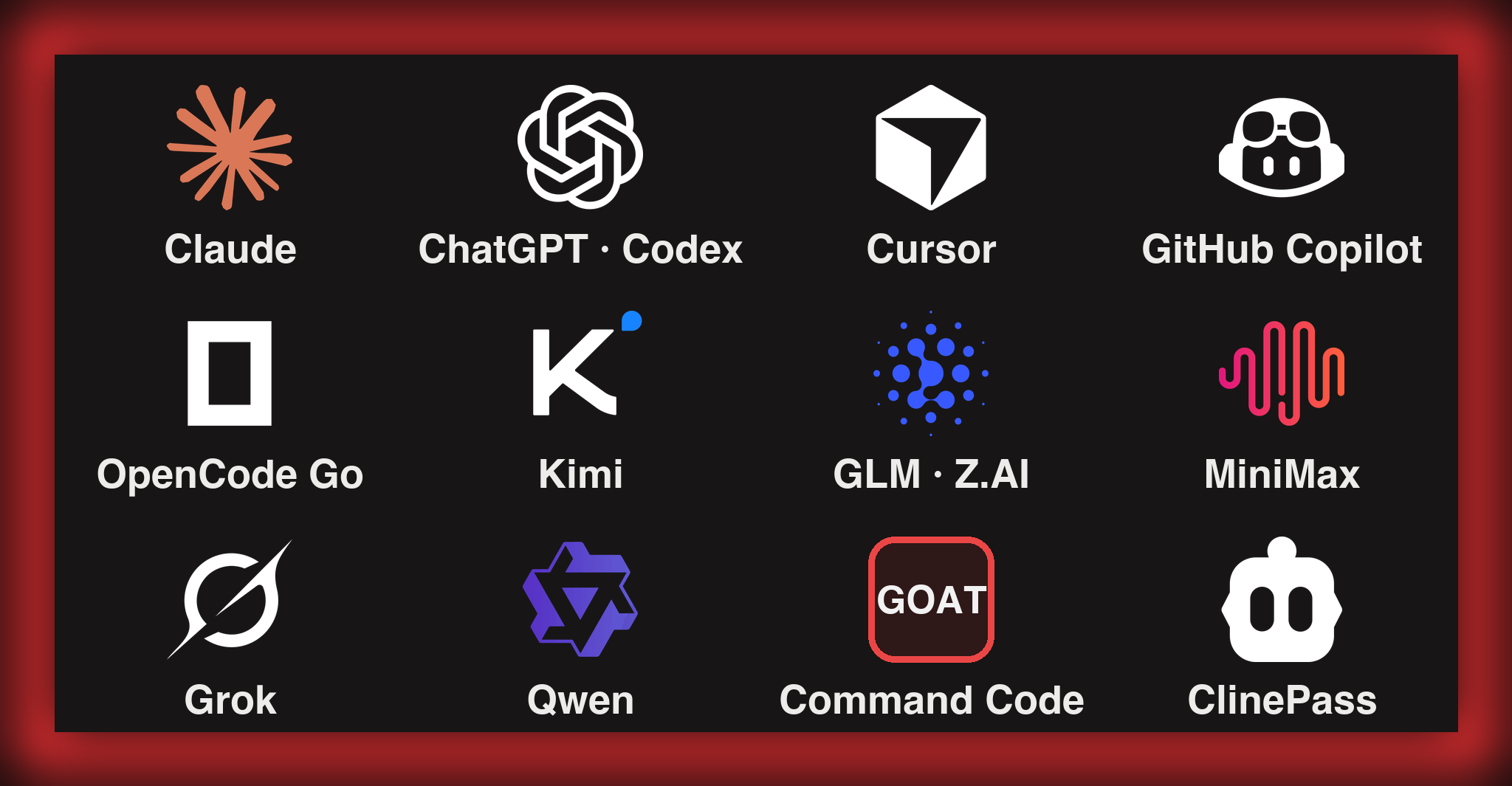
Log in once and run GJC on the subscription you already pay for. Run /login inside a session and pick your plan:
| Plan / subscription | /login provider ID |
|---|---|
| Claude Pro / Max | anthropic |
| ChatGPT Plus / Pro (Codex) | openai-codex (browser) · openai-codex-device (headless) |
| Cursor | cursor |
| GitHub Copilot | github-copilot |
| OpenCode Zen / OpenCode Go | opencode-zen · opencode-go |
| Kimi Code / Coding Plan / Moonshot | kimi-code · moonshot |
| Z.AI GLM Coding Plan | zai |
| MiniMax Coding Plan (Intl / CN) | minimax-code · minimax-code-cn |
| xAI (Grok) | xai |
| Alibaba Token Plan / Qwen Portal | alibaba-token-plan · qwen-portal |
/login supports both OAuth and key-based onboarding; for example, Z.AI and MiniMax Coding Plan require a plan API key, not an OAuth browser login. More login options — Google Gemini CLI, GitLab Duo, Perplexity Pro/Max, Fire Pass, Xiaomi Token Plan — are covered in docs/models.md. Availability, entitlement, and usage limits depend on the provider.
New: coding-plan presets
Key-based coding plans onboard with one command — the preset writes the API type, base URL, env-var reference, compatibility flags, and model configuration. The two discovery-backed presets below resolve a live model catalog at runtime; setup itself does not validate credentials:
gjc setup provider --preset commandcode-goat   # Command Code GOAT plan (CMD_API_KEY)
gjc setup provider --preset cline-pass         # ClinePass (CLINE_API_KEY)
- Command Code GOAT — discovers the provider's live
/provider/v1/modelscatalog. Claude model IDs use the Anthropic Messages transport; other models use OpenAI-compatible Chat Completions./loginverifies the key with a small inference probe before persisting it; this can consume provider quota and is separate from preset setup. Aliases:commandcode,goat. - ClinePass — no hardcoded models; GJC fetches Cline's live catalog the same way Cline generates its own. Aliases:
clinepass,cline. - Also available as presets:
minimax,minimax-cn,glm,alibaba-token-plan— or/provider add --preset <name>inside the TUI.
Beyond coding plans: 50+ providers, gateways, local runtimes
API-key providers, local runtimes (Ollama, LM Studio, vLLM), and gateways (Cloudflare AI Gateway, Vercel AI Gateway, LiteLLM, and more) all work. Register your own endpoints in models.yml, pool multiple accounts per provider with usage-aware routing, mix vendors per agent role with model presets and profiles, or centralize team credentials with the auth broker/gateway.
Answer from your phone
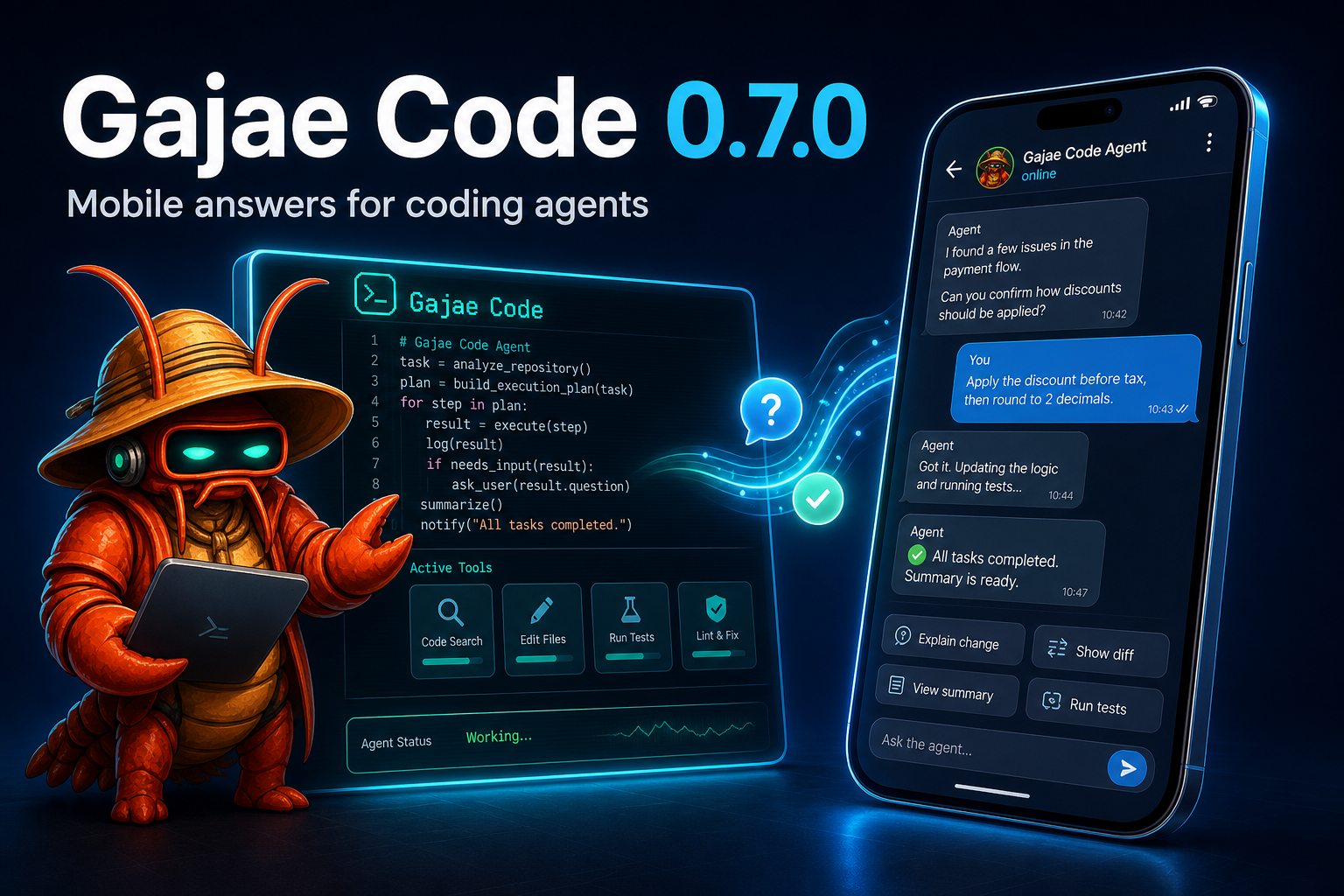
After you configure notifications (off by default), the agent can ping you on Telegram when it needs a decision — and you answer from anywhere:
- Coordinator/lifecycle session forum topics with live/finalized output, context updates, image attachments, inline buttons, free-text replies, and typing indicators.
- Configure once from
/settings→ Notifications in a running session, or headless viagjc notify setup|status|health|test|recovery. Tokens are masked on entry and never displayed again. gjc daemonlets sessions sharing a local agent directory and bot/chat configuration reuse a long-poll owner. Other GJC profiles, hosts, or applications polling the same token can still cause Telegram 409 conflicts.- Discord and Slack delivery ship alongside; the generic
action_needed/replyprotocol lets any bot or mobile app route answers back without terminal scraping.
Telegram onboarding · Discord · Slack
Plan before mutation
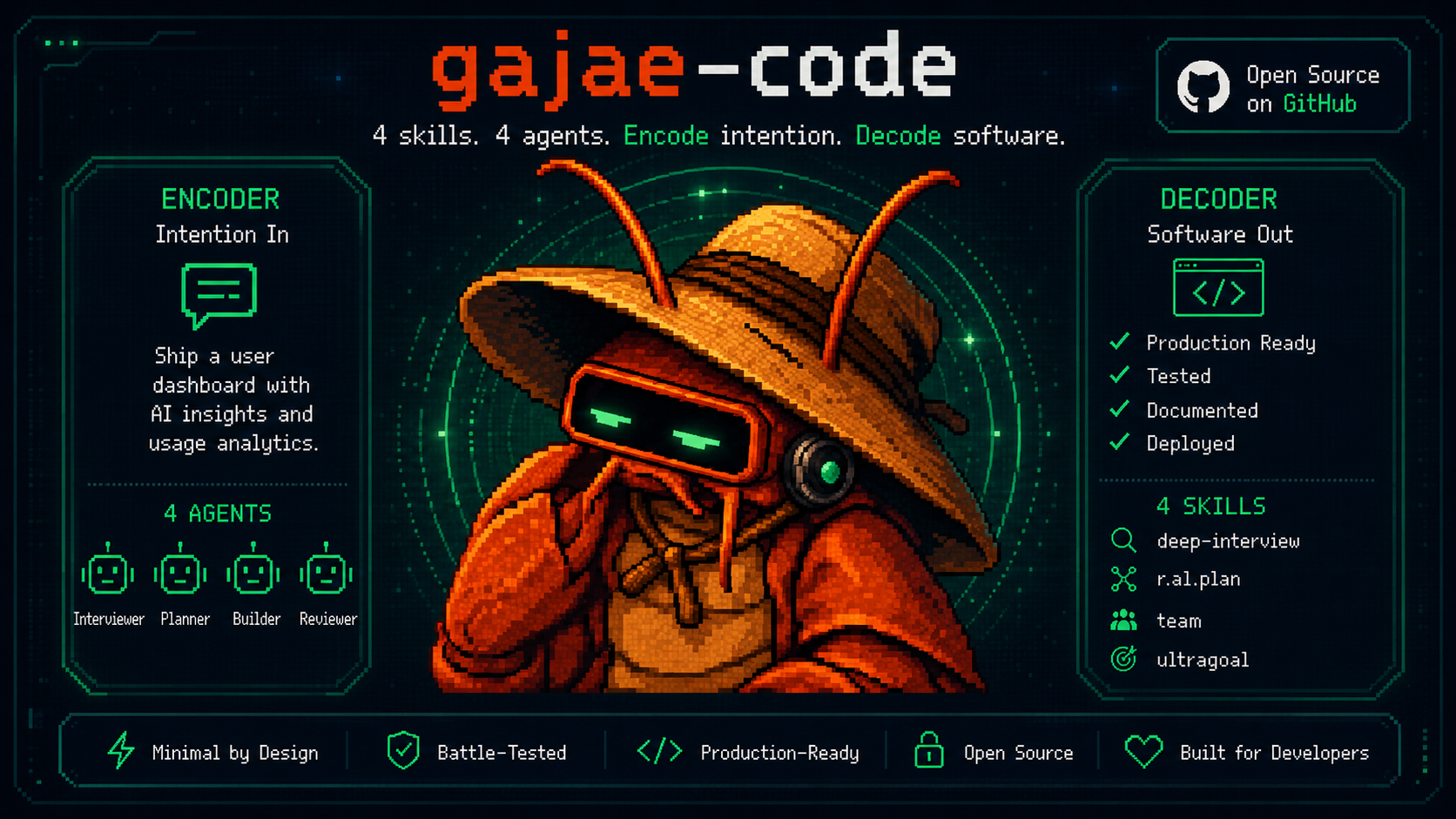
A deliberately small workflow surface — four skills, four role agents, nothing else:
deep-interview -> ralplan -> ultragoal
               └─ optional autoresearch mission when research must ground the plan
These workflows are explicitly invoked, not an automatic prerequisite for every request. Clear, low-risk changes can use direct execution. Planning workflows do not authorize implementation by themselves: execution requires explicit approval or an admitted ralplan runtime handoff.
| Surface | What it does |
|---|---|
deep-interview |
Turns vague requests into concrete requirements. |
ralplan |
Builds and critiques the implementation plan before code changes. |
ultragoal |
Tracks goals through execution, revision, verification, and evidence. |
autoresearch |
Runs goal-directed research missions and ends on a structured verdict. |
executor / architect / planner / critic |
Bundled role agents for implementation and read-only review lanes. |
Also available: the experimental computer tool for Apple Silicon macOS desktop control (not a fifth bundled workflow skill). It is callable by default on supported hosts, subject to supervisor and macOS permissions; set computer.enabled=false to disable it. See Python REPL and docs/tools/computer.md.
Custom skills
GJC uses the Claude Code / Codex SKILL.md file convention, but loads runtime skills directly only from canonical GJC locations — no configuration required:
# project-local, per repository:
mkdir -p .gjc/skills && cp -r my-skill .gjc/skills/

# user-wide, available in every project:
mkdir -p ~/.gjc/agent/skills && cp -r my-skill ~/.gjc/agent/skills/
Claude Code and Codex skill directories are import sources only. gjc skills discover reports them with the exact copy command; copy a skill into a canonical .gjc location before invoking it with /skill:my-skill. Scope trust is explicit via skills.trustProjectSkills / skills.trustUserSkills (both default on), with skills.enabled as the master switch. The four bundled workflow skills above can never be replaced by disk skills. See docs/skills.md for locations, precedence, and diagnostics.
Theme defaults
The default dark TUI identity is the GJC red-claw theme; light-appearance terminals default to the bundled blue-crab theme. Explicit theme settings still take precedence.
Spend fewer tokens
GJC optimizes both sides of the token bill:
- Cache hits — per-provider
cacheRetentioncontrol; Anthropic defaults to long (1h) cache retention because short caches are fragile for long agent runs; provider ranking prefers cheapcacheReadpaths; opt-in session-affinity headers let OpenAI-compatible relays reuse server-side prompt caches. - Context savings — supported code reads return structural summaries by default; oversized shell output can be minimized and spilled to
artifact://references. Retrieve omitted output only when an artifact reference is actually returned. Compaction and branch summaries reduce context size but are lossy, not a guarantee that every detail is retained.
Cache retention & provider compat · Compaction & branch summaries
The default dark TUI identity is the GJC red-claw theme; light-appearance terminals default to the bundled blue-crab theme. See docs/theme.md for the full catalog and theme.dark / theme.light settings.
Let OpenClaw / Hermes / Grokbot / your own bot drive GJC
Any external controller — OpenClaw, Hermes, Grokbot, a Discord bot, a cron script — drives real GJC
sessions through the broker-bound SDK session CLI and the bundled
sdk-skills/ procedures
(gjc-sdk-discover · gjc-sdk-operate · gjc-sdk-author). Durable
turns and credential-free JSON, never terminal scraping.
Don't read a guide — paste this prompt into your controller and let it wire itself up:
Copy-paste controller setup prompt
Use Gajae-Code (gjc) as your coding-agent backend on this machine. gjc is already installed.
Your interface is the broker-bound SDK session CLI. Never scrape terminal output, never read
endpoint records or credentials under .gjc/state/sdk, never open a raw session WebSocket.

1. Load the shipped procedures before acting. Read these skill files from the gjc checkout or
   from https://github.com/Yeachan-Heo/gajae-code/tree/main/sdk-skills (bundle root
   `sdk-skills/`, manifest.json formatVersion 1 — if it is missing, malformed, or a different
   version, stop and report instead of guessing):
     sdk-skills/gjc-sdk-discover/SKILL.md   -- find and inspect sessions
     sdk-skills/gjc-sdk-operate/SKILL.md    -- the allowlisted control/lifecycle operations
     sdk-skills/gjc-sdk-author/SKILL.md     -- TypeScript/Python templates for scripted flows
   Follow their allowlists exactly. Pass every value as an argv item, never as a shell string.
   Add --json to machine CLI calls so ordinary errors use the structured stdout envelope;
   preserve outcome certainty and references. Missing success JSON is not proof of non-execution.

2. Prove the surface works (read-only). Run from inside the target repository:
     gjc --version
     gjc sdk session list --json
   `list` returns a credential-free JSON DTO of indexed sessions. Fail closed on missing,
   unavailable, stale, dead, unknown, or ambiguous rows. Exit 2 = usage error, exit 1 =
   operational failure (broker unavailable, session unavailable, retention gap, wait timeout).

3. Understand a session before touching it:
     gjc sdk session inspect <sessionId> --json
     gjc sdk session raw query <sessionId> --query session.metadata --json
     ... then context.get, goal.list/get, todo.list, workflow.gates.list, session.stats
   These reads are not an atomic snapshot: label every reported field confirmed / inferred /
   stale / unavailable / unknown. Never invent a missing value.

4. Start work in an isolated session:
     gjc sdk session raw global --op session.create \
       --idempotency-key <fresh-uuid> --json-input '{"cwd":"/abs/path/to/repo"}' --json
   Lifecycle ops allowed: session.create, session.fork, session.resume, session.close.
   session.delete is NOT allowed. session.get_endpoint is refused unconditionally.

5. Drive a turn and reconcile it:
     gjc sdk session send <sessionId> --text "<task>" --op-ref <fresh-ulid> --json
     gjc sdk session status <sessionId> <opRef> --json # lossless turn.result lookup
     gjc sdk session tail <sessionId> --until-idle --json # replay + live follow
   Use `send --wait --timeout-ms <ms>` for a bounded wait; a wait window that elapses reports
   wait_timeout and never cancels the running turn. One fresh op-ref per logical prompt --
   `unknown` means uncertainty, never proof of non-execution, so reconcile with `status`
   instead of replaying a prompt.

6. Answer durable workflow-gate questions:
     gjc sdk session raw control <sessionId> --op workflow.gate_answer --json-input '{...}' --json
   For gate answers use the durable workflow gate ID plus expectedSessionId; a transient
   action_needed.id is never durable authority. The current host does not implement the
   protocol's general ask.answer operation. Other allowed per-session controls:
   turn.prompt, turn.steer, turn.follow_up, todo.replace, session.switch, session.rename.

7. Show the human the exact operation and target before any mutating call, and treat the
   approval as single-use: if the operation, input, or target changes, ask again.
Long prompts are safe to leave running: the SDK prompt deadline is a progress-aware inactivity lease
(sdk.promptDeadlineMs, 60 min default) bounded by sdk.promptMaxRuntimeMs (6 h default), renewed only
by attributable tool execution for the accepted turn — not by heartbeats or streaming text.
Need event-driven fan-out across many worktrees instead of one session at a time? The native
Coordinator MCP bridge (gjc mcp-serve coordinator) exposes the delegation
tools for that shape. gjc setup hermes renders a configuration preview; installation requires
--install with --target or --profile-dir (see the guide).
- External controller / bot integration guide — provider-independent smokes;
docs/aside-integration.mdcovers the opt-in search/context sidecar and the/asidecomposer command - SDK session CLI · SDK & wire protocol · SDK app guide · External-control readiness
Run GJC inside Paseo, Orca, or T3 Code
Prefer a desktop/mobile agent shell over a bare terminal? GJC plugs into the three popular ones — at three honestly different levels of support.
| Host | Support | What you get | Setup |
|---|---|---|---|
|
Paseo repo |
★★★★★ first-class |
Native ACP provider installed by GJC itself. Model catalog, Default/Plan modes, thinking levels, real permission prompts, cancel that can terminate owned subagents, mobile control. | gjc setup paseothen paseo daemon restart |
|
Orca repo |
★★★★☆ works, one field |
GJC runs as a custom CLI agent, one worktree per session, with Orca's diff review, terminal splits, SSH worktrees, and mobile companion. No usage tracking or account hot-swap yet. | Settings → Agents add command gjc |
|
T3 Code repo |
★★★☆☆ experimental |
T3 Code ships harnesses for Codex, Claude, Cursor, Grok and OpenCode only — there is no GJC harness upstream yet. Run GJC beside it; the native provider is proposed upstream. | not one-command yet — see the guide |
Paseo, in one paste:
gjc setup paseo            # writes the ACP provider entry, backs up, never restarts your daemon
paseo daemon restart
paseo provider ls          # gjc must read `available`
paseo run --provider gjc --cwd /path/to/repo "your prompt"

gjc setup paseo --check    # pass / stale / drift, with a machine-readable --json
gjc setup paseo --remove   # rolls back only the keys GJC itself created
Orca, in one field: install GJC (see docs/install.md), then add a custom agent
with command gjc and no arguments. Orca pre-fills a permission-bypass flag for agents that expose
one — GJC has none by design, so leave the arguments empty and keep GJC's own approval gates.
Full integration guide → docs/terminal-app-integrations.md — per-host setup, verification, cancel semantics, troubleshooting tables, and what each host cannot reach yet.
Documentation
Start at gajae-code.com or docs/:
- Install & updates · Environment variables · Keybindings · Themes · UI language
- Models & providers · Custom providers & multi-account routing · Multi-vendor profiles · Auth broker
- Customization authority, import, and trust · Skills · Hooks · Standalone MCP · Plugin bundles
- Terminal app integrations: Paseo · Orca · T3 Code
- Telegram · Bot integration · SDK · SDK session CLI
- Sessions · Compaction · Memory · Secrets
- Codebase overview · Contributing / dev setup
- macOS Option/Alt key setup (iTerm2) · GEO visibility benchmark
The default dark TUI identity is the GJC red-claw theme; light-appearance terminals default to the bundled blue-crab theme. See Themes to swap or build your own.
SDK extensions
Local customization: /extensions
In an interactive session, /extensions is the primary customization setup surface — it configures skills, hooks, and MCPs across the project (<project>/.gjc/) and user-global (~/.gjc/agent/) scopes, with status/provenance diagnostics, enable/disable/remove, and a guided Import-from-Claude-Code/Codex flow (normalized preview, explicit confirmation, skip/rename/overwrite collision policy, atomic writes with rollback). Non-interactive setups use gjc mcp for MCP servers and gjc migrate for Claude Code/Codex imports.
Skill migration and bundled skill inspection
When moving a workflow into GJC, inspect the bundled defaults before installing or overwriting anything:
gjc skills list
gjc skills read ralplan
gjc setup defaults --check
gjc setup defaults installs the four bundled GJC workflow skills into your user .gjc directory and preserves existing local files by default. If --check reports missing or different files, compare the embedded copy with gjc skills read <name> first; use gjc setup defaults --force only when you intentionally want to replace local default workflow skill files.
Works beside your existing agent or bot
| Tool or bot | Recommended GJC command | Boundary |
|---|---|---|
| Codex CLI | gjc --tmux --worktree <name> or gjc |
--worktree names a GJC-managed worktree (by default under <repo>/.worktrees/); for an existing path, cd there first. |
| Claude Code | gjc --tmux or gjc --tmux --worktree <name> |
GJC does not become a Claude Code extension. |
| OpenCode | gjc or gjc --tmux |
External-runner workflow only today. |
| Claw Code | gjc --tmux --worktree <name> |
GJC does not install into or replace Claw Code. |
| Paseo | gjc setup paseo |
GJC registers itself as an ACP provider and rolls itself back with --remove; Paseo owns its own config files. |
| Orca | gjc as a custom agent command |
Orca launches GJC in its own worktree terminal; GJC keeps its own approval gates. |
| T3 Code | none yet — experimental | No GJC harness upstream (proposal); run GJC beside it until a driver lands. |
| External controller / bot | Coordinator MCP, gjc sdk session, or a configured managed adapter |
External controllers use broker-bound, credential-free surfaces rather than scrollback or direct endpoint transports. The host-neutral gjc-sdk-* skills compose gjc sdk session and install no coordinator integration. |
For evaluating Aside as an opt-in search/context retrieval sidecar, see docs/aside-integration.md. For generic third-party bot setup and provider-independent smokes, see docs/bot-integration.md. For external-control readiness, see docs/external-control-readiness.md. For the wire protocol and machine interfaces, see docs/sdk.md.
SDK Extensions
- gjc-remote — a real-world SDK extension for controlling allowlisted GJC sessions on remote hosts from Discord.
- oh-my-gajae-code — a community plugin marketplace for installing additional workflow skills and slash commands.
- gjc-agy-skill — a third-party community GJC skill integrating Antigravity CLI for vision/OCR, image generation, and Gemini print-mode one-shot workflows.
- GJC multivendor setup guide — role-based provider profiles and installable model bundles for multivendor GJC setups.
Configuration
Provider retry budgets can be configured in ~/.gjc/agent/config.yml (the default global agent directory). The defaults for these keys are:
retry:
  requestMaxRetries: 5
  streamMaxRetries: 5
  maxRetries: 3
  maxDelayMs: 300000
requestMaxRetries applies before a stream is established. streamMaxRetries applies only to replay-safe transient stream failures. Invalid auth, unsupported models/providers, malformed requests, context overflow, user aborts, and permanent quota failures remain fail-fast.
Launch-time updates
Interactive startup checks GitHub releases for a newer GJC version in the background by default. This check is notify-only and non-mutating: GJC never installs or replaces itself during launch. On a supported platform, gjc update downloads and atomically replaces the matching GitHub release binary (package-manager shims are not overwritten). Source checkouts and dev:link executables must be updated through that checkout; gjc update refuses to self-overwrite them. Unsupported platforms should rerun the documented installer.
Run gjc config set startup.checkUpdate false to disable the launch-time check. Network failures are ignored so they do not block startup.
Good to read together
- GJC multivendor setup guide — a community guide for role-based provider/profile selection across Anthropic, OpenAI/Codex, Google/Gemini, xAI/Grok, and opencode-go. Treat its presets as user-level configuration guidance rather than bundled defaults; verify model availability and provider auth in your own environment before adopting them.
TUI identity
The default dark TUI identity is the GJC red-claw theme, while light-appearance terminals default to the bundled blue-crab theme. Three additional bundled migration themes — claude-code, codex, and opencode — mirror the look of those tools for easy eye-migration and are selectable from Settings or /theme. Explicit user theme settings still win.
Bundled theme grid
Pick from Settings (Appearance -> Dark theme / Light theme) or /theme.
| Theme | Visual feel | Best fit |
|---|---|---|
red-claw |
Dark GJC default with warm red-claw accents and strong status contrast. | Native GJC identity for dark terminals. |
blue-crab |
Bright-terminal blue palette tuned for readable light slots. | Light terminal or OS appearance. |
claude-code |
Claude Code-inspired dark palette with terracotta and pink highlights. | Claude Code muscle memory without leaving GJC. |
codex |
Crisp dark blue-gray palette with sharper coding-session contrast. | A Codex-like dark workspace. |
opencode |
OpenCode-inspired dark palette with punchier terminal accents. | OpenCode muscle memory in the bundled picker. |
Troubleshooting
When a tool, skill, hook, extension, slash command, MCP server, or plugin bundle does not appear as expected, start here:
gjc customize doctor         # human-readable provenance and remediation
gjc customize doctor --json # stable JSON for CI/setup tooling
gjc customize doctor is the single read-only troubleshooting surface. It reports every discovered customization, its source convention and scope (gjc, Claude project, Codex project, plugin, explicit config), effective precedence and shadowing, loaded/enabled/disabled/quarantined/rejected/stored-only status, bounded reason codes, remediation commands, trust requirements, and whether a restart/new session is required. Credentials, endpoint tokens, auth headers, and unsafe raw config dumps are never printed.
Development
bun install
bun run build:native
bun run dev:link       # global `gjc` runs this checkout's source
bun run dev:doctor     # verify the link
See CONTRIBUTING.md and docs/codebase-overview.md for the package map and gates.
Contributors & lineage
Thanks to Yeachan-Heo, IYENTeam, HaD0Yun, probepark, and snowykr. Repository maintainers and their GitHub access are listed in MAINTAINERS.md. GJC builds on lessons from a small family of agent harnesses; historical attribution lives in NOTICE.md.
License
MIT. See LICENSE.
"Encode intention. Decode software."
The plan comes first. The mutation earns its place.
