decimen-optical-transfer
Send a file between two devices using nothing but a screen and a camera. One page displays the file as an endless stream of animated QR codes; another device points its camera at it and reconstructs the file. No network path between the devices, no app, no pairing, no permissions beyond the camera. The payload travels as light.
Try it
→ decimen.app
Open it on both devices and go — nothing to install. Works offline after the first visit, and installs as an app on both iOS and Android if you want it on a home screen.
Files up to 64 MB (or a pasted text snippet), filename and media type preserved, gzip only when it helps, SHA-256 verified before anything is offered — and received video plays right in the page. A stream can also be exported as a looping animation (APNG, or a PNG sequence for video editors): any camera pointed at the file playing — in a page, a stream, a video lesson — receives it like the live sender. The interface speaks twelve languages (English, español, português, français, Deutsch, italiano, русский, हिन्दी, 简体中文, 日本語, 한국어, العربية — with right-to-left layout where it belongs); machine-drafted translations say so on the page until a native speaker has reviewed them. Currently measured at 418.5 KB/s sustained screen to camera — records with receipts.
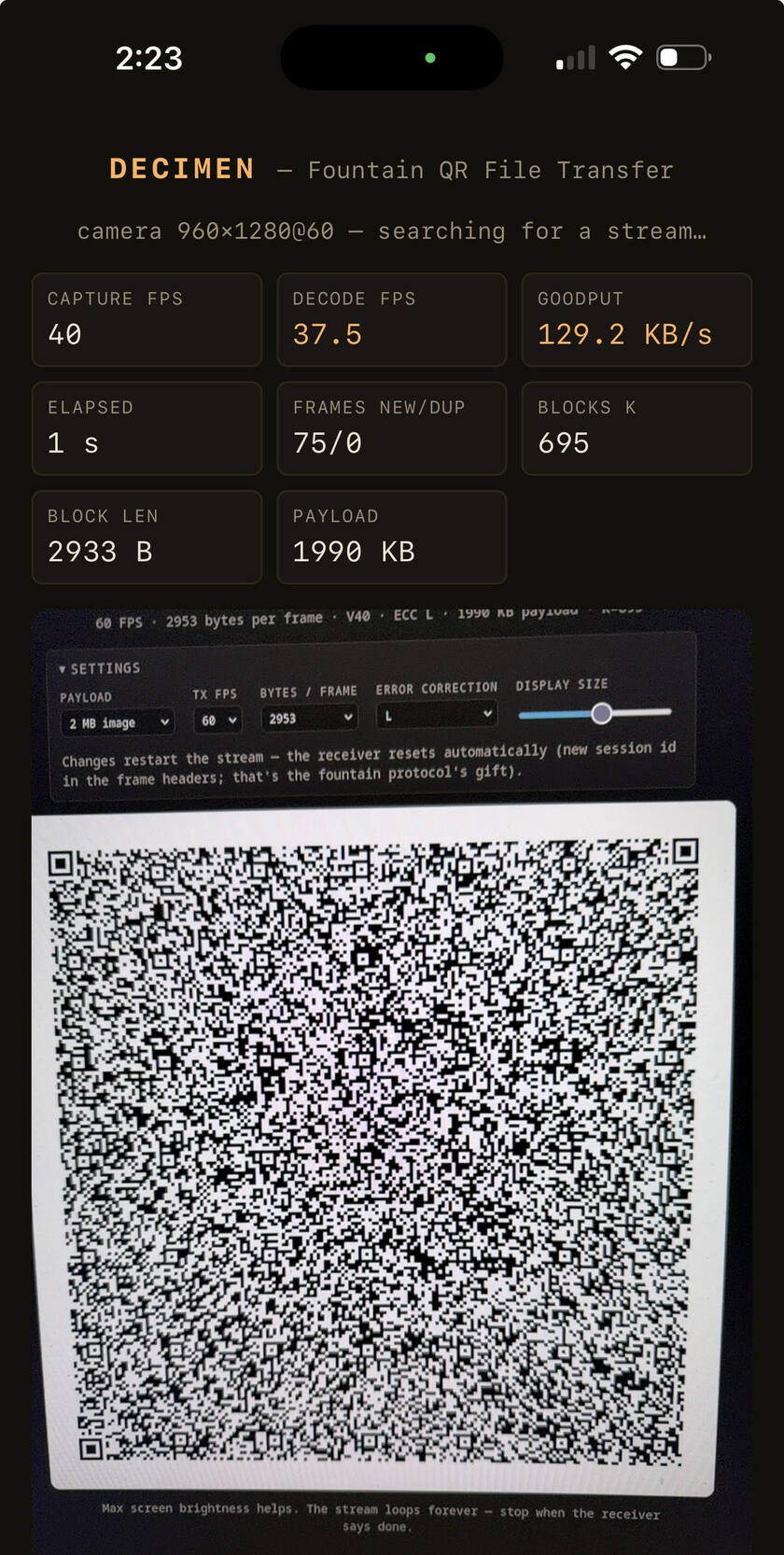
Mid-transfer: a phone pulling a file out of the air at 130 KB/s.
Neither mode is encrypted: whatever is on the sending screen is readable by any camera pointed at it. The property this gives you is no network, not confidentiality — see privacy.
Measured speed

One record run per device pair. Sustained is whole-transfer goodput; peak is the best ≥1 s window inside that same run. Every row links to the full diagnostics run report that produced it (how these are measured).
| pair | sustained | peak | transfer | codes | devices | when | receipt |
|---|---|---|---|---|---|---|---|
| desktop → phone | 418.5 KB/s | 601.5 KB/s | 1.0 MB in 2.5 s | 4 | Odyssey G9 49″ → iPhone 17 Pro Max | 2026-08-09 (v0.4.0) | run |
| phone → phone | 199.2 KB/s | 340.8 KB/s | 1.0 MB in 5.1 s | 2 | iPhone 17 Pro Max → iPhone 17 Pro Max | 2026-08-09 (v0.4.0) | run |
Documentation
Using it — quick start · sending · receiving · troubleshooting · install & offline · privacy
How it's built — architecture · protocol · platform quirks · build & release · localization
The short version of the protocol: a screen-to-camera link has no back-channel, so the sender streams fountain-coded frames (Luby transform) — the receiver collects any ~K·1.15 distinct frames in any order and peels the file out. Dropped frames cost time, never correctness.
Run it yourself
npm install
npm run dev               # https dev server with HMR
npm run serve             # build, then serve the production bundle
npm run demo              # demo mode: only the bundled payloads can be sent
npm run diagnostics       # dev server + per-transfer run reports in the terminal
npm run benchmark         # diagnostics + sender locked to the canonical 1 MB payload
npm run benchmark:promote # declare your best captured run a record (updates the table above)
npm test                  # golden wire-format vectors and unit tests
npm run build             # the hosted site → dist/
npm run build:standalone  # both self-contained pages → dist-standalone/
npm run build:all         # everything
Open https://localhost:5173/send/ on the sending device and the printed
Network URL on the receiving phone (accept the self-signed certificate
once). Walkthrough: quick start.
Similar projects
The concept here was arrived at independently. It turns out several people have had similar ideas, and their takes are all worth a look:
- mohankumarelec/airgapped-qr-code-transfer: browser-based QR file transfer with compression and sequential chunking. Discovered after publicly demoing this project; convergent evolution in action.
- divan/txqr (2018): animated QR plus fountain codes in Go, with two excellent write-ups on why fountain coding beats sequential looping.
- sz3/libcimbar: goes past QR entirely with a custom high-density color code purpose-built for this channel.
Project Creator/Maintainer
Built by Evan Crawley (Bash Alarmist), with node-qrcode and decimen-codec, a custom zxing-cpp build.
License
AGPL-3.0-or-later, as of v0.4.0. Releases up to and including v0.3.0 were MIT-licensed and remain available under those terms.
Portions were contributed under MIT, and the vendored decimen-codec decoder (AGPL-3.0-or-later) incorporates zxing-cpp under Apache-2.0 — see NOTICE.
